Last updated: 2026-03-31
Source: https://support.freshservice.com/support/solutions/articles/50000011981-service-communications
Service communications represent the identified exchange of data between a client process and a listening service. This article provides an overview of service communications and instructions on how to track interactions between client and listener devices, as well as how to analyze connection-related statistics.
View service communications
Access the centralized list of all identified communication paths between devices.
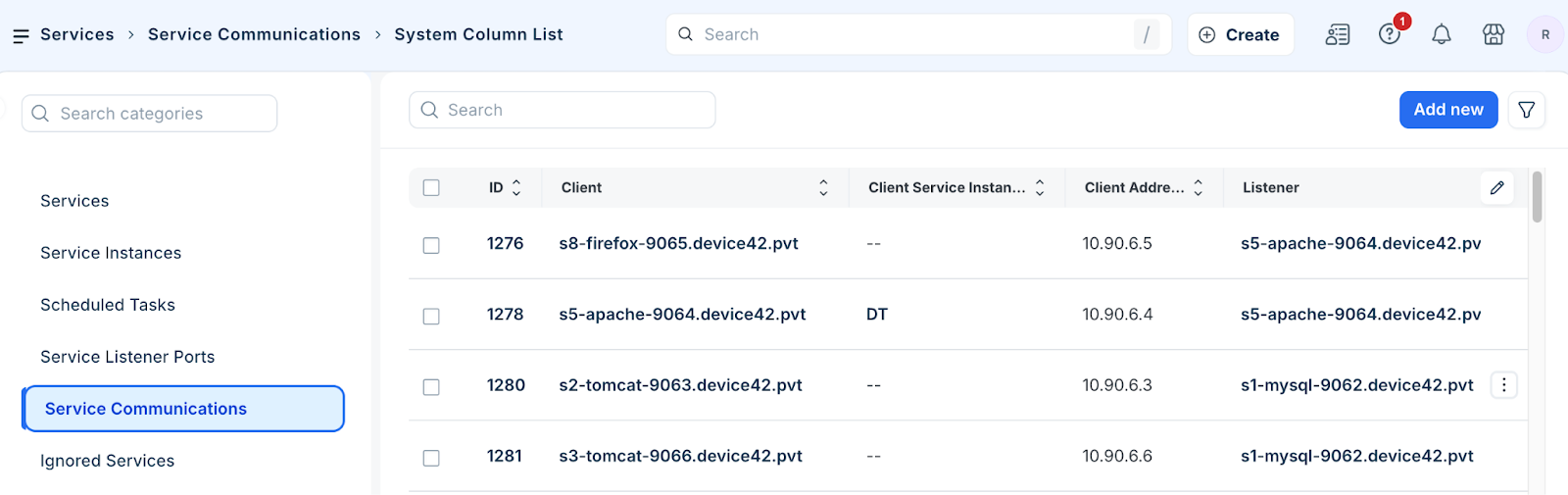
1. Go to Applications > Services > Service Communications to open the list.
2. Review the connections, including the client and listener IP addresses and ports.
3. Click a Client device name to edit an existing service communication record.
Perform bulk actions
To apply changes to multiple communication records simultaneously, follow these steps:
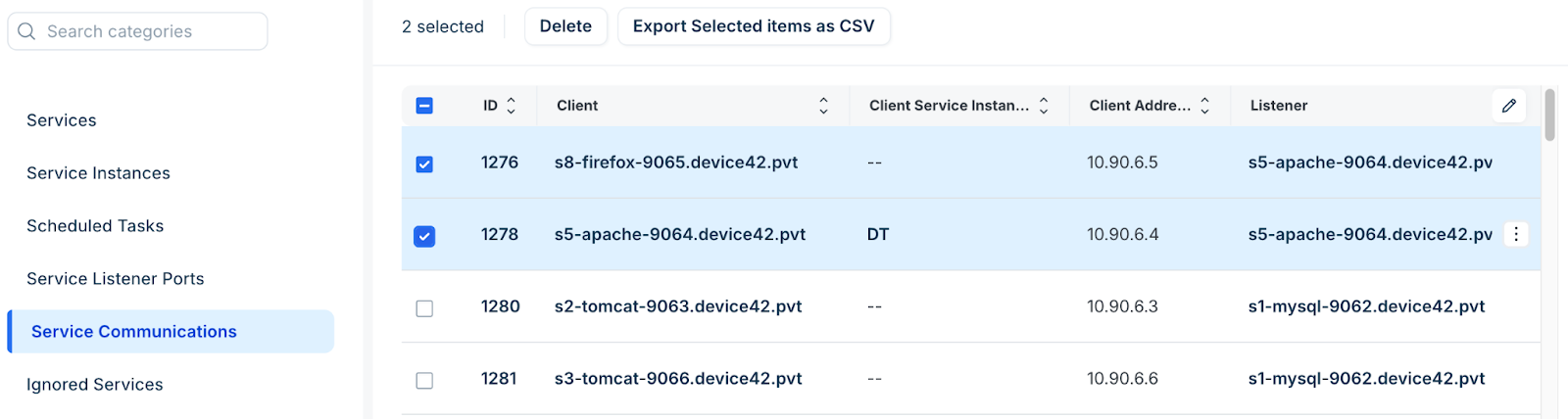
1. Select one or more entries from the Service Communications list page.
2. Select the relevant action you want to perform, such as; delete or export records.
Add a service communication
To create a new communication record to track interactions that were not captured automatically, follow these steps:
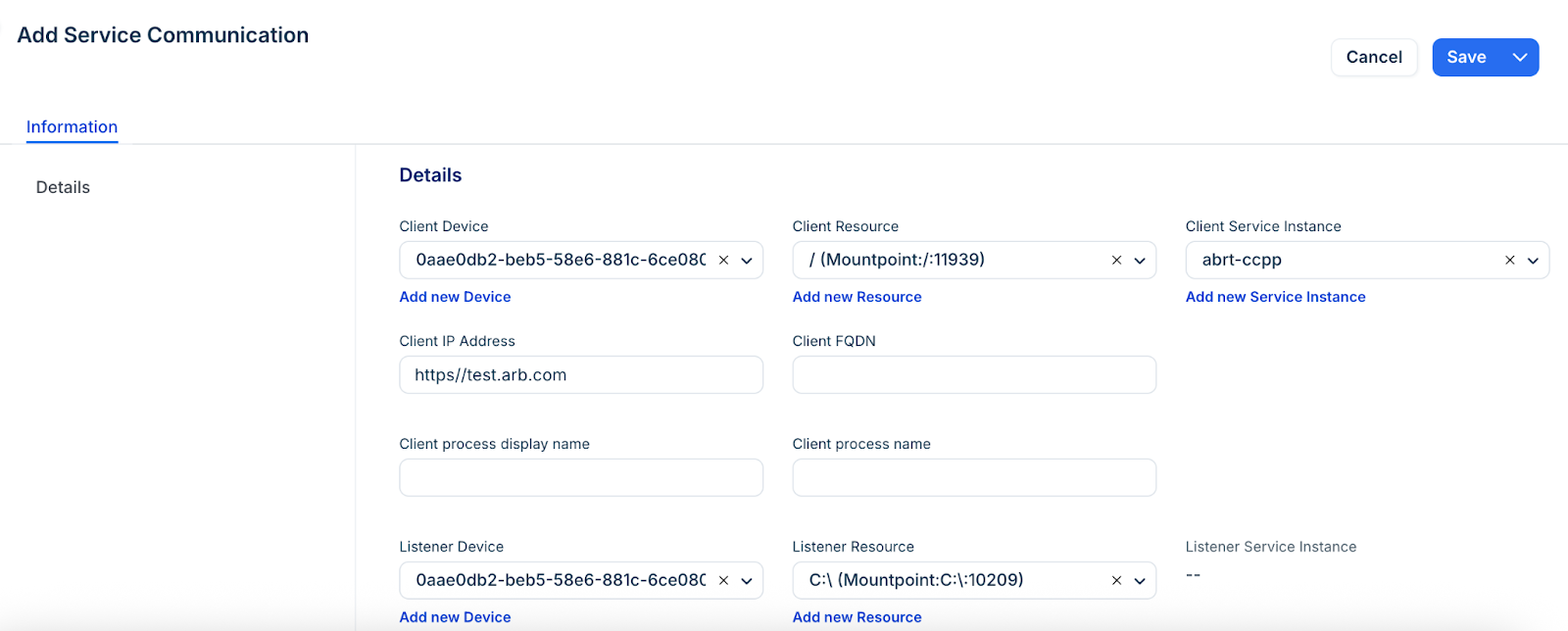
1. Click Add new to create a service communication.
2. Enter the Client IP Address, Listener IP Address, Port, and Protocol.
3. Optionally, select the Client Device, Listener Device, and specify the client process names.
4. Click Save.
Service port IP statistics
Analyze the granular data collected through Netstat and Netflow to understand connection health and frequency.
To view these statistics, navigate to Applications > Services > Service Communications and click on a record ID.
Netstat statistics
These metrics are derived from standard network utility scans performed during discovery.
| Attribute | Description |
| Netstat Total Samples | Total times discovery identified the listener since the connection was first found. |
| Netstat Active Samples | Total times discovery specifically identified this active connection. |
| Netstat Total Ports | A running total of open ephemeral ports found. |
| Average Connections | Calculated as Total Ports / Active Samples. This represents the connection "weight." |
| Connection Persistence | Calculated as (Active Samples / Total Samples) \* 100. Represents the percentage of time a connection is found when a listener is active. |
Netflow statistics
These metrics provide a more continuous view of traffic events and time spans.
| Attribute | Description |
| Netflow Total Events | Total number of communication events identified across all samples. |
| Netflow Client Active Span | The running total of time where a connection was consistently found during sample periods. |
| Netflow Client Gap Span | The running total of time where a connection was missing during a full sample period. |
Note: Time spans are heavily affected by your sample interval. If you sample every 60 seconds, a connection is considered active if two communications are seen within that minute. If the time between two communications exceeds the sample interval, the system records a Gap Span.