Last updated: 2024-10-11
This article describes how to integrate the Freshservice Support SDK (FSSupportSDK) to work with your Android mobile applications.
The FSSupportSDK helps you add the following Freshservice support features to your mobile app:
Requirements
The FSSupportSDK has the following requirements:
Minimum Android SDK version: 21
```generic
```
Generic
The FSSupportSDK integration process involves:
Creating a new application
Note: If you have an existing application, you can skip this process and proceed with adding the FSSupportSDK.
You can create a quick sample project in Android Studio, and use the project to try out the FSSupportSDK.
1. In Android Studio, select File > New > New Project.
2. In the New Project screen, ensure that the Phone and Tablet tab is selected. Click Empty Activity, and click Next.
3. Enter the required information in the next step, and click Finish.
See the Android developer documentation for more information.
Adding the FSSupportSDK
1\. Add the maven URL to the root build.gradle (project/build.gradle). Ensure that you open the build.gradle file for the app module.
project/build.gradle
Groovy:
```generic
```
Generic
Kotlin DSL:
```generic
```
Generic
2\. Add the following dependency to your app module's build.gradle file (project/app/build.gradle):
project/app/build.gradle
Groovy:
```generic
```
Generic
Kotlin DSL:
```generic
```
Generic
Example:
implementation 'com.freshworks.sdk:freshservicesupportsdk:0.0.1-beta'
Initializing the FSSupportSDK
Before using any of the FSSupportSDK features, you must initialize the SDK in your application.
The initialization process involves setting up authentication information, configuring the theme, and other necessary setup tasks
Note: Set up the authentication flow using the following link to get the necessary authentication information (such as, domain, slug, and userToken).
Initialization in Application class
To initialize the SDK, add the following code in the onCreate() function of your Application class.
Java:
```java
```
Java
Kotlin:
```generic
```
Generic
Configuration options
Once initialized and configured, the FSSupportSDK is ready for use within your application
Deinitialization
The SDK must be deinitialized during your application logout or any switch-user scenarios.
Java:
```java
```
Java
Kotlin:
```generic
```
Generic
Adding Freshservice features to your application
The FSSupportSDK provides various support-related features within your application.
Below are the support features and their corresponding methods for integration. By using these methods, the FSSupportSDK provides easy access to essential Freshservice support features within your app.
View Dashboard
After you have integrated the FSSupportSDK with your Android mobile application, the SDK allows you to present a dashboard with specific support features you want to display in your mobile app.
The Dashboard provides access to the following support features:

Use the following methods to integrate the Dashboard feature.
Java:
```java
```
Java
Kotlin:
```generic
```
Generic
Supported modules
View my Tickets
The FSSupportSDK allows you to integrate the Open Tickets feature in your mobile app, which displays the list of tickets raised by a requester/user. This integration helps requesters access their open tickets directly and eliminates the need to access the Dashboard.
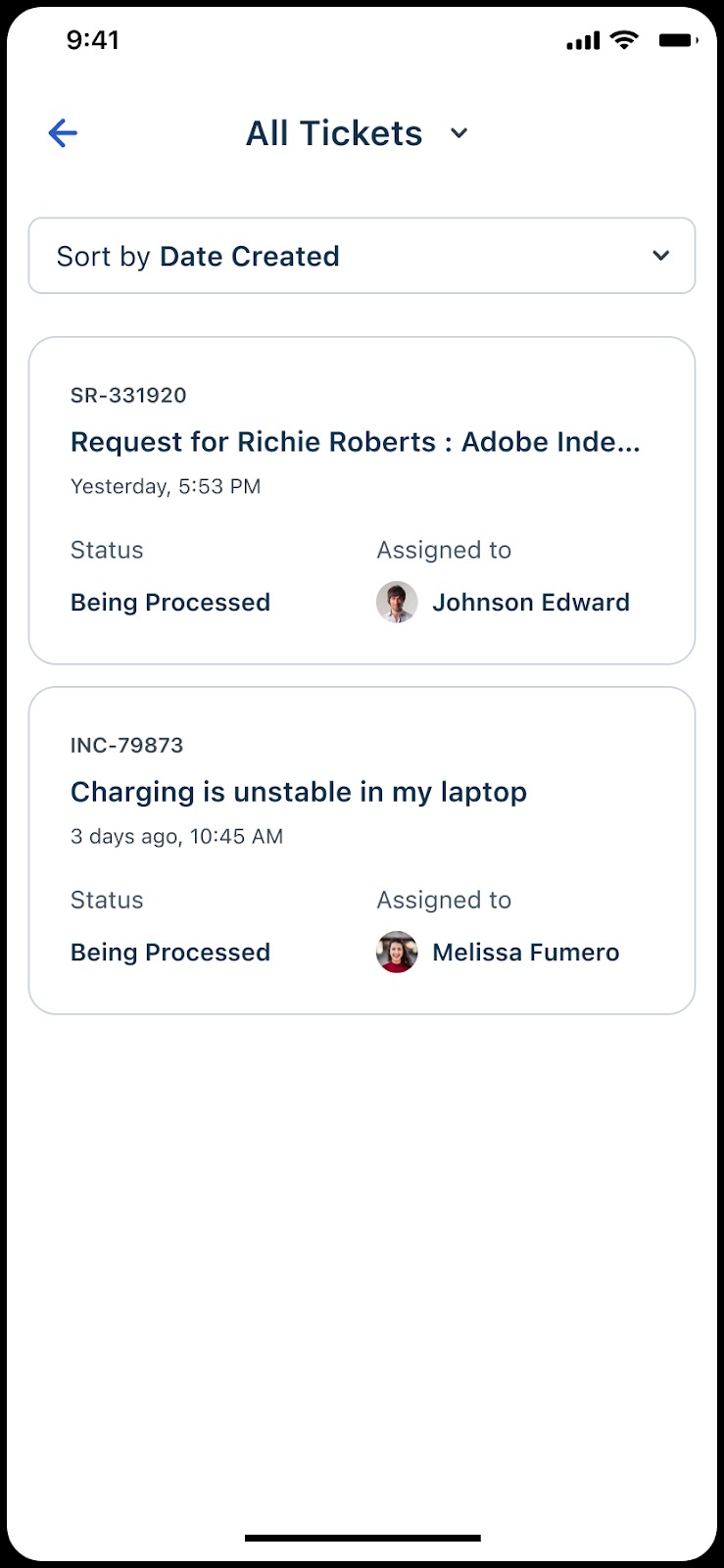
Use the following methods to integrate the Open Tickets feature.
Java:
```java
```
Java
Kotlin:
```generic
```
Generic
Raise an Issue
The FSSupportSDK allows you to integrate the Raise an Issue feature in your mobile app, which allows requesters to report a new issue or submit a support request. This integration helps requesters raise an issue directly and eliminates the need to access the Dashboard.

Use the following methods to integrate the Raise an Issue feature.
Java:
```java
```
Java
Kotlin:
```generic
```
Generic
Request a Service
The FSSupportSDK allows you to integrate the Request a Service feature in your mobile app, which allows requesters to initiate a service request. This integration helps requesters initiate a service request directly and eliminates the need to access the Dashboard.

Use the following methods to integrate the Request a Service feature.
Java:
```java
```
Java
Kotlin:
```generic
```
Generic
View Approval Requests
The FSSupportSDK allows you to integrate the View Approval Requests feature in your mobile app, which allows users to view and manage approval requests. This integration helps users manage approval requests directly and eliminates the need to access the Dashboard.

Use the following methods to integrate the View Approval Requests feature.
Java:
```java
```
Java
Kotlin:
```generic
```
Generic