Last updated: 2025-07-18
How to schedule and post announcements in Freshservice?
Post announcements to share updates with agents and end-users. Bring teams up to speed with new releases and posting downtime alerts. Schedule announcements to be published on a specific date and time. For time-sensitive announcements, specify expiry date and time. Use announcements to mail critical announcements to agents, users, and third-party vendors.
``` ```
Schedule and post announcements
1. Click  on the top right of the dashboard page. This opens the announcements slider.
2. Click  .
.
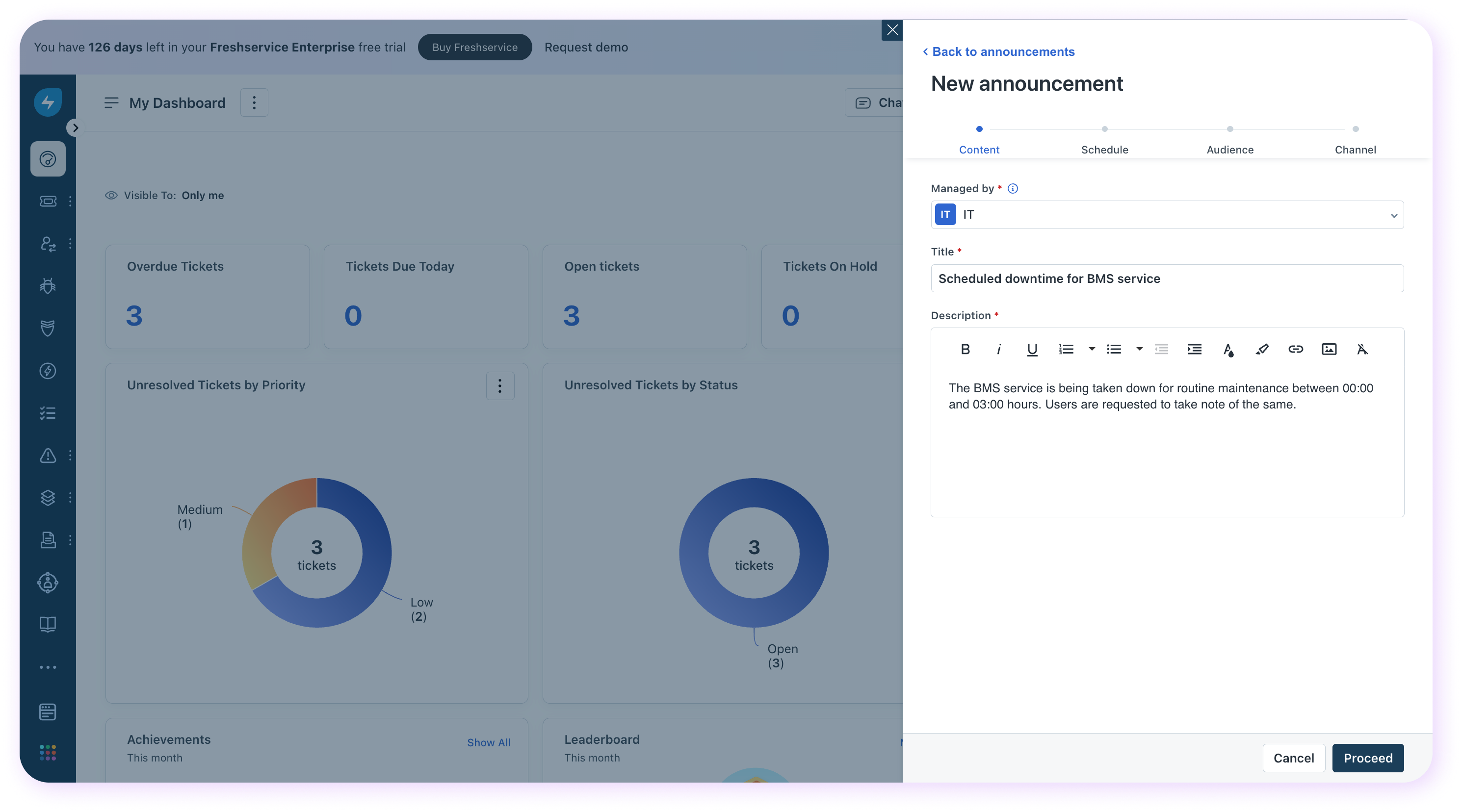
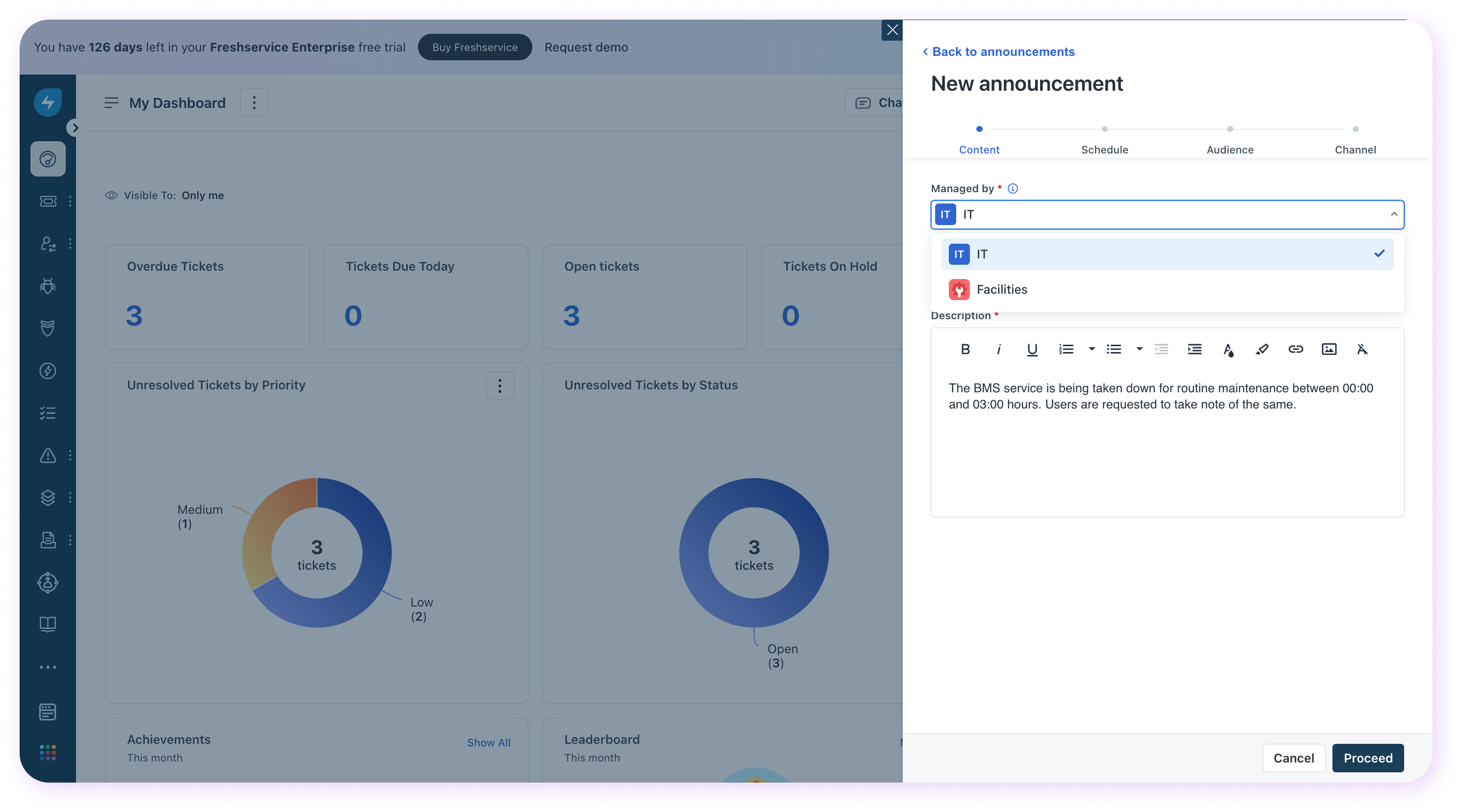 3. Select the workspace to which the announcement is to be broadcast, enter a _Title_ and _Description_ for the announcement, and click
  .
.
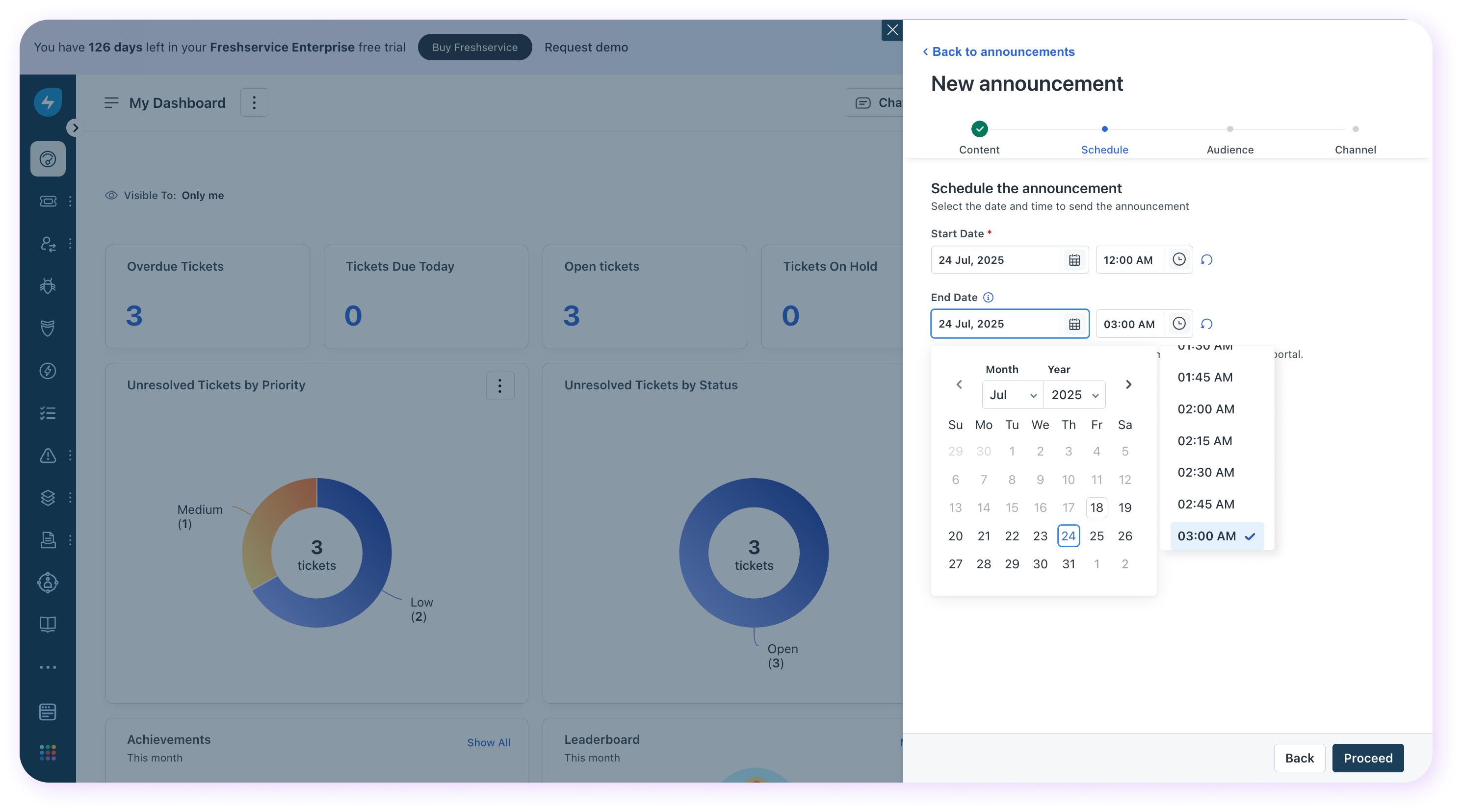
 4. Specify a Start Date/Time and End Date/Time for the announcement display and click .
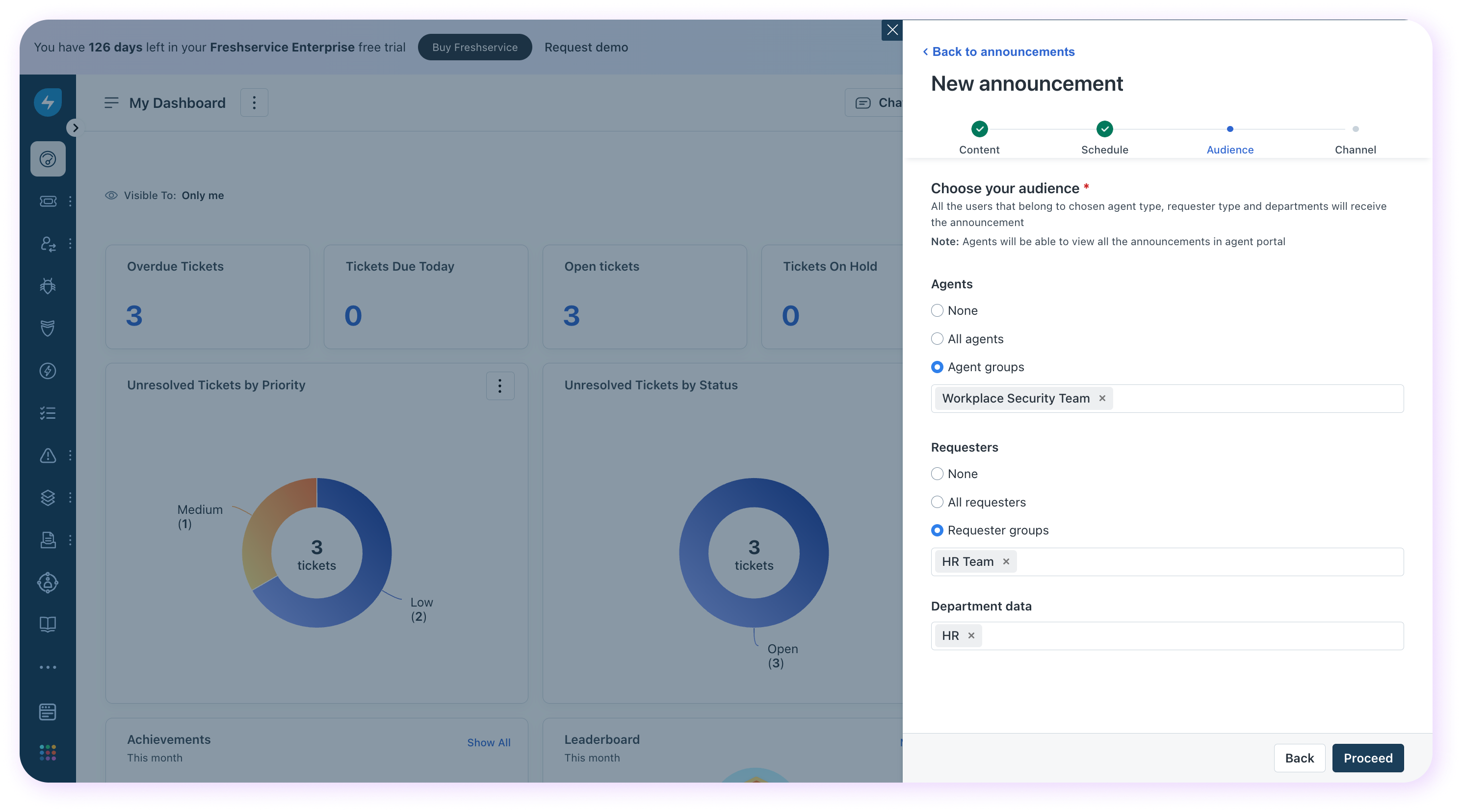
 5. Select an audience for the announcement. Choose the agents, requesters, and the departments to which the announcement is to be broadcast, and click Proceed.
 6. Select the channel on which the announcement is to be made. Choose between portal, email, and Slack. Use the email as a channel when the announcement is intended for an external audience—vendors, partners, etc.
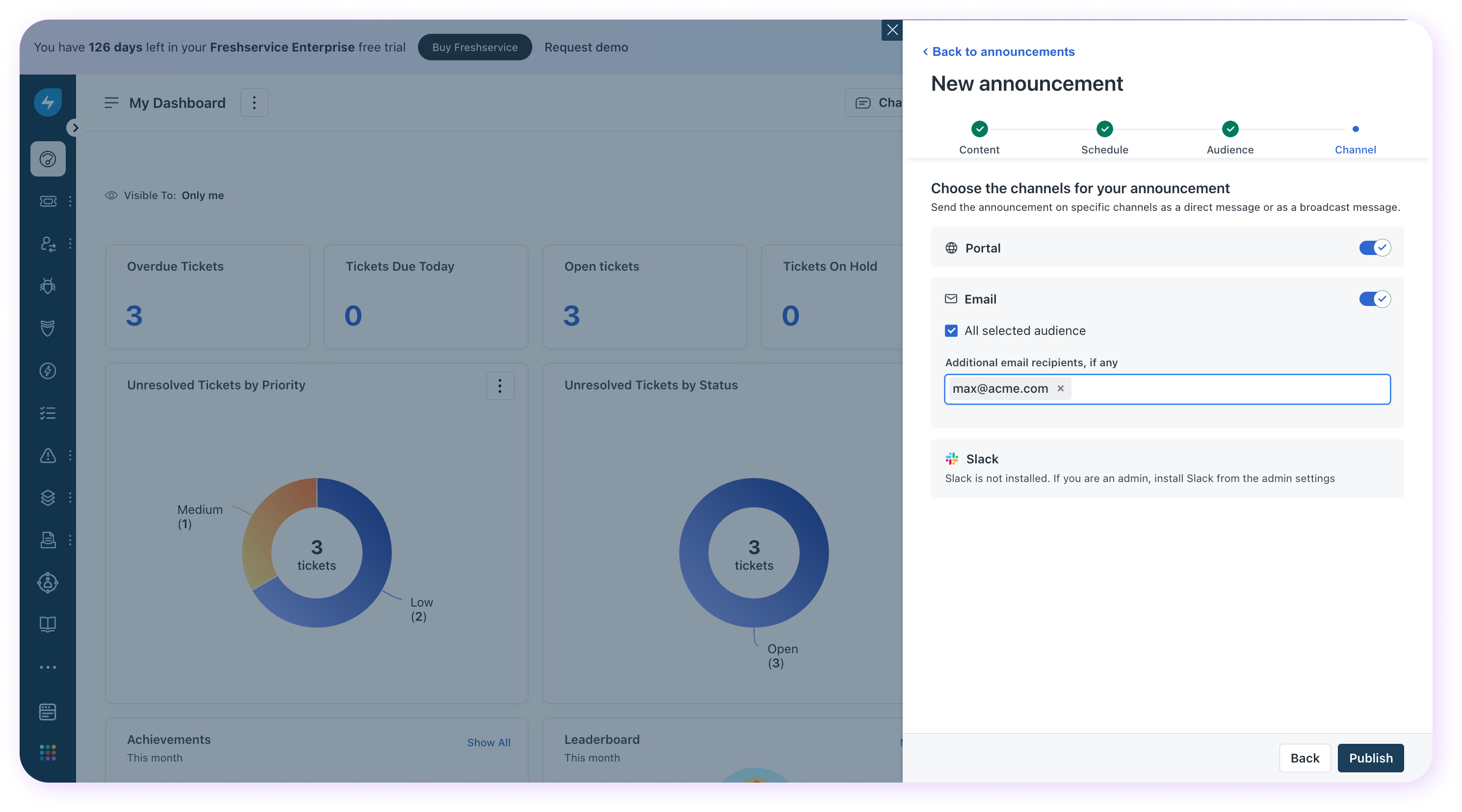 7. Click
  . This schedules the announcement.
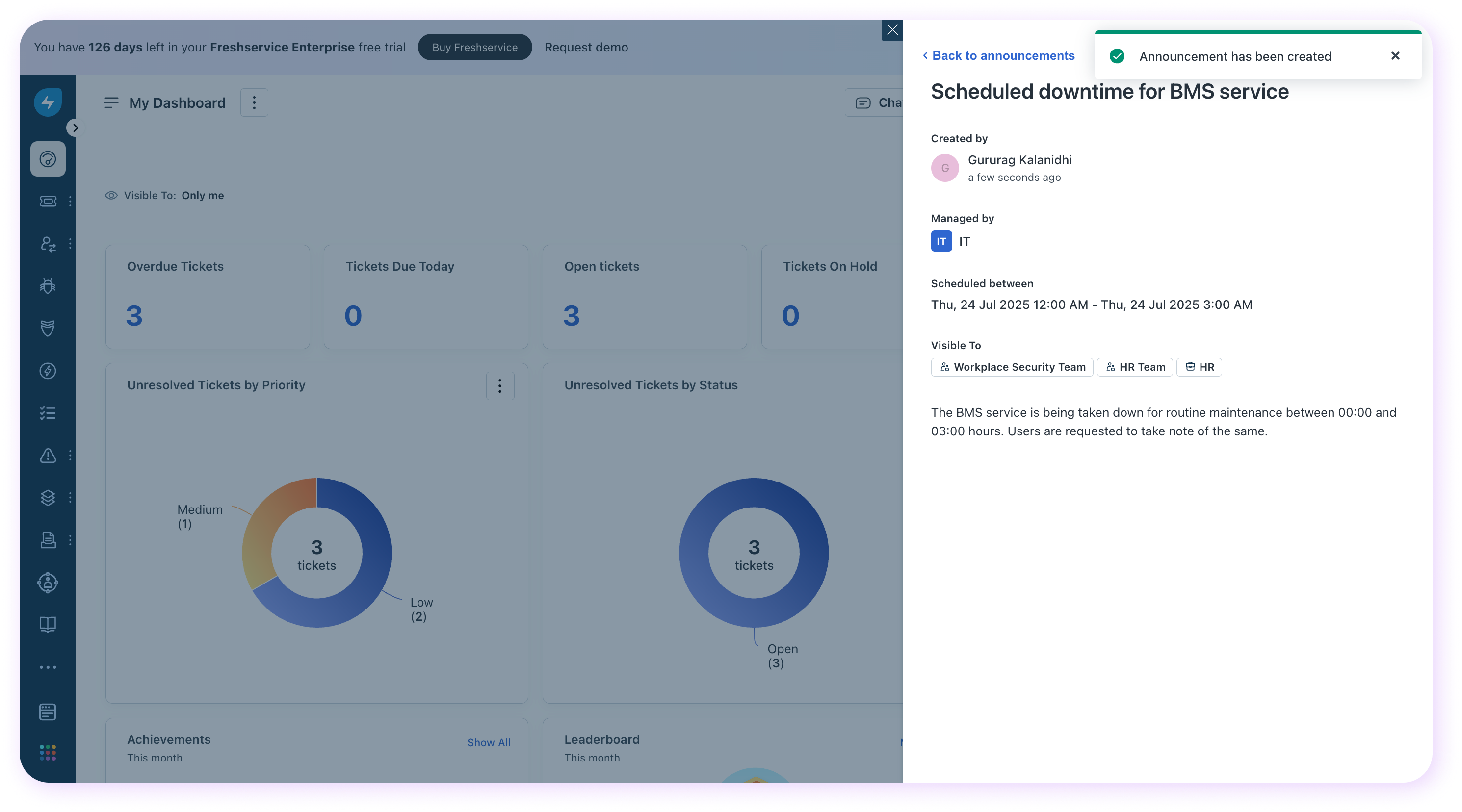
``` Note: Requesters can only see active announcements on the self-service portal. ```