Last updated: 2026-05-06
Freshservice IT Asset Management provides trusted visibility into IT assets, infrastructure components, and their dependencies across on-premises, cloud, virtual, and hybrid environments.
``` Note: Available only for new signups after the 31 March, 2026 release. If you signed up earlier, refer to the existing ITAM documentation. For FAQs on existing ITAM, see Upgrade FAQ. ```
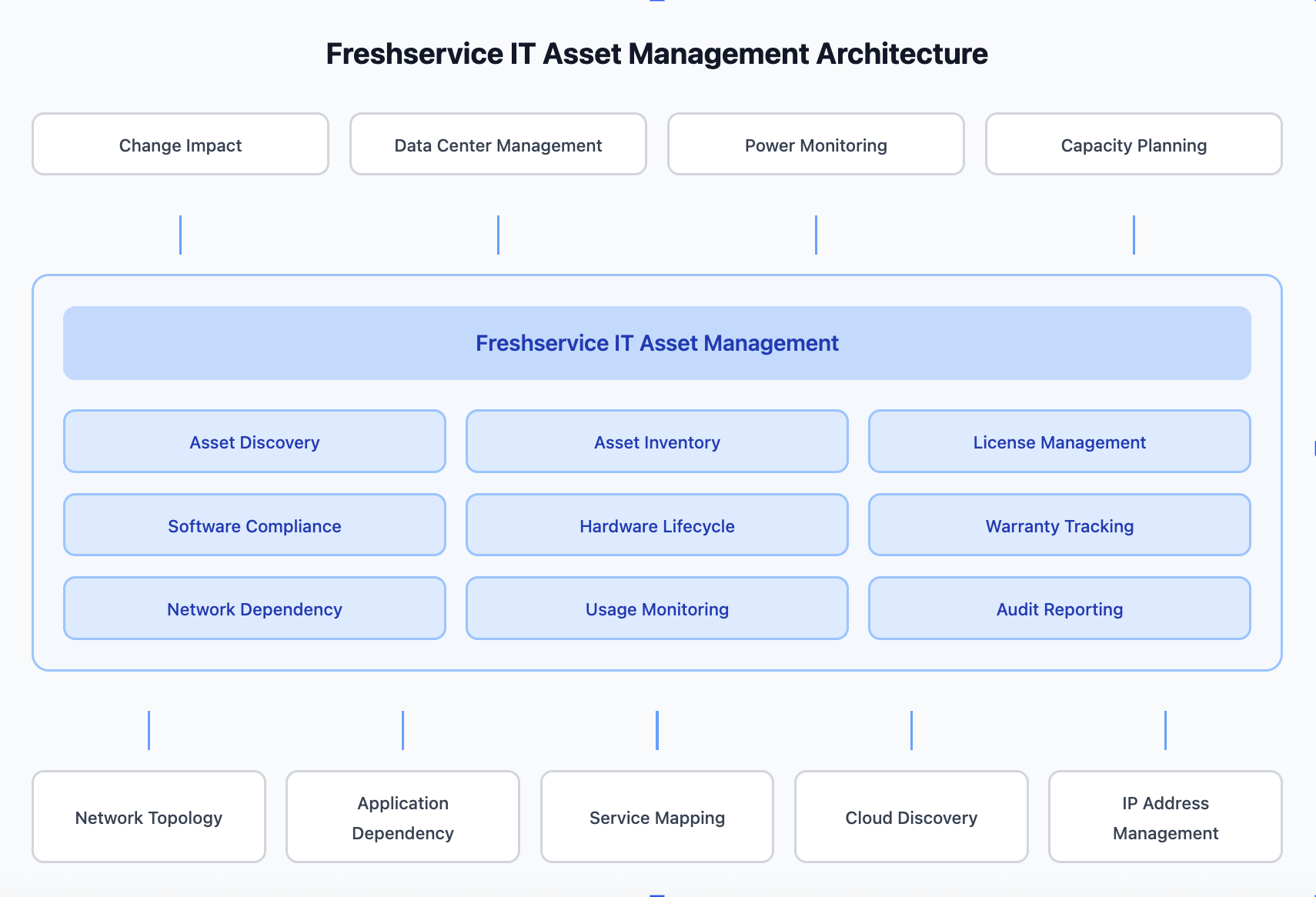
Freshservice IT Asset Management delivers an expanded set of infrastructure management capabilities for modern hybrid IT, including IT Asset Management (ITAM), Software Asset Management (SAM), Business Service Mapping, and IP Address Management (IPAM).
What Freshservice IT Asset Management covers
Freshservice IT Asset Management focuses on the operational state and reliability of the IT environment. It helps you manage:
Role of IT Asset management
Freshservice IT Asset Management (ITAM) manages the lifecycle, financial, and contractual aspects of IT resources. It tracks assets from procurement through deployment, usage, and retirement, helping organizations understand ownership, cost, licensing, and compliance.
Freshservice ITAM Implementation Flow
The following articles explain how to install and configure Asset Management.
| Task Phase (Flow) | Task Description | Reference Link |
| 1\. Overview and Planning | Define ITAM goals, including lifecycle management, financial tracking, and compliance. | What is Freshservice IT Asset Management<br>Freshservice IT Asset Management Plans and AU Pricing |
| 2\. Architecture and Prerequisites | Review implementation architecture and ensure required network ports are open. | Discovery Port Configurations |
| 3\. Deployment Setup | Sizing your environment and initiating the core implementation process. | Sizing recommendations How to deploy Asset Management Asset Management implementation |
| 4\. Remote Collector Installation | Install the Remote Collector and Windows Discovery Service (WDS) if applicable. | Install Remote Collector Configure Windows\`Discovery Service (WDS) |
| 5\. Discovery Configuration | Set up autodiscovery jobs for network devices and agent-based discovery for end-user devices. | Scan and onboard assets with Discovery Hub Configure Discovery Jobs Install Agent-Based Discovery Database Discovery Cloud Discovery |
| 6\. Mapping and Relationships | Map dependencies between applications and business services to visualize impact. | Application Dependency Mapping Business Services |