Last updated: 2025-07-01
Source: https://support.freshservice.com/support/solutions/articles/50000011397-publish-a-journey
IN THIS ARTICLE
``` Before publishing a journey created using templates, ensure all account-specific configurations are complete. For a detailed list of what to review, see Pre-Publish Checklist for Admins (Template-Based Journeys). ```
As an Admin, once you have created a journey, configured the initiator form, added stakeholders, and set up phases and activities, you can publish the journey by clicking the Publish button. This action validates the entire configuration/workflow to ensure everything is in place.
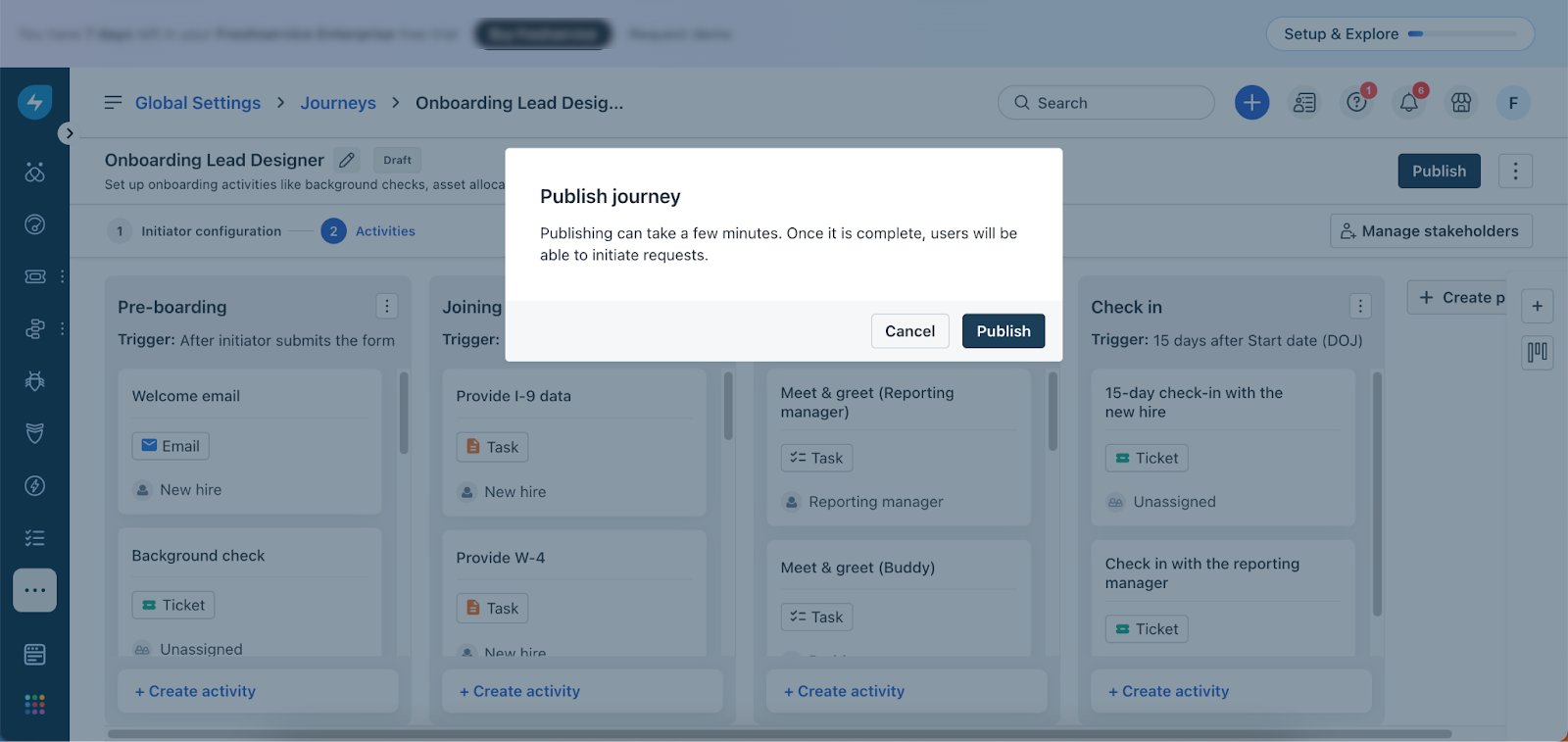
What Happens After Publishing?
Once published, the journey becomes accessible to users in the assigned initiator group. Depending on their permissions, they can initiate the journey from the Support Portal or Agent Portal.
Journey Publish Validation Errors
When you click Publish, the system validates the journey configuration. If any issues are found, error messages will appear with reasons and links to help you resolve them. For example, in the illustration below, the user encountered an error in the Journey Settings because the workspace was not configured.
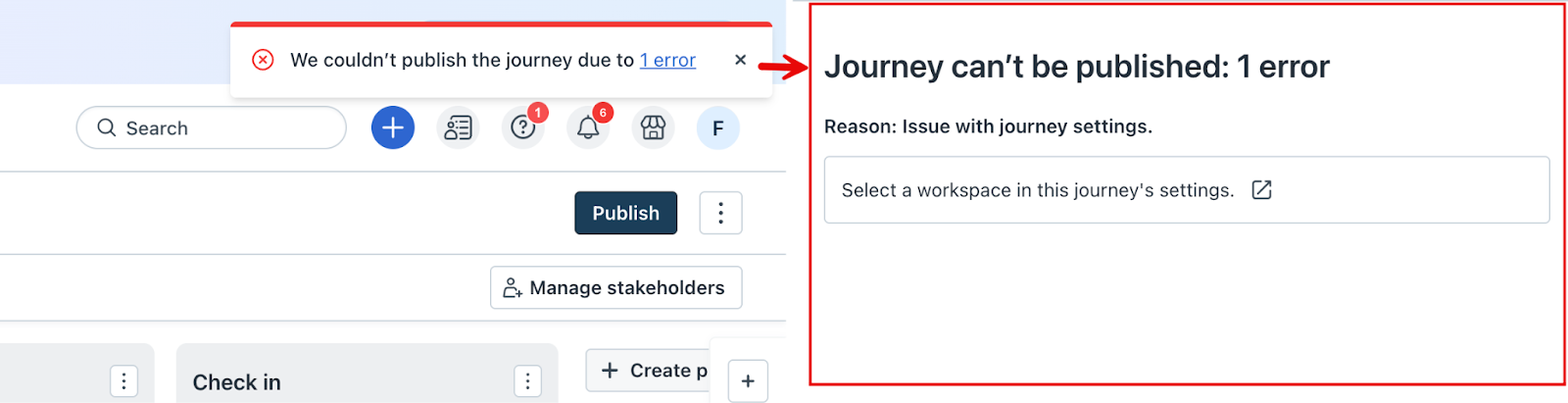
You may encounter similar errors across different parts of the journey setup. To proceed with publishing, you must resolve all issues. Review the table below to understand the commonly encountered validation errors and the actions required to fix them.
Common Journey Validation Errors
| Reasons | Resolution |
| No activities present in a phase | Add at least one activity to each phase |
| No phases configured | At least one phase must be added before publishing |
| Journey status is not valid | Ensure the journey is in a valid state before publishing |
| Cyclic Dependency Error | Check and remove cyclic dependencies between phases/activities |
| Workspace deleted | Reassign the journey to a valid workspace |
| Agent group deleted | Reassign to an active agent group |
| Requester group deleted | Reassign to a valid requester group |
| Service item deleted | Link the activity to a valid service item |
| Email address in service desk deleted | Provide a valid email address |
| Limit for journeys exceeded | Reduce the number of published journeys (limit: 50) |
| Settings | Resolve any references in global or workspace-level settings |
| Initiator form | Fix errors in the initiator form configuration |
| Activity | Resolve configuration issues in the affected activity |
| Cannot delete {0} journey configuration | Remove all references to the configuration before deletion |
| Conditions | Ensure condition logic is valid and correctly mapped |
| Can't delete phase because it has at least 1 activity | Delete all activities in the phase before removing it |
| Remove the use of this activity from trigger | Remove dependency links before deleting or modifying the activity |