Last updated: 2025-07-01
Source: https://support.freshservice.com/support/solutions/articles/50000011381-cancel-a-journey-request
IN THIS ARTICLE
If the Admin has granted you cancellation permission, you can cancel the journey request at any time after initiation and before completion.
Why cancel a Journey request?
You might need to cancel a journey request in situations such as:
How to cancel a Journey request?
Perform the following steps to cancel a journey request:
1. Open the journey details page of the journey request you want to cancel.
2. If cancellation permission is enabled, a Cancel Journey button will appear in the upper right corner of the screen.
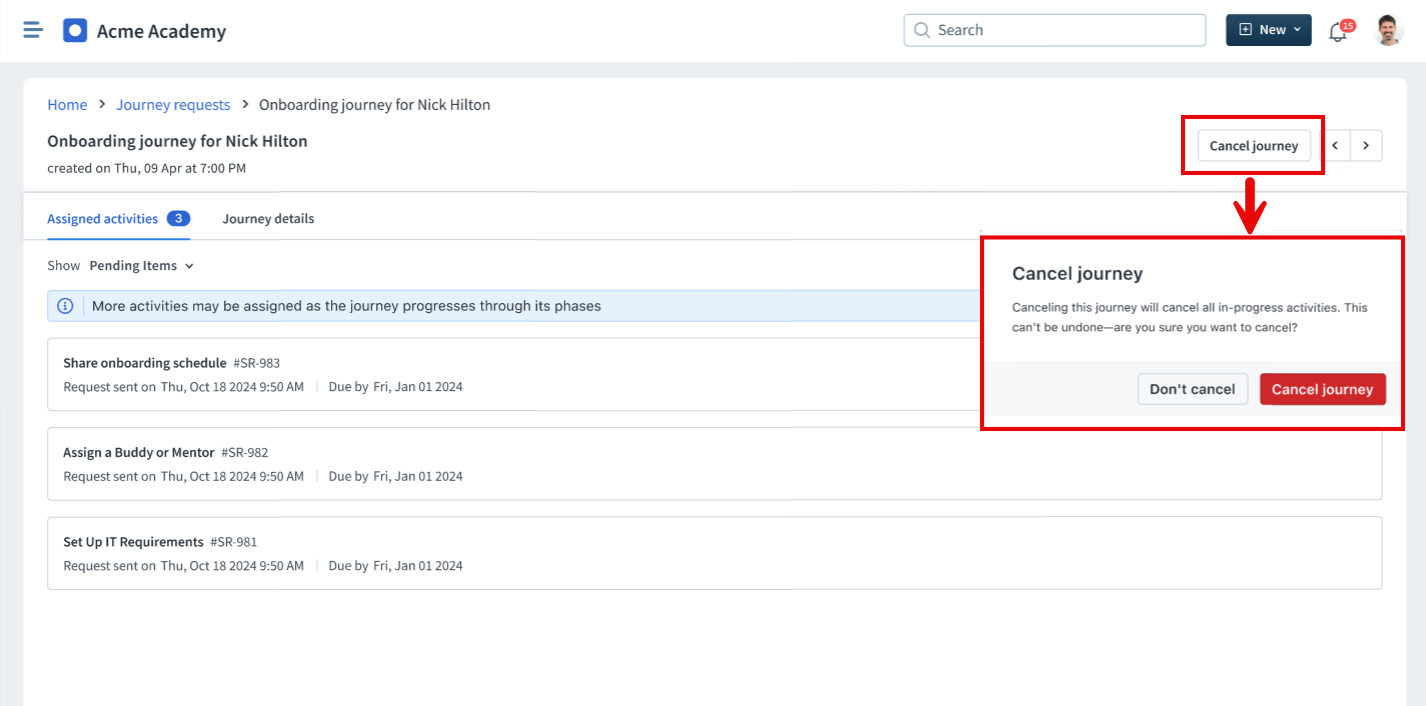
3. Click Cancel Journey and confirm the action.