Last updated: 2023-04-27
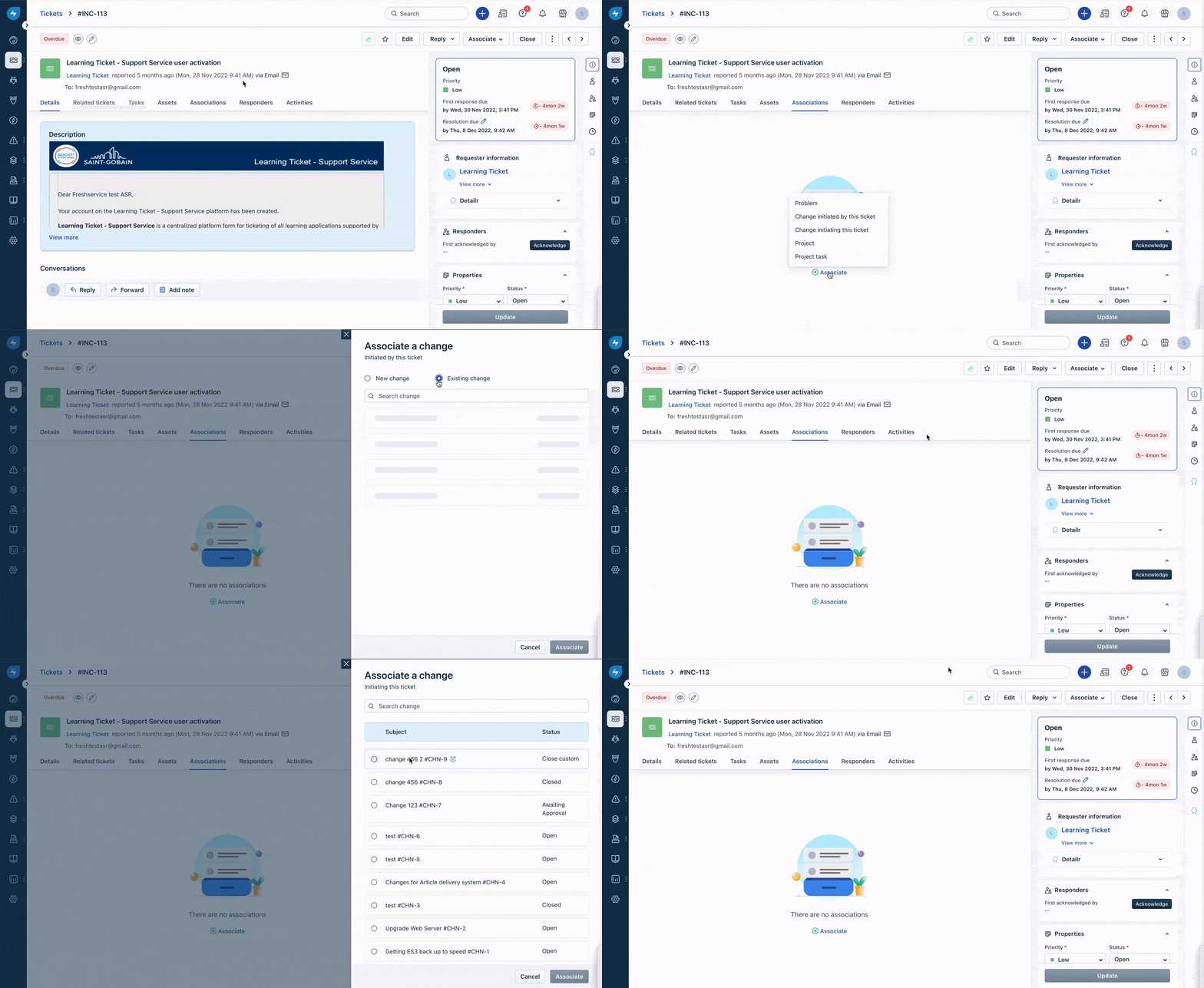
Both Incidents and Service Requests can be associated with Changes. To associate a ticket with a change,
1. Go to the Ticket view page for the ticket you want to associate with a change. 2. Select the Associations tab and click on the Associate button. 3. Choose the appropriate option from the two given: - Change initiated by this ticket: to associate or create a new change that was the reason for the ticket - Change initiating this ticket: to associate a change that was the reason for creating the ticket 4. Depending on the selection, a pop-up window will appear with either the fields for creating a new change or a list of existing changes to choose from.