Last updated: 2025-12-01
The SharePoint Search Connector integrates with the Freddy AI Agent, enabling users to search information available through various knowledge resources within your organization.
To learn more about the installation, integration, and enhanced capabilities of the SharePoint Search Connector, see Enhance Freddy AI Agent Search with SharePoint Search Connector Integration.
This article outlines the following two-step process involved in migrating to the enhanced SharePoint Search Connectorapp, which provides users with a more precise and relevant Freddy AI Agent experience with improved search capabilities on your SharePoint content:
Uninstall the old app
To uninstall the older version of the SharePoint Search Connector app:
1. Go to Admin > Automation & Productivity > Extensibility > Apps.
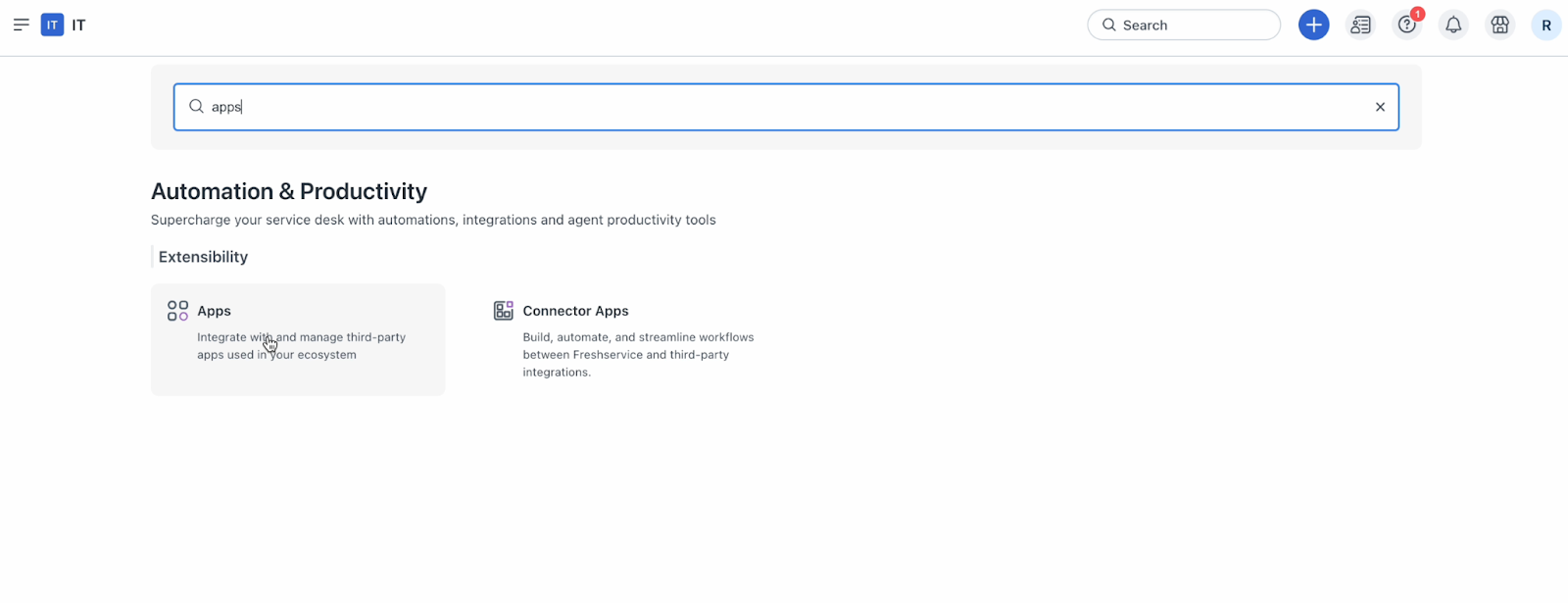
2. Or, click the Marketplace Apps icon on the top-right corner, and select Marketplace Apps.
3. Then, click Manage Apps.
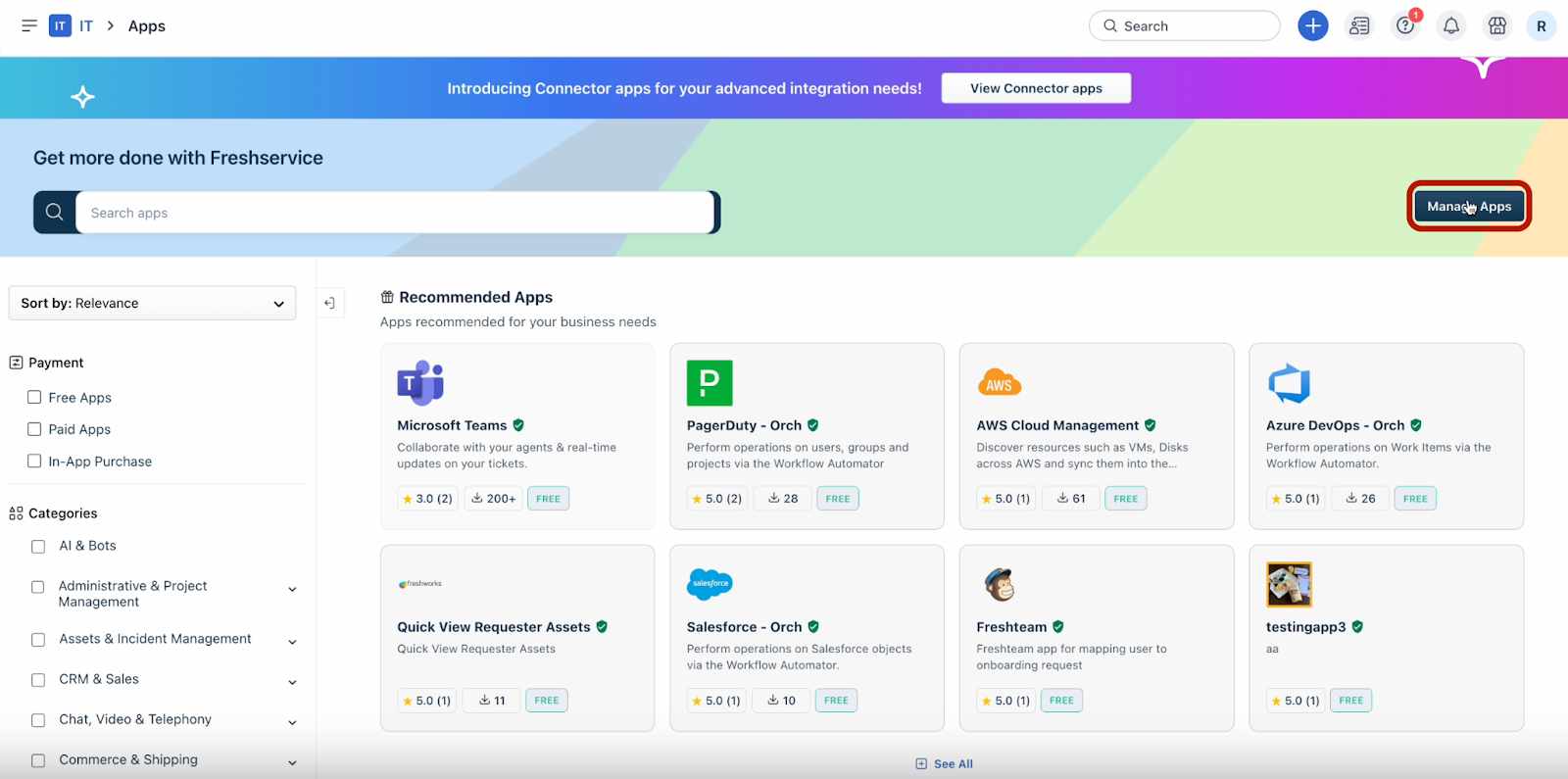
4. Under the Installed Apps section, click the Settings dropdown next to the SharePoint Search Connectorapp.
5. Select Uninstall App.
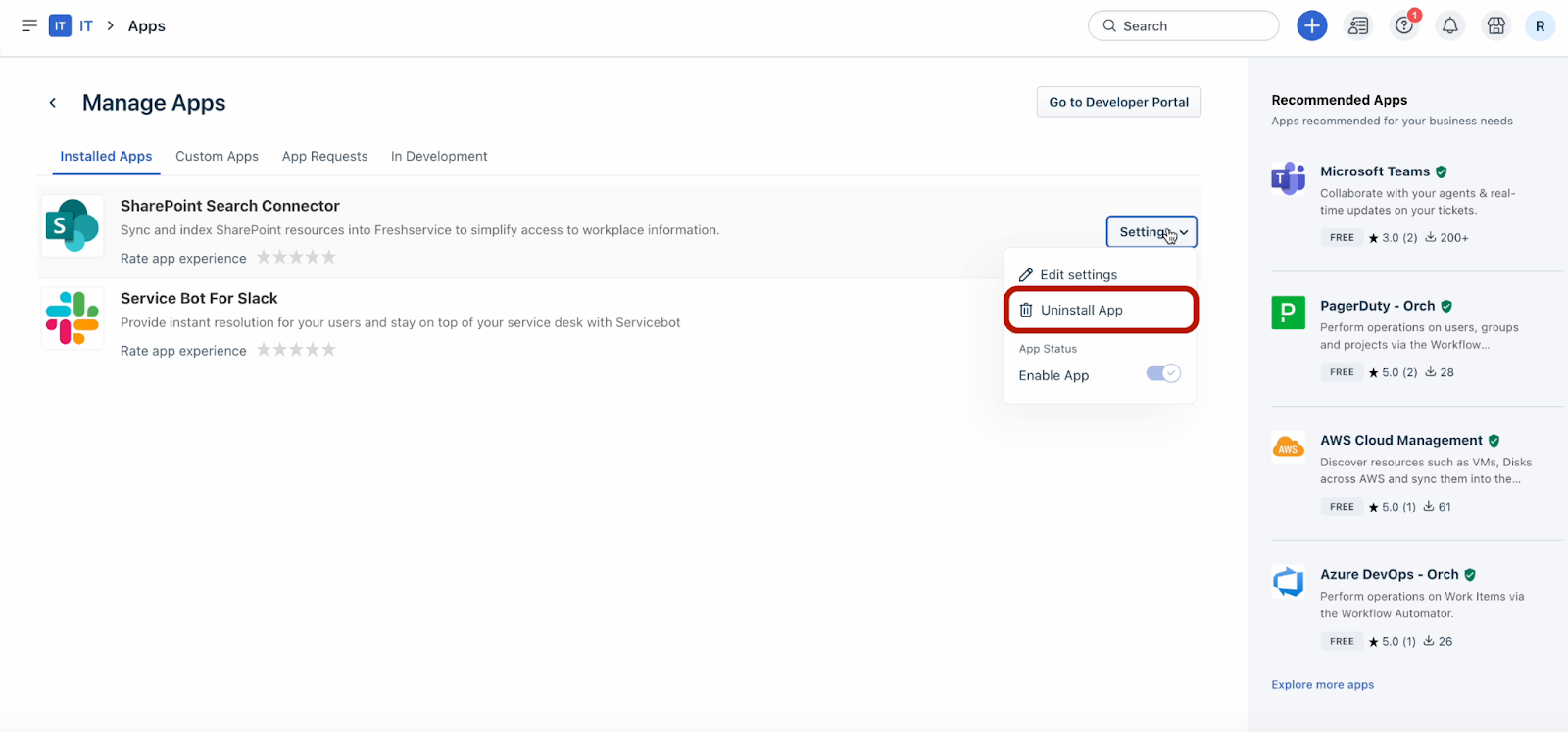
The Uninstall App dialog opens.
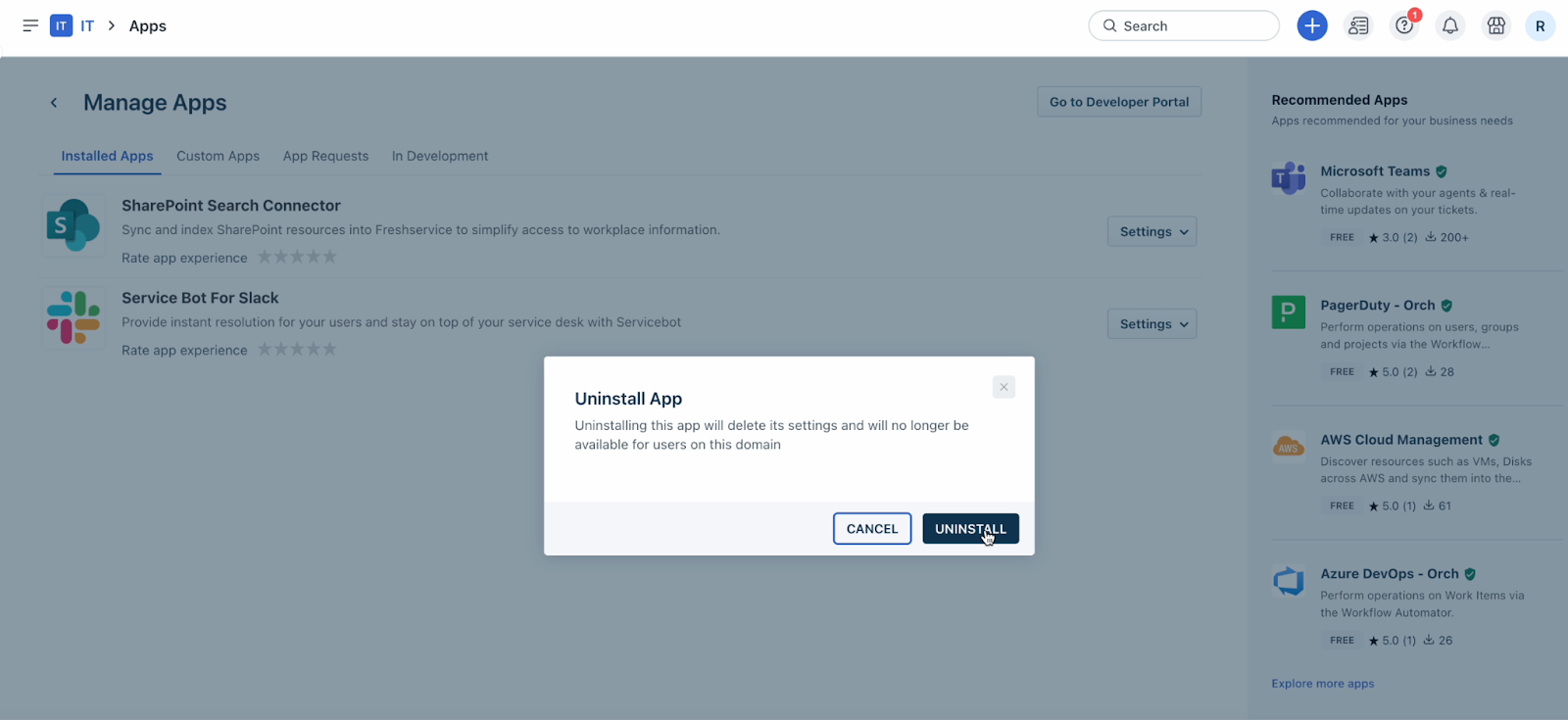
6. Click Uninstall.
Install the new app
To install the new version of the SharePoint Search Connector app:
1. Go to Admin > Automation & Productivity > Extensibility > Apps.
2. Or, click the Marketplace Apps icon on the top-right corner, and select Marketplace Apps.
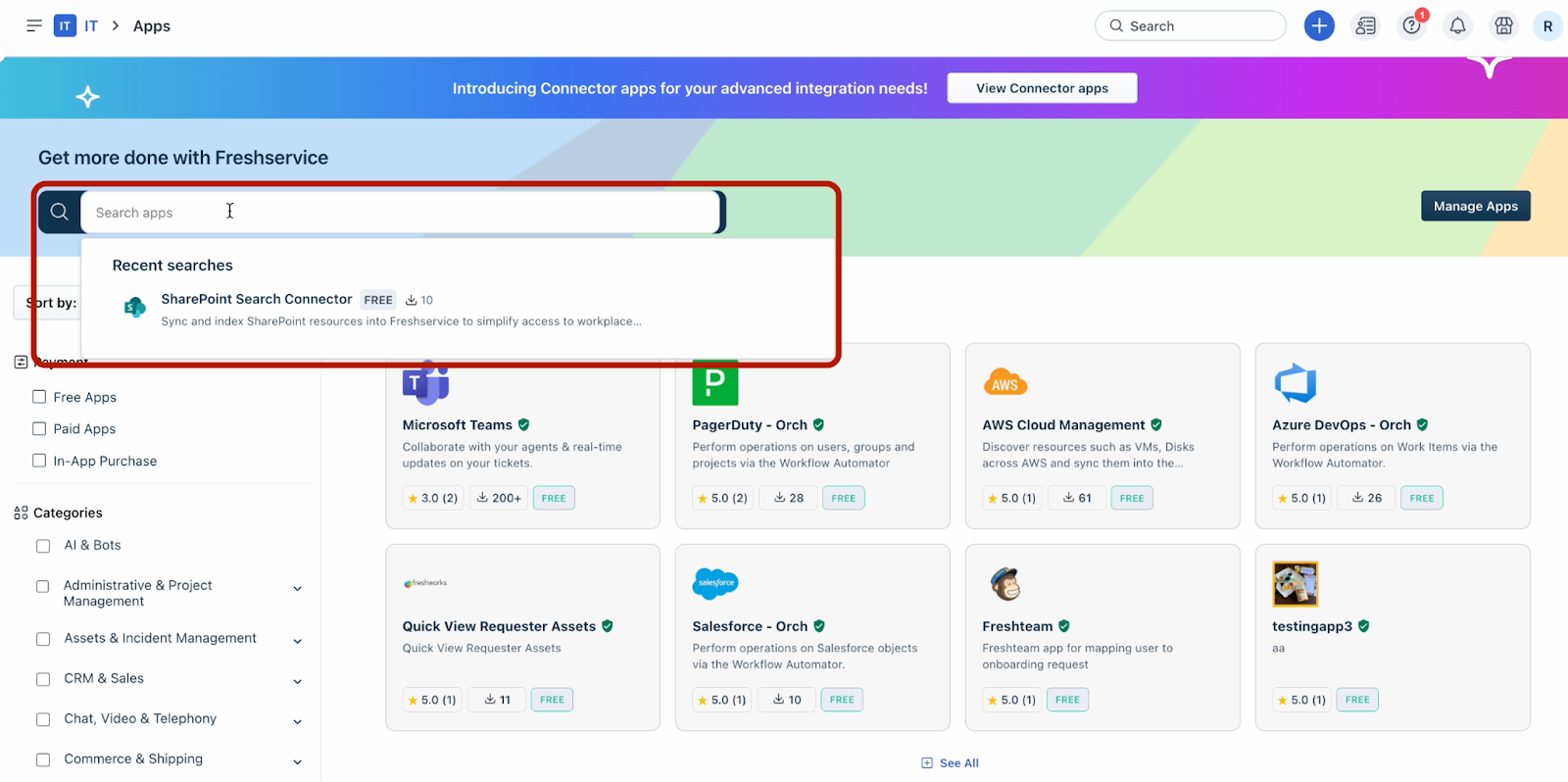
3. Search for the SharePoint Search Connector using the Search apps option.
4. Follow the steps for installation.
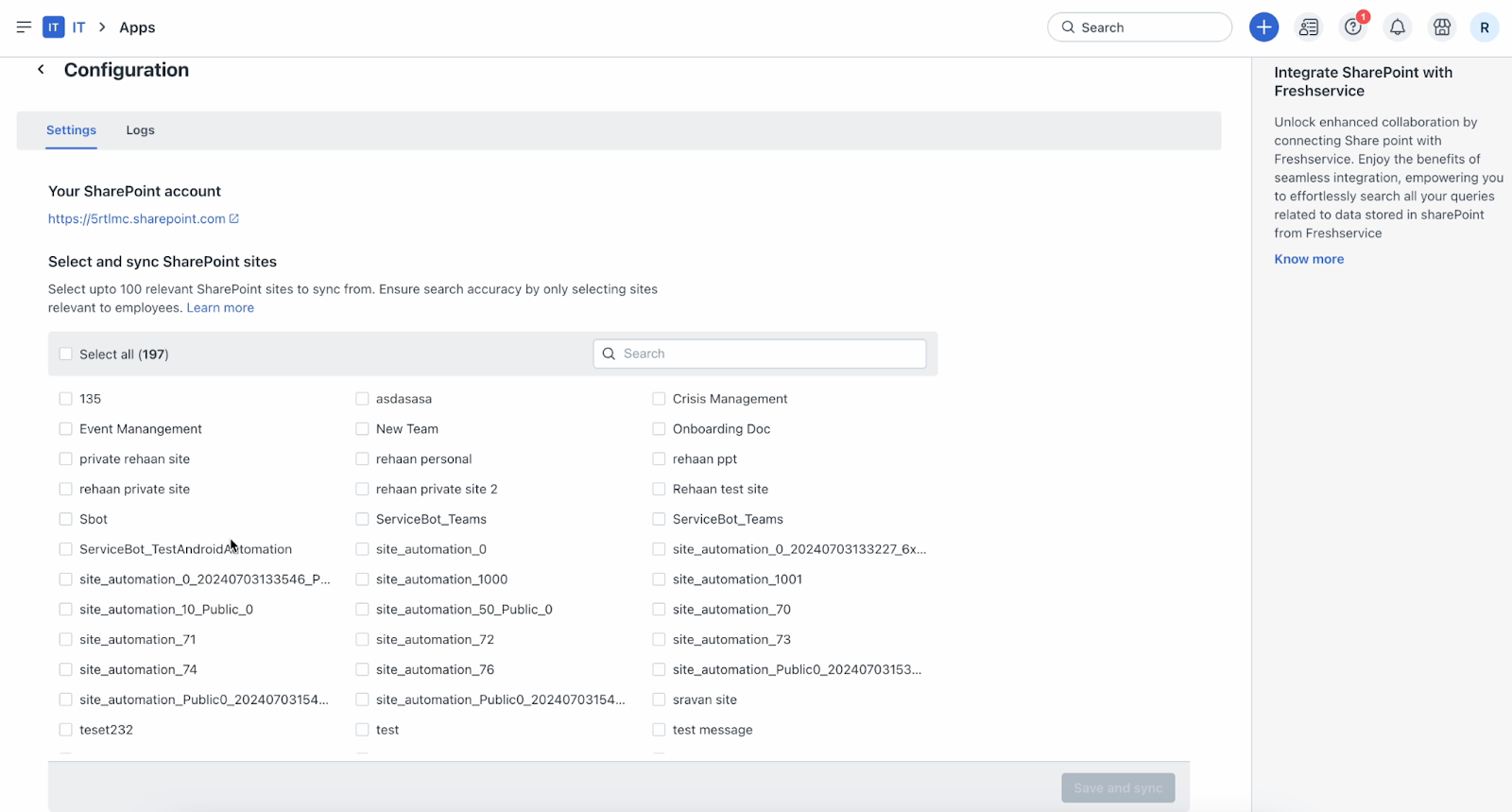
5. Select and sync the required SharePoint sites.
``` For more information, see Enhance Freddy AI Agent Search with SharePoint Search Connector Integration. ```