Last updated: 2025-08-08
This article describes a recent behavior that changes how values are fetched from Custom Object (CO) with respect to nested fields utilizing the Reader node in workflows.
Currently, Custom Objects support the creation of records with nested fields for up to 3 levels. The following combinations are supported when creating custom objects:
\[Level 1\] + nil
\[Level 1\] + nil + nil
\[Level 1\] + \[Level 2\] + nil
\[Level 1\] + \[Level 2\] + \[Level 3\]
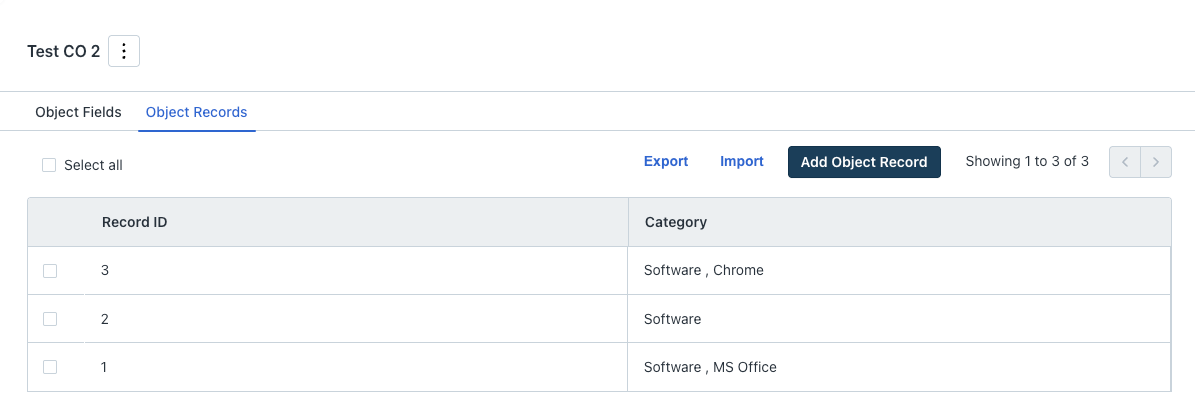
In the Workflows module, a Reader node can be configured with the custom object matching the ticket\_fields.{{nested field}} placeholder.
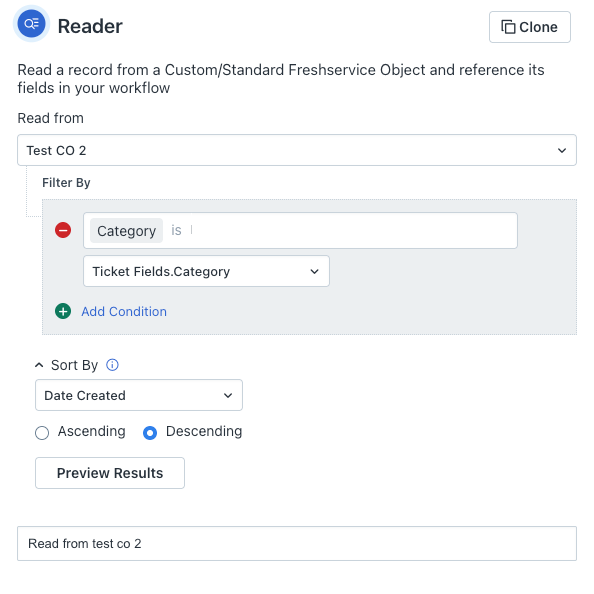
Current Behaviour
During ticket creation, nested level fields are not mandated unless the user configures them, therefore the user has an option to leave the nested level fields empty.
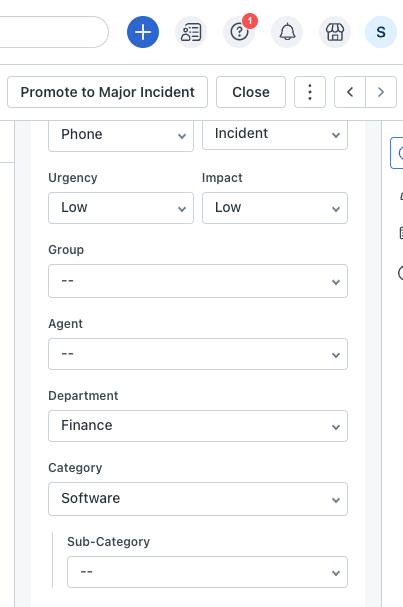
Currently, the system uses only the levels, which have data available to filter and fetch all the matching records. Then, it selects the result based on the configured sort\_by and order\_by fields. If there are no matching records, the execution is skipped.
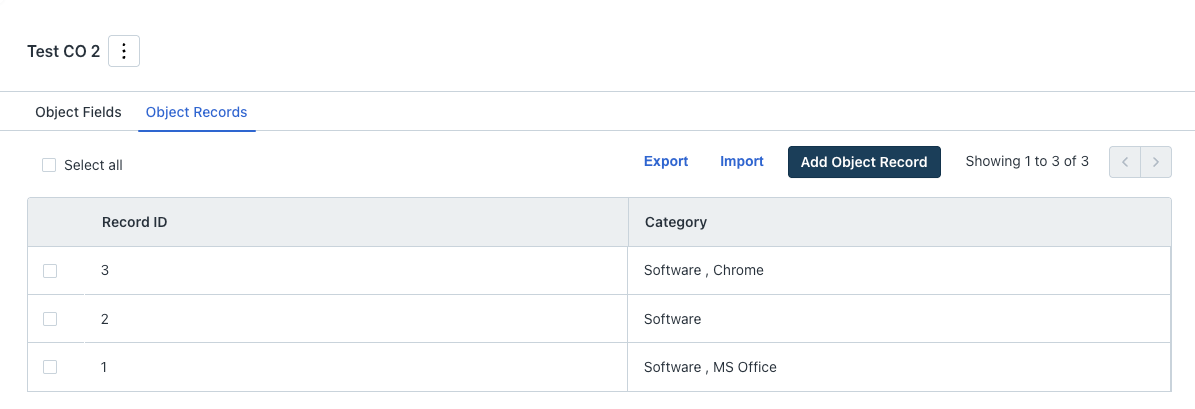
In this case, all the custom object records matching the Level 1 as ‘Software’ are fetched, and then the first record is returned (based on the sort\_by condition and the sort order defined in the reader node).
New Behaviour
In the new behaviour, we can perform a two-level filtering.
In the first level of filtering, we can do a strict match to honour the user who intentionally leaves the level as empty.
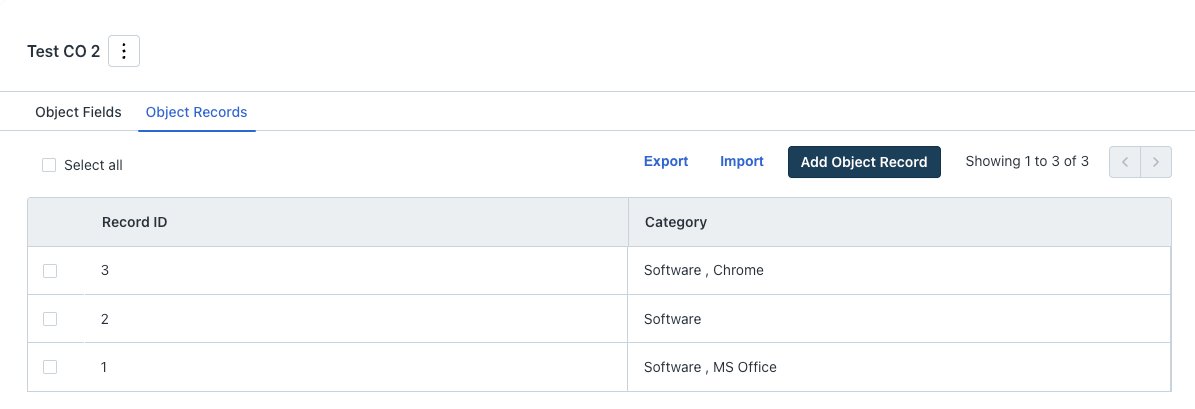
In the above example, if the user creates a ticket with Level 1 as ‘Software’ leaving the other levels empty, then the record with Id 2 will be returned (only Software).
If there are no records matching the above criteria, a soft match is performed with only the Level 1 data to fetch all matching records, and then it selects the result based on the configured sort\_by and order\_by fields.
If there are no matching records, the execution is skipped (same as the current behaviour).
Configuration changes post-fix
If your workflow uses the Reader node with placeholders (for example, R1.value), you may need to adjust your configuration. This change will result in the Reader node producing different and unique values, and the placeholders used in subsequent nodes will now reflect this behavior.