Last updated: 2025-04-07
Track Freddy AI Agent's Usage and Metrics
Freddy AI Agent is designed to enhance agent productivity by freeing up their time for high value work. With numerous Freddy AI Agent features available to use, tracking their overall usage and impact can become complex.
The introduction of Freddy AI Agent reporting aims to provide insights into the AI Agent's usage in your organisation and the impact of Freddy AI on your service desk metrics.
The Freddy AI Agent Overview curated report is accessible to users with the _View_, _Edit_, and _Manage_ permissions for the report. However, by default, the report is accessible to all the account admins on your account.
Access the report
To access the Freddy AI Agent Overview report:
Go to Reporting > Analytics > Curated reports. Select Freddy AI Agent Overview. The report's Overview tab opens.
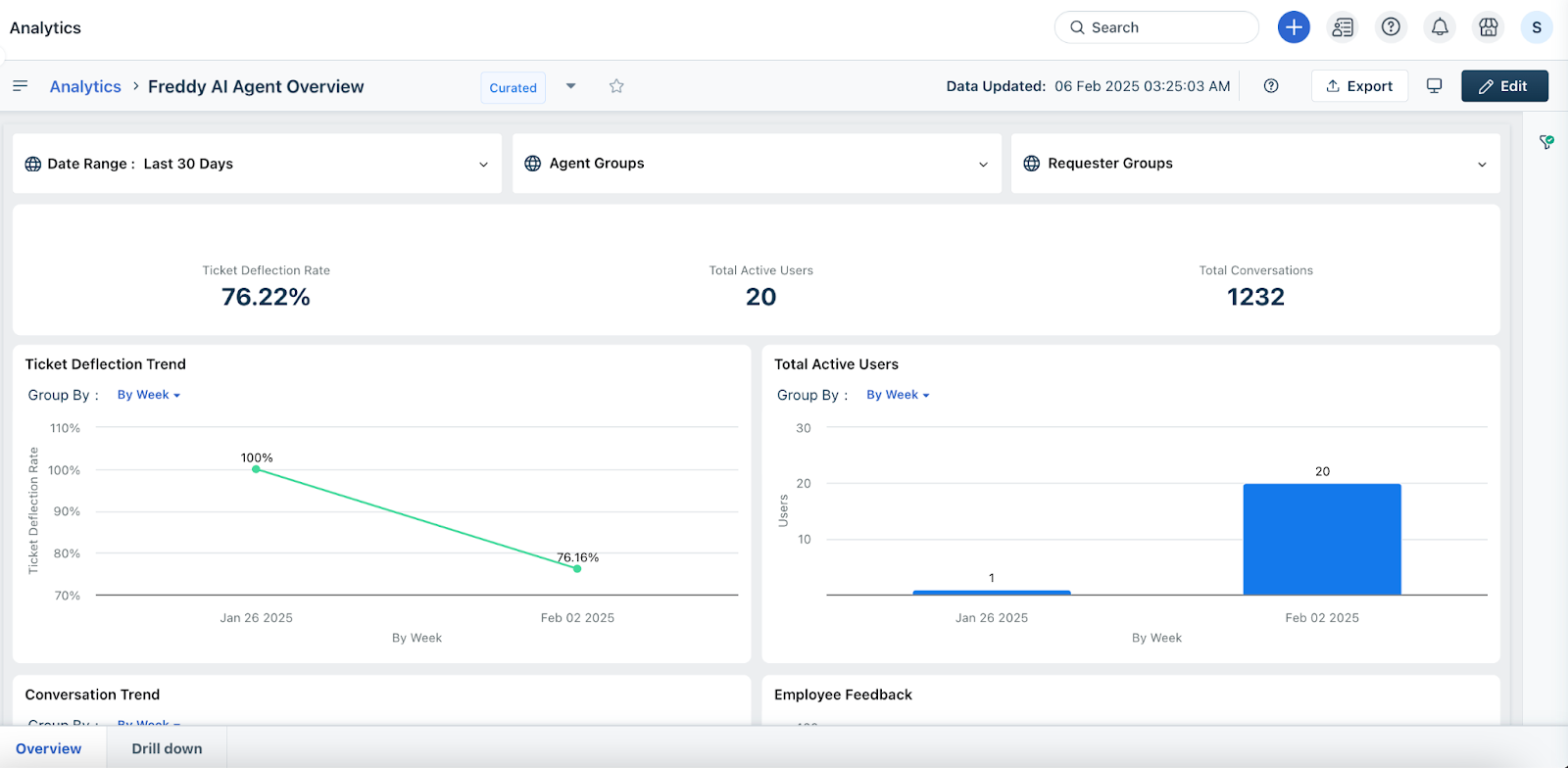
Overview tab
In the Overview tab of this curated report, you can review the following key metrics over a selected time period:
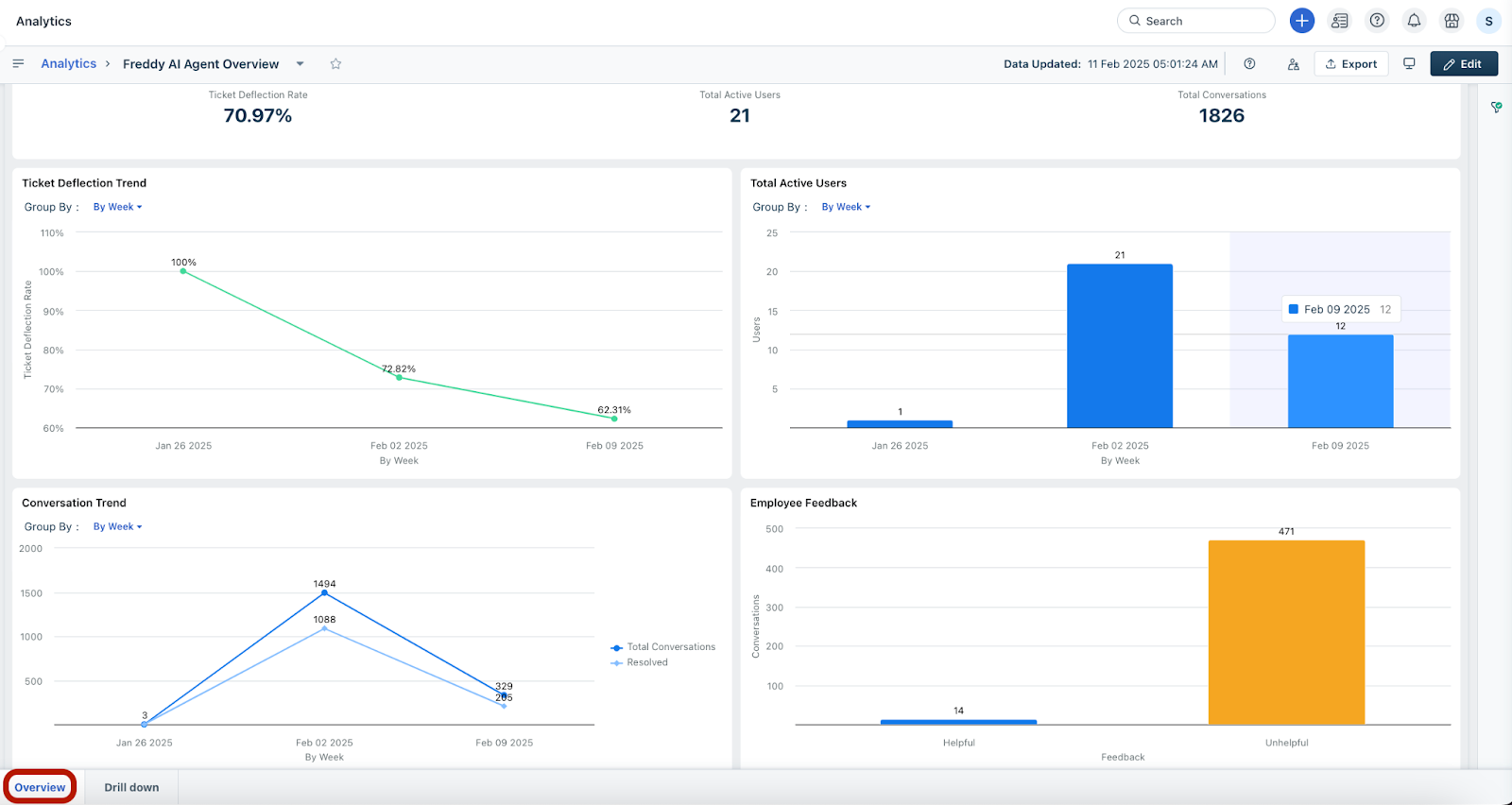
Here are the definitions of the metrics mentioned above:
| Metric | Definition |
| Ticket Deflection Rate | The percentage of queries or support requests resolved by Freddy AI Agent without human help, negative feedback, or employee creating a ticket. |
| Total Active Users | The number of users who have engaged in at least one conversation with Freddy AI Agent in the selected time period. |
| Total Conversations | A conversation is the total number of back-and-forth exchanges between an employee and Freddy AI Agent within the same context; excluding casual exchanges, such as greetings, acknowledgements, and so on. |
| Resolved Conversations | The total number of conversations where Freddy AI Agent successfully answered employee's query, deflecting issues without creating tickets. |
| Helpful Conversation | A conversation where the employee has either clicked thumbs-up or completed a Service Request form suggested by Freddy AI Agent, without creating a ticket. |
| Unhelpful Conversation | A conversation where the user has explicitly clicked thumbs-down, indicating that Freddy AI Agent was not helpful. |
Drill down tab
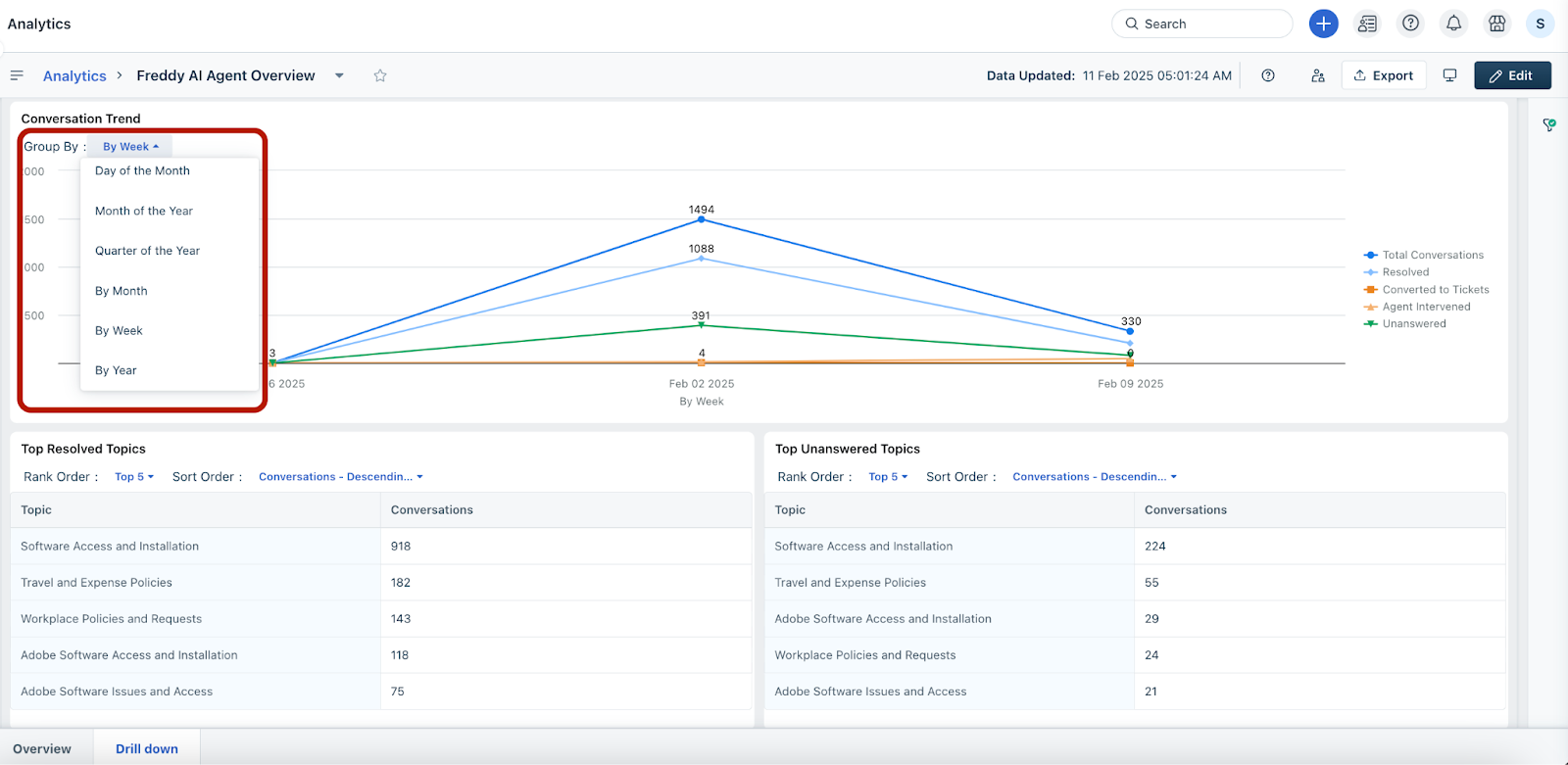
In the Drill down tab, you can review the following key data metrics:
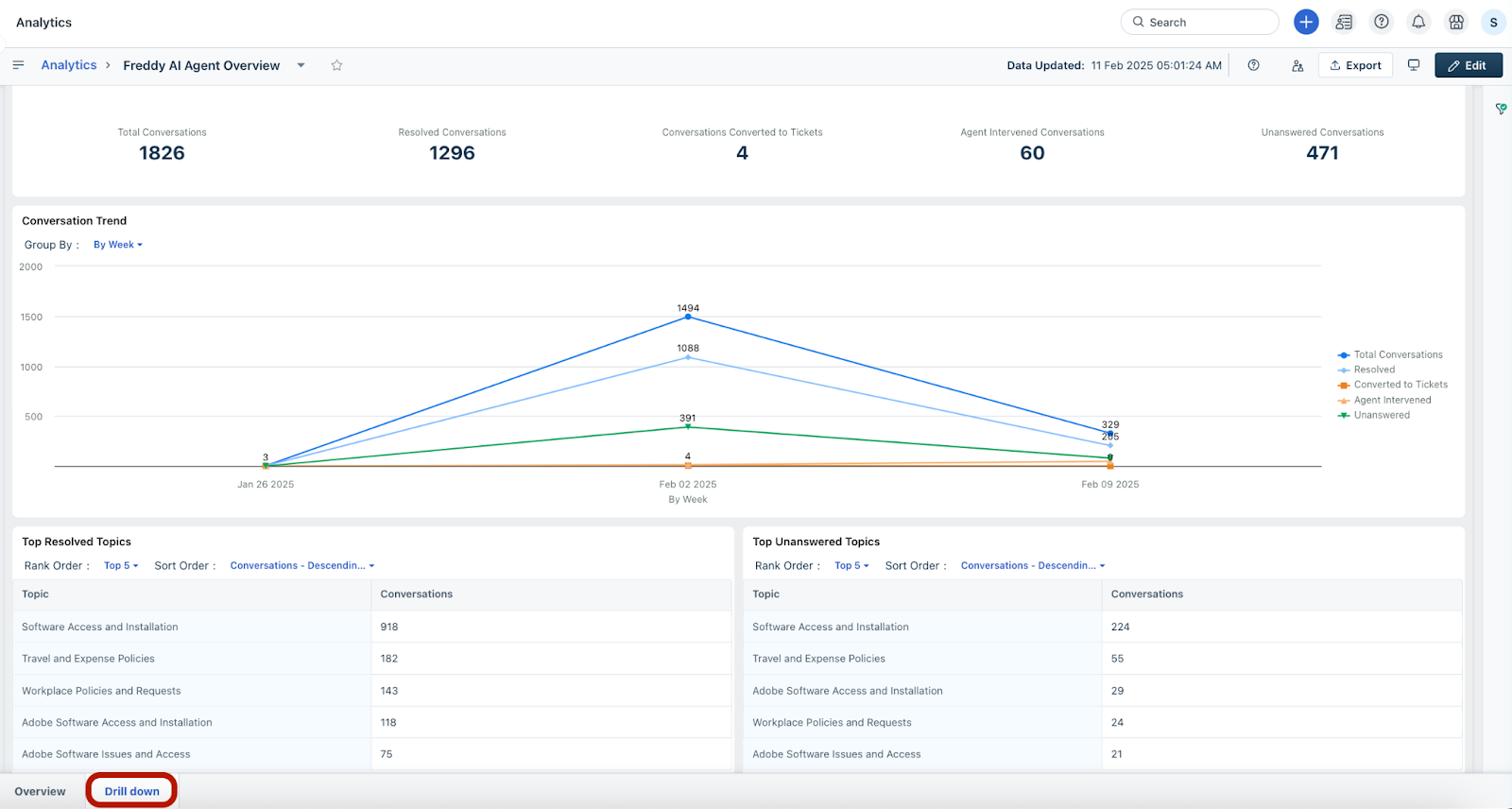
Here are the definitions of the metrics mentioned above:
| Metric | Definition |
| Total Conversations | A conversation is the total number of back-and-forth exchanges between an employee and Freddy AI Agent within the same context; excluding casual exchanges, such as greetings, acknowledgements, and so on. |
| Resolved Conversations | The total number of conversations where Freddy AI Agent successfully answered employee's query, deflecting issues without creating tickets. |
| Conversations Converted to Tickets | The total number of conversations that ended with ticket creation, either by the employee using the ‘Create a Ticket’ emoji, or by Freddy AI Agent when it's unable to resolve the query. |
| Agent Intervened Conversations | Conversations where a human agent stepped-in to resolve an employee's query. |
| Unanswered Conversations | Conversations where Freddy AI Agent was unable to answer either because it didn’t understand an employee's query or the knowledge sources lack sufficient information. |
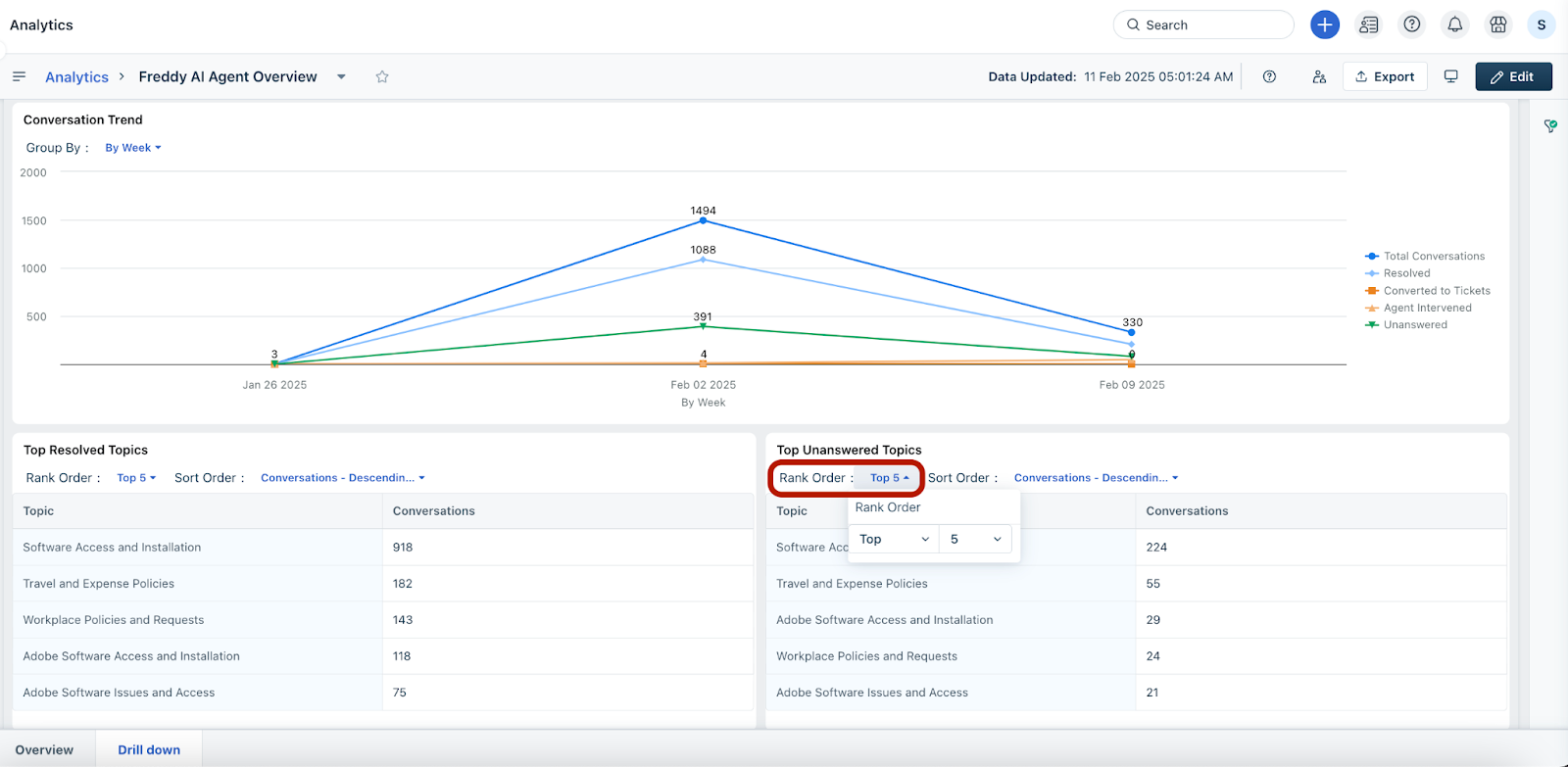
| Topic | A topic is the main subject or focus of a conversation between the user and Freddy AI Agent. |
| Top Resolved Topics | Topics where Freddy AI Agent successfully answered employee queries, aiding ticket deflection. |
| Top Unanswered Topics | Topics where Freddy AI Agent could not answer employee queries due to insufficient information in the knowledge sources. This typically reflects the sum of Unknown and Unhelpful Conversations. |
Additional features
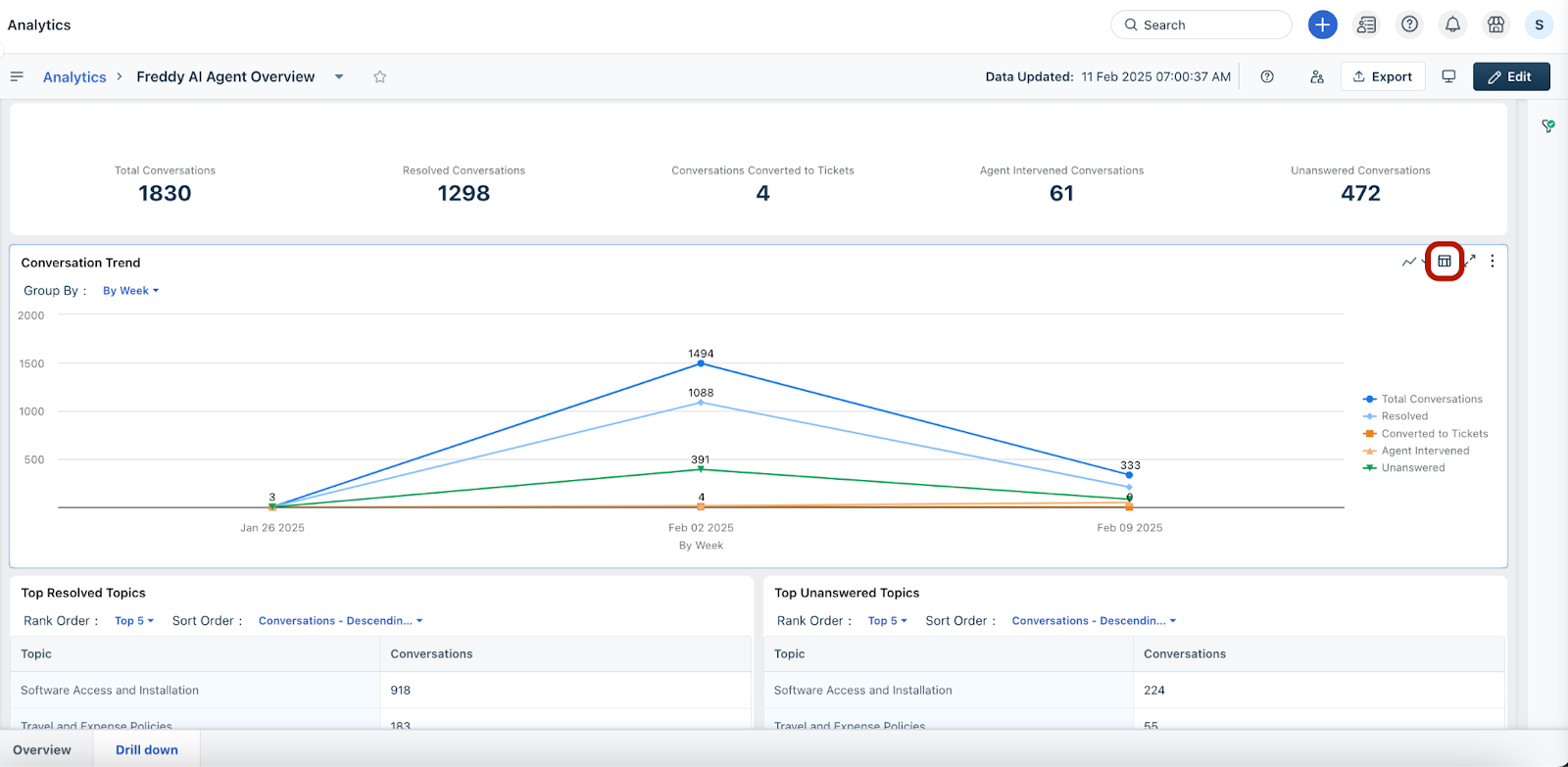
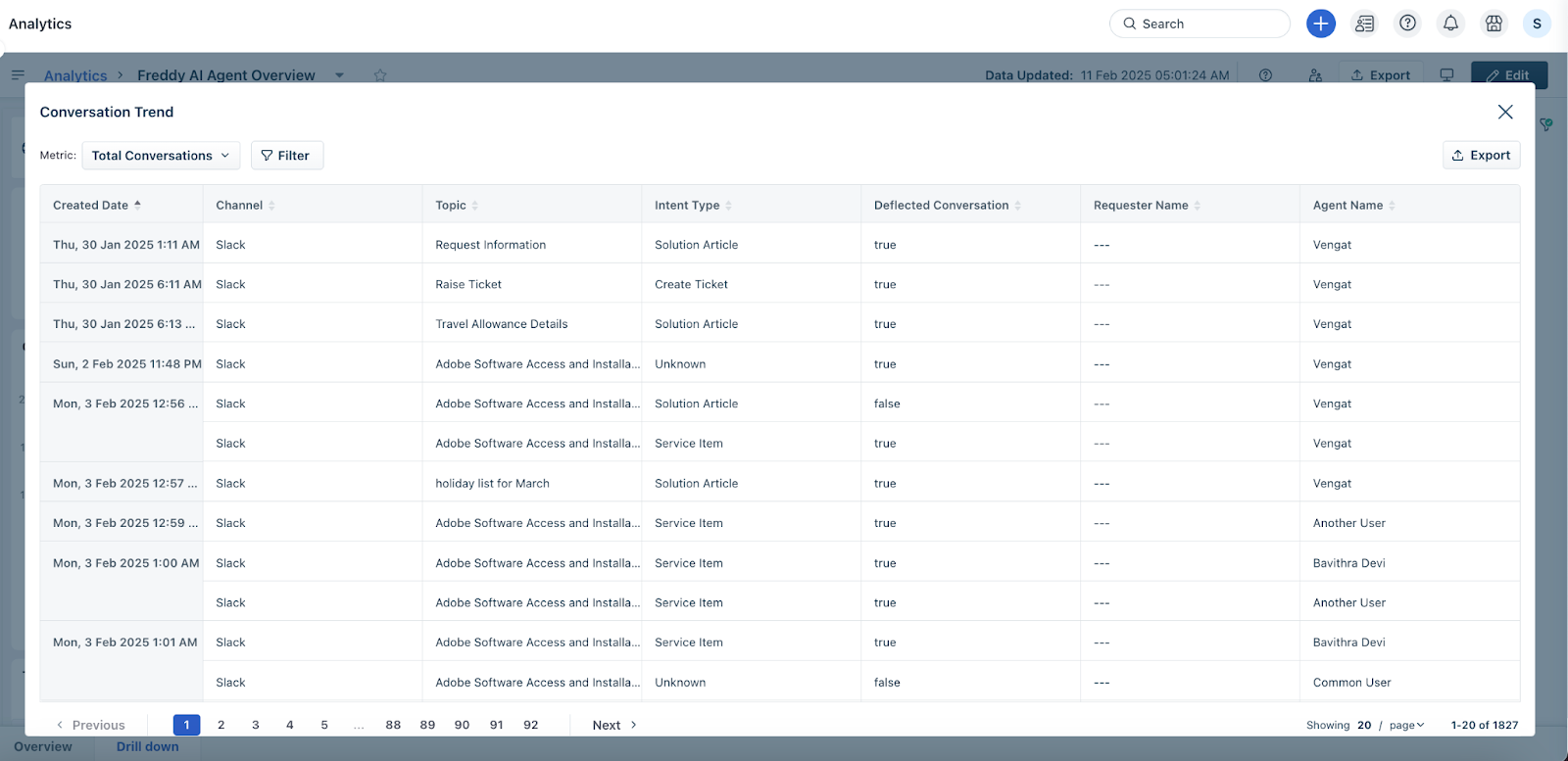
The data is displayed in tabular format.
Default filters
You can apply the following filters to view specific data in the widgets of any tab.