Last updated: 2023-05-03
How to reorder service items in a bundle?
To reorder service items in a bundle in Freshservice,
1. Go to Admin > Service Management > Service Request Management > Service Catalog. 2. Click the Service Item bundle you wish to reorder. 3. Navigate to the Additional Items section, and drag and drop the service items to the desired order. 4. Once done, click Save > Save & Publish to update the changes.
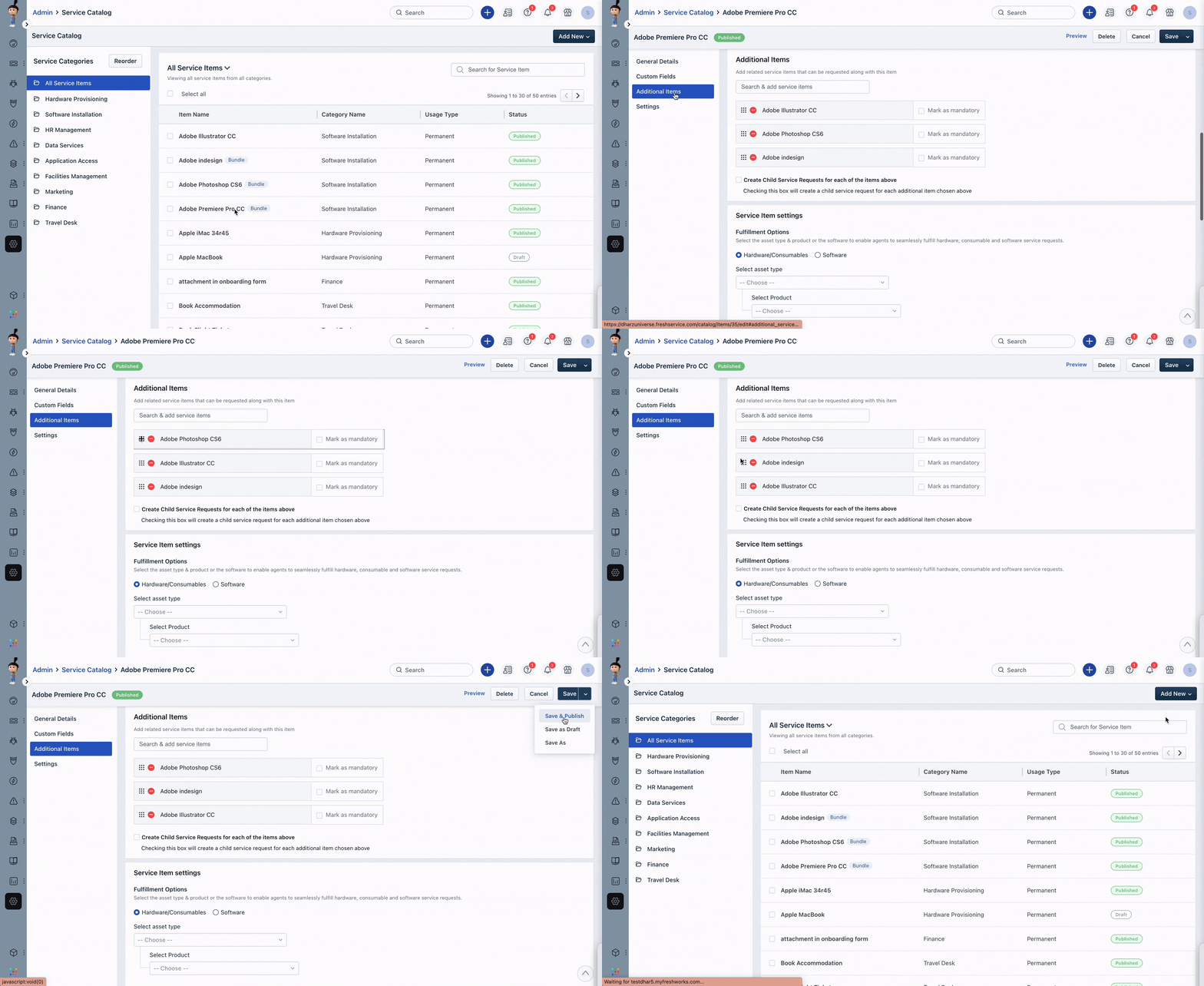
The service items in the bundle will now be reordered according to the changes you made.