Last updated: 2023-05-03
What are the different field types that can be included while creating a service item in Freshservice?
In Freshservice, several types of fields can be added to a service item to capture relevant information. These include:
01. Single line Text: This field allows for including a single-line or multi-line text. 02. Paragraph Text: This field allows for including a longer text or paragraph. 03. Checkbox: This field allows for boolean (true/false) values to be selected. 04. Number: This field is for numeric data entry. 05. Dropdown: This field presents a set of predefined options. 06. Multi dropdown: This field presents a set of predefined multiple options. 07. Date: This field is used to capture a date. 08. Dependent field: This field changes its values based on a parent field value. 09. Decimal: This field is used for the input of decimal values. 10. URL: This field is for including website URLs. 11. Content: This field allows for including a snippet of information.
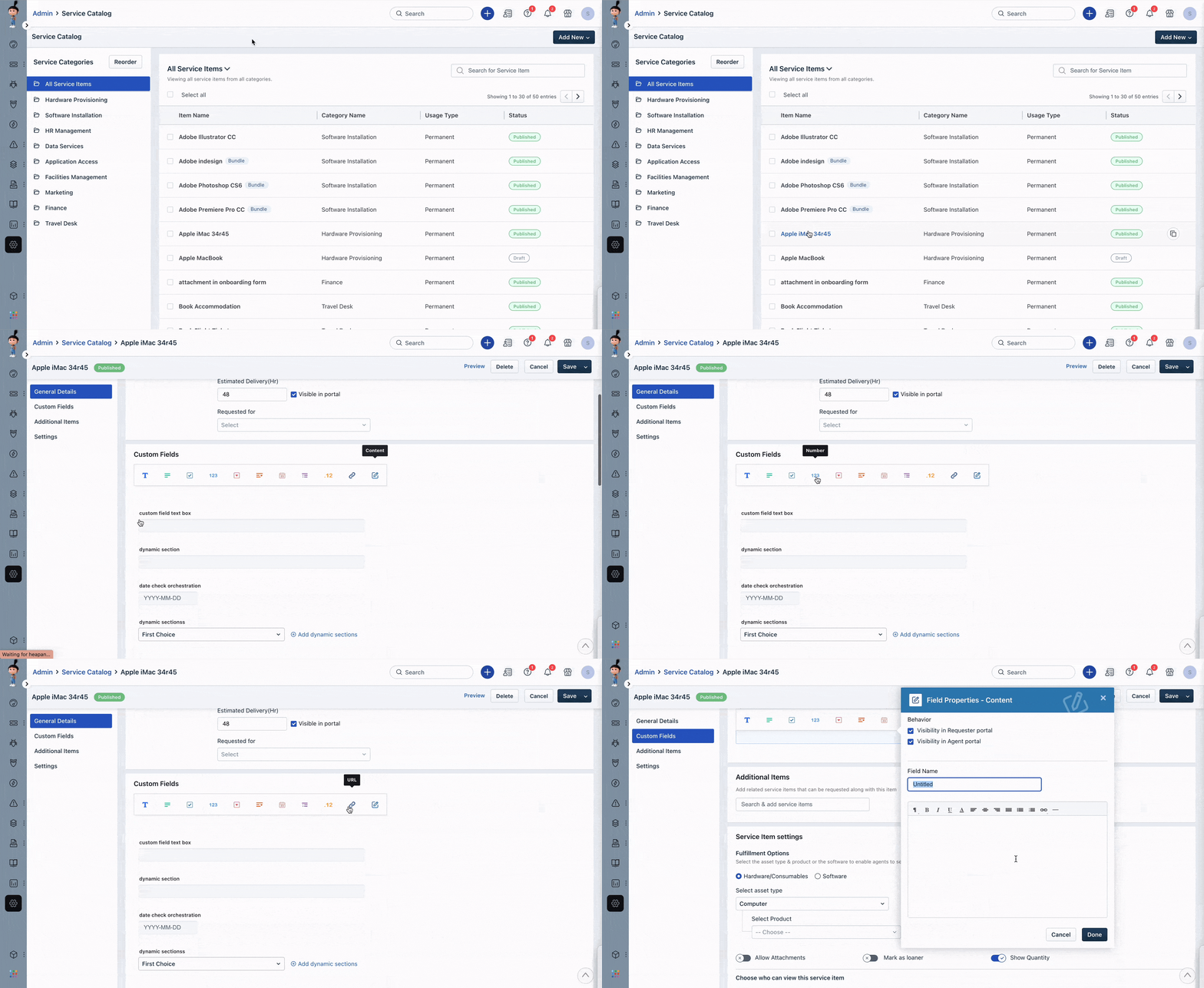
These field types help you collect and organize the relevant information needed to provide the service and can be customized to fit your specific business needs.