Last updated: 2026-02-19
With the increasing volume of user inquiries and support requests, traditional methods of agent-based support struggle to keep up with the demand. This results in long waiting times when employees encounter an issue or need assistance, which can be frustrating and can result in productivity losses.
With Freddy AI Agent, resolve incidents and service requests with generative AI-powered agents that are ready to start helping on day one. Bypass traditional experiences powered by forms and tickets with Freddy AI Agent's truly conversational experiences that is zero-touch and personalized.
Get started with Freddy AI Agent
To get started with Freddy AI agent, you must first install ServiceBot on Microsoft Teams and Slack.
Here’s how you can take it from there: Setup on Microsoft Teams \| Setup on Slack
AI Agent features
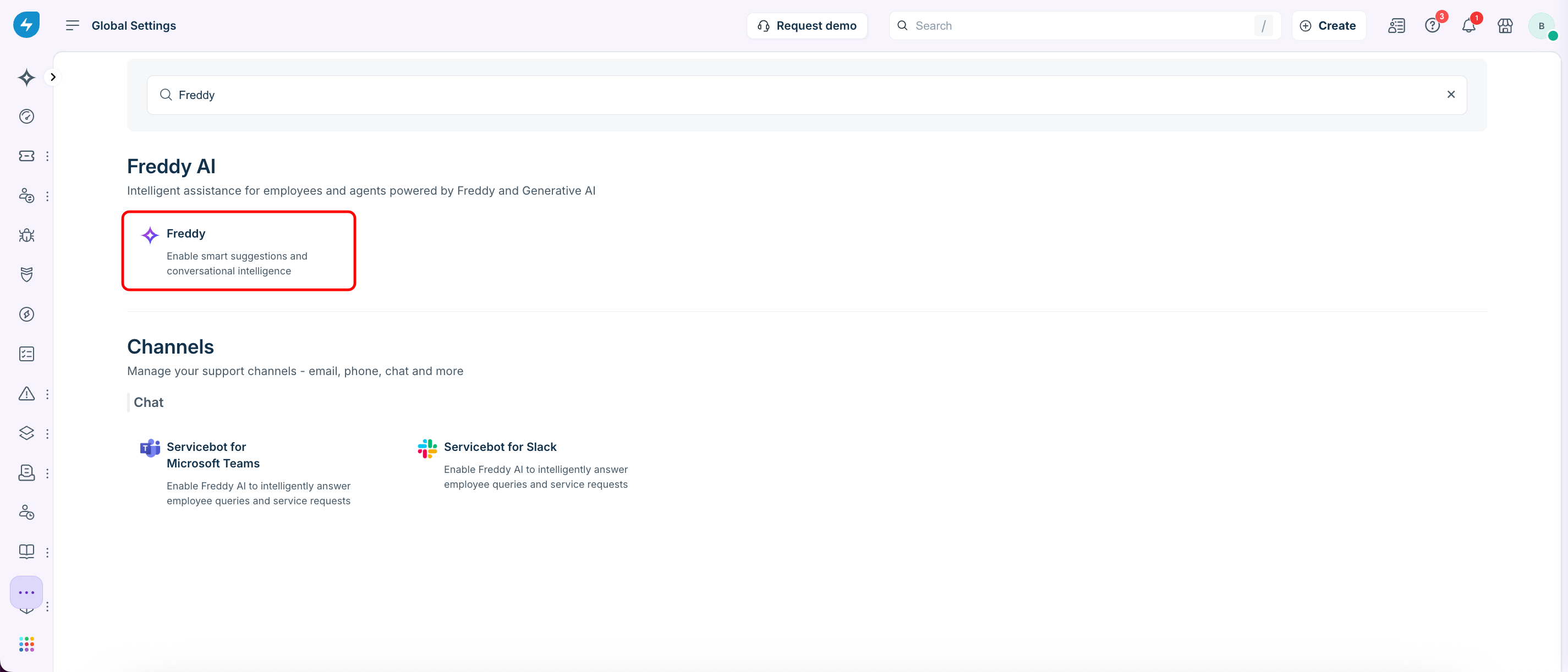
Actionable Response Summaries
Enable employees to quickly find relevant information and take immediate action with curated and actionable responses sourced and summarized from help articles. This approach reduces the time spent on searching through lengthy help articles and improves time to resolve issues through self-service.
Note: This capability is now available on channels within Slack & Microsoft Teams now. Learn how to enable Freddy AI Agent on support channels in Slack or Microsoft Teams.
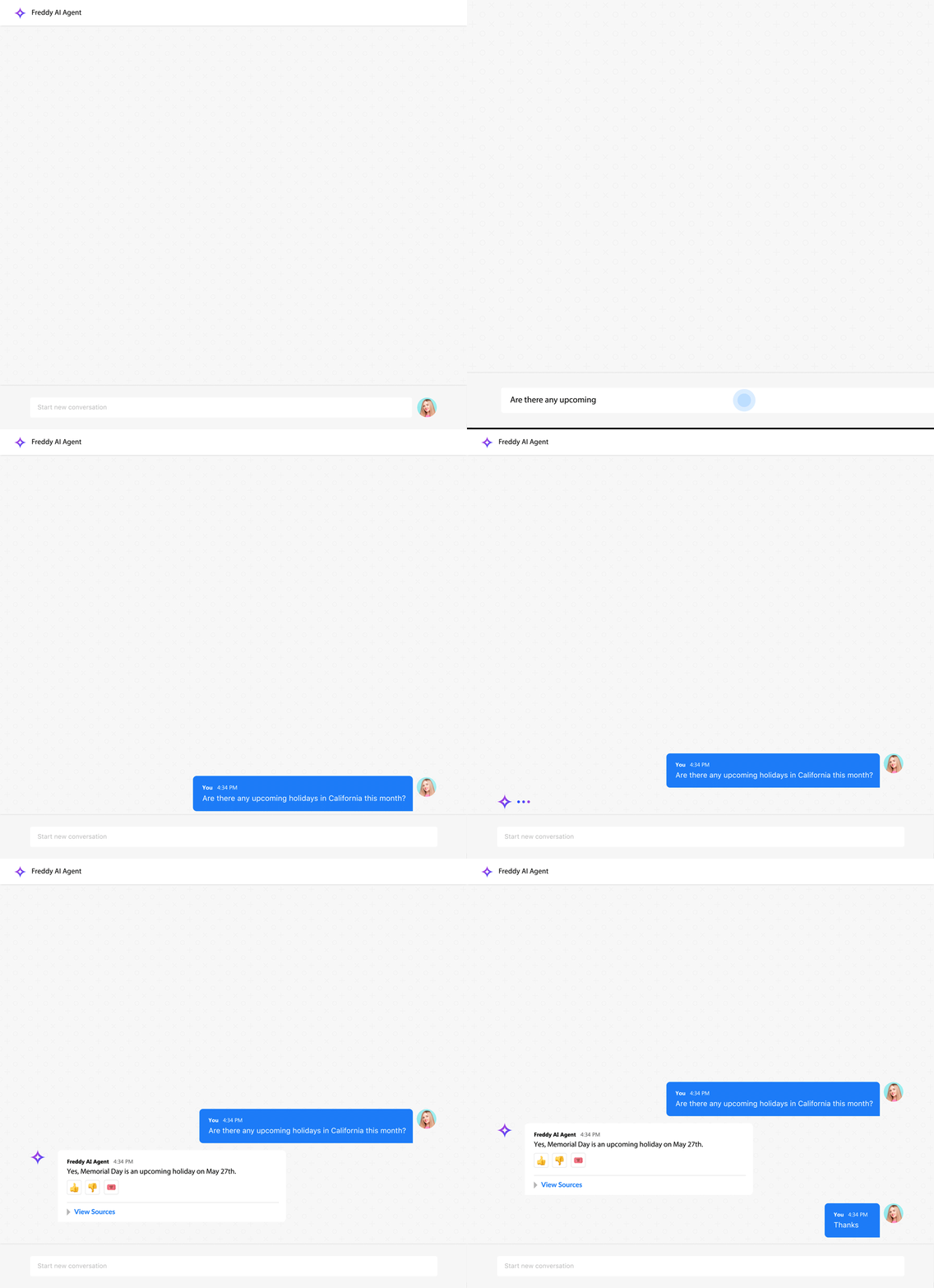
Multi-turn Conversations
Enable effective and quicker issue resolution by enhancing communication between employees and the Freddy AI Agent with continuous two-way dialogues. This interactive experience enables employees to have extended conversations with Freddy AI Agent about their issues and provide continued handholding until their issues are fixed.
Note: This feature is now available on channels within Slack & Microsoft Teams now. Learn how to enable Freddy AI Agent on support channels in Slack or Microsoft Teams.
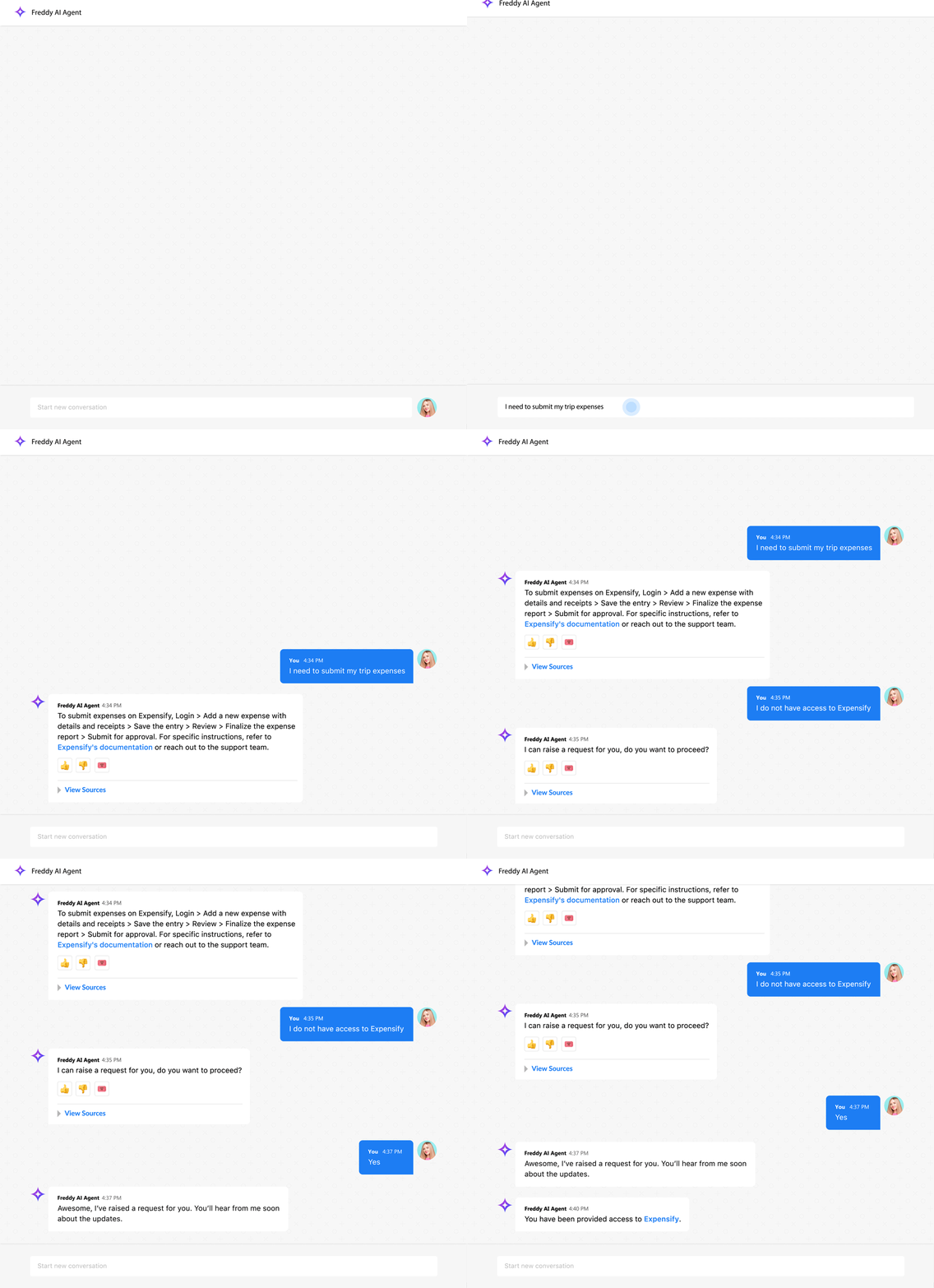
Multi-lingual Conversations
Support a global workforce with localized support experience by empowering employees to talk to Freddy AI Agent in the language of their choice. Enable multilingual responses to understand employees’ queries in any language and respond by translating all available content into employees' preferred language.
Note: This feature is now available on channels within Slack & Microsoft Teams now. Learn how to enable Freddy AI Agent on support channels in Slack or Microsoft Teams.
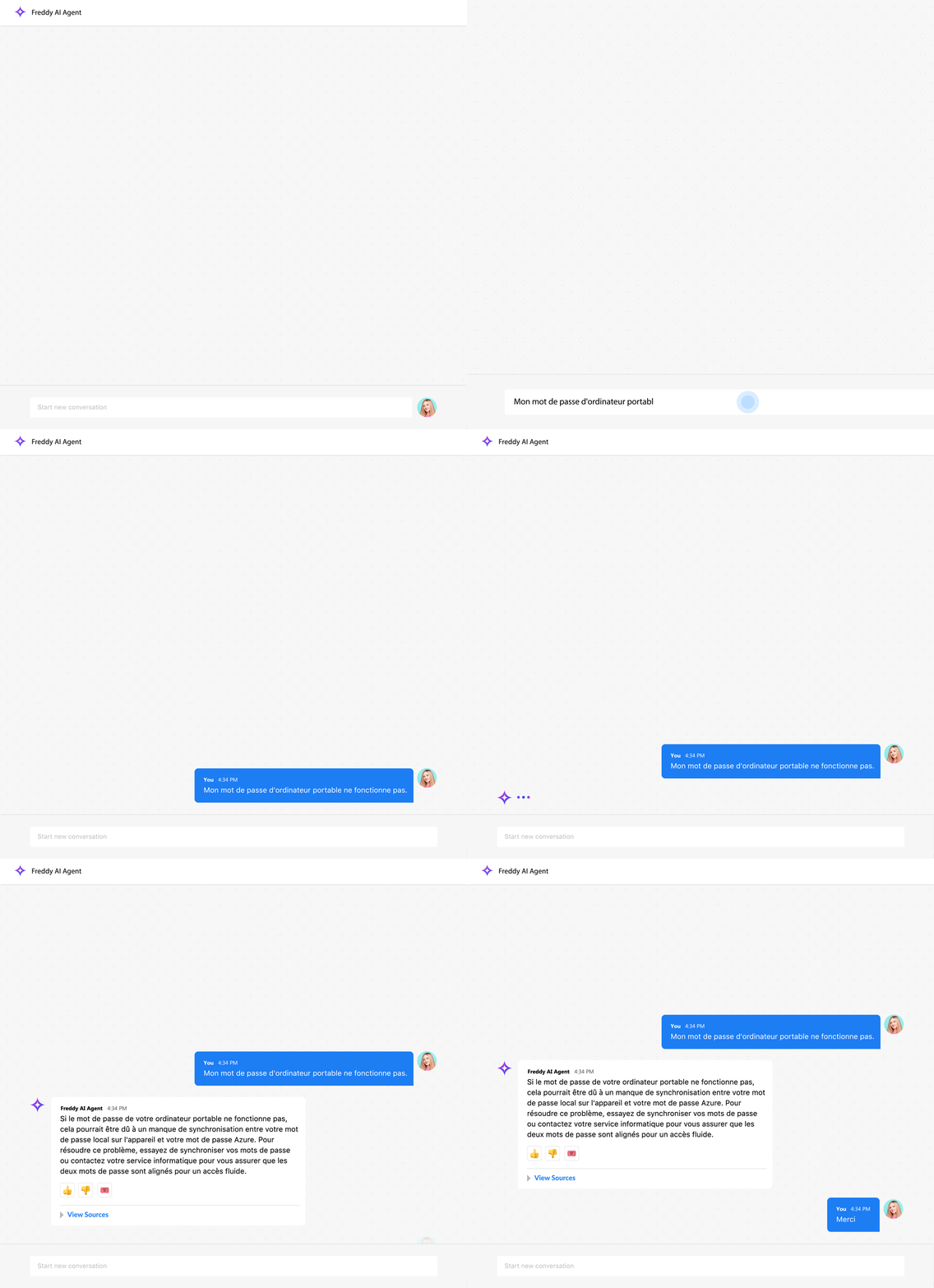
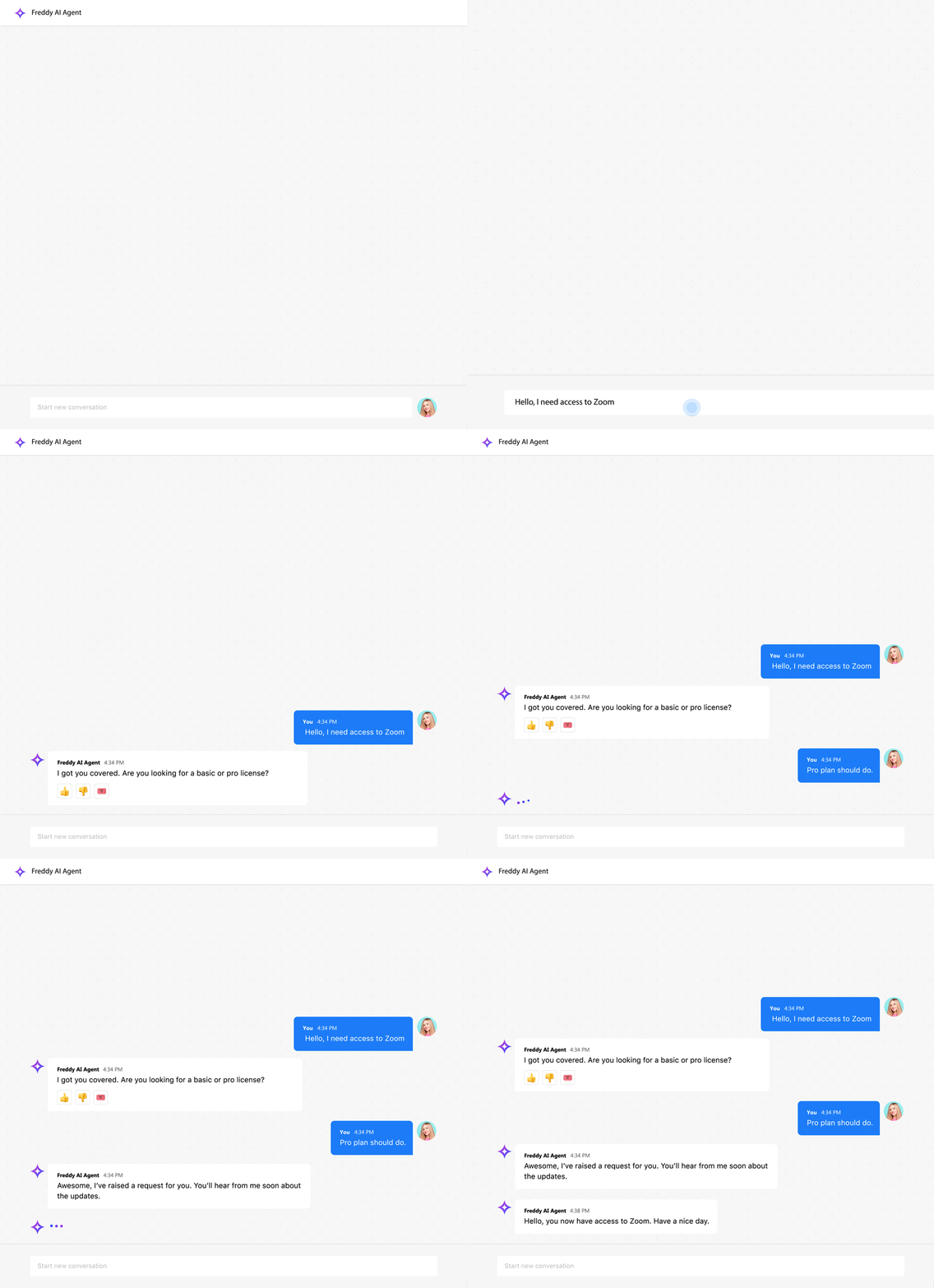
Formless Conversational Experience
Simplify request submission processes and reduce manual efforts by using Freddy AI Agent to fill out forms for employees. Freddy AI Agent can auto-create service requests through a dialog from the context shared.
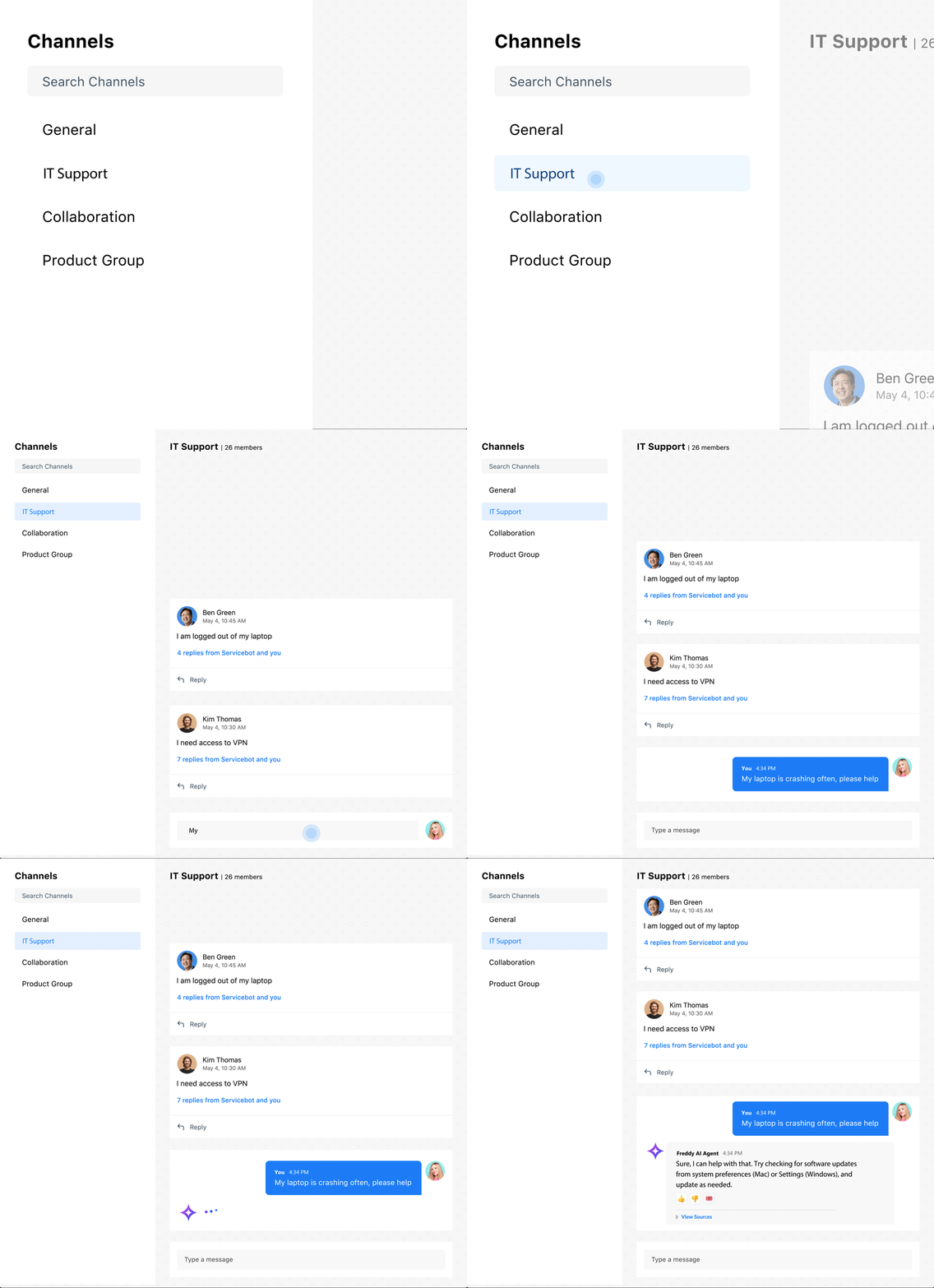
Supported Channels
Enable round-the-clock instant support on your help channels by deploying Freddy AI Agent. Free up agents for more strategic tasks while Freddy AI Agent intuitively intercepts conversations and queries on public channels and provides timely resolutions.
Note: This feature is now available on channels within Slack & Microsoft Teams. Learn how to enable Freddy AI Agent on support channels in Slack or Microsoft Teams.
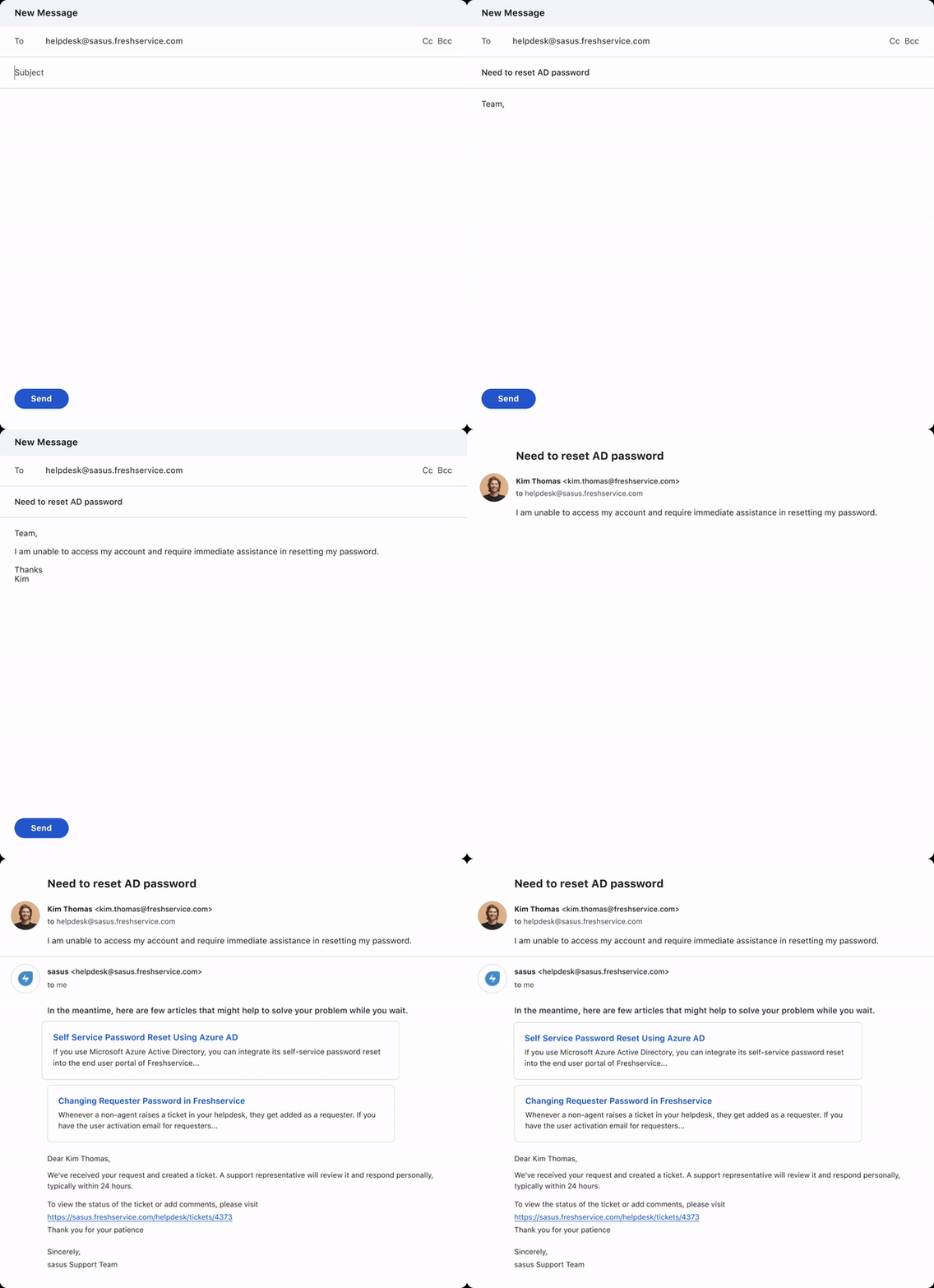
Email Bot
Auto-respond to simple email queries with relevant help articles to self-serve.
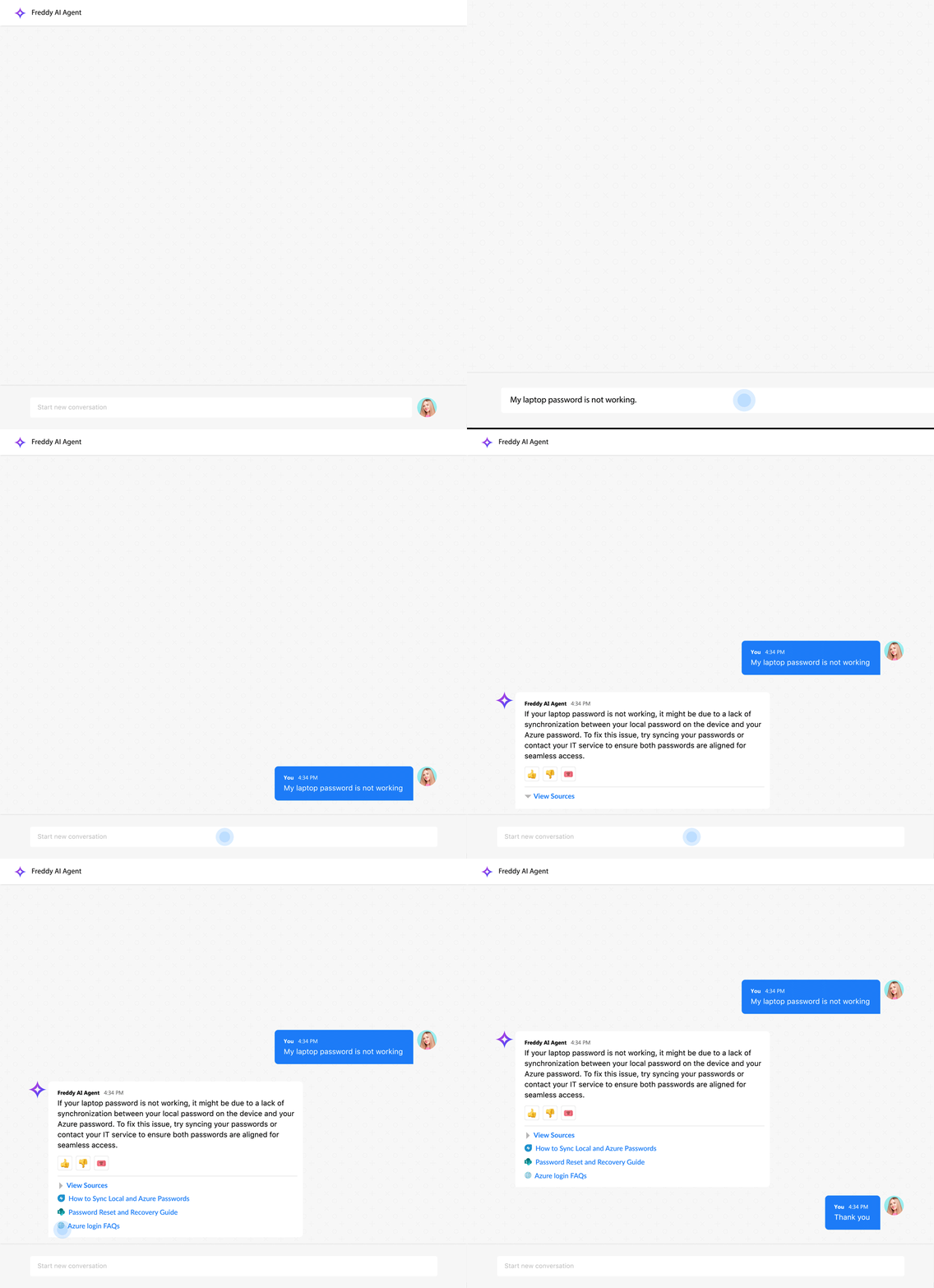
Citations and Grounding
Reference-inclusive responses to ground resolutions on an identifiable and reliable source of truth.
Multi-modal Support
IN THIS SECTION
Image-based Query Resolution
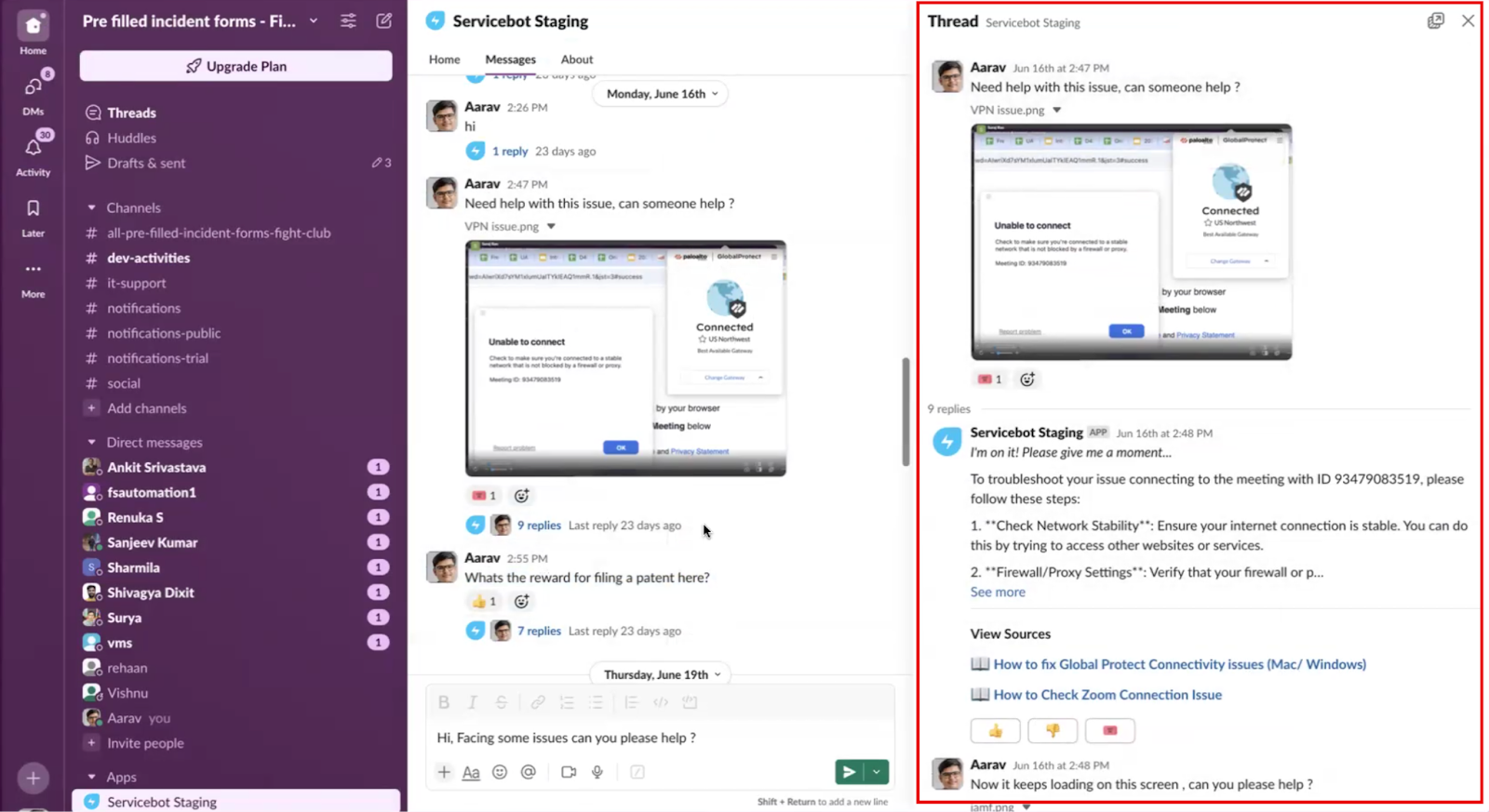
With multimodal capabilities, the virtual agent powered by Freddy can interpret image-based queries, greatly enhancing its ability to understand and resolve issues, especially when users prefer to skip writing or find it difficult to describe their problem in words.
Freddy can also extract visual information from solution articles and reference documents to provide accurate responses. It handles image-based queries in two ways:
These capabilities make Freddy more intuitive and effective at handling both text and image-based queries.
Supported Visual Inputs
The virtual agent supports the following types of visual inputs:
Benefits of Multimodal Support in the Virtual Agent
The following are some benefits of multimodal support in the virtual agent:
Knowledge Base Integration
The AI Agent can retrieve and consolidate answers from the following sources:
Seamless Agent Handoff
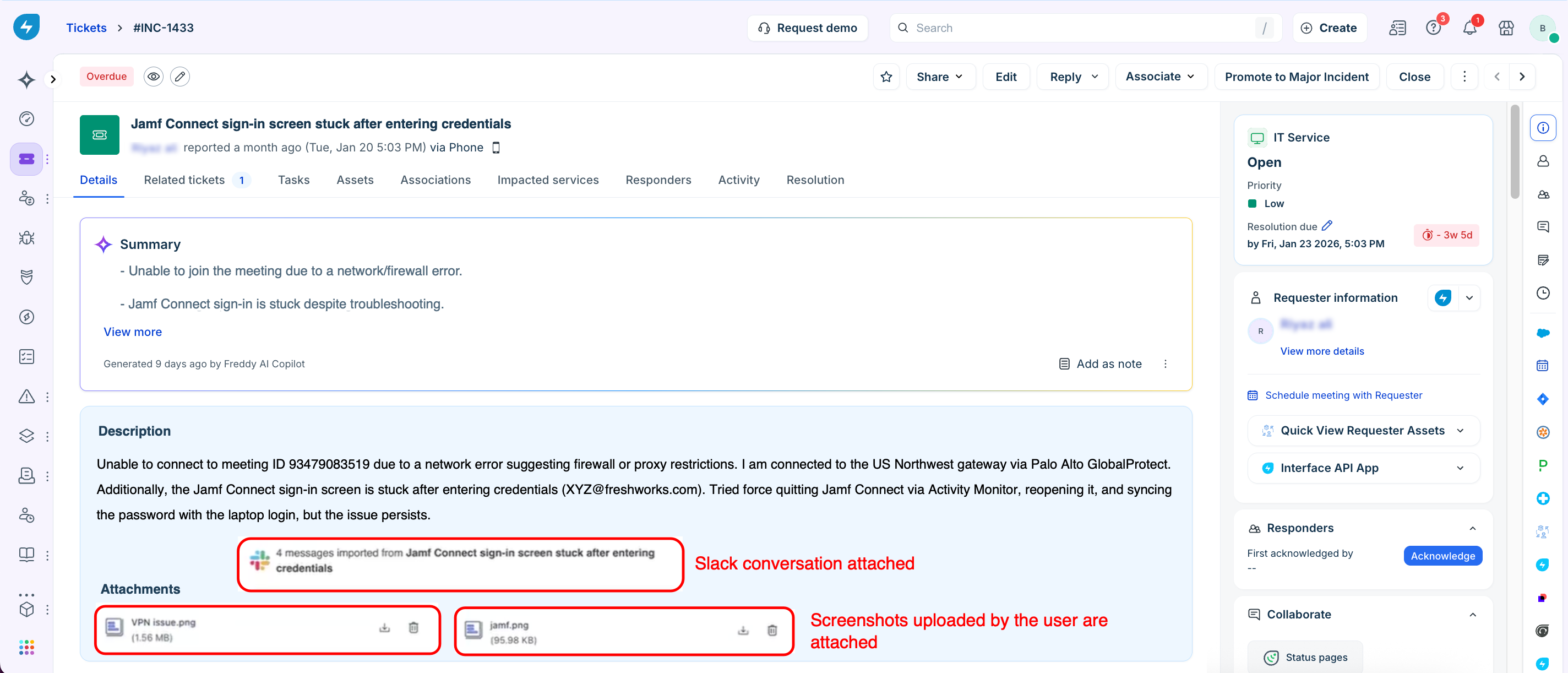
If the issue still requires assistance from a support agent, Freddy enables a smooth handoff. You can click the ticket emoji below the chat to open a form and create an incident directly from the conversation. By deflecting repetitive first-line tickets, Freddy AI improves the employee experience and allows support teams to focus on more complex, high-impact issues.

The complete chat history, including uploaded images is shared with the assigned agent, eliminating the need for repeated explanations and speeding up resolution.
Key Considerations for Solution Article Processing
Understand the following points when using Freddy AI for solution article processing: