Last updated: 2024-10-21
This article describes a recent behavior that changes how values are fetched from Custom Object (CO) in workflows utilizing the Reader node.
Previously, workflows would return duplicate values from CO due to an issue with how the Reader node processed data. This update ensures unique values are fetched and reflected across the workflow nodes. If you’re using this type of setup, adjustments may be needed to ensure your workflows continue to operate as expected.
How do Custom Objects work?
Let’s understand with an example.
Custom Object 1 (CO 1)- This is the primary data source.
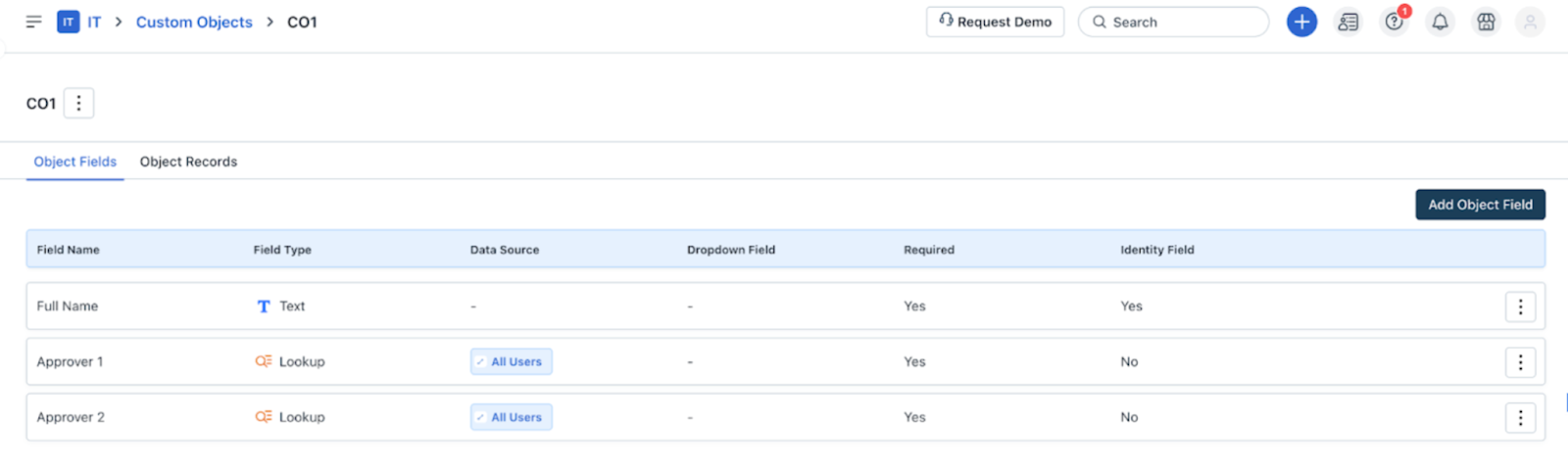
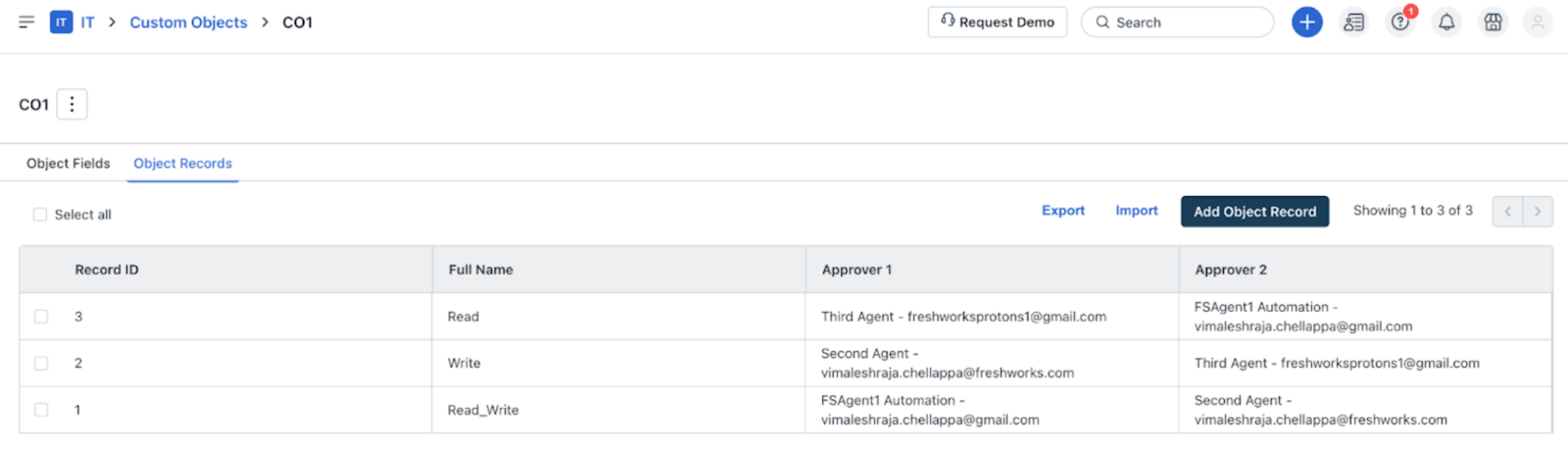
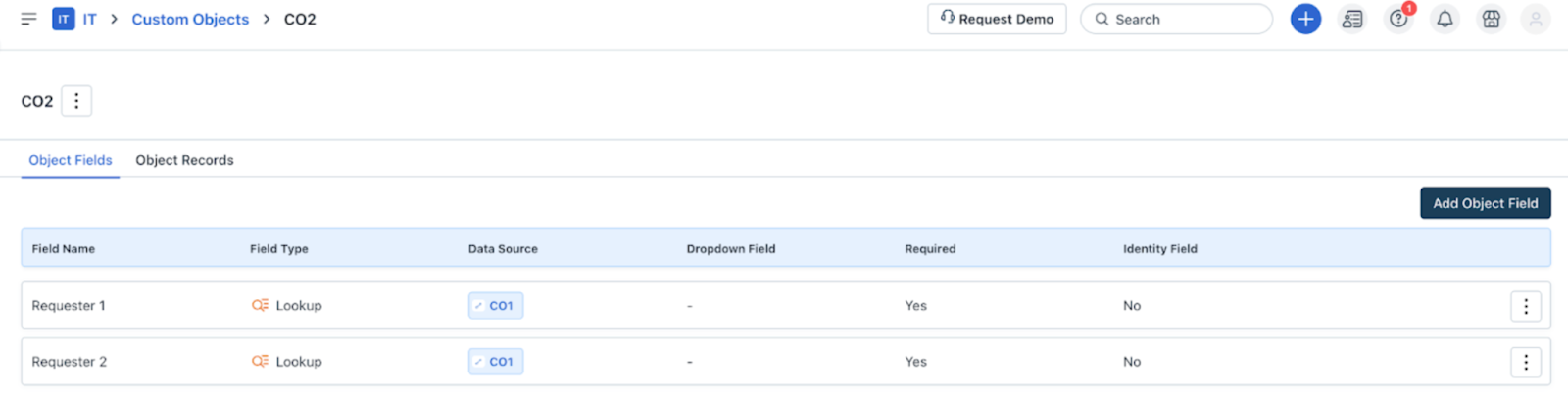
Custom Object 2 (CO 2)-CO 2 is a dependent object and it looks up values from CO 1.
Consider a workflow where the Reader node includes the use of CO 2 to read values from the CO 1.
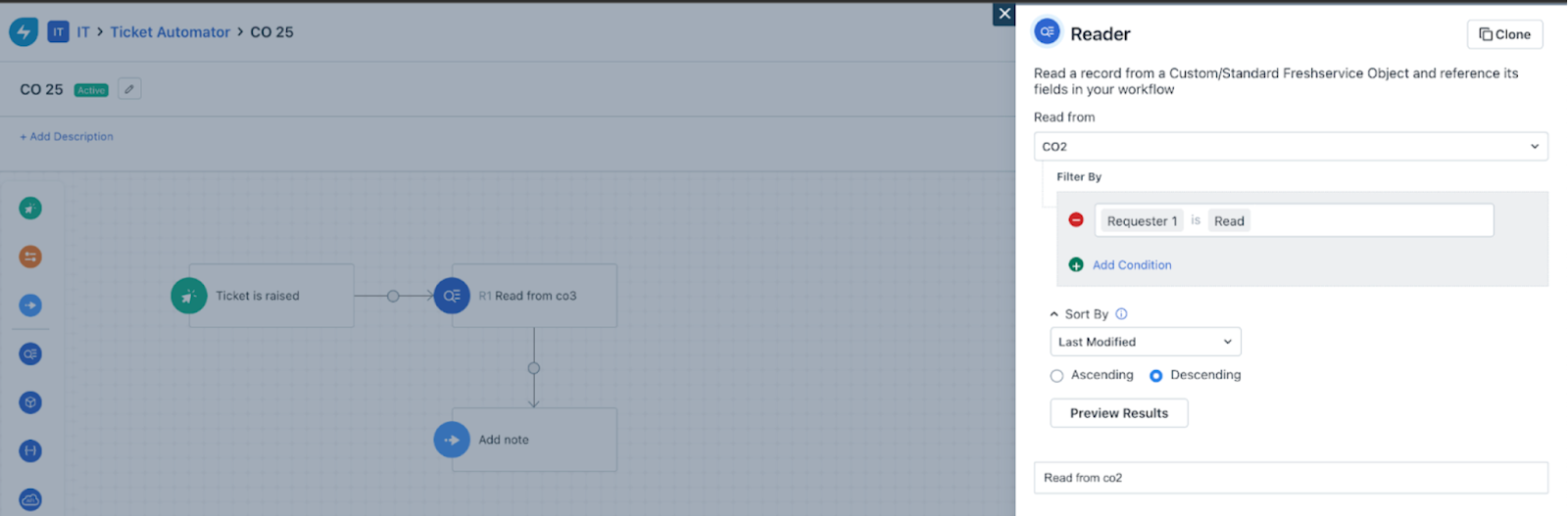
Previously, when the Reader node accessed CO 2, the values fetched for fields like Requester 1 and Requester 2 will be the same. For example, theRead\_Write value is fetched for both Requester 1 and Requester 2, as shown in the image below. The node reads the record value from CO that was Last modified, regardless of the actual data.
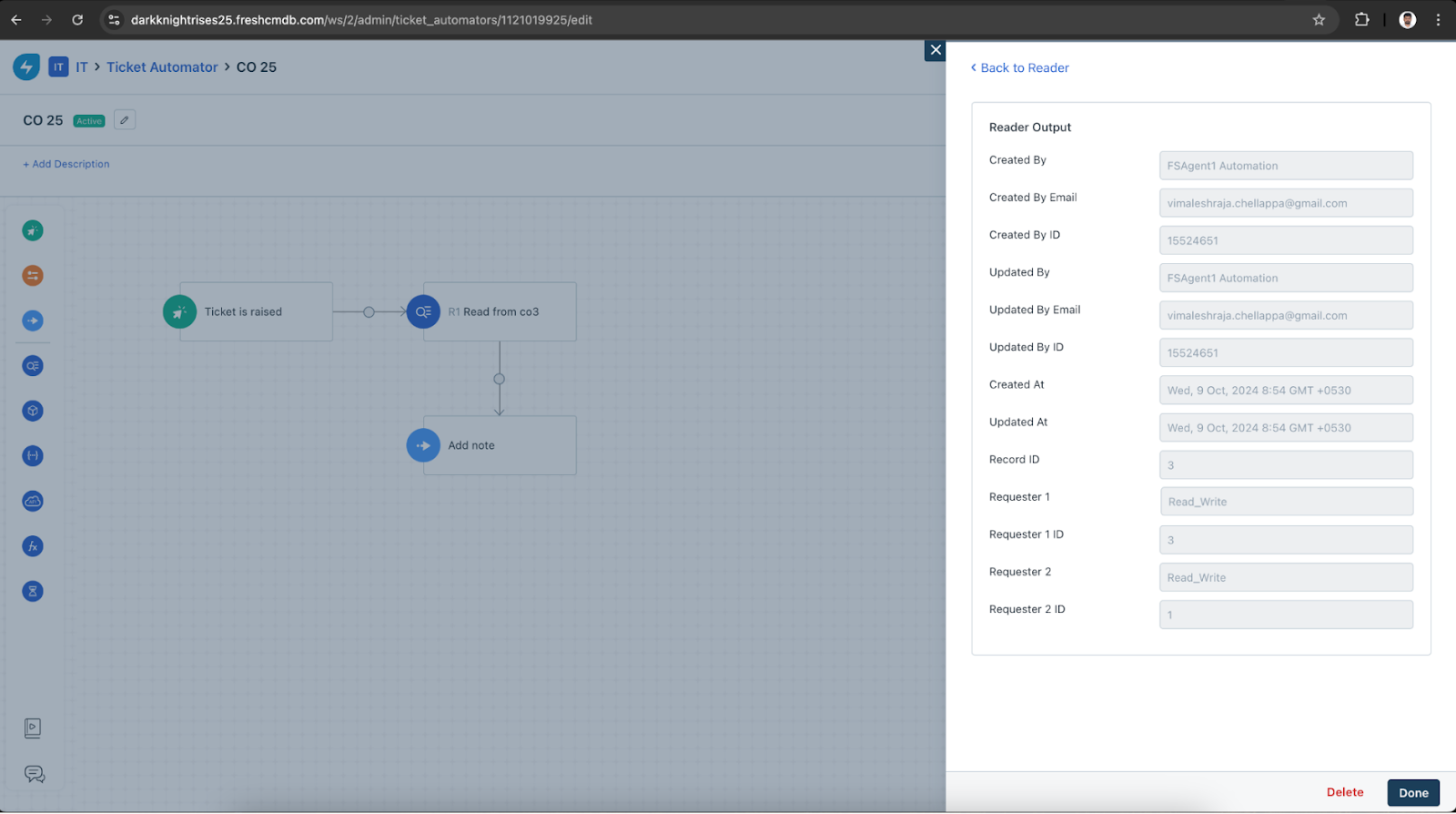
Current behavior
The Reader node now processes CO 2 to ensure it fetches the corresponding unique values for each field. Instead of duplicating the first value, the workflow now returns distinct values from CO 2.
The following Reader node output shows different vales (Read and Write) for Requester 1 and Requester 2.
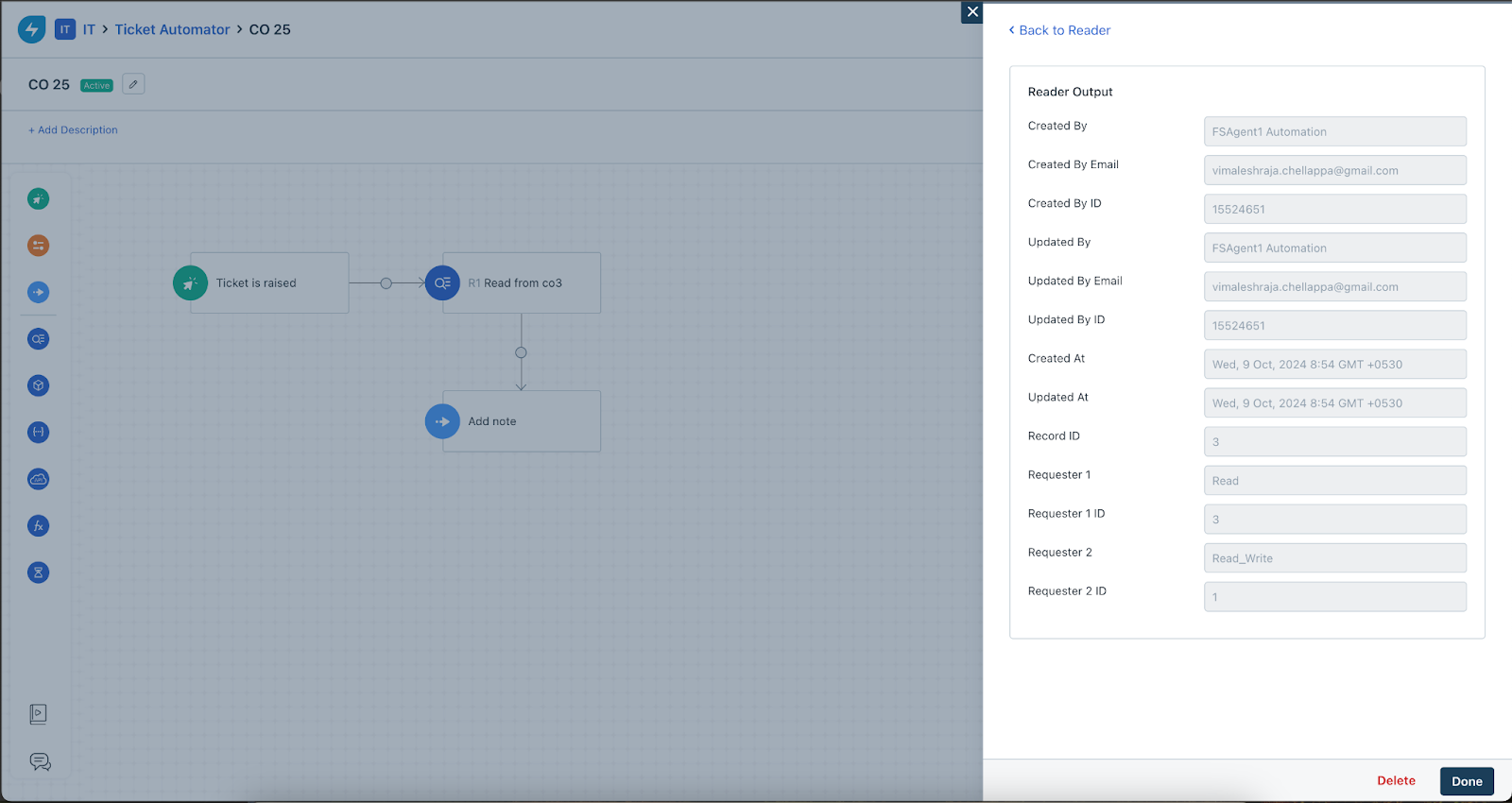
Configuration changes post-fix
If your workflow uses the Reader node with placeholders (e.g., R1.value), you may need to adjust your configuration. This change will result in the Reader node producing different, unique values, and placeholders used in subsequent nodes will now reflect this behavior.