Last updated: 2025-07-21
Freshworks enables you to grant temporary, secure, and auditable access to Freshworks support agents for efficient issue resolution.
The Manage Access feature offers the flexibility to:
This feature allows you to grant temporary account access to Freshworks support by configuring the duration, specific roles, and workspace permissions, up to a maximum of 30 days.
How to grant temporary access
Follow the steps below to allow a support agent temporary access to your account:
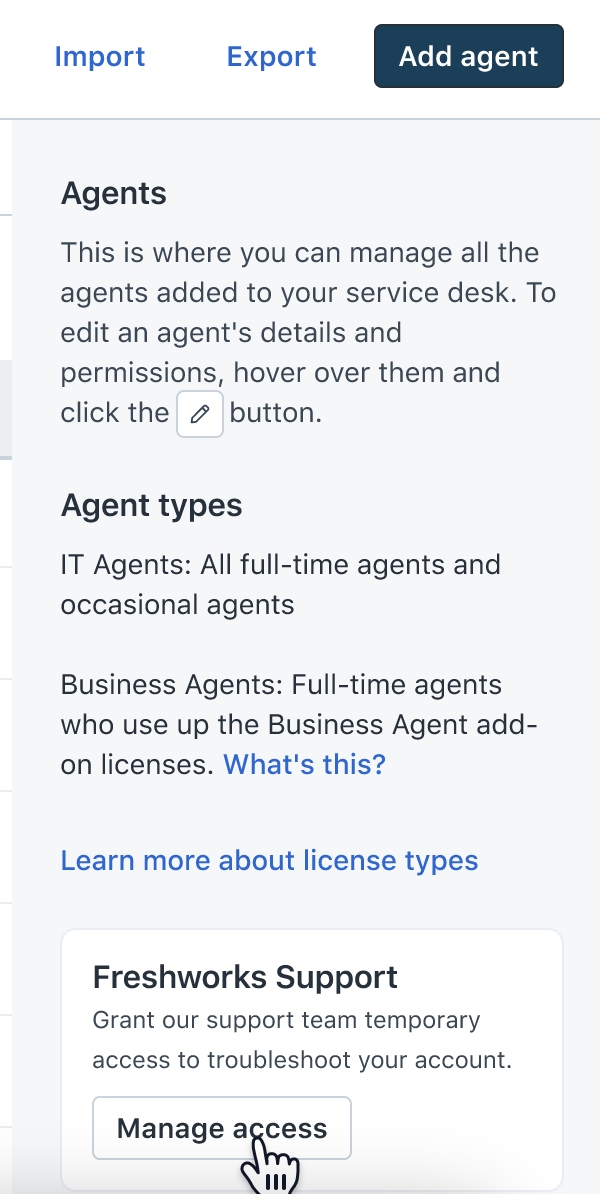
1. Go to the Admin > Agents > Freshworks Support.
2. Click Manage Access.
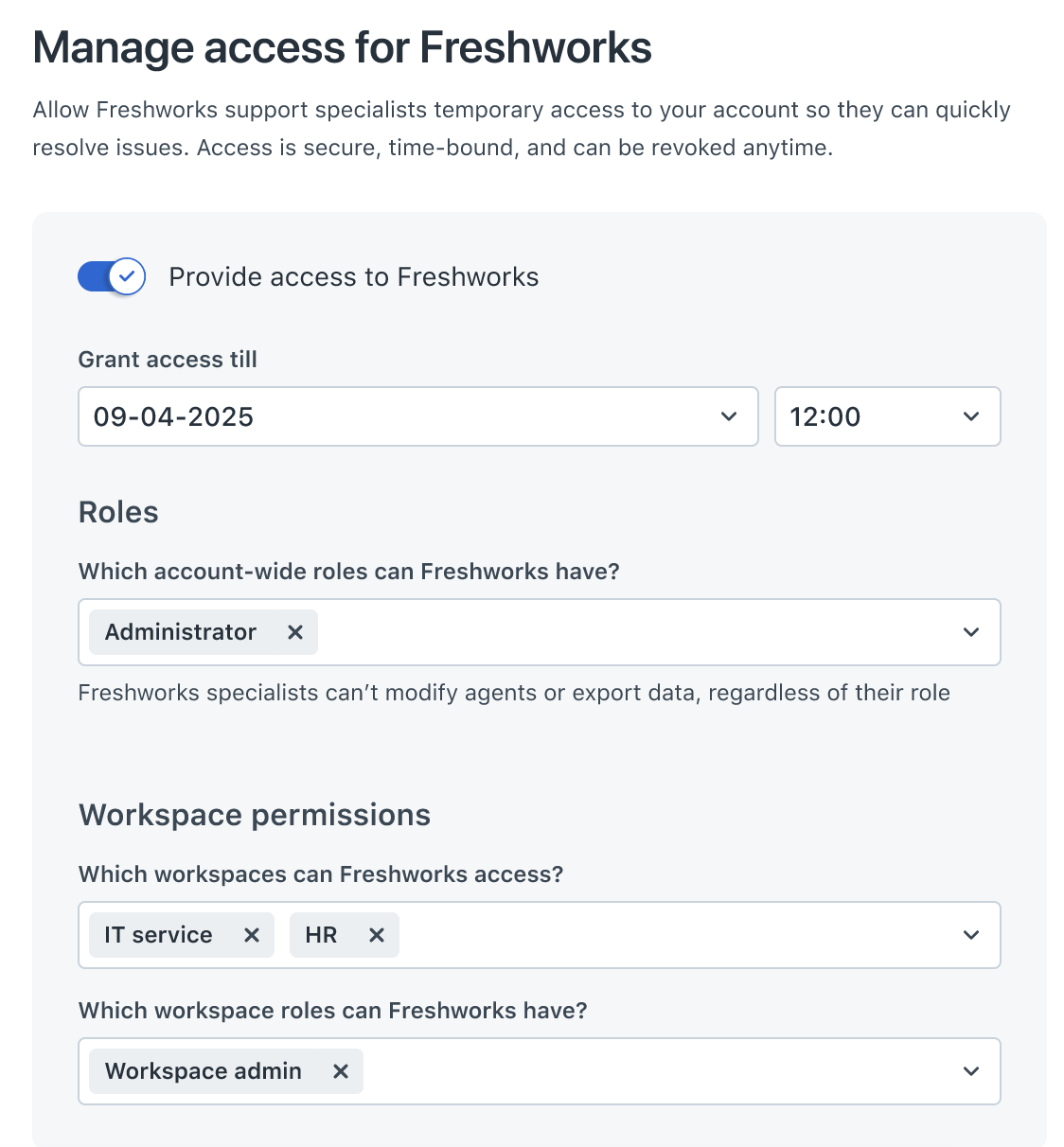
3. In the Manage access for Freshworks window, enable the Provide access to Freshworks toggle.
4. Enter date and time to define when the access should automatically expire.
Note: The default time is one week and the maximum time is one month.
5. Select one or more roles from the Which account-wide roles can Freshworks have? Dropdown. For example: Administrator
Note: Agents can’t modify other agents or export data regardless of role.
6. Select the relevant workspaces from the Which workspaces can Freshworks access? Drop-down.
7. Select the relevant role from the Which workspace roles can Freshworks have? drop-down. For example: IT service, HR with Workspace admin role.
8. Click Save.
The Freshworks support agent will receive an email notification once the access is provided.
View agent access
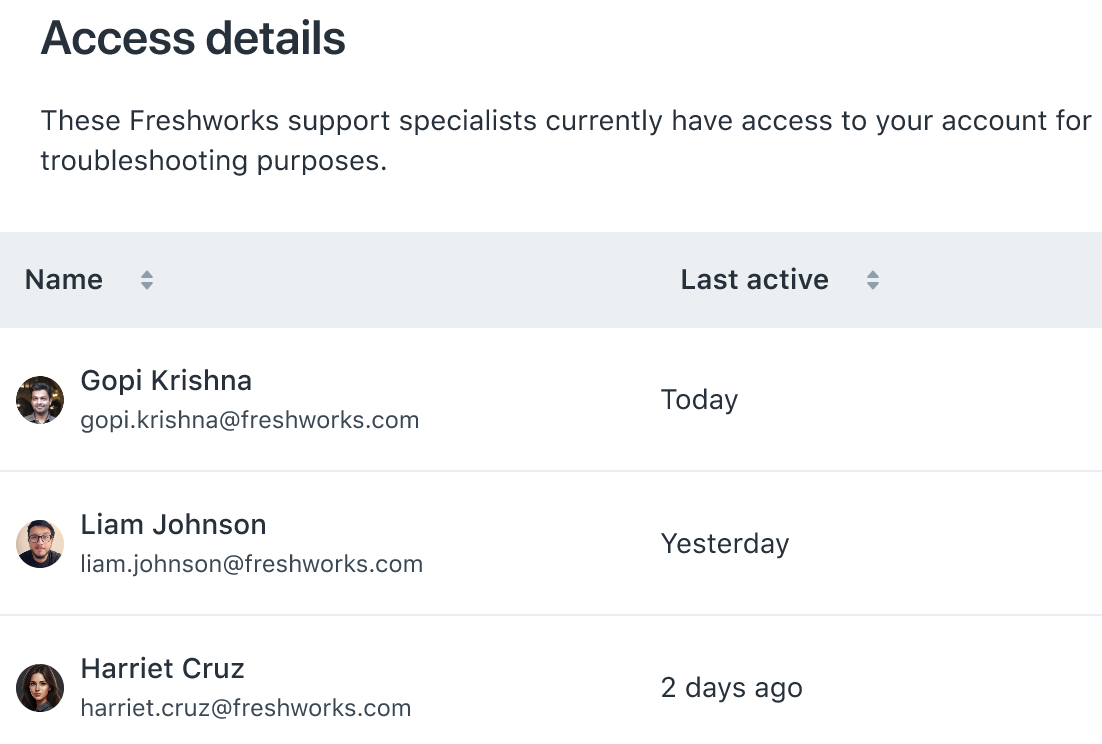
To view which agents have access to the your account:
- Agent Name
- Email Address
- Last active
Revoke agent access
To revoke agent access:
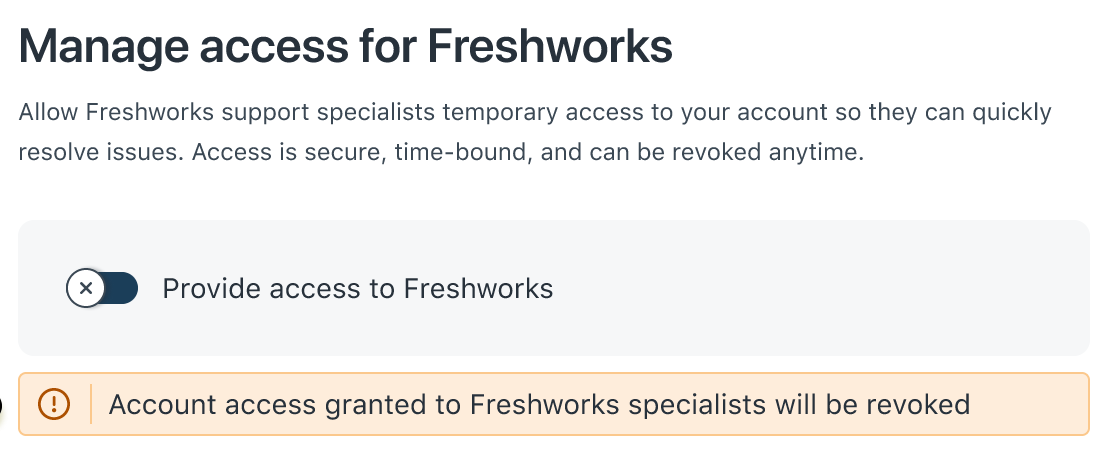
1. In the Manage access for Freshworks window, enable the Provide access to Freshworks toggle..
2. Disable the Provide access to Freshworks toggle.
3. Click Confirm.
Access will be terminated immediately and agents will lose login capability.
Limitations
To ensure the security and integrity of your data, the following limitations apply to Freshworks support agents when they access your account:
Export Disabled: Freshworks support agents are blocked from exporting account data. This restriction applies to:
Note: Data exports initiated from Analytics reports will still be functional.
Notes: