Last updated: 2026-03-31
Source: https://support.freshservice.com/support/solutions/articles/50000011954-adm-detected-applications
Application Dependency Mapping (ADM) in Device42 discovers running services and imports detailed configuration information for supported applications. This capability enables deeper visibility into application components and their configurations across your environment.
Note: ADM discovers all running services, not just those listed here. For unlisted applications, you can use Application Component Templatesto automate Application Component creation with custom logic.
Supported applications
The following table lists applications with enhanced discovery support, including the services detected and configuration data captured.
| Application | Services Discovered | Configuration Information Imported |
|---|---|---|
| Apache | Yes | Web site titles, bindings, installed apps.<br>For example: Drupal, Wordpress, SugarCRM |
| Coldfusion | Yes | Web servers, data sources, jrun |
| DB2 | Yes | Version, install path, products, instances, port, protocols, config files \*.cfg |
| Hadoop | Yes | Version, home directory, policies, configurations, config files, nodes, properties, resource manager |
| IIS6 | Yes | Web site titles, bindings, installed apps<br>For example: Drupal, Wordpress, SugarCRM |
| IIS7 | Yes | Web site titles, bindings, installed apps For example: Drupal, Wordpress, SugarCRM |
| JBoss | Yes | Version, parameters, config files |
| MariaDB | Yes | Config file path, protocols/listening ports, data paths, config files, version |
| Microsoft SQL Server | Yes | Instances, shared memory, TCP/IP, named pipes, data paths |
| MongoDB | Yes | Config file paths, protocols, data paths |
| MySQL | Yes | Config file path, protocols/listening ports, data paths |
| Oracle Database | Yes | Instances, protocols, data paths |
| PostgreSQL Database | Yes | Config file paths, protocols, data paths |
| SAP Hana | Yes | Version, HDB Info, config files, ini files |
| Sybase | Yes | Instances, data path, config path, config files, base path, data server |
| Tomcat | Yes | Config files, version, home path, JVM, architecture |
| WebSphere | Yes | Version, config files, DTD path, product, path, servers |
Access and explore Application Dependencies using Resource Maps
After you have discovered your cloud databases, follow these steps:
1. In the side bar click IT Asset Management \> Inventory > Databases > Cloud Databases.
2. Select the database you would like to use as your starting point. Open the database to view the discovered information.
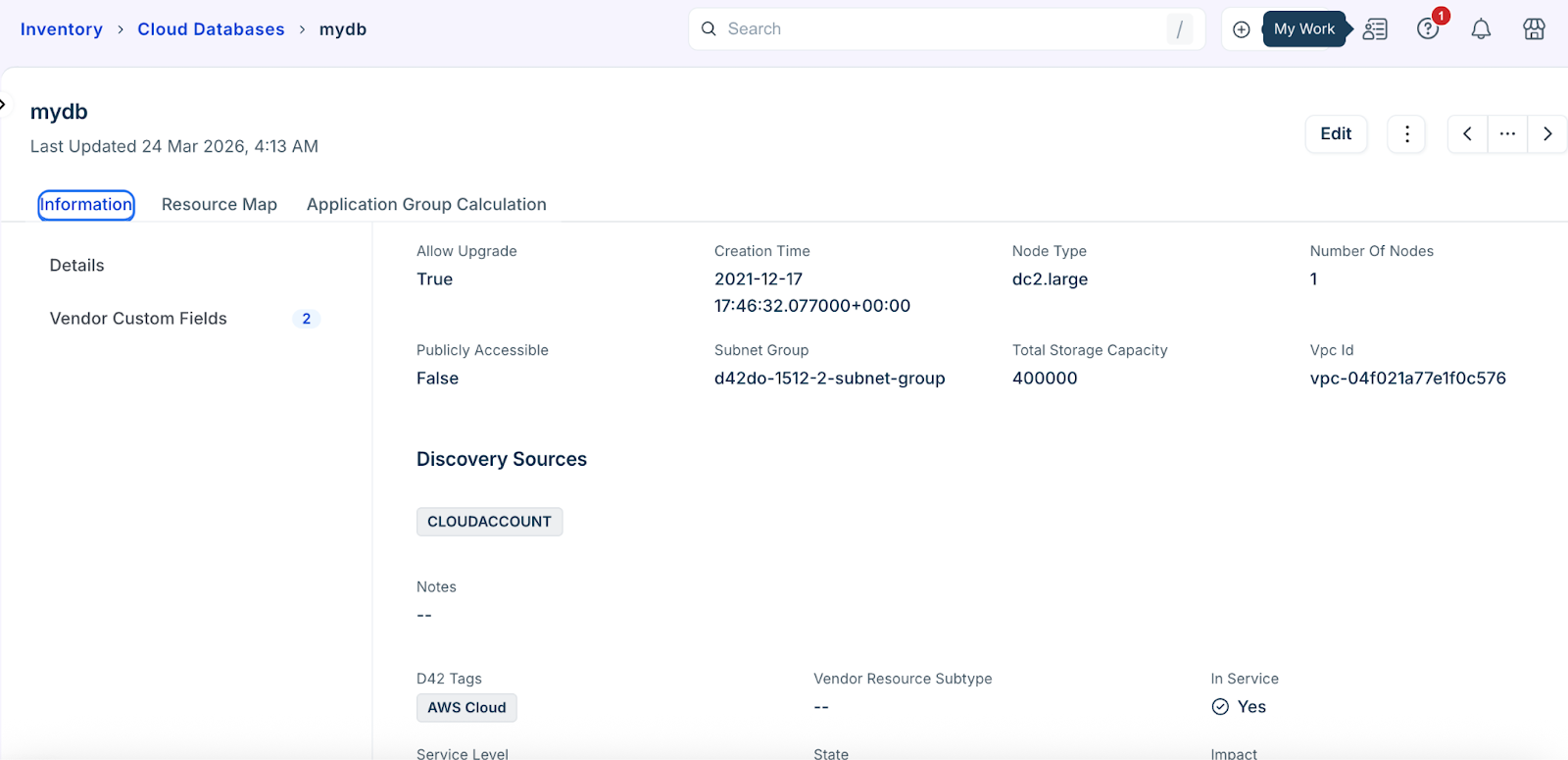
3. Go to the Resource Map tab to view relational data.
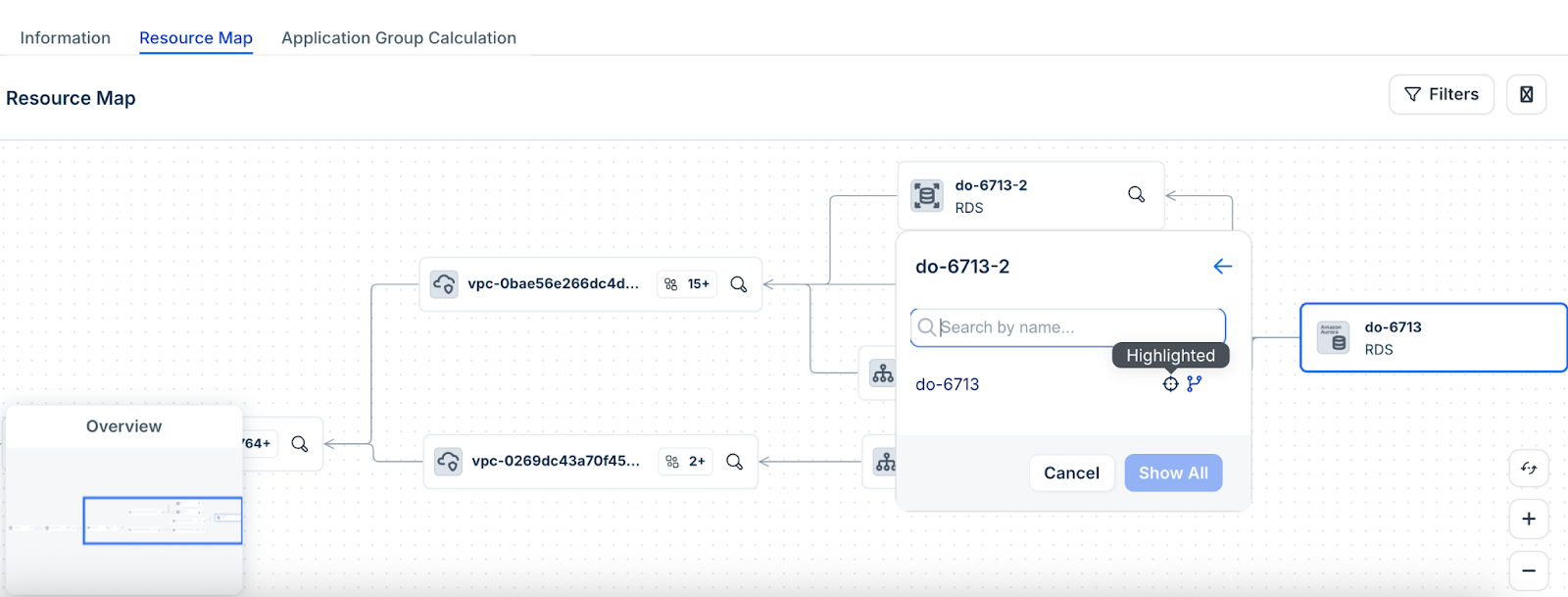
4. Click the search icon in the resource block to explore related resources.
5. Enter the resource name that you want to search.
6. Hover to the right of a list item's name to access the following additional actions:
Use cases
The following use cases demonstrate how ADM detected application data and resource maps support visibility, troubleshooting, and operational decision-making:
Limitations
The following limitations apply when configuring and exploring ADM detected applications and database relationships: