Last updated: 2025-10-23
This guide outlines best practices for assigning Freddy AI Copilot licenses to IT agents, leveraging analytics to optimize license allocation and improve operational efficiency.
Overview
Freddy AI Copilot is a powerful tool that can significantly enhance agent productivity and customer satisfaction. By strategically assigning licenses based on performance data, you can maximize their impact and ensure that the right agents receive the support they need.
License Assignment Checklist
Leveraging Analytics for License Assignment
Analytics plays a crucial role in identifying the agents who would benefit most from Freddy AI Copilot. We will focus on the following key metrics to inform our decisions:
1\. Identify Agents with High Incoming Ticket Volume
Agents in this category are likely overwhelmed and struggling with a high volume of tickets. Freddy AI Copilot can provide invaluable assistance by automating routine tasks, suggesting responses, thereby helping these agents improve their compliance and efficiency.
Step 1: Access Analytics
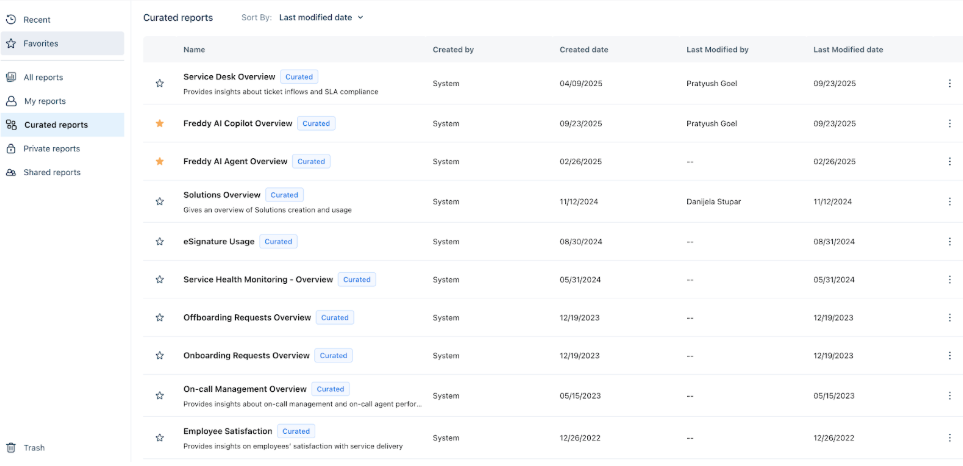
Step 2: Open the Received Tickets Report
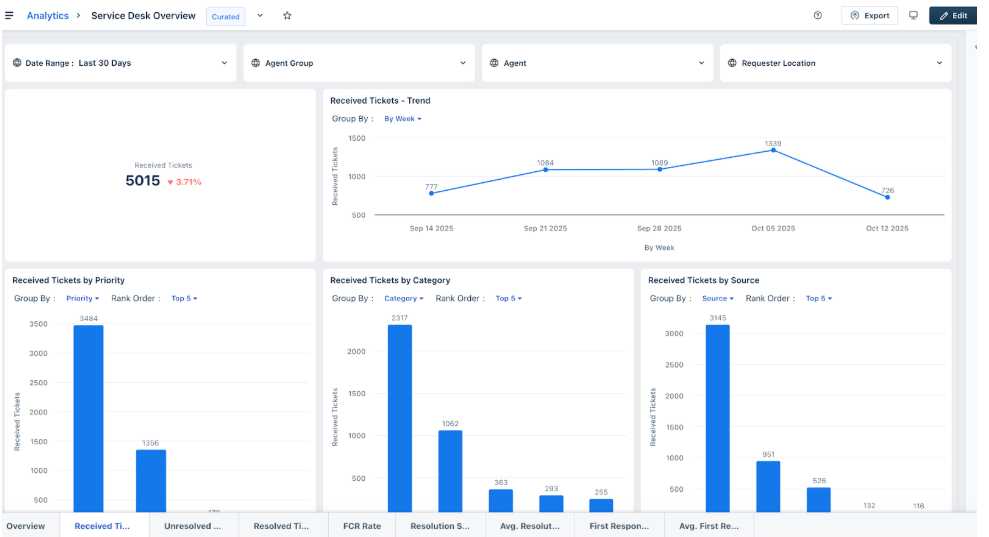
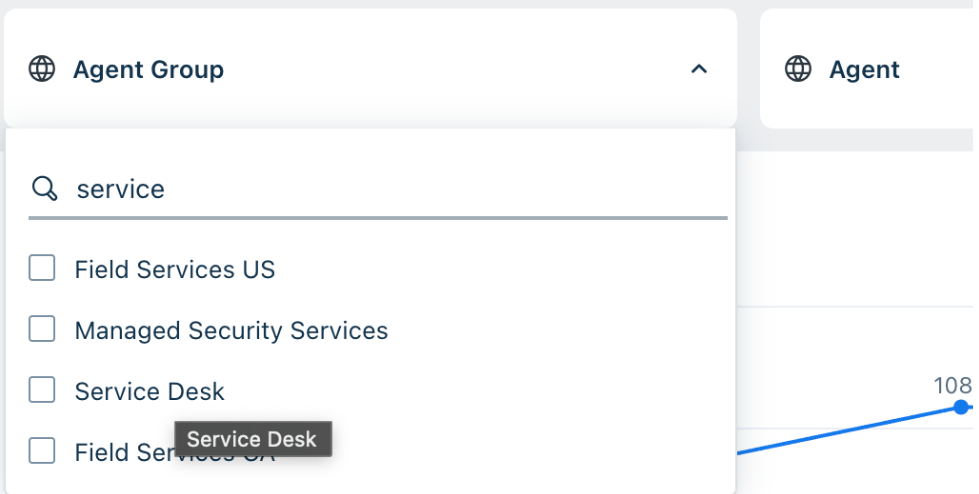
Step 3: Filter by Agent Groups (L0 & L1 Teams)
1. Click on the Agent Group filter. 2. Select your Level 0 (L0) and Level 1 (L1) support teams — e.g., Service Desk, IT Support Level 1, Health Desk, etc. 3. Click Apply to filter results.
Step 4: Customize the Report

Step 5: Identify High-Volume Agents
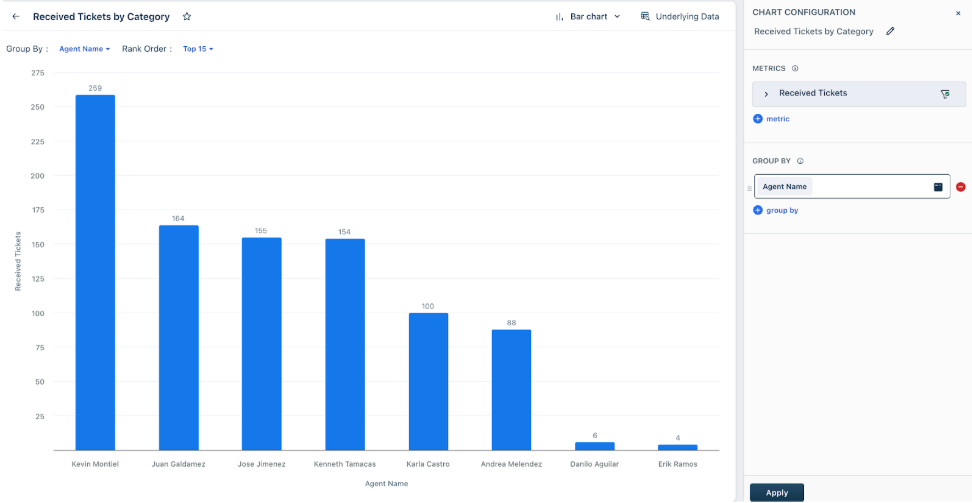
Step 6: Finalize the List
2\. Identify Agents with low TAT (Turn Around Time)
These high-performing agents can be further elevated with Freddy Copilot by offloading repetitive tasks, giving them the bandwidth to mentor peers, handle escalations, or take on complex issues.
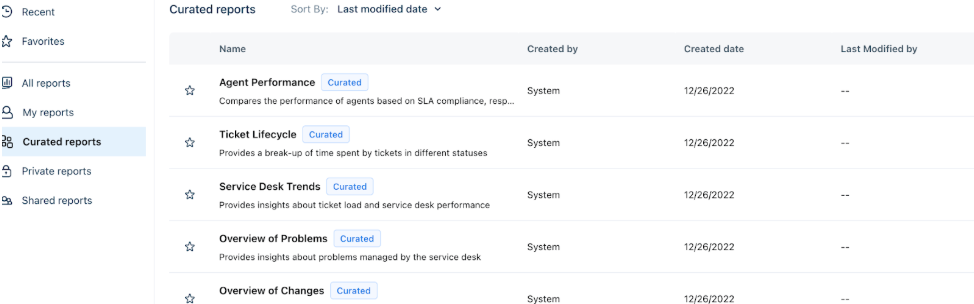
Step 1: Access the Agent Performance Report
Step 2: Set the Date Range
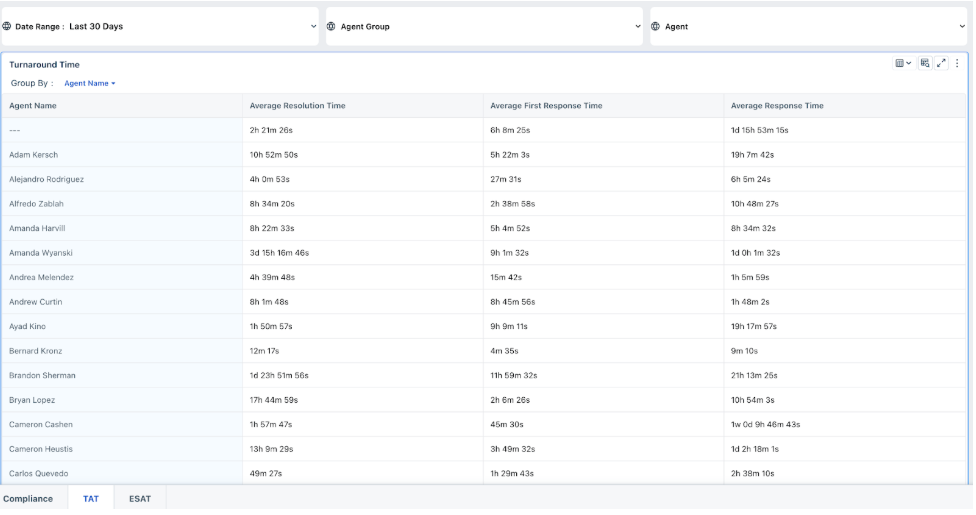
Adjust the date range to cover the last 3 months for better performance insights.
Step 3: Filter by Agent Group
Step 4: Analyze Key Metrics
Review metrics for each agent:
Step 5: Shortlist Agents for Freddy AI Copilot Support
Agents with higher average times are potential candidates for Freddy AI Copilot — they can benefit most from AI assistance to improve productivity and speed.
Step 6: Export and Review
Optionally, export the report to Excel.
Sort the data (highest to lowest) for quick identification of underperforming agents.
3\. Agents Handling Complex Tickets
Agents who frequently handle complex tickets require extensive knowledge and often spend more time researching solutions. Freddy AI Copilot can act as an intelligent knowledge base, providing quick access to information, suggesting troubleshooting steps, and even drafting comprehensive responses.
Step 1: Understand What Defines a Complex Ticket
A complex ticket can be identified by:
Agents frequently handling such tickets are likely managing complex and high-effort cases.
Step 2: Access Analytics
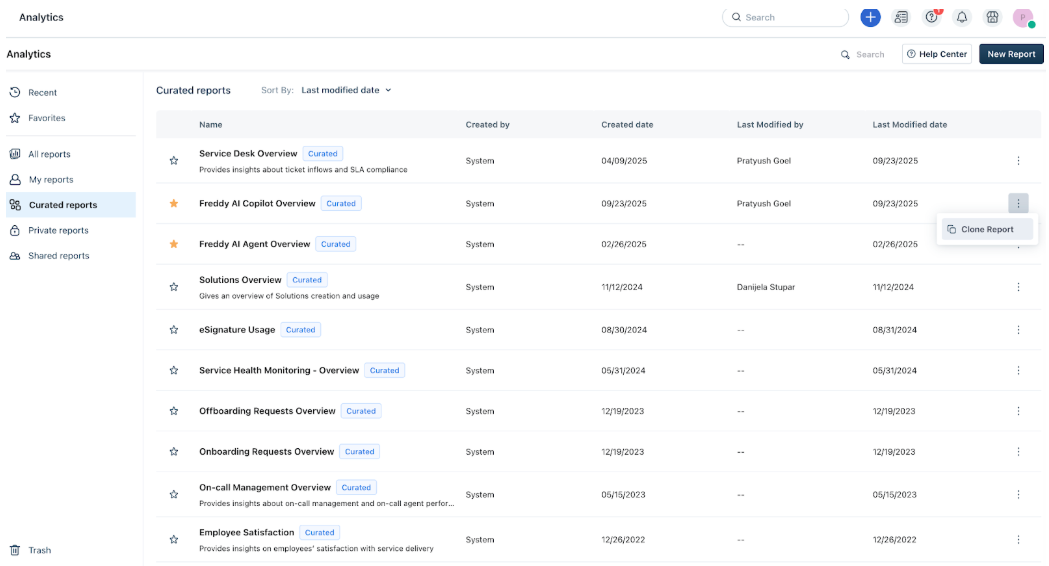
Step 3: Edit the Cloned Report
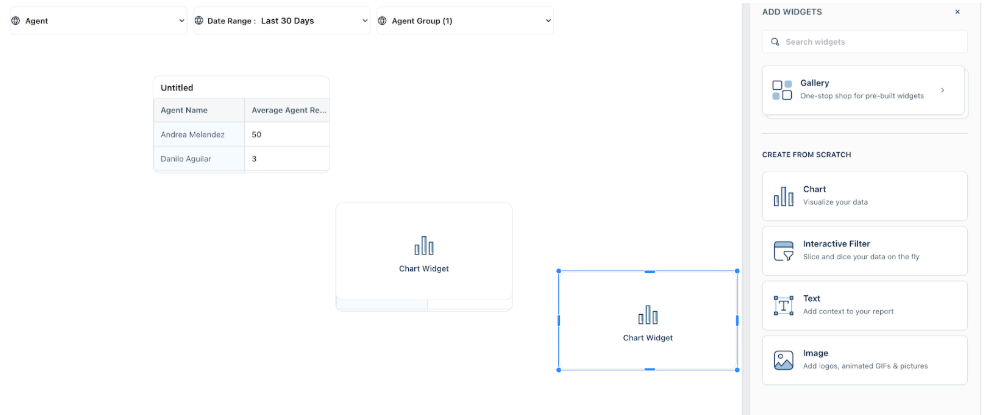 Step 4: Add Metrics and Grouping
Expand the report in the Metrics section, search and add:
Under Group By, select Agent Name.
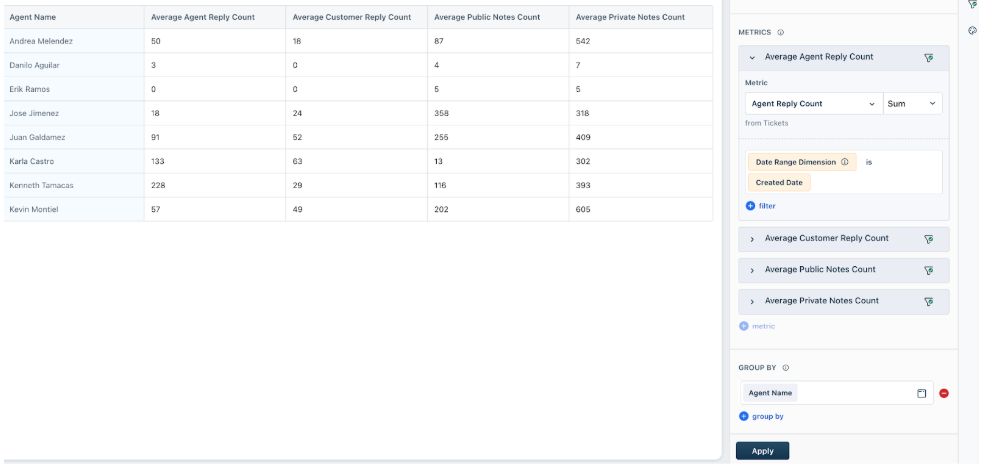
Step 5: Export & Calculate Complexity
License Assignment Strategy
The following table outlines a suggested strategy for assigning Freddy AI Copilot licenses based on the analytical insights:
| Agent Profile | Freddy AI Copilot Assignment ratio | Rationale |
| High Ticket Volume | 40% | Enhance existing high performance, potentially increasing capacity and efficiency. |
| Low TAT | 30% | Maximize immediate impact on operational efficiency and SLA adherence. |
| Handling Complex Tickets | 30% | Improve resolution times and quality of service for intricate issues. |
Conclusion
By adopting a data-driven approach to Freddy AI Copilot license assignment, we can ensure that this valuable resource is allocated effectively, leading to improved agent performance, higher SLA compliance, and ultimately, enhanced customer satisfaction. This guide serves as a living document and will be updated as we gather more insights and refine our strategies.