Last updated: 2023-04-27
Source: https://support.freshservice.com/support/solutions/articles/50000000622-how-to-enable-team-huddle-
How to enable team huddle?
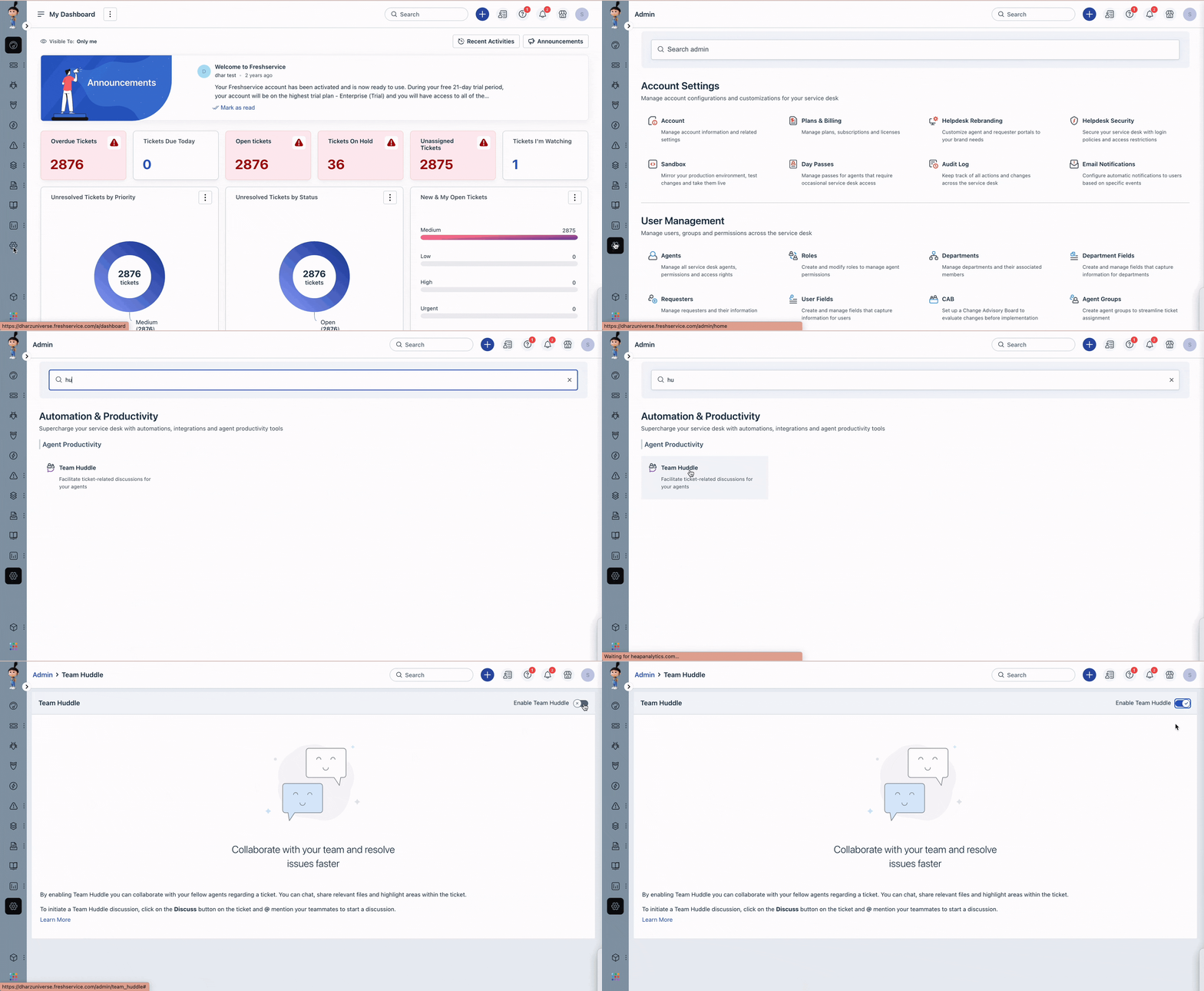
If your Freshservice account is a Non-Business team (ESM) account and is located in the US data centre, you can enable the team huddle feature by following the steps below,
1. Go to Admin > Automation & Productivity > Agent Productivity > Team huddle. 2. Turn on the toggle switch to enable the feature. 3. Customize the settings as per your requirements. 4. Click Save to apply the changes.