Last updated: 2026-04-17
Overview
Non blocking workflow execution is a capability introduced to make automation more seamless - by executing workflows on a ticket/change when that entity is still waiting for an approval.
Each workflow operates independently, allowing for greater efficiency while handling approvals and executing tasks not related to the approval in parallel.
What are the key benefits?
Why do customers need this?
What is changing compared to before?
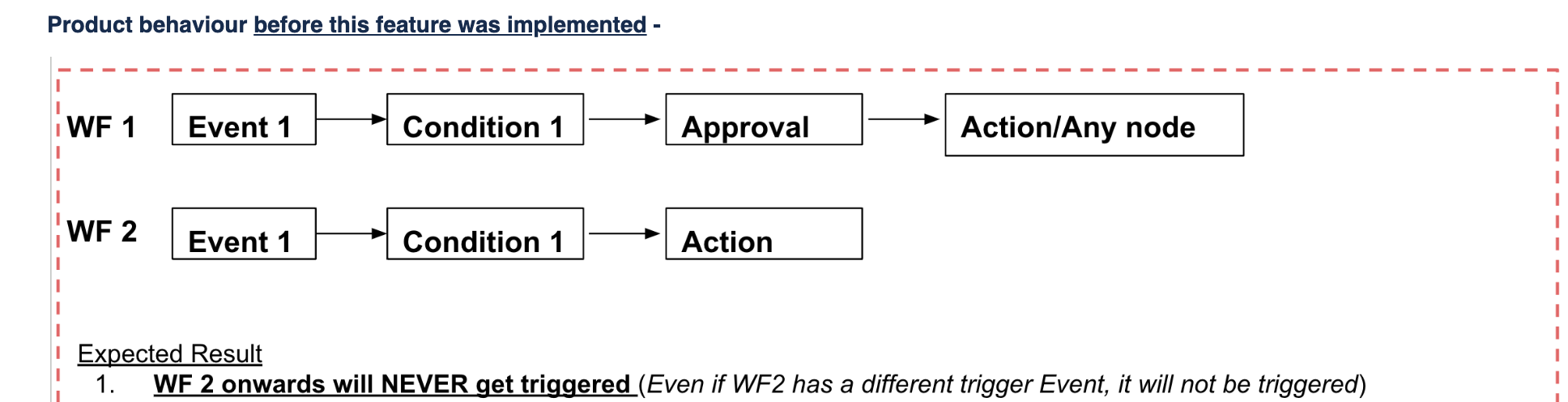
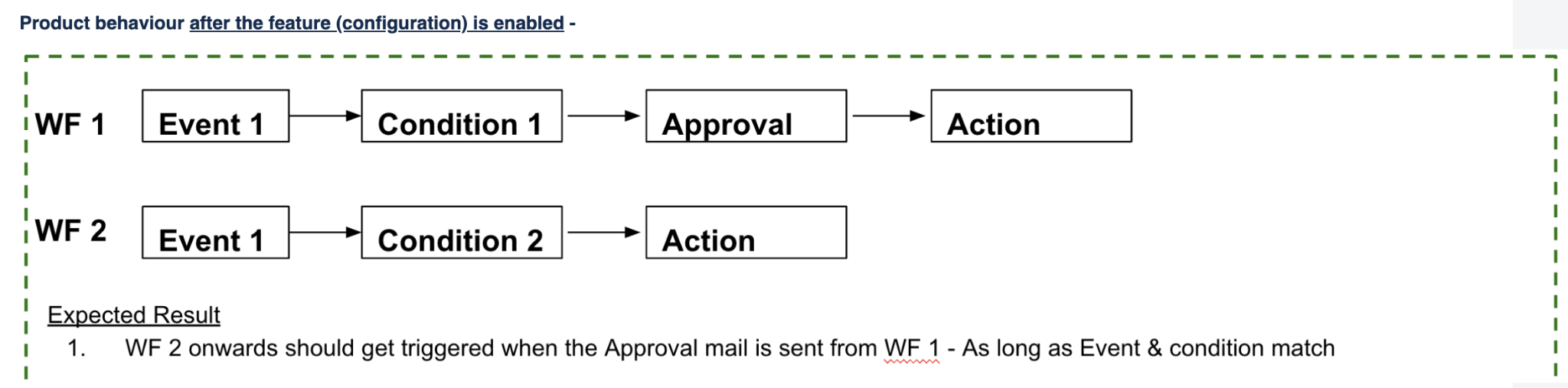
Scenario for illustration
Current Behaviour -
New Behaviour
Non-Blocking workflow execution configuration - needs to be TURNED ON by customers after reviewing and reconfiguring workflows which have approvals.
We recommend turning this ON along with the new approvals process for the best positive impact ion terms of process efficiency.
Global Settings > Workflow Automator > Settings
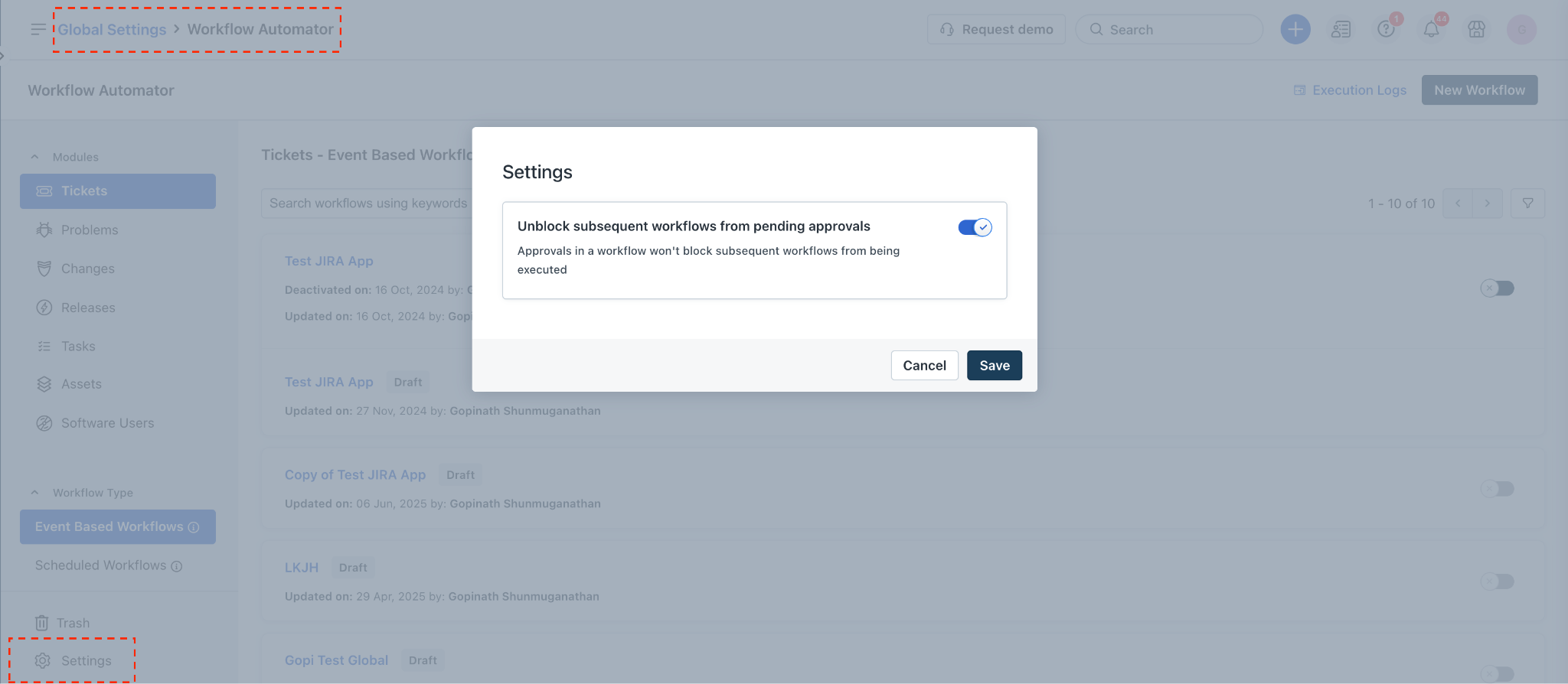
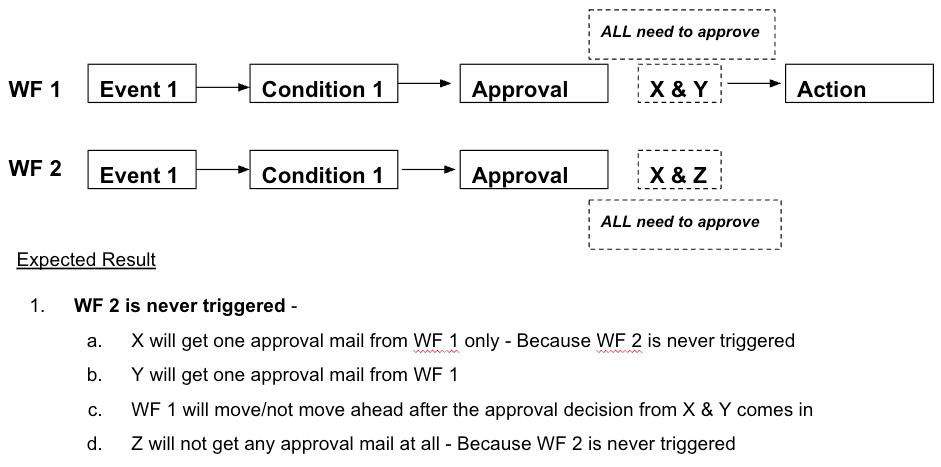
After the toggle is turned ON -
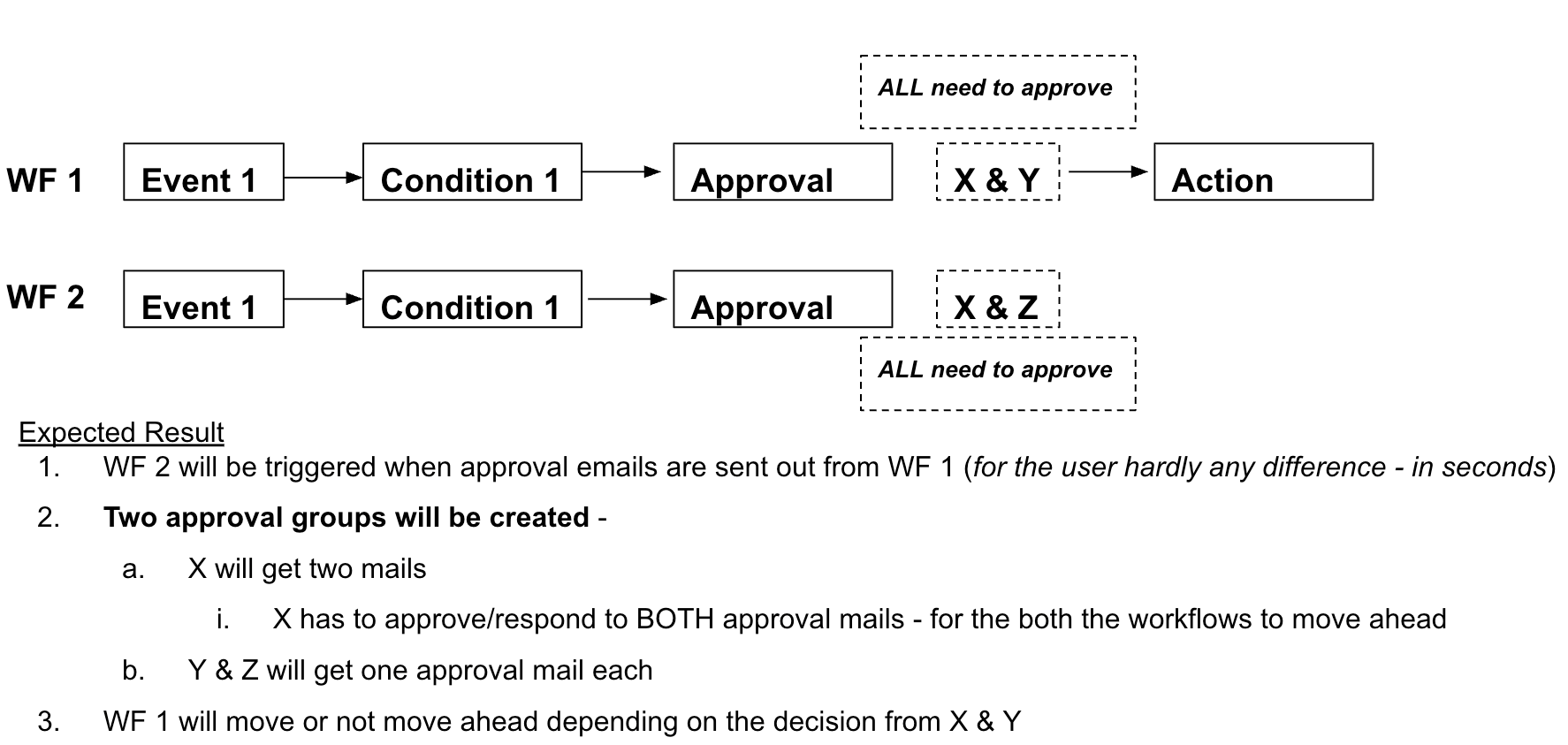
Basically, when the approval decision is received from Group 1 (X & Y), the workflow which is waiting for the same - Workflow 1 - that workflow alone can move ahead.
How will this impact existing customers?
What are the required actions for customers?
- Areas of impact -
- If there are nodes AFTER the approval in a workflow \- be aware that subsequent workflows will have to be verified. - Subsequent workflows that DO NOT execute today will start executing the moment the approval is sent out.
What if a customer wants to turn ON the configuration before adopting the new approvals process?
Say workflow 1 has an Approval Node > Action node.
If a "Send approval" action is configured in workflow 2, 3 onwards -
1. These workflows will execute the moment Approval email is sent from WF 1.
2. These approvals sent from workflows 2, 3 will all get merged into one single approval group in the ticket/change.
1. The most recent approval's rule (Everyone, Anyone etc) will override all the previous ones - workflow #3 in the below example.
2. If parallel approvals feature is adopted - Approvers from each workflow will be grouped separately with a separate approval rule;
1. The merge will not happen and approvals will be distinct/separate groups.
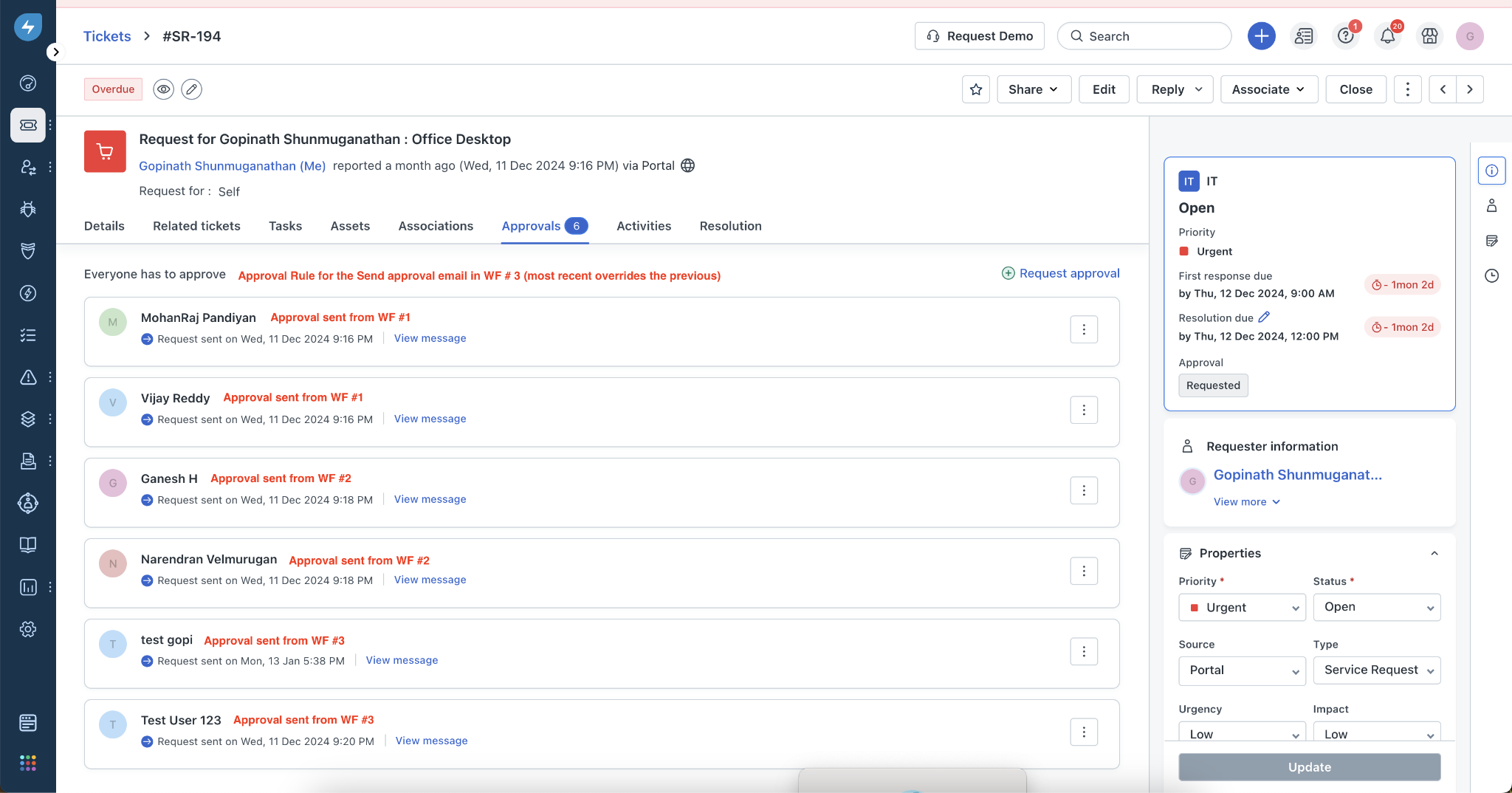
3. Since multiple workflows have approval emails - which workflow will execute after the approval decision comes in?
1. The latest workflow in the sequence will only move ahead - WF #3 in the above example.
1. Why? This is because all approvals are merged currently into one group.
2. The system is not able to apply the approval decision against the respective workflow.
3. Even if approvers who get mails from WF #1 and 2 approve - those workflows will not move ahead.
4. After parallel approvals feature is adopted - all the workflows will move ahead depending on the “execute workflow” configuration in each.