Last updated: 2025-02-04
This article explains the process and best practices for managing Sandbox add-ons when downgrading your Freshservice plan.
Current Freshservice plan
The following table describes how Sandboxes are included and managed within the current Freshservice plan.
| Enterprise plan | One Sandbox is included with the Enterprise plan subscription. |
| Sandbox add-ons | You can get up to two additional Sandboxes as add-ons. Contact your Customer Support Manager (CSM) or Account Manager (AM) for add-on. |
Removing Sandbox
The following scenarios outline what happens to your Sandboxes when they are removed.
| Scenario | Impact on Sandbox |
| Downgrading from Enterprise to Pro | All Sandboxes (included in the plan and add-ons) will be deleted upon downgrade.<br>Note: The deleted sandboxes cannot be retrieved. |
| Removing a Sandbox add-on | Contact your Account Manager (AM) or Customer Success Manager (CSM) to remove a Sandbox add-on.<br>The Sandbox add-on remains active until the end of the billing period:<br>- Annual subscriptions: Active until the renewal date.<br> <br>- Monthly subscriptions: Active until the end of the monthly renewal date.<br> <br>Note: <br>- The system will identify the most recently created Sandbox for deletion by default. The removal will occur only on the renewal date. |
Managing Sandbox removal preferences
You can customize which Sandbox gets removed before the scheduled removal date. You can refer to the following banner to view which Sandbox is scheduled for removal and the remaining days until removal.
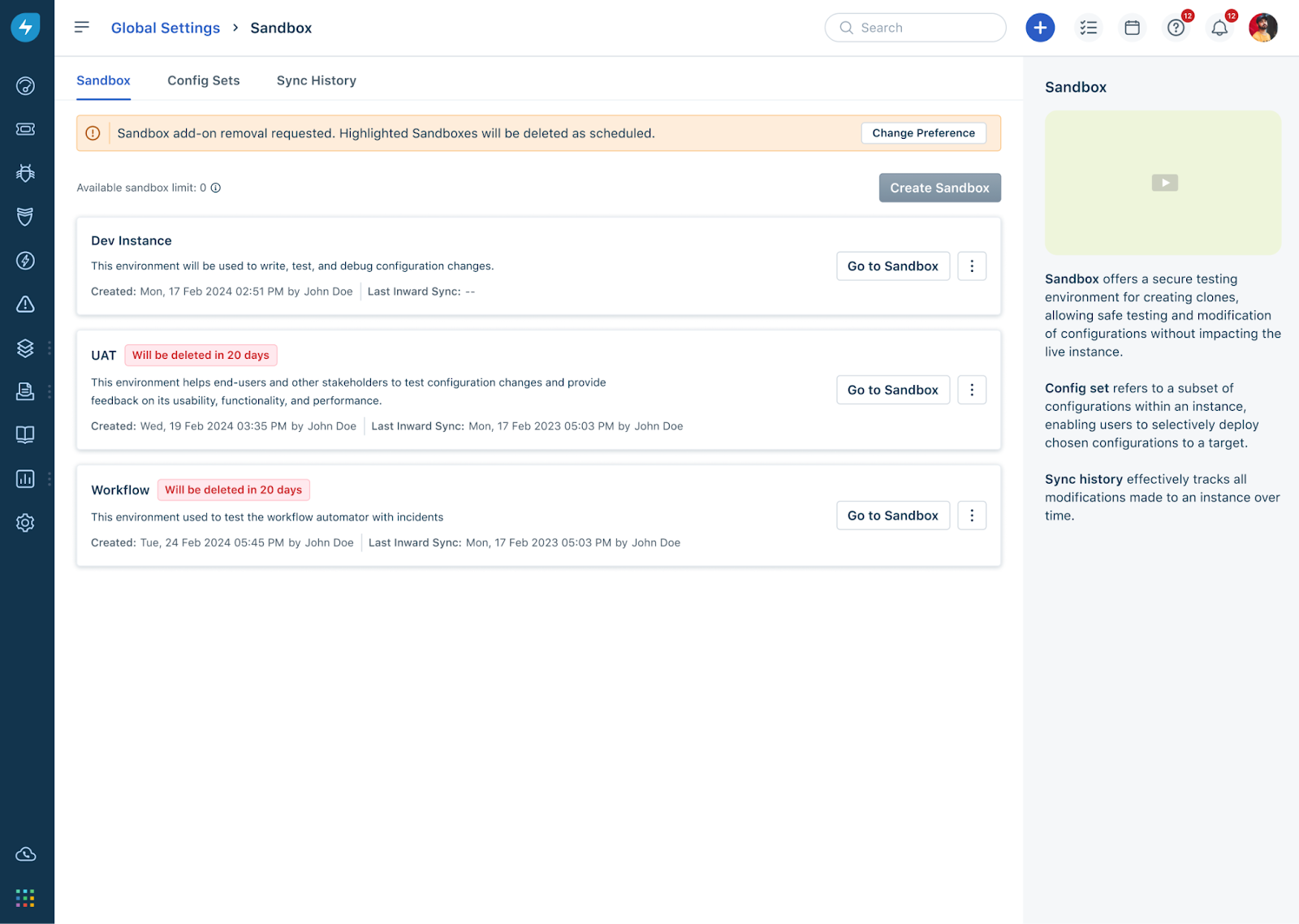
To change deletion preferences
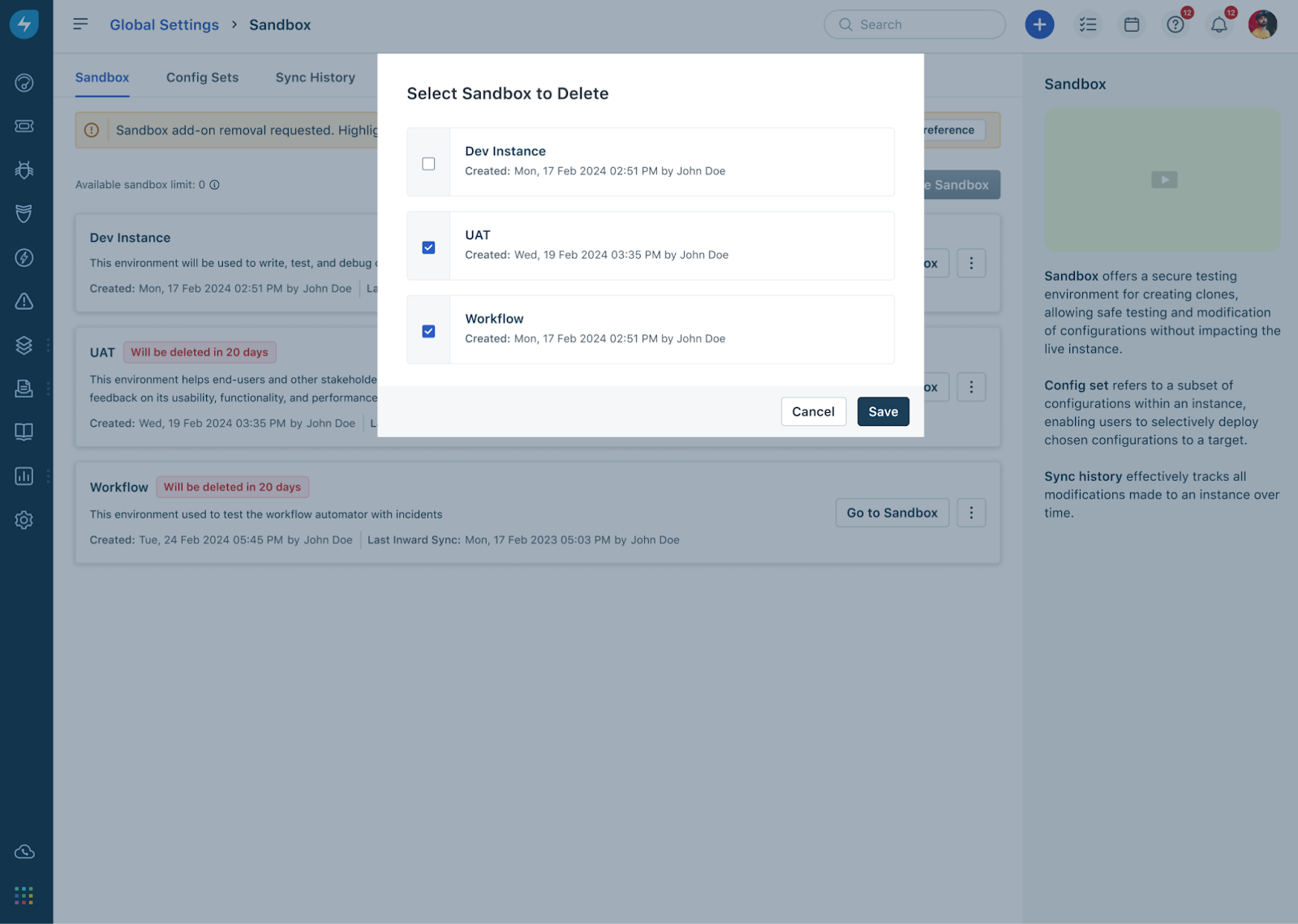
If you want to retain the system-selected Sandbox, you can change the deletion preference by following the below steps:
1. Click Change Preference at the top.
2. Select a different Sandbox to delete and click Save.
Note: