Last updated: 2026-01-27
Source: https://support.freshservice.com/support/solutions/articles/50000010306-freddy-ai-agent-overview
Freddy AI Agent overview
``` Freddy AI Agent is available with the Enterprise plan. ```
Freddy AI Agent provides automated, conversational assistance for employees by using existing knowledge sources to handle common questions and service requests. It is available across multiple supported channels, including Slack, Microsoft Teams, Email, and the Support Portal. Freddy AI Agent supports both IT and non-IT queries and uses contextual information to deliver relevant responses from the first interaction.
Freddy AI Agent \_ EX \_ Demo Video
Supported channels
Freddy AI Agent can be enabled across multiple channels to provide automated, conversational assistance and support self-service.
Enable Freddy AI Agent
You can enable Freddy AI Agent from the Admin settings. The setup steps vary depending on the channel where you want to make the agent available.
1. Go to Admin > Global Settings.
2. Search for Freddy and select it.
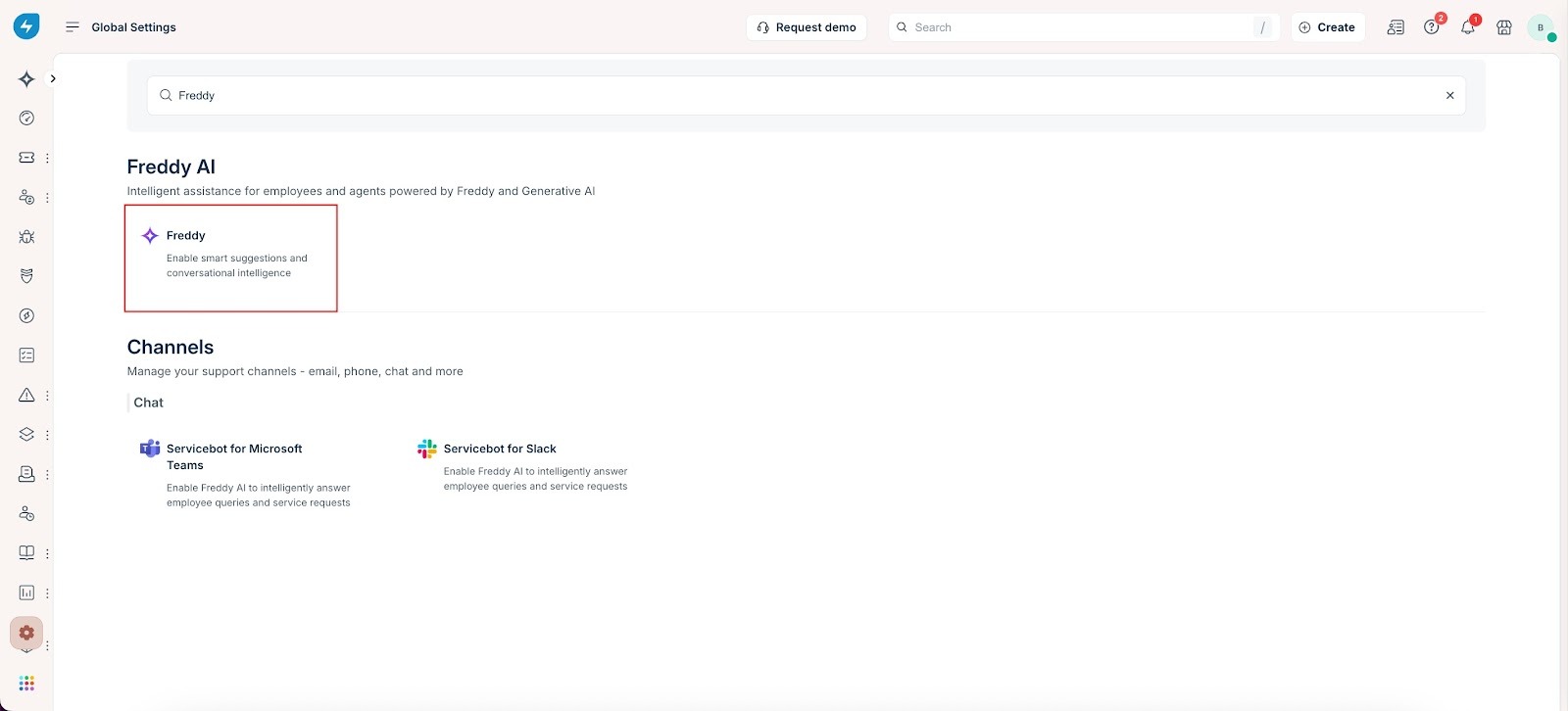
3. Under Freddy AI Agent, use the toggle to enable the agent for the required channel.
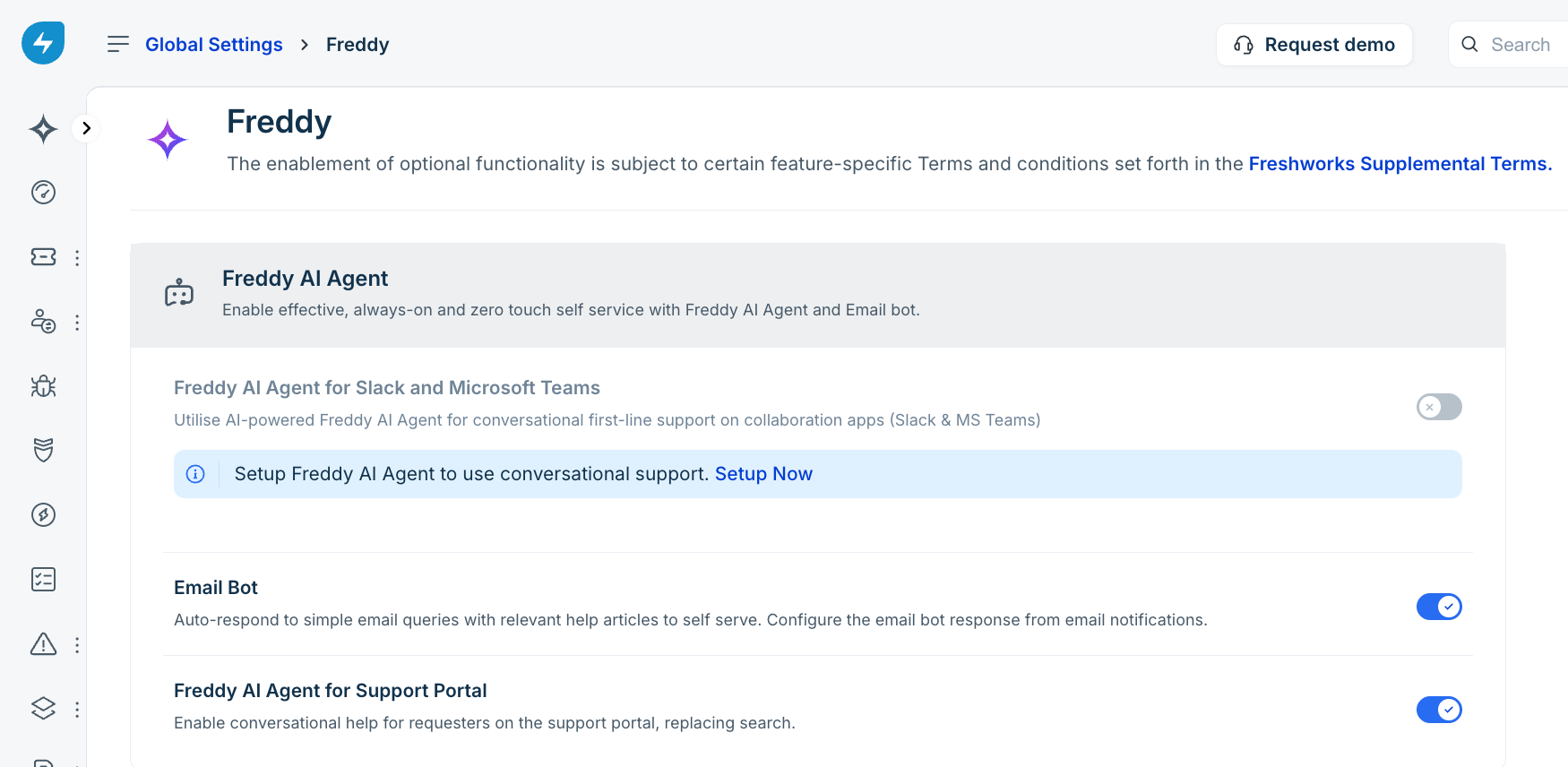
- Microsoft Teams and Slack – To use Freddy AI Agent on Microsoft Teams or Slack, you must first install ServiceBot for the respective platform. After installation, configure Freddy AI Agent from the Freddy AI configurations page or from the ServiceBot for Microsoft Teams or ServiceBot for Slack section. For more information, see Setup on Microsoft Teams \| Setup on Slack
- Support Portal – You can enable and configure Freddy AI Agent directly from the Freddy AI configurations page. Learn more
Freddy AI Agent session usage and limits
Each Freshservice Enterprise license includes 1,200 sessions per year. Session limits reset at the start of each billing cycle, with prorated limits applied for shorter billing cycles. A session is counted when a unique user interacts with Freddy AI Agent within a 24-hour period. Learn more about pricing here.
Freddy AI Agent features
For in-depth information about individual features, see Enable Freddy AI Agent features. The following table summarizes the supported capabilities:
| Solution / Group / Category | Use Case Group | Feature | Description |
| Freddy AI Agent | Conversational AI | Multilingual Conversations | Supports conversations in multiple languages. |
| Multi-turn Conversations | Maintains context across multi-step conversations. | ||
| Formless Conversations | Captures intent without rigid form structures. | ||
| Actionable Response Summaries | Summarizes interactions into actionable takeaways. | ||
| Citations and Grounding | Provides sources to support generated responses. | ||
| Channel Availability | Slack | Offers AI assistance directly within Slack channels. | |
| Microsoft Teams | Supports conversational workflows inside Teams. | ||
| End User Portal | Assists users directly through the self-service portal. | ||
| Email Bot | Automates responses over email and detects intent. | ||
| Microsoft 365 Copilot | Connects service intelligence to Microsoft 365 experiences. | ||
| Enterprise Search | Knowledge Base | Searches internal knowledge content for instant answers. | |
| Microsoft SharePoint | Retrieves information across SharePoint repositories. | ||
| Google Drive | Searches organizational files stored in Google Drive. | ||
| Confluence | Retrieves information from Confluence quickly. | ||
| Multimodality | Image Support | Extracts insights from images to aid resolution. |
Upgrade to the new Freddy AI Agent
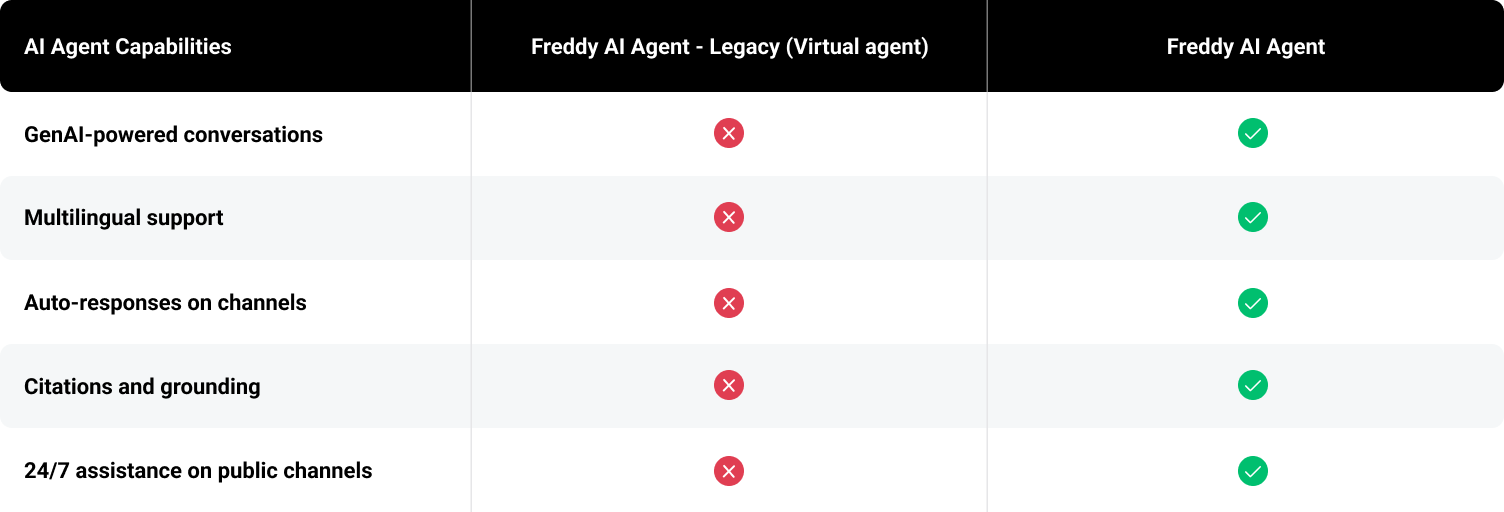
The new Freddy AI Agent introduces GenAI-powered conversational assistance with enhanced capabilities compared to the legacy virtual agent.
If you are currently using the legacy version of Freddy AI Agent, you must upgrade to continue using the agent and access the latest features.
When do you need to upgrade?
You need to upgrade if you enabled the legacy Freddy AI Agent (Virtual Agent) before October 18, 2024.
If you have not previously enabled the legacy version, you can set up the new Freddy AI Agent directly. For details, see Get started with Freddy AI Agent.
Why upgrade?
The new Freddy AI Agent provides improved conversational capabilities powered by generative AI. These enhancements are described in detail in the What’s new section.
For a comparison of the legacy and GenAI versions, see Freddy AI Agent versions.
How to upgrade?
1. Go to Admin > ServiceBot for Microsoft Teams or ServiceBot for Slack. 2. Select the available Upgrade now option.
After upgrading, enable Freddy AI Agent on the required support channels to provide 24x7 assistance.
Who is automatically upgraded?
You are automatically upgraded to the new Freddy AI Agent if:
No action is required in these cases.
Legacy version deprecation
``` The legacy version of Freddy AI Agent will be deprecated on May 21, 2025. ```
Track Freddy AI Agent usage
The Freddy AI Agent overview curated report in the Analytics module helps track and monitor Freddy AI Agent usage and performance.