Last updated: 2025-11-25
At times, you might have to update an on-call shift to accommodate changes in availability of agents. In Freshservice, it is easy to delegate shift in a few clicks.
Step 1: Navigate to the Shift list page > shift of your choice.
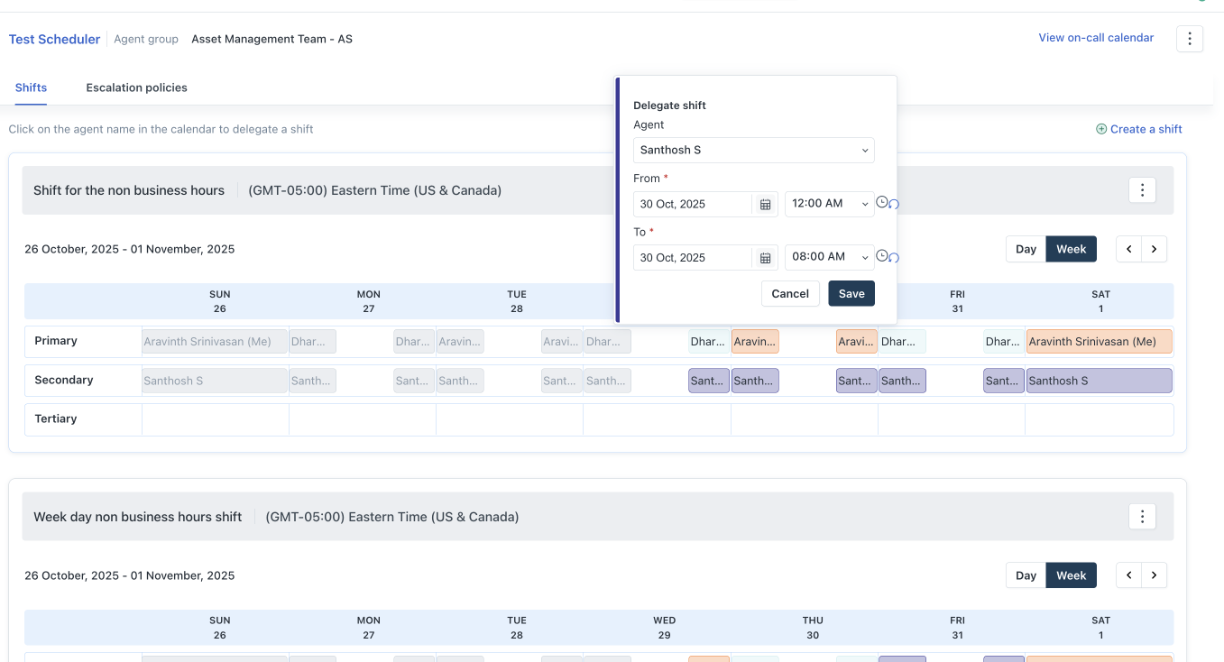
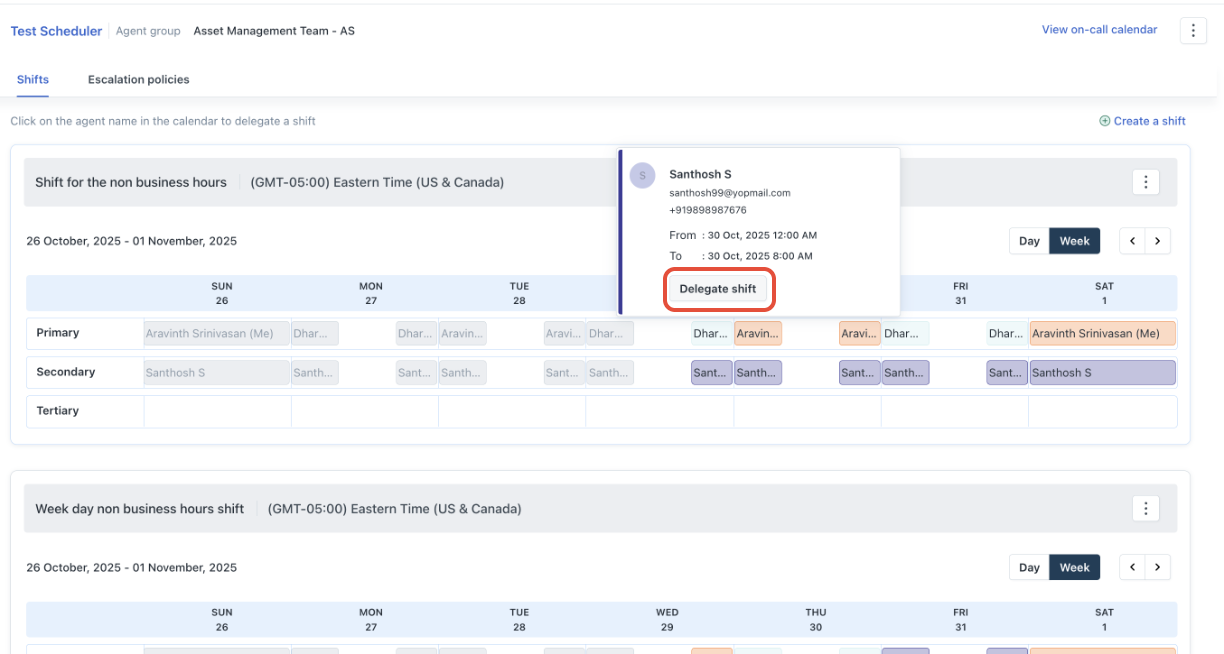
Step 2: Choose the agent for whom you want to provide coverage and select Delegate Shift.
Step 3: Update the on-call agent details and 'save'