Last updated: 2023-05-03
Freshservice provides a comprehensive way to track and manage your releases. One of the useful features is the ability to run a report or create a widget on your releases. This can be done by following these simple steps:
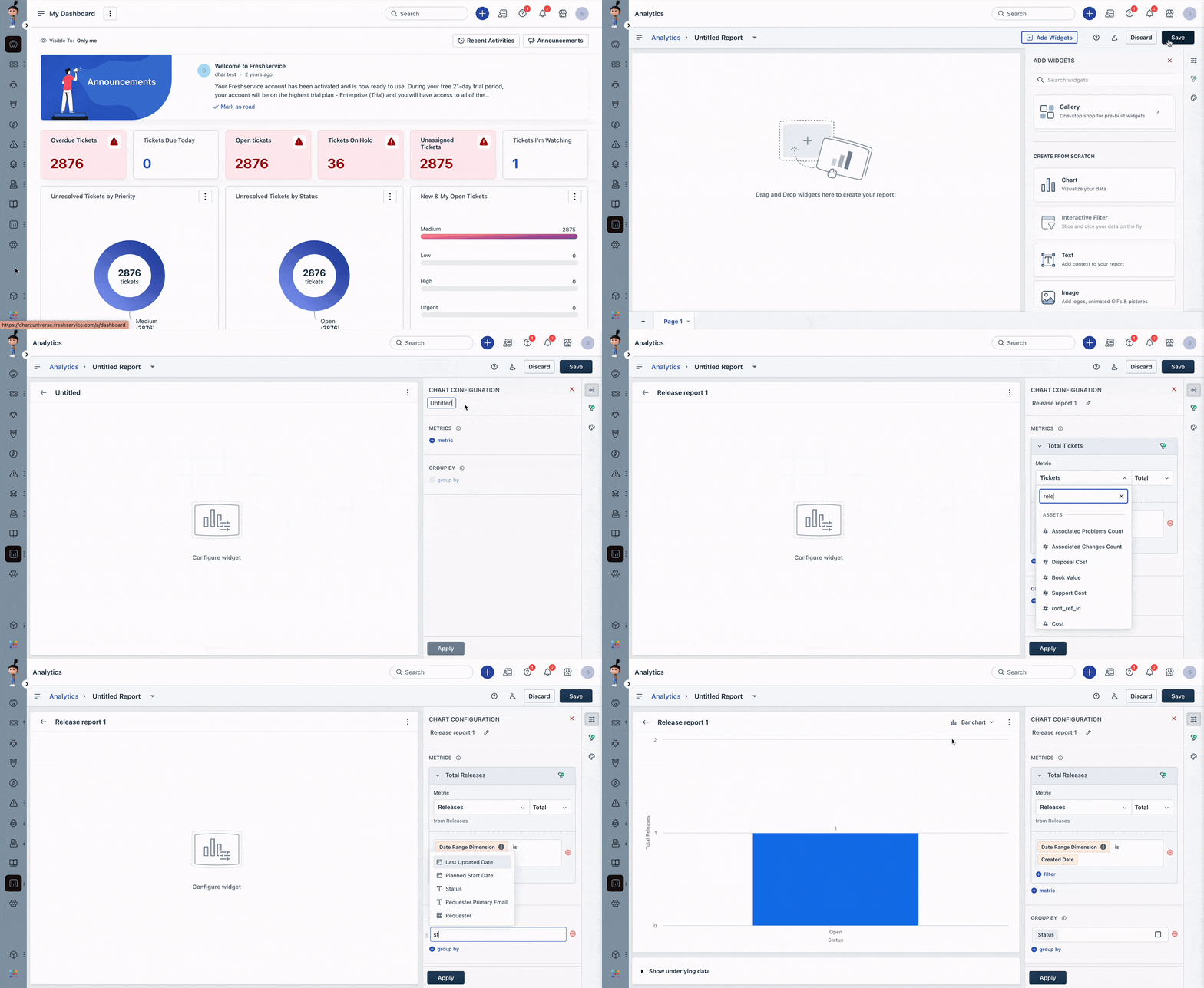
1. Navigate to Reporting icon > Analytics and click on New Report. 2. Let's consider adding a Chart to our report. Drag and drop a Chart and expand the chart. 3. Give your chart configuration a name. 4. Under Metrics \- choose Releases and provide additional details based on your business requirements. 5. Click Apply to run the report.
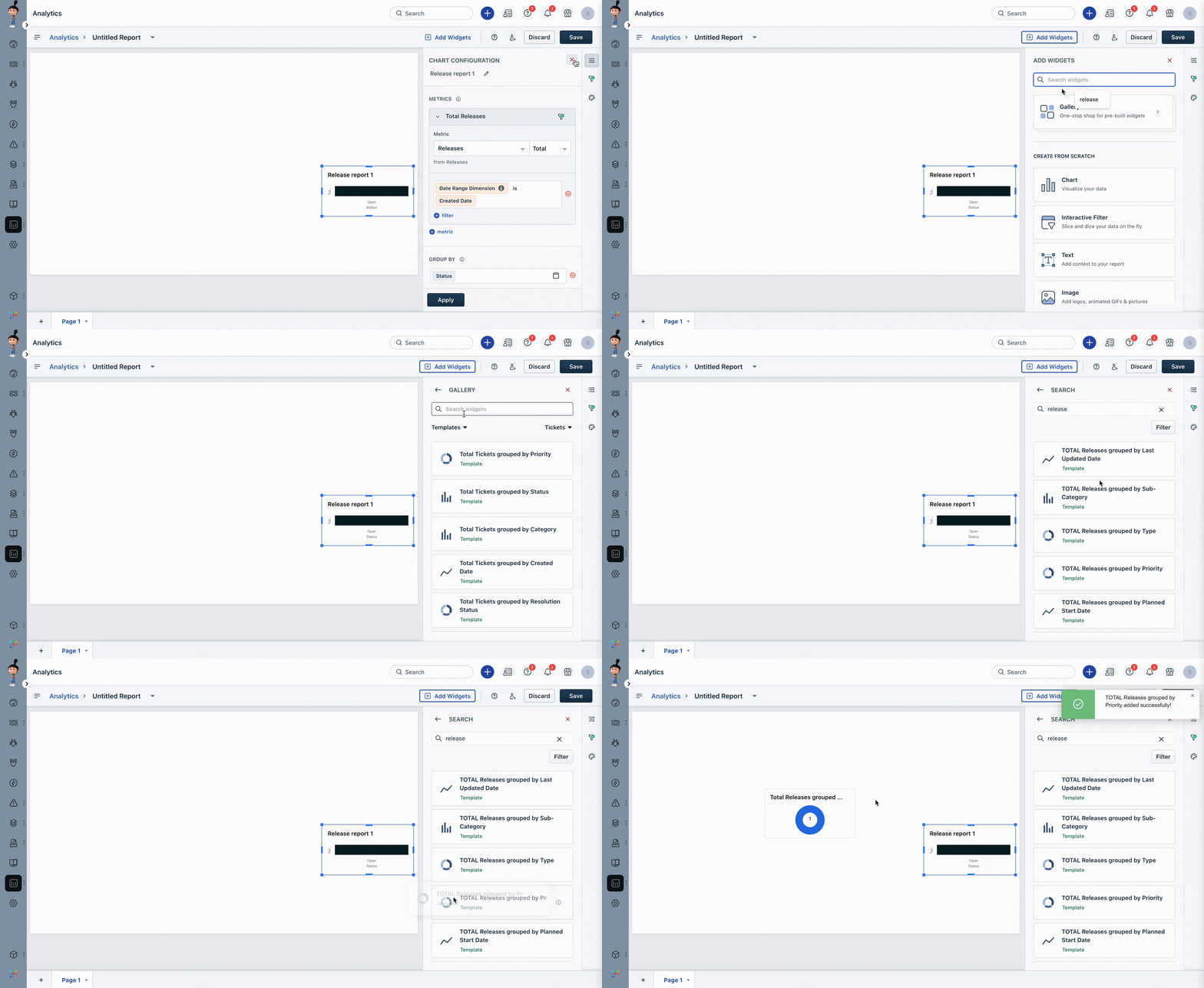
You can also create a new report and add a widget from the list of pre-built widgets for releases. This makes it easy to keep track of all your releases in one place.