Last updated: 2026-01-23
Overview
When working on tickets, agents often need to review the subject, description, and long conversation threads to understand the context before taking action. This manual effort can slow down response times, lead to missed information, and shift focus away from higher-priority tasks.
Summarize with Freddy AI Copilot addresses this challenge by generating a clear and concise summary of the ticket with just a click. It uses Freddy AI to analyze the ticket’s subject, description, and conversations and presents the summary with key details in a readable format. This helps agents quickly understand what the ticket is about and act faster.
Generate an AI summary within tickets
Perform the following steps to generate an AI summary in tickets:
1. Go to the Ticket Details page.
2. Click Summarize with Freddy AI Copilot. Freddy AI will generate a summary using data from the ticket’s subject, description, and conversation.
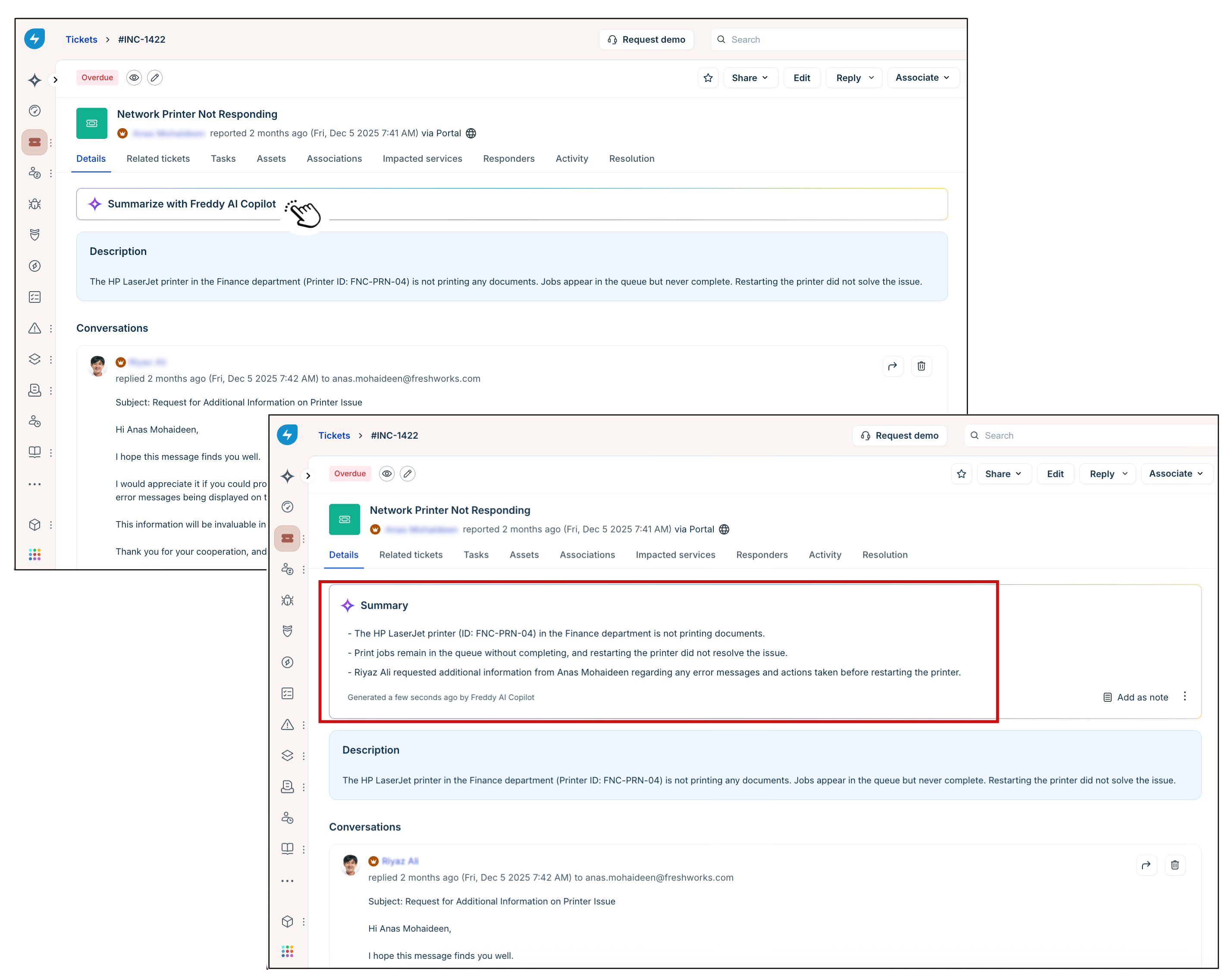
3. After generating the summary, you can manage it using the following options:
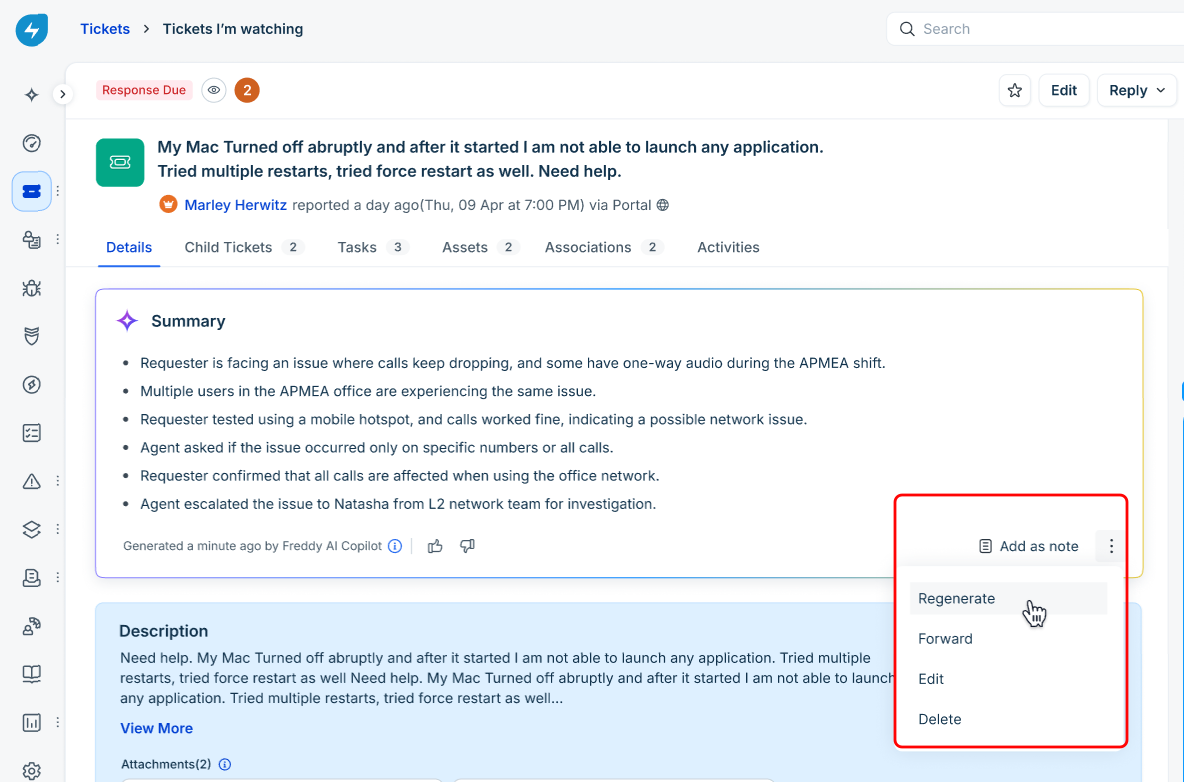
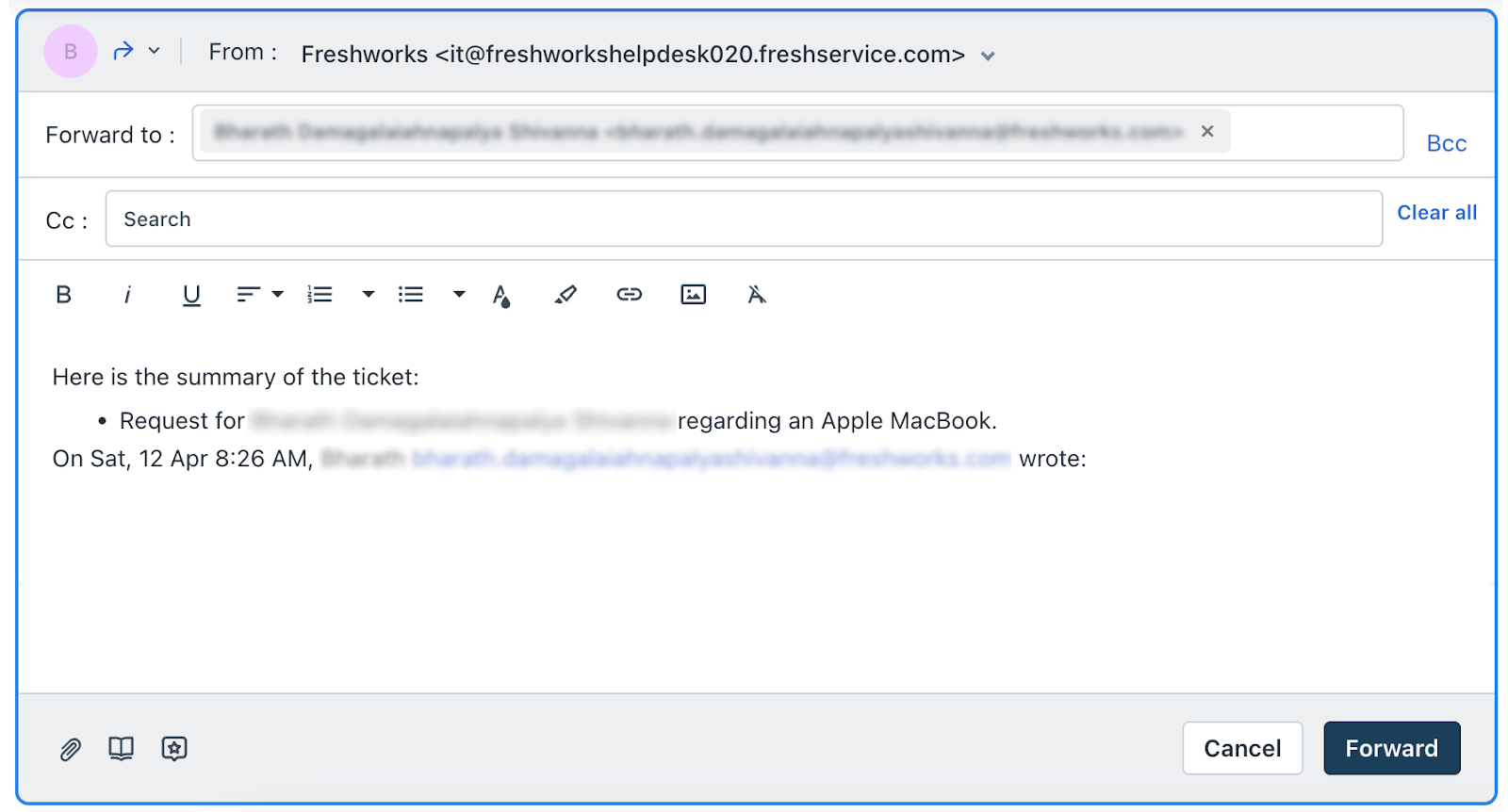
1. Click Edit from the dropdown.
2. The summary becomes editable in the same section.
3. Make the necessary changes.
4. Click Update to save the edited summary.
1. Click Delete from the dropdown.
2. Confirm the deletion when prompted. The summary will be permanently removed from the ticket.