Last updated: 2024-11-21
In order to by-pass Do Not Disturb setting on your mobile phone and ensure that you receive phone calls as well as SMS notifications with sound take the following steps
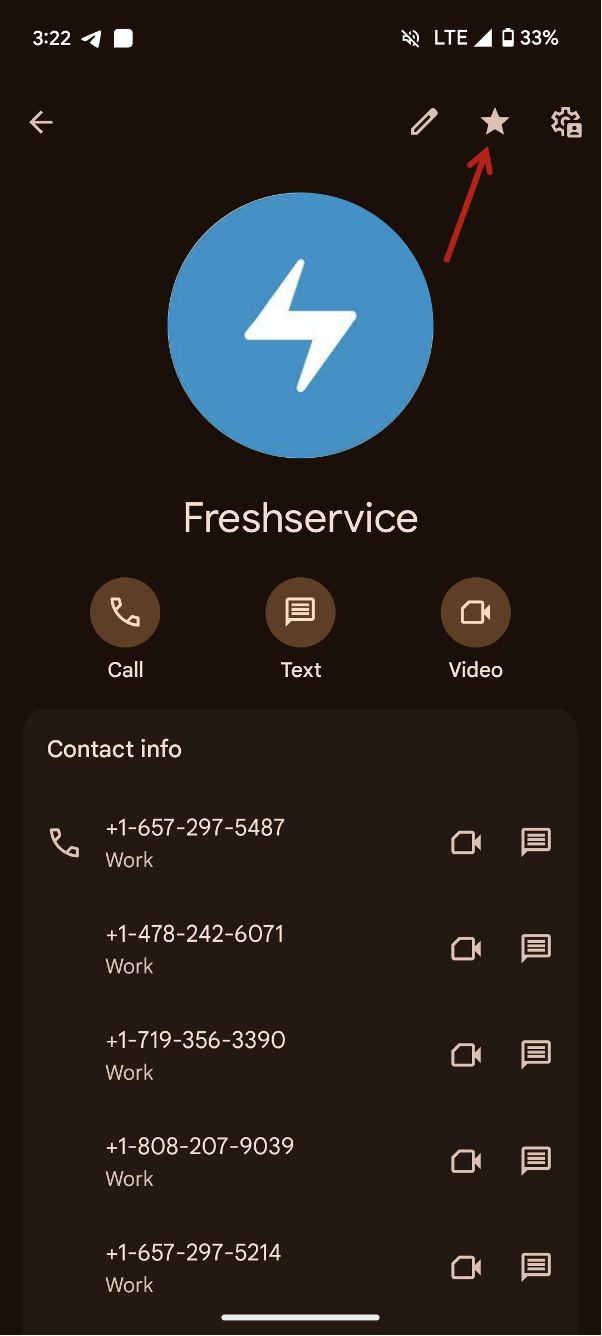
1. Download the vCard (.vcf file) and add it to your phone as a saved contact 2. Then take the following steps depending on if your phone's operating system is Android or iOS - For Android 01. Open the contacts app 02. Tap the Freshservice contact 03. Star the Freshservice contact
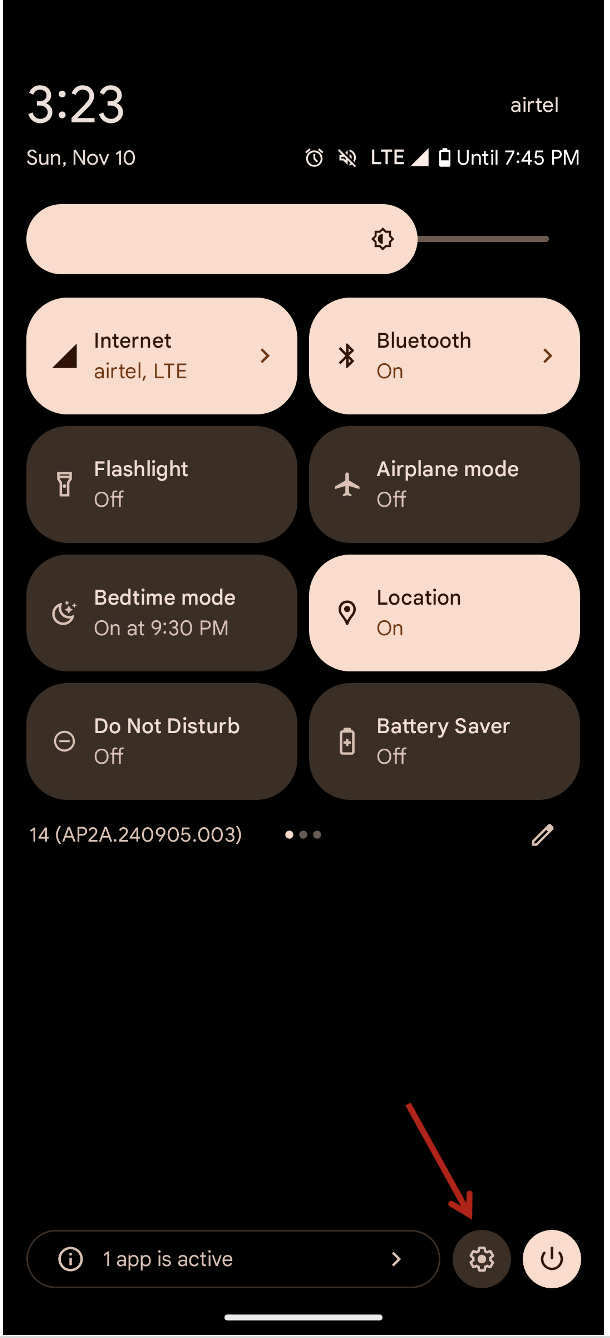
 04. Then go to the Settings by app list or scrolling down to open notification and then tap on settings icon
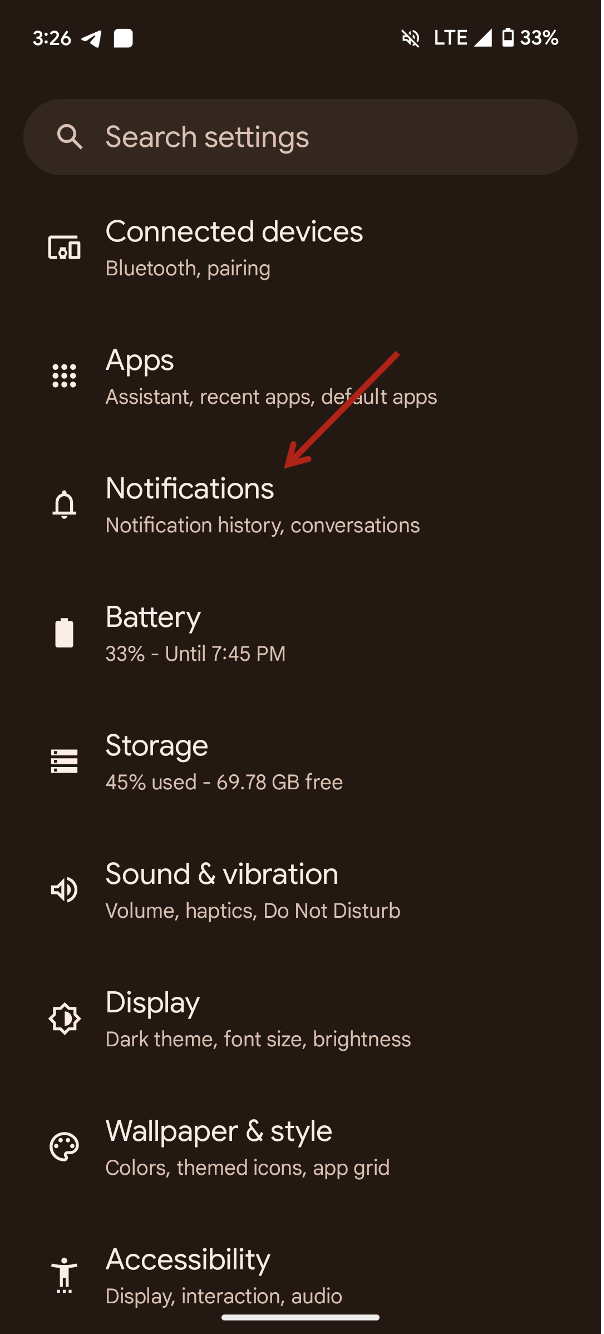
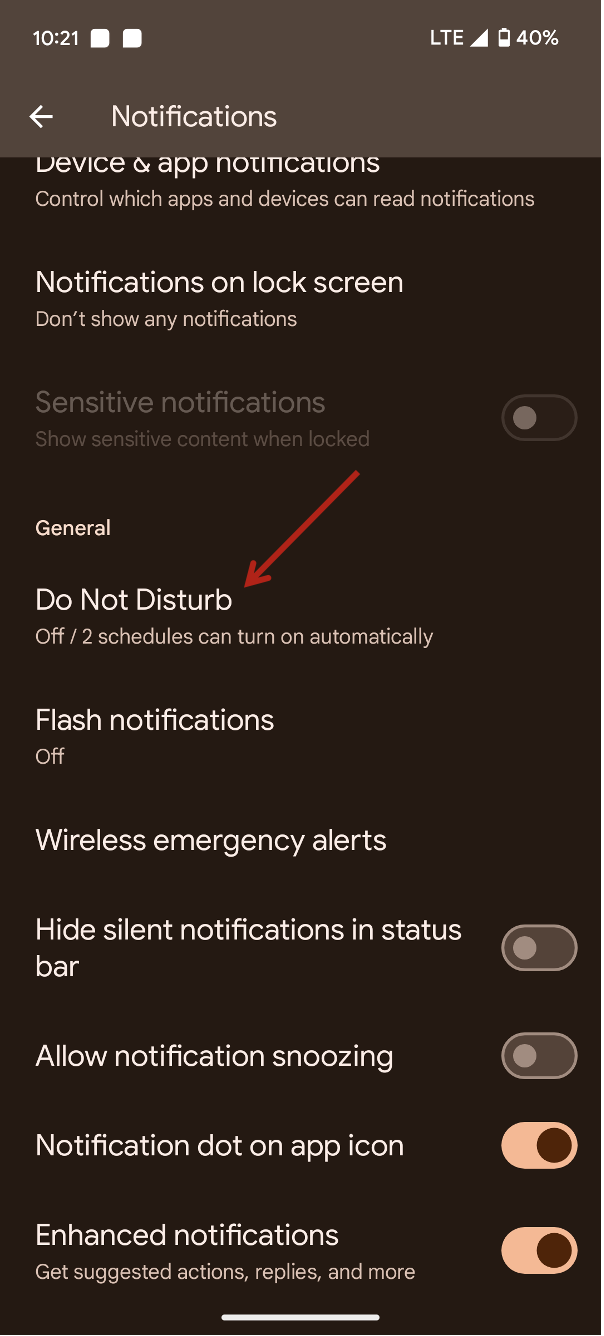
 05. Tap "Notifications"
 06. Tap "Do Not Disturb"
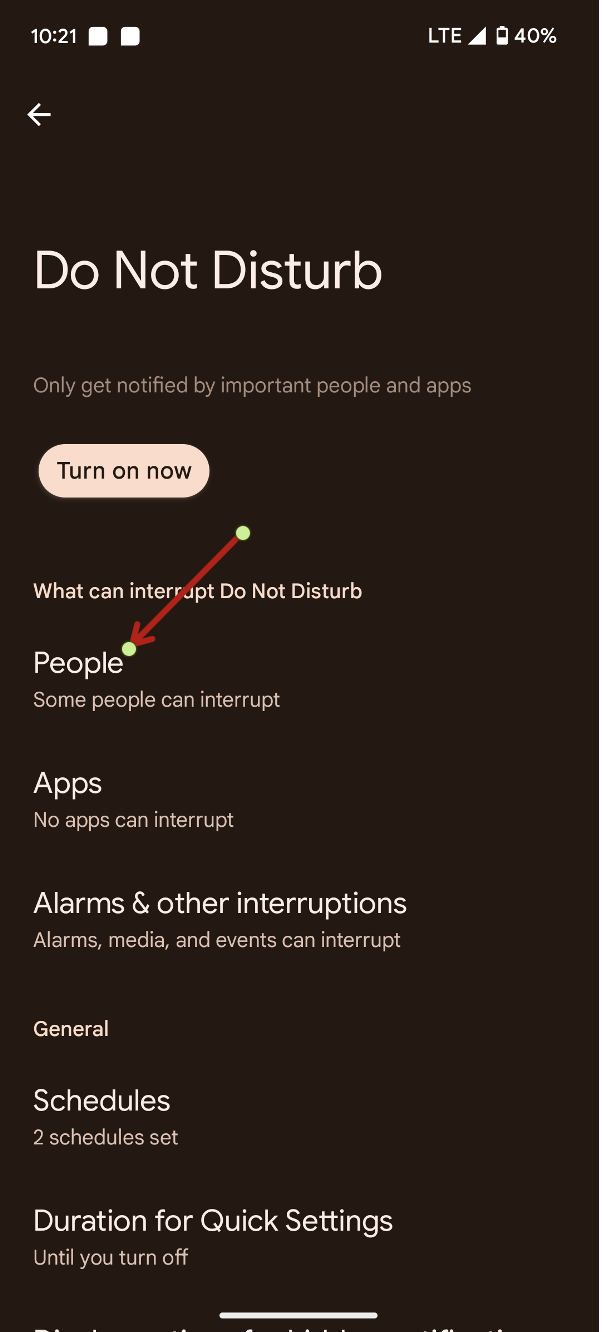
 07. Tap "People" under "What can interrupt Do Not Disturb"
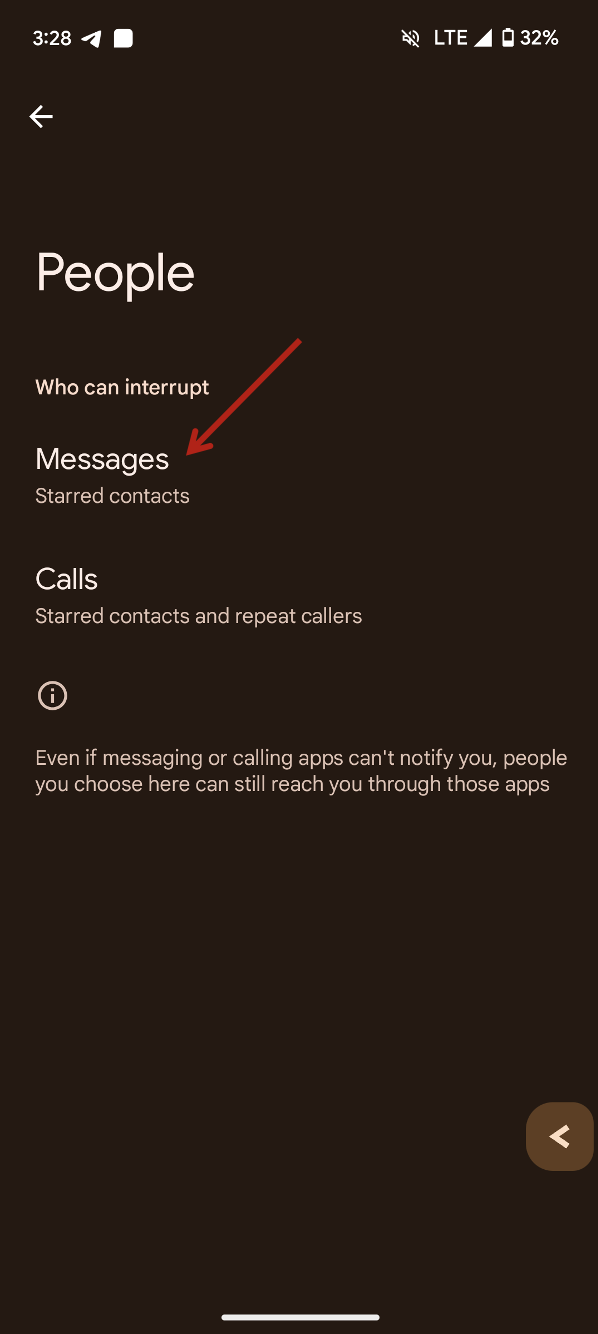
 08. Tap on Messages
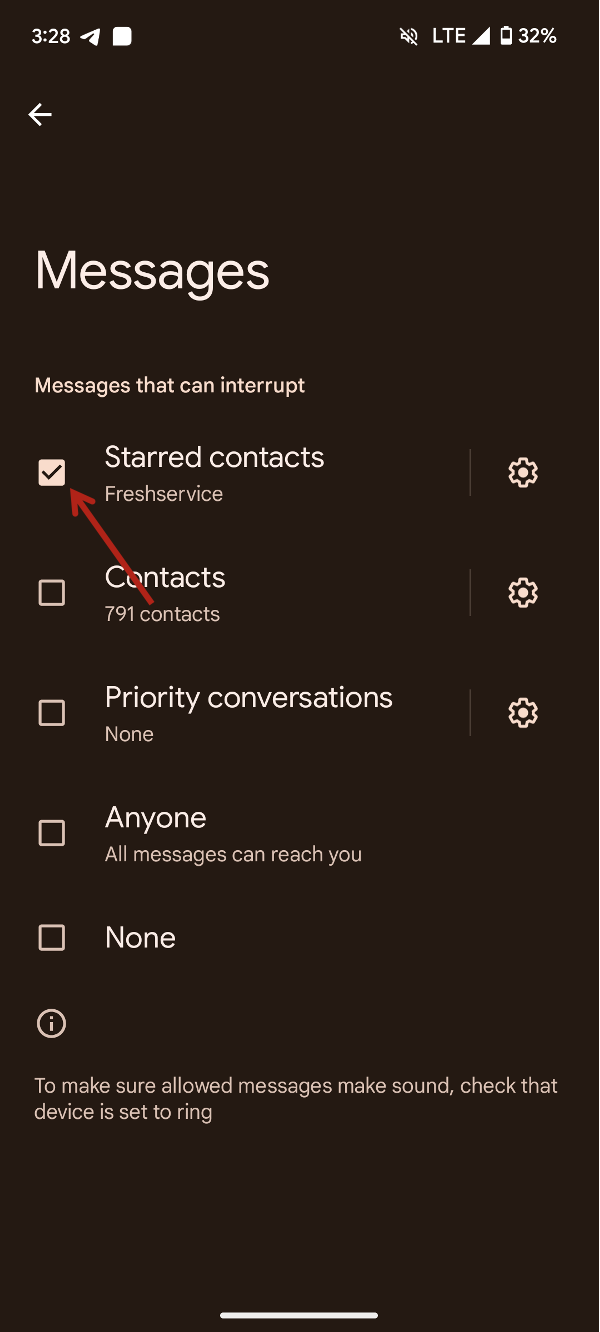
 09. Select the check-mark for "Starred contacts"
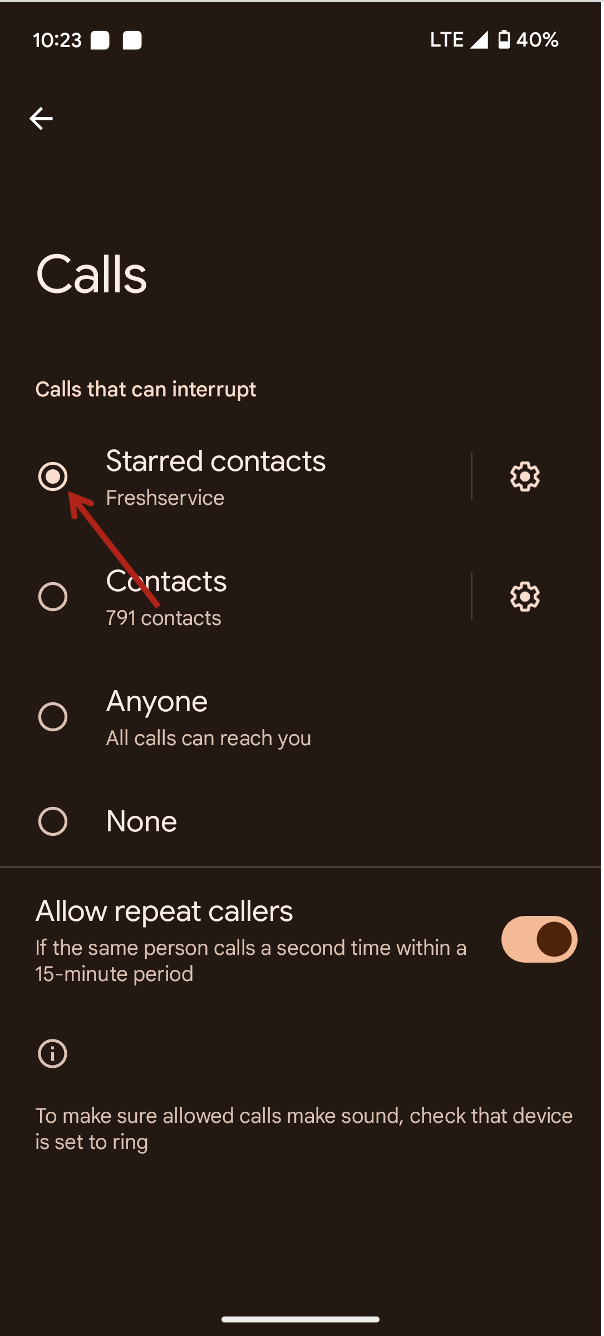
 10. Come back and now select calls
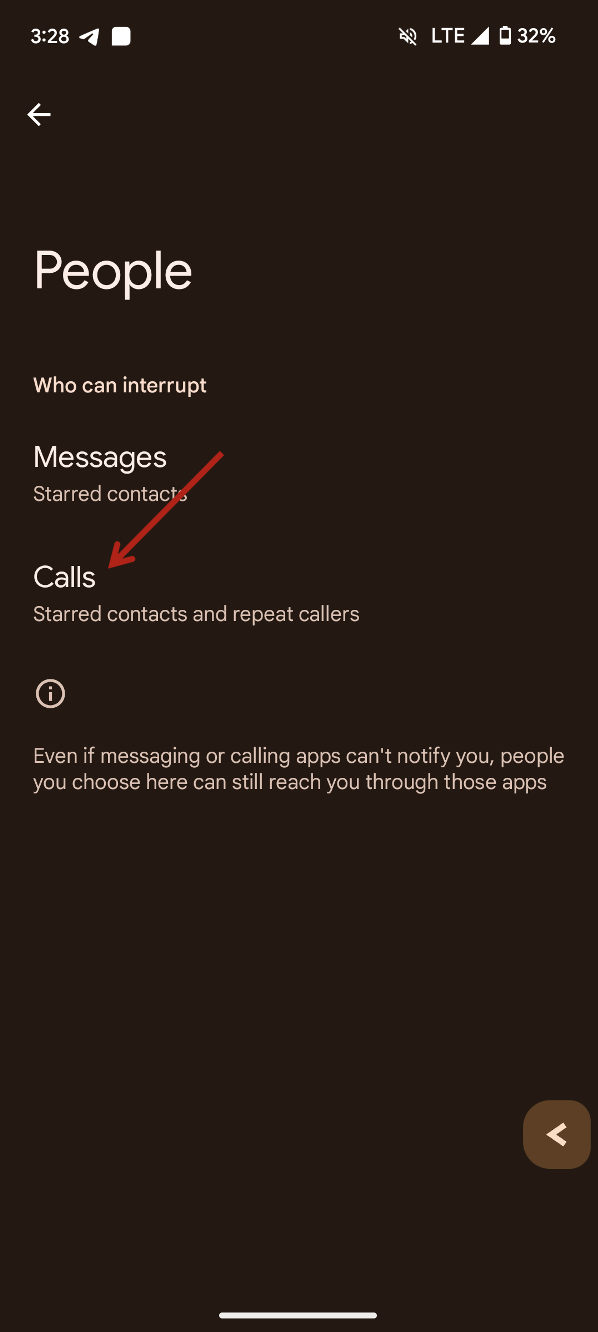 11. Select the option for "Starred contacts"
 - For iOS 1. Launch the contacts app, find the Freshservice contact, and tap Edit
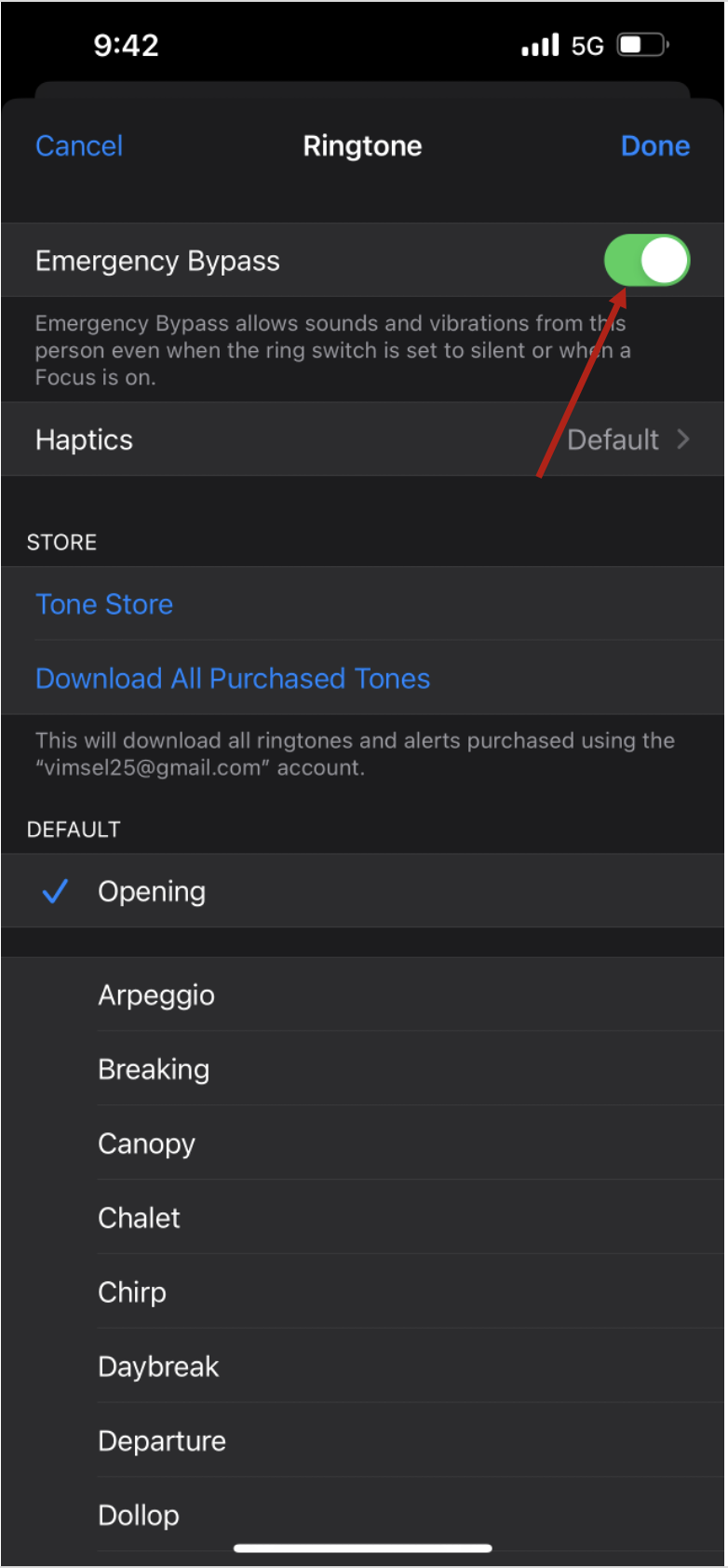
 2. Scroll down until you see entries for Ringtone and Text Tone. Emergency bypass, can be set for each. Tap either Ringtone or Text Tone.
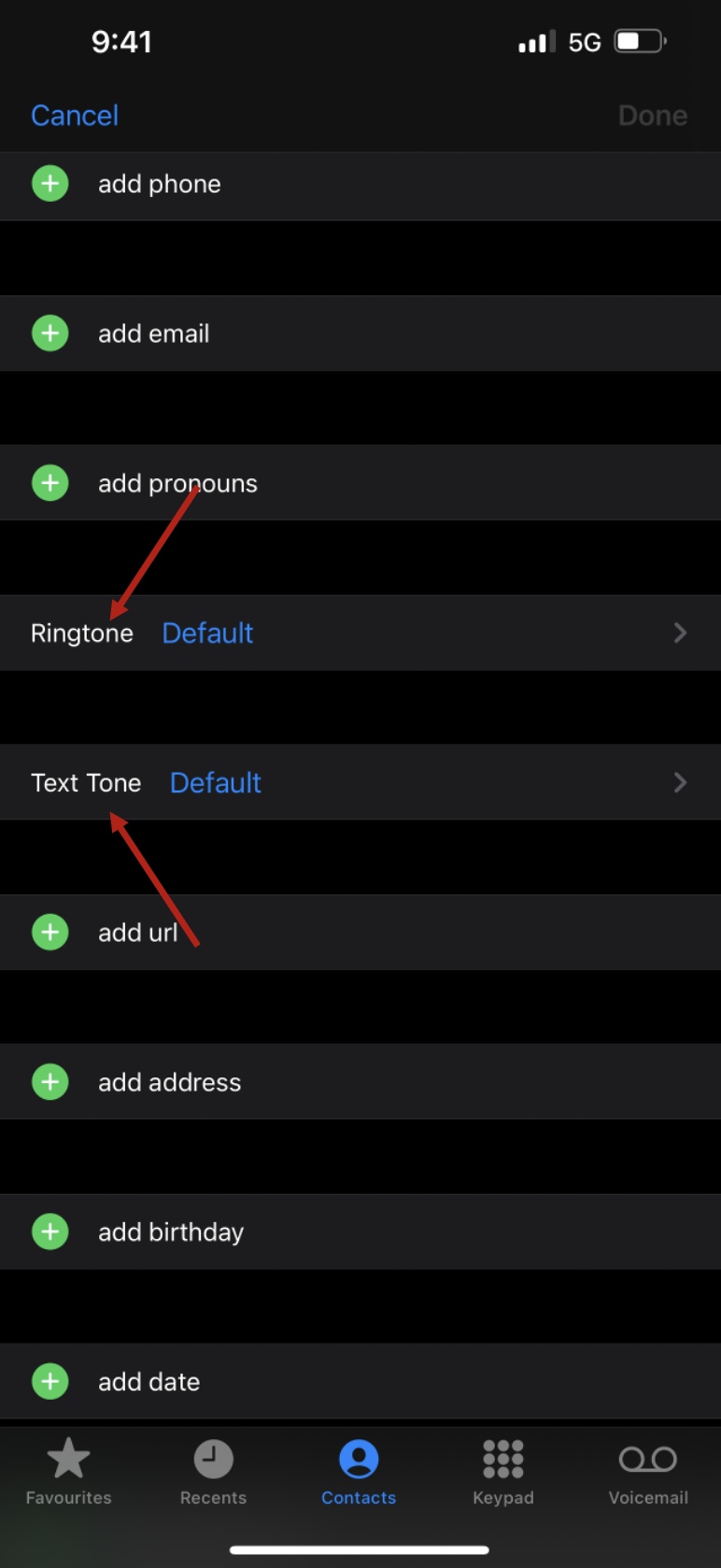 3. At the top of menu there is the Emergency Bypass option. Toggle it on for each desired method of contact.