Last updated: 2024-09-06
Where can I collaborate and use @mentions?
You can connect your work across projects without losing context by using @mentions. This saves time so teammates don’t have to search for what they need, or re-create work that is being tracked elsewhere.
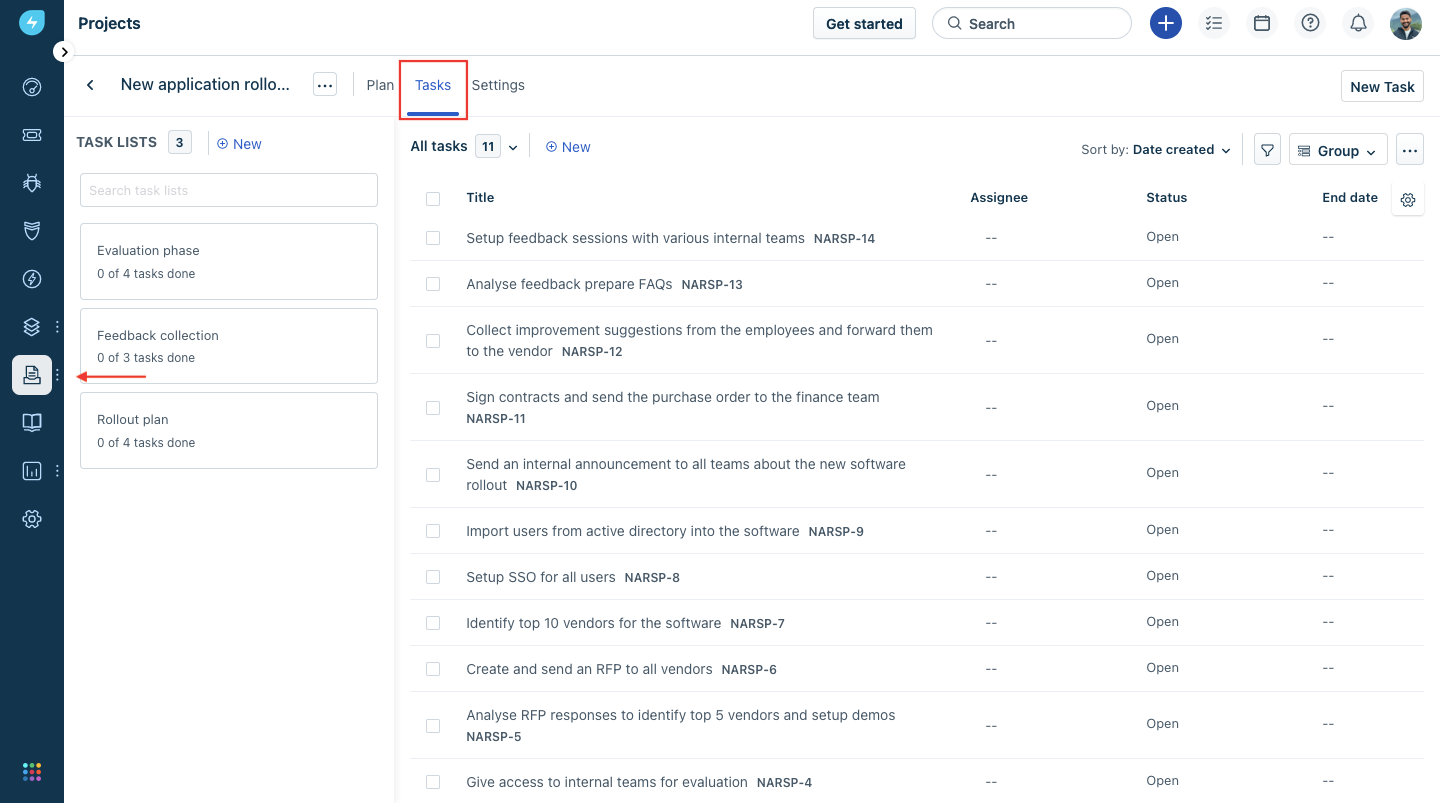
Step 1: Please navigate to the Project -> Choose the Project Name -> Tasks
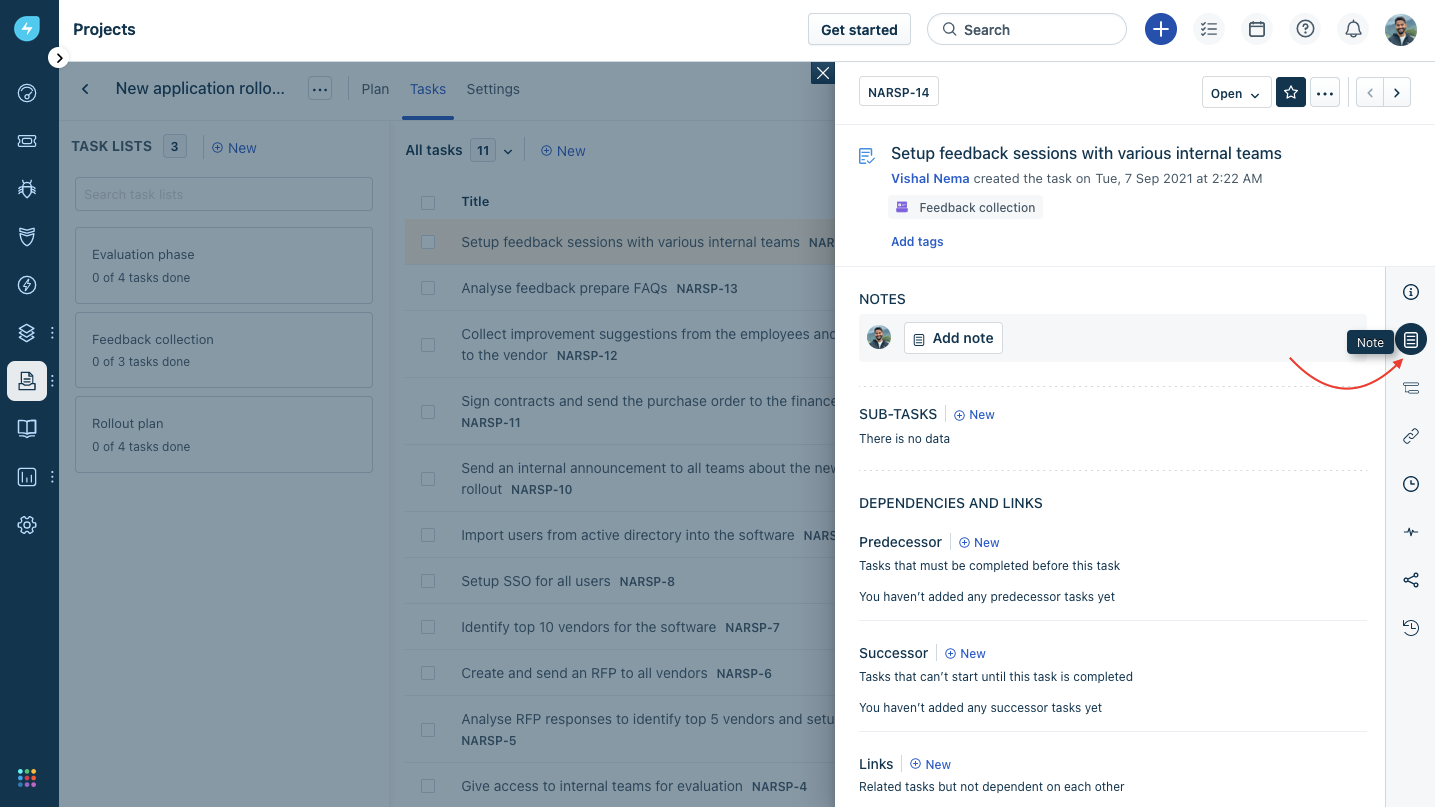
Step 2: Pick the task you want to collaborate on > Click on “Note”
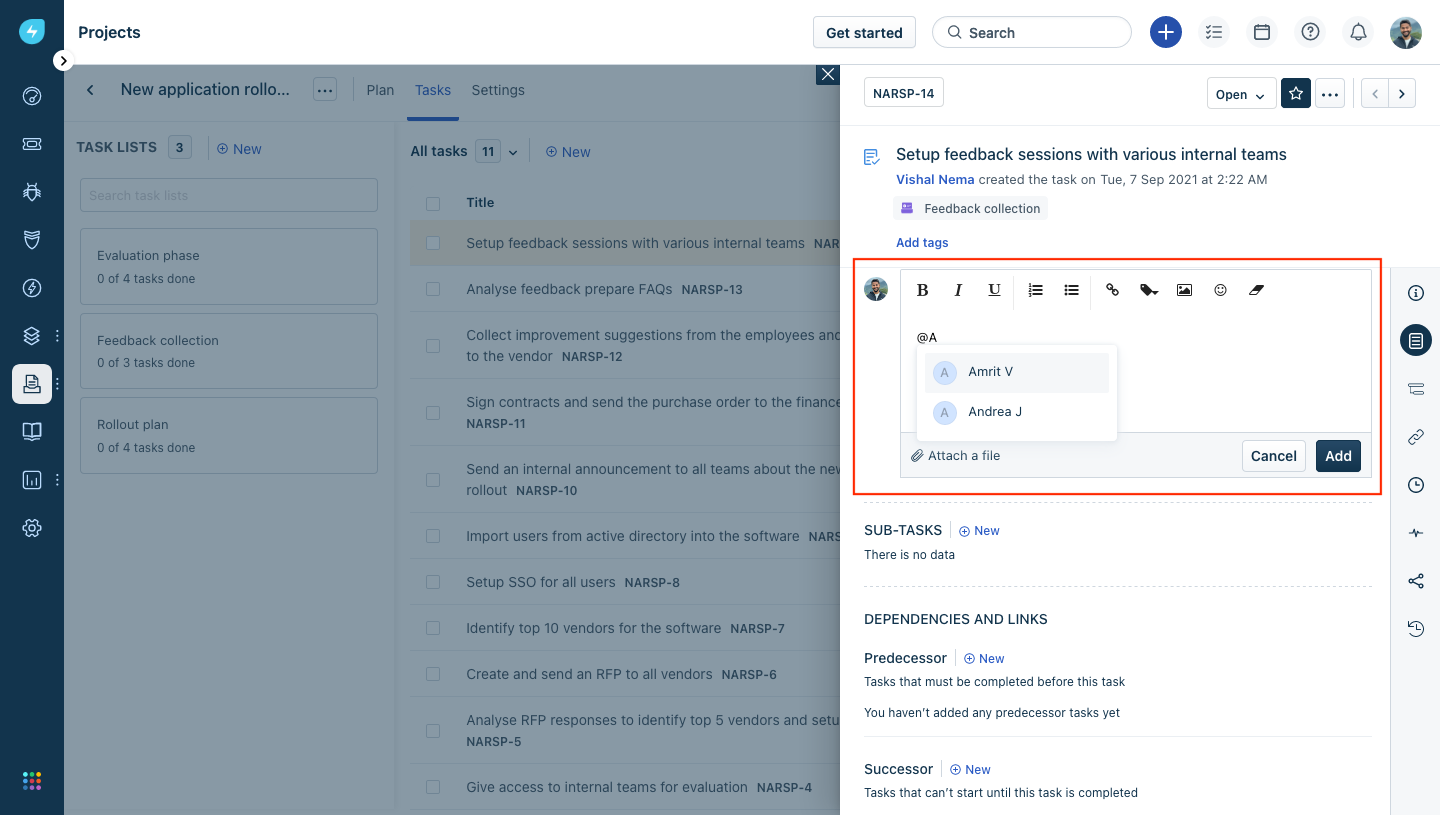
Step 3: Click on “Add Note” -\> Type @ and then start typing the name of the person that you want to connect with.
If your organization is using Slack as a mode of communication you can try getting started with the contextual collaboration via Slack. More details here