Last updated: 2023-05-03
What are the bulk actions available for tickets?
Freshservice offers various bulk actions to manage tickets in bulk efficiently as part of your IT service management. Some of the bulk actions available for tickets in Freshservice are:
01. Close: Close multiple tickets simultaneously based on their status, requester, or other criteria. 02. Reopen: Reopen multiple closed tickets at once, allowing agents to continue working on them. 03. Delete: Delete multiple tickets at once based on their status, requester, or any other criteria. 04. Merge: Merge multiple tickets into one ticket, making managing and tracking customer inquiries easier. 05. Assign: Assign multiple tickets to one or more agents or groups, ensuring that they are being handled by the right person. 06. Status change: Change the status of multiple tickets at once, such as marking them as resolved, pending, or on hold. 07. Priority change: Change the priority of multiple tickets at once, ensuring that high-priority issues are addressed first. 08. Add reply: Add replies to multiple tickets at once, saving time for agents who need to respond to similar inquiries. 09. Impact change: Change the impact of multiple tickets at once, such as marking them as low, medium, or high impact. 10. Urgency change: Change the urgency of multiple tickets at once, such as marking them as low, medium, or high urgency. 11. Change assigned agent and group: Change the assigned agent or group of multiple tickets at once, ensuring that they are being handled by the right person or team. 12. Asset type change: Change the asset type of multiple tickets at once, making tracking issues related to specific assets easier. 13. Source change: Change the source of multiple tickets at once, such as marking them as phone, email, or chat. 14. Department change: Change the department of multiple tickets at once, ensuring that they are being handled by the right team. 15. Category change: Change the category of multiple tickets at once, making it easier to filter and categorize them. 16. Add tags: Add tags to multiple tickets at once, making it easier to filter and categorize them.
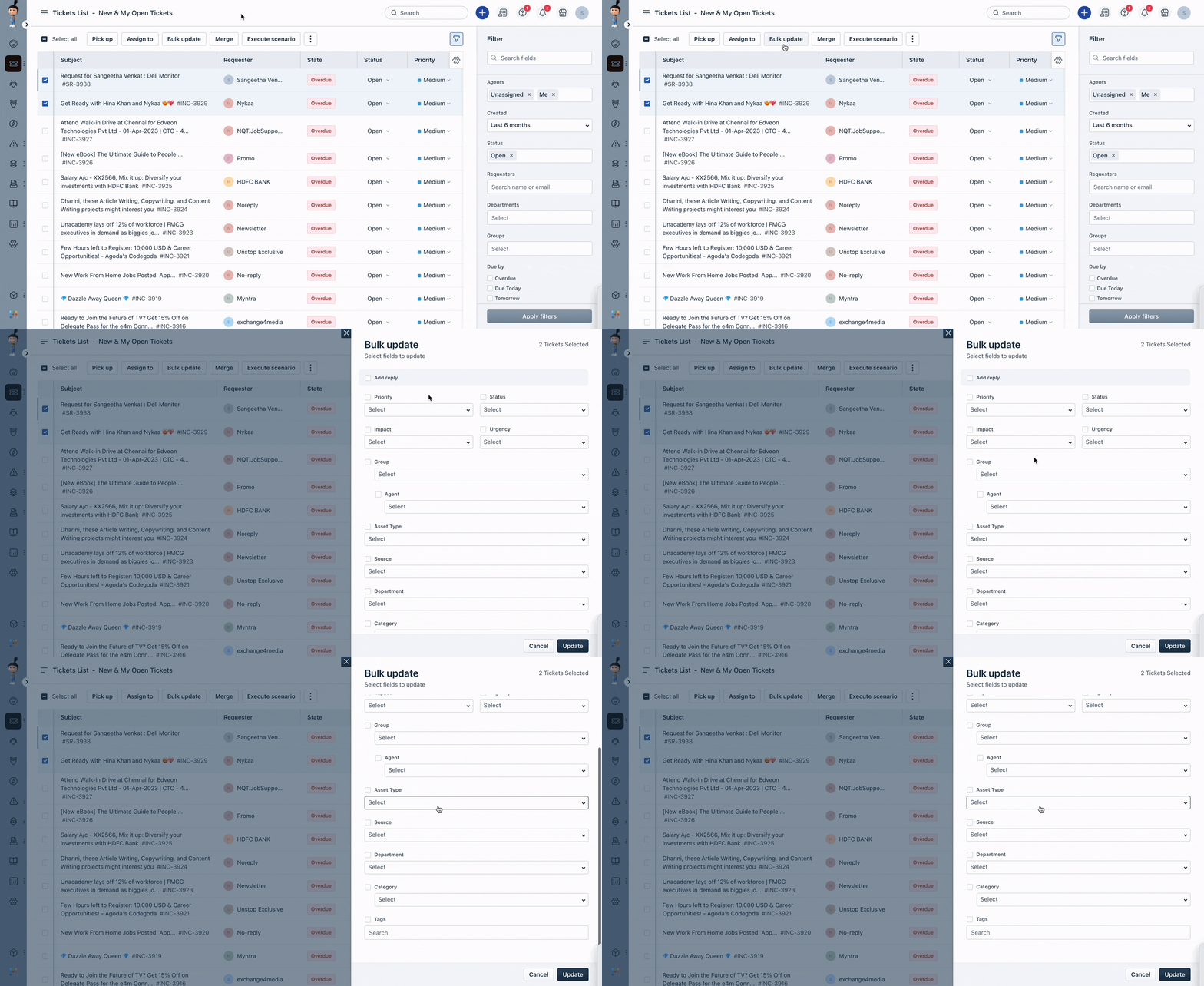
These bulk actions can save a lot of time and effort for agents and service desk managers, making it easier to manage tickets efficiently.