Last updated: 2025-04-08
This article describes an enhancement that improves how the condition node in workflows evaluates approval statuses.
What's changing?
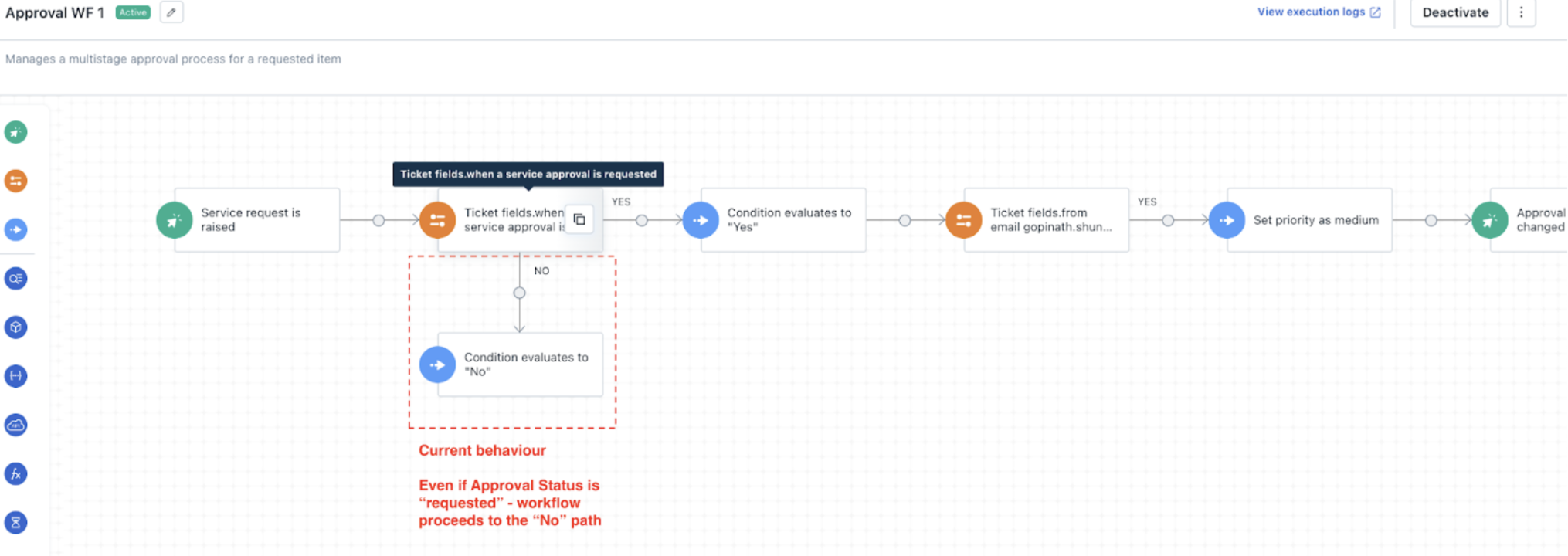
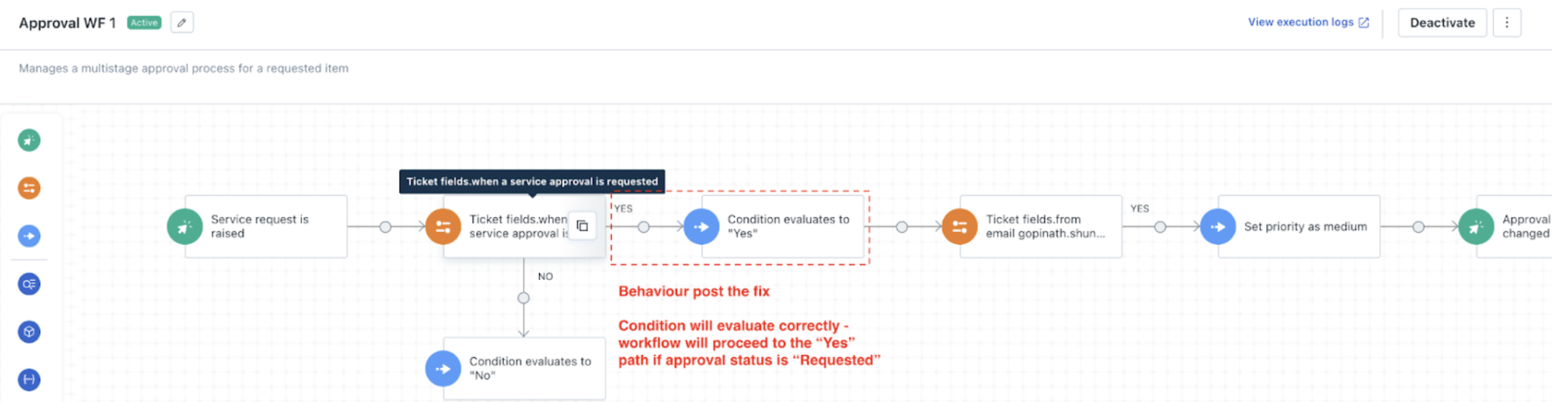
The condition node in workflows will now correctly evaluate approval statuses when using the Service Approval is condition.
Previous behavior:
Updated behavior:
The workflow will now execute the correct path based on the actual approval status.
Who is impacted?
If your workflow uses the condition node with Service Approval is, this update may change how your workflows run. Previously, workflows may have followed the No path incorrectly.
What you need to do:
This fix ensures that approval-based workflows operate more reliably.
Known limitations with Condition Node evaluation
TheCondition Nodein workflows may not behave as expected in certain scenarios. Below are specific use cases where the evaluation can produce unexpected results.
Use case: Approval canceled by the system
When an approval is canceled automatically by the system—such as when a ticket is closed before or during an active approval, the condition node may not recognize this cancellation as expected.
Example:
If the condition node is configured with When Service approval is canceled, it willevaluate to No in this case because the system-initiated cancellation is not considered a valid match.
``` Note: If the approval is manually canceled by an agent or user, the condition node will evaluate correctly, taking the Yes path. ```
Use case: Condition node follows a status change to Closed or Resolved
When a condition node appearsafteran action that sets the ticket status to Closed or Resolved, it may not function as expected. This situation commonly arises when multiple workflows are executed on the same ticket.
Example: