Last updated: 2025-12-16
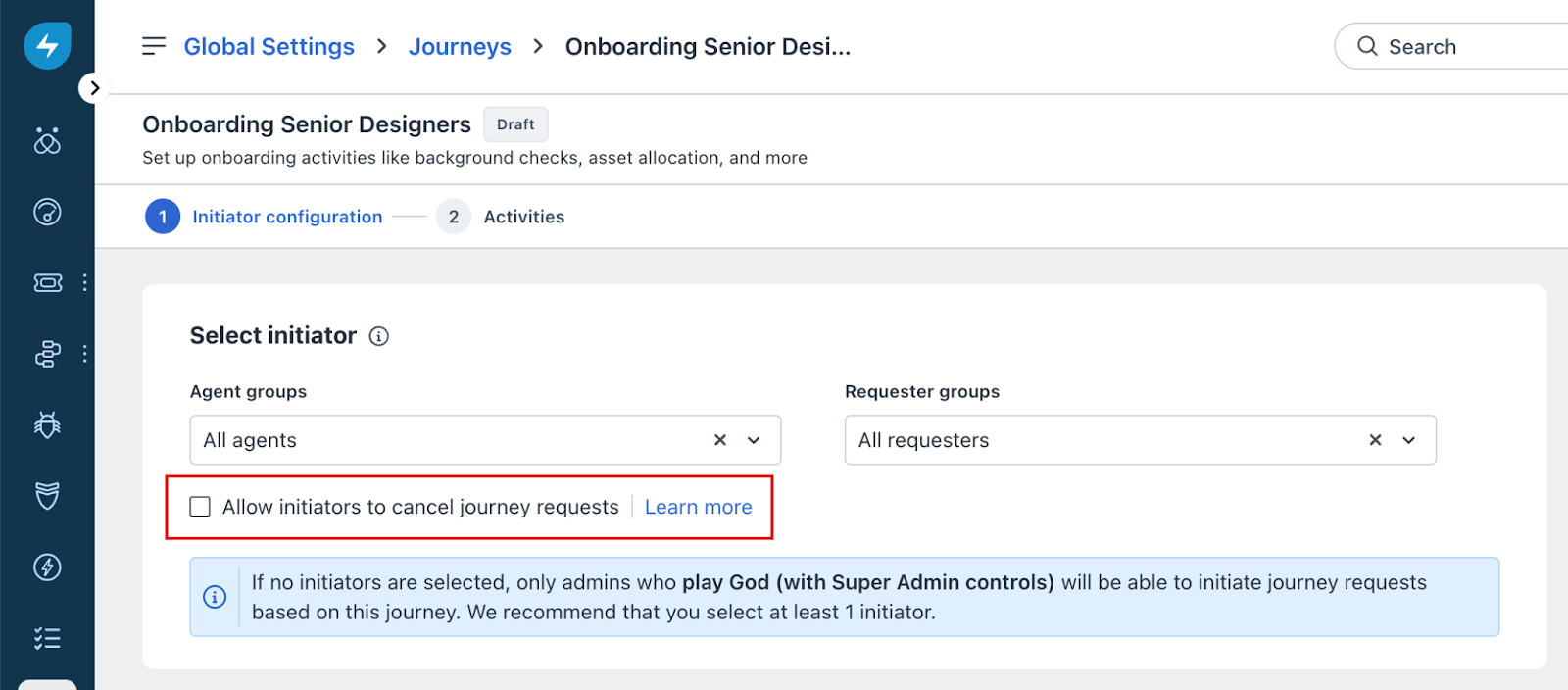
Admins can enable the " Allow initiators to cancel journey requests" checkbox while configuring the initiator form in the Agent Portal. When this option is selected, initiators, such as hiring managers or requesters, can cancel a journey request directly from the Journey Request Details screen.
If the checkbox is not selected, the Cancel Journey Request option will be disabled for initiators.
This setting is especially helpful for organizations that want to give initiators the flexibility to end a journey early when it's no longer relevant.
When Can Initiators Cancel a Journey Request?
If the admin has enabled this setting and granted appropriate permissions, initiators can cancel a journey request at any time after initiation and before completion, as long as the request is in the Initiated or In Progress status.
Why Cancel a Journey Request?
The following are some valid use cases for canceling a journey request:
What Happens When a Journey Is Canceled?
Admin Setup: How to Enable This Option
To allow initiators to cancel journey requests:
1. In your Freshservice instance, go to Admin > Global Settings.
2. Start creating a journey, either from a template or from scratch.
3. In the Initiator Configuration screen, under Select initiator, use the dropdown menus to specify the Agent groups and/or Requester groups who can initiate this journey.
4. Select the checkbox labeled Allow initiators to cancel journey requests to enable cancellation access for initiators.