Last updated: 2026-05-25
Source: https://support.freshdesk.com/support/solutions/articles/50000013902-ticket-details-enhancements
This article provides an overview of the enhancements made to the Ticket Details page in the Unified Inbox. These updates improve usability, enable real-time interactions, and streamline multi-channel support workflows for agents.
Prerequisites:
Overview
The enhanced Ticket Details page introduces a modern, efficient interface that lets agents manage tickets across multiple channels from a single view. These improvements focus on faster navigation, better visibility, and improved response handling.
The key enhancements include:
New quick list view
The new Quick List View, available in the left pane, enables agents to navigate and manage multiple tickets - all from a single screen.
Agents can now work faster and more efficiently and stay focused by quickly navigating between tickets without leaving the current view.
With this feature, you can:
View incoming messages from all support channels (email, Web Chat, social media) in real time as they are received. - The message list will automatically update to reflect new messages. - If the quick list is collapsed, the expand icon will show an indicator with a count to denote that there are unattended tickets.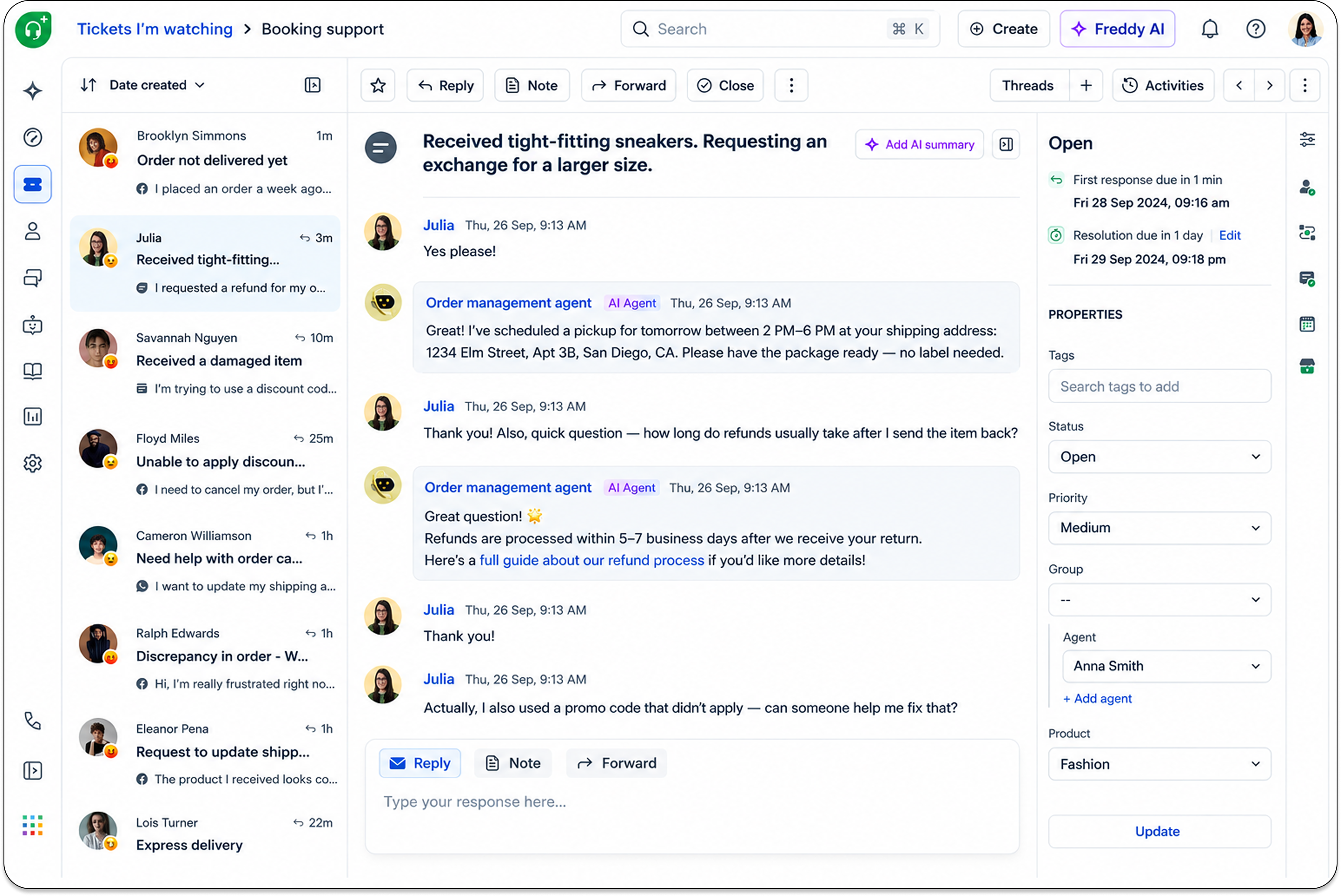
Intuitive ticket details layout
The ticket details layout is redesigned to reduce clutter and improve usability. The following sections provide the before-and-after experience for each feature.
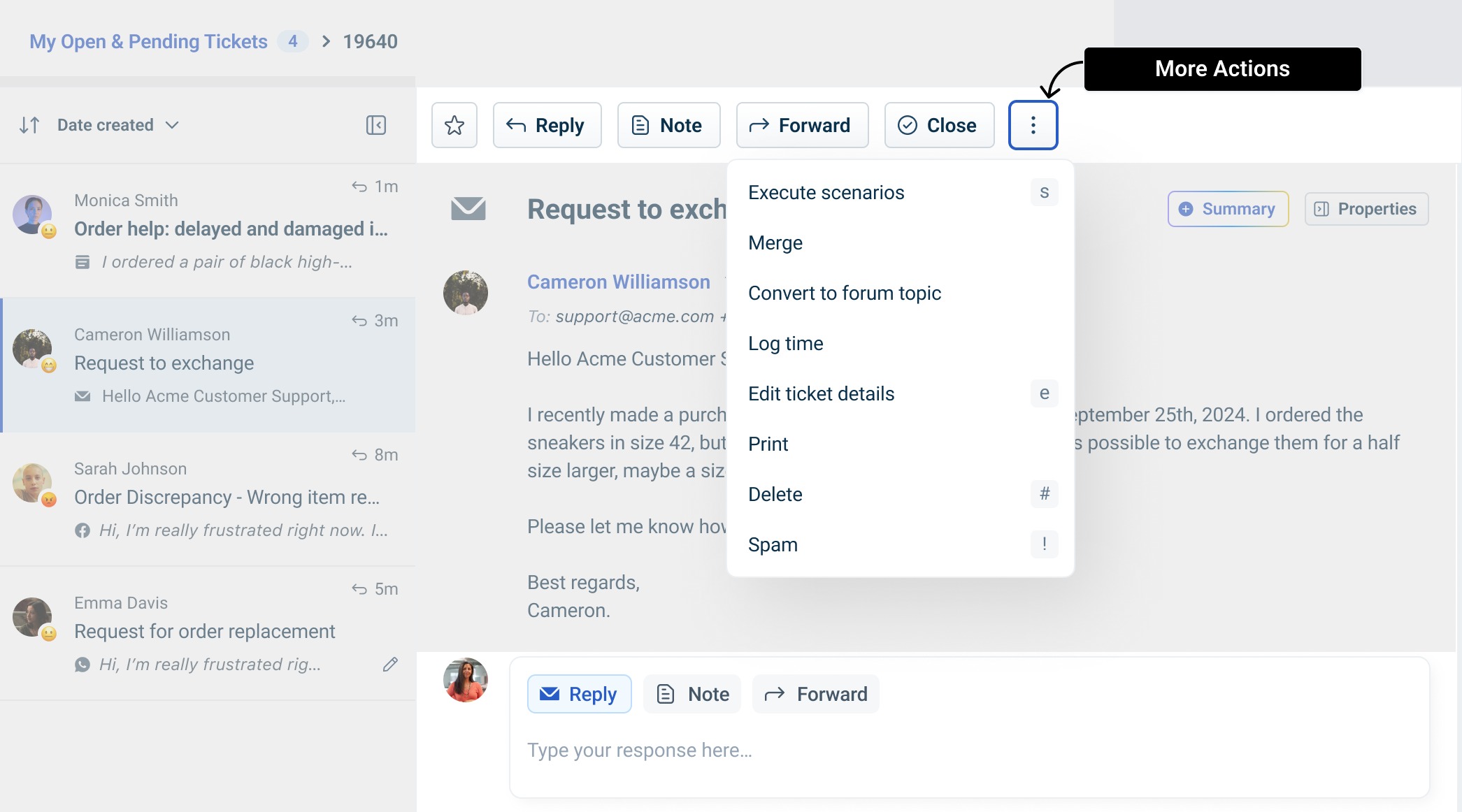
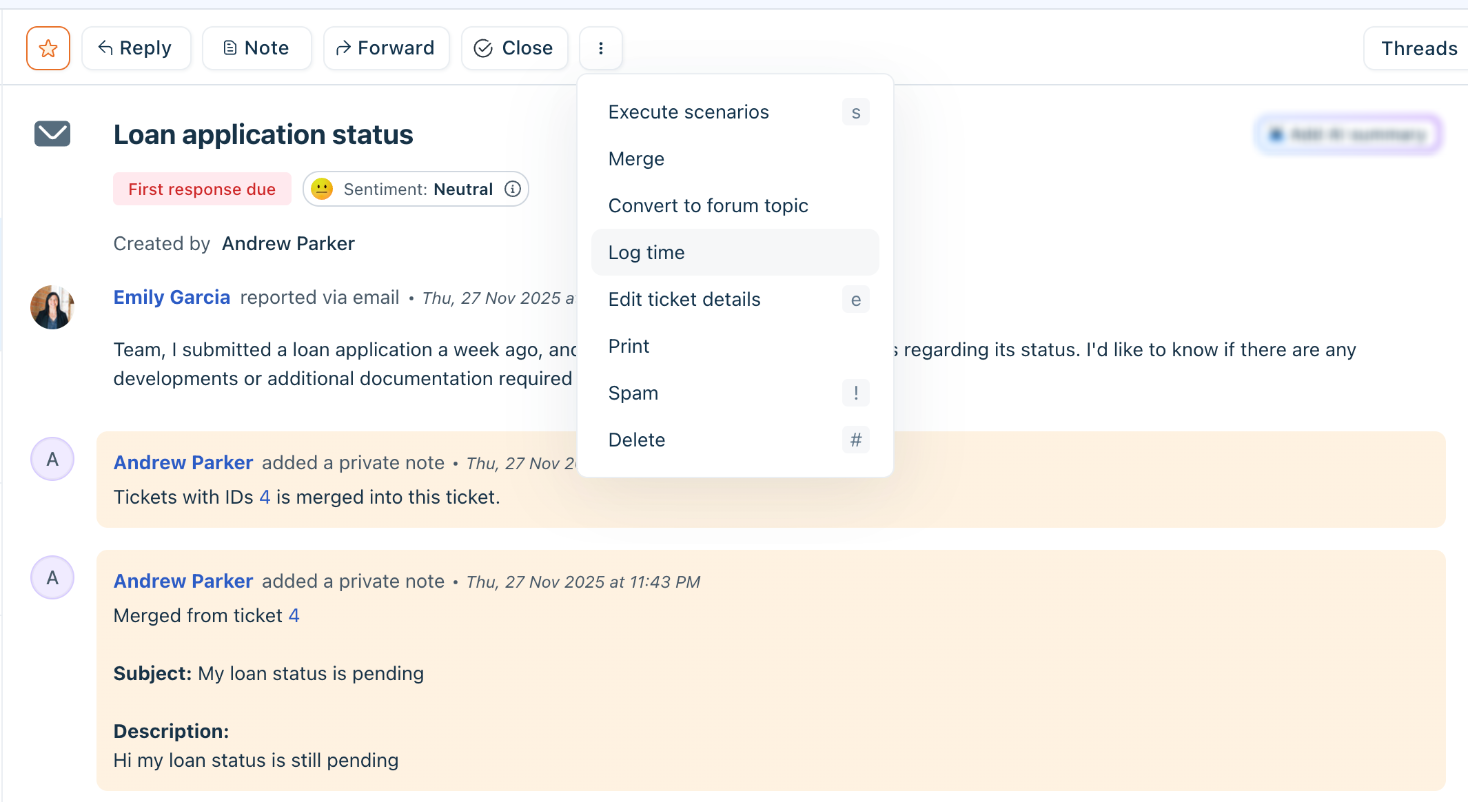
Merge/delete actions
Before: Available at the top of the ticket body.
 Live: These options are now available in the MoreOptions menu, providing a cleaner interface.
Ticket Summary
Before: Displayed as a private note at the top of the ticket body.
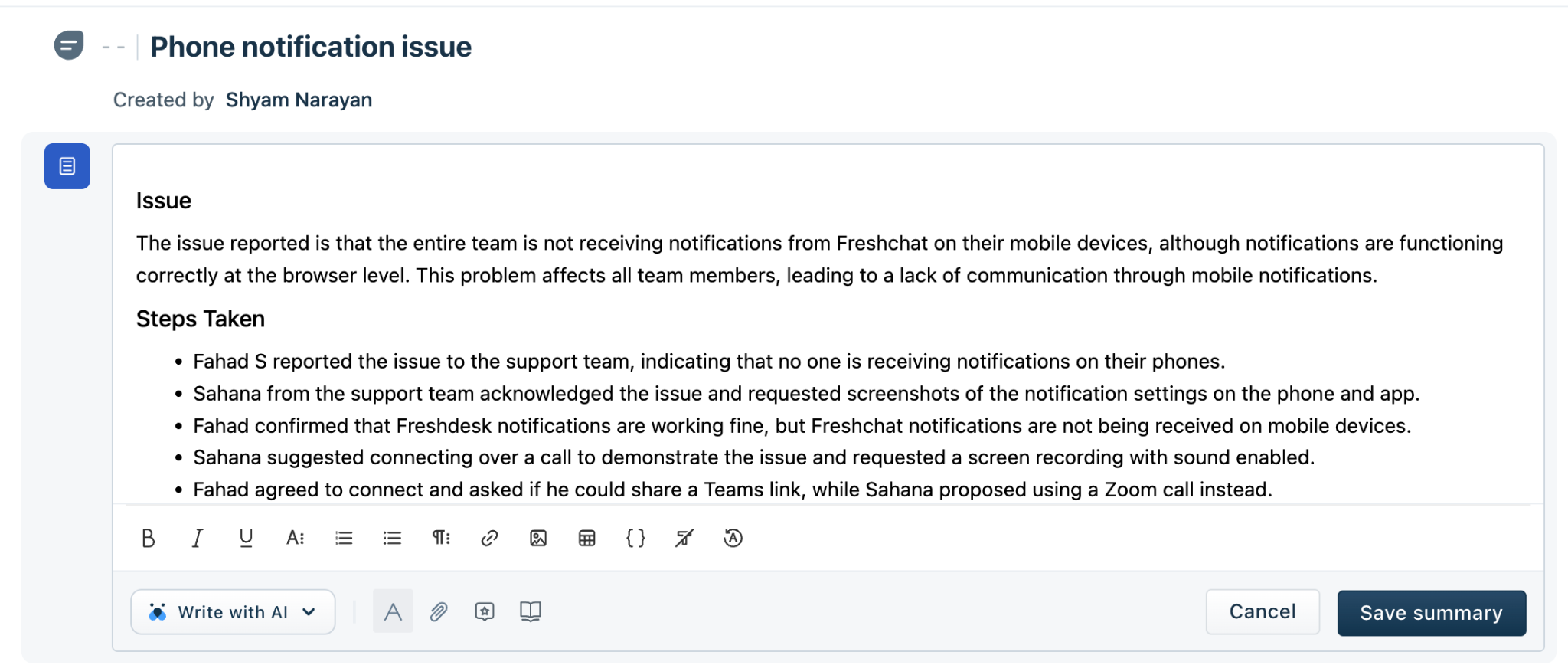
Live: Accessible via an expandable Add AI Summary button in the top-right corner of the ticket description. This change helps agents stay focused on active conversations and still access summaries when needed.
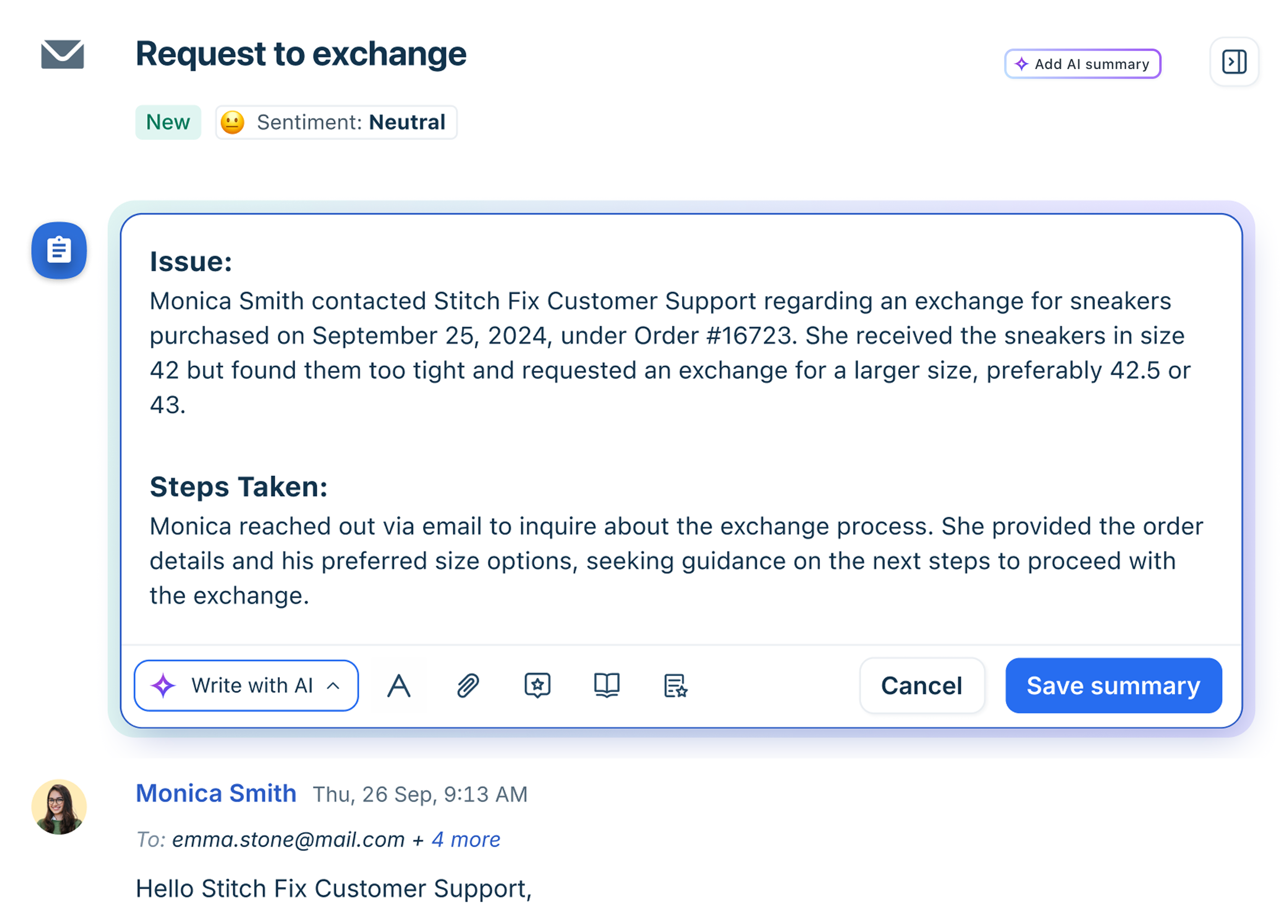
New keyboard shortcut
A new keyboard shortcut improves efficiency when editing ticket details.
Use e to open Edit ticket details Agents can view all available shortcuts under the More options menu on the Ticket Details page
Improved reply editor
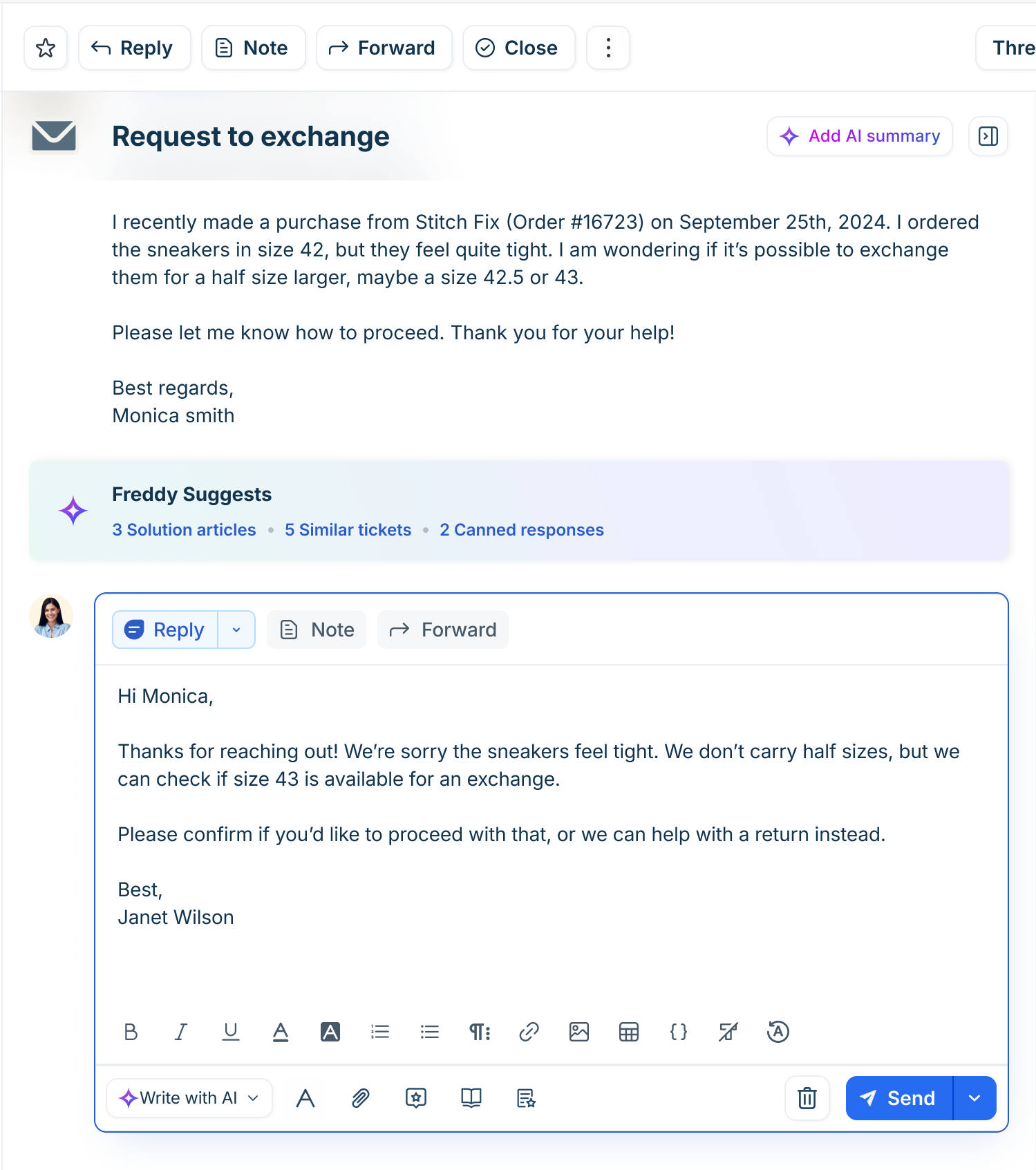
The reply editor has been redesigned to provide a consistent experience across all supported channels, including new channels such as web chat. The following list shows the before-and-after experience.
Before:
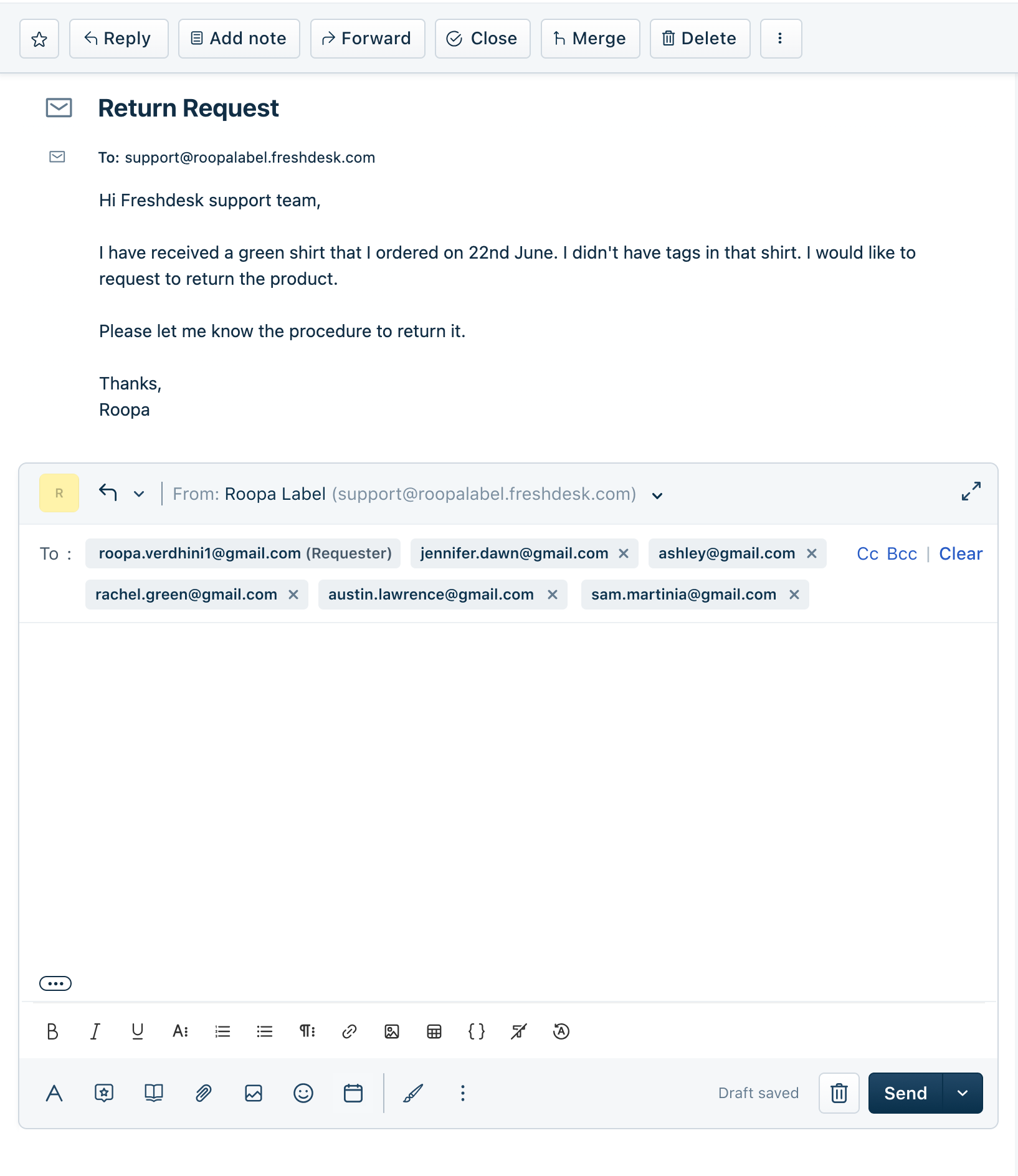
Live: