Last updated: 2023-04-20
Source: https://support.freshdesk.com/support/solutions/articles/237602-i-want-to-prevent-a-customer-from-starting-a-forum-topic
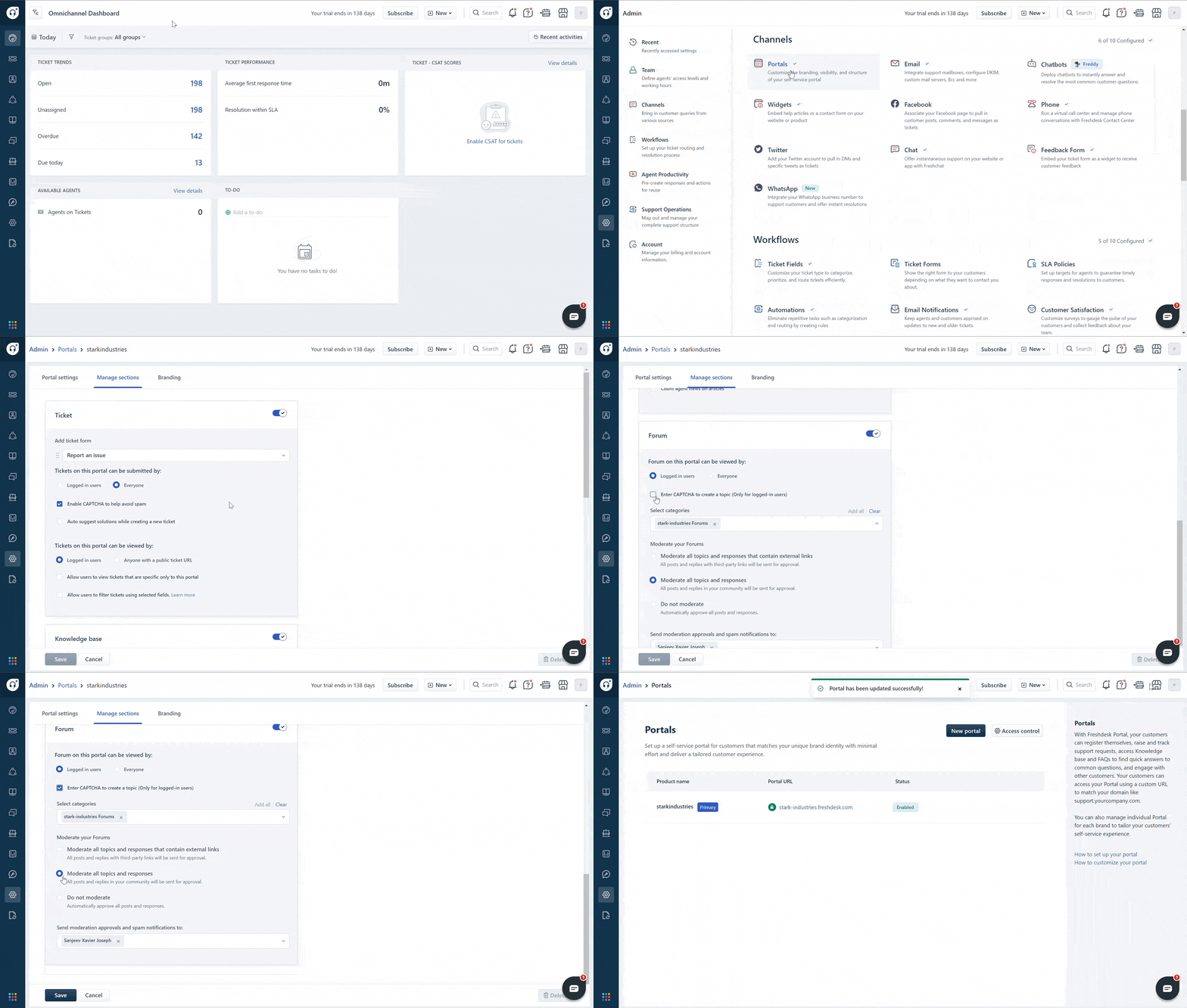
To Manage the Forum settings,
Go to Admin > Channels > Portals.Click Edit near the portal.Go to Manage Sections tab and scroll down to Forums.Under ' Forums can be viewed by', select Logged in users.This will hide the Forum tab from your customer portal.To manage the content on your your forum, select the appropriate Moderate Forums option.Click Save.