Last updated: 2021-06-18
Source: https://support.freshdesk.com/support/solutions/articles/6206-the-google-contacts-app
The Google Contacts App
If you've been using plain old Gmail to handle customer support so far, you might have a lot of contact information about your customers stored in your Google Contacts. The Freshdesk app for Google Contacts gives you an easy way to import all this information into Freshdesk. Besides just that, you can use Freshdesk as a 'shared address book' between all your agents. The contact sync happens in two ways:
Google Contacts to Freshdesk: Contacts from any group you choose from Google Contacts will be imported into your Freshdesk account with a tag you specify.
The sync happens every hour. You can set up the sync between one Google account and Freshdesk. The Google account can be your personal account or an Apps account.
Quick guide to setup contacts sync:

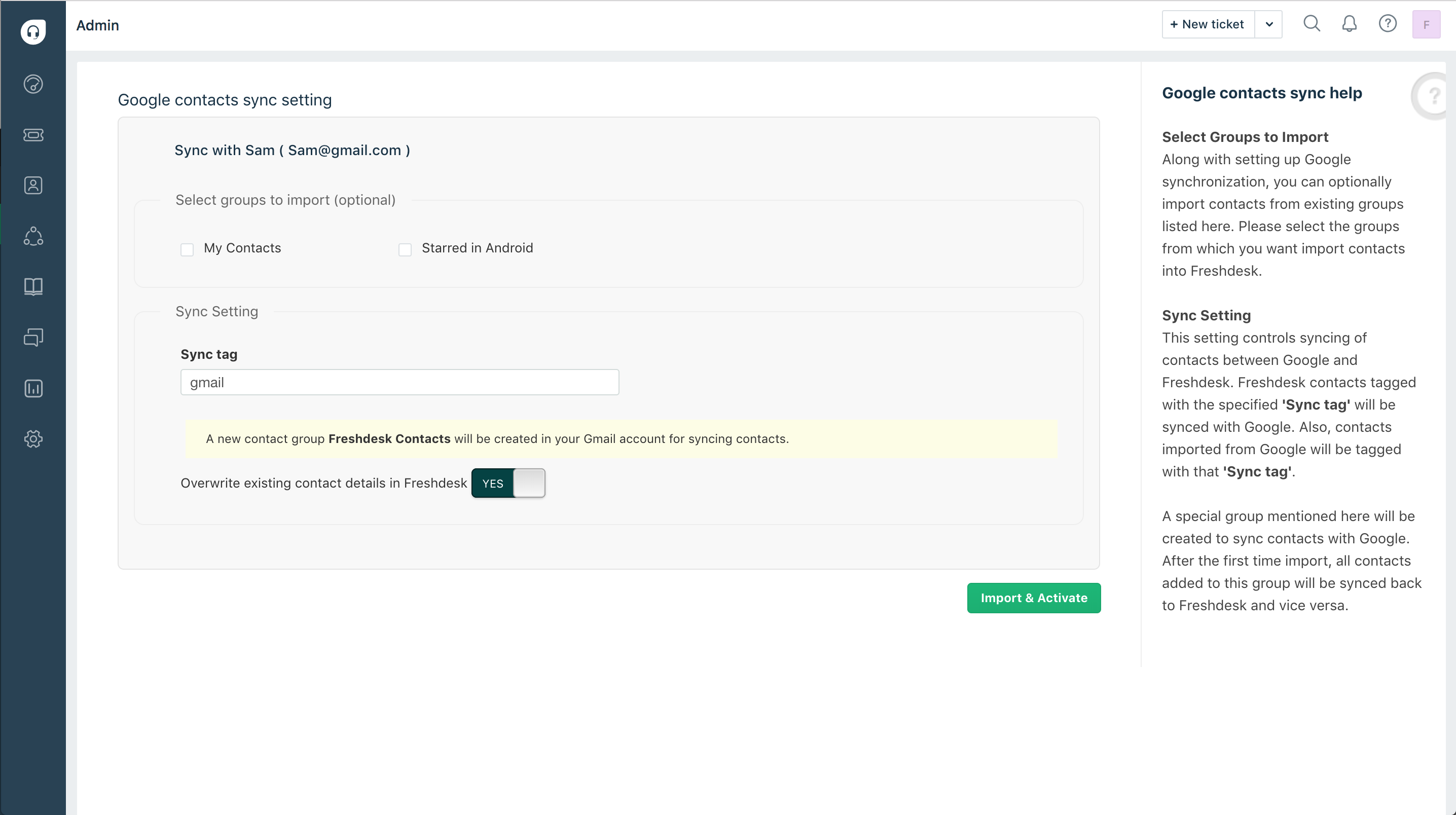
Now, you’ll be taken back to the sync settings page in Freshdesk. You can now pick one or multiple groups from which contacts should be imported from.
Your Google Contacts account is now integrated with Freshdesk.
FAQ:
1. Contacts are not updated from Google Contacts to Freshdesk. Why?
We update details from Google to Freshdesk only when the "Overwrite existing contact details" is selected at the time of enabling the integration.
2. Change in state of contact is not reflected from Freshdesk to Google. Why?
Only " Verified" contacts will be synced from Freshdesk to Google. Please make sure the contact you are trying to sync has verified their email. 3. What are the contact fields that will be synced between Google and Freshdesk? How are they mapped? The following fields in Google and Freshdesk will be mapped to each other thusly 4. | | |
| Google Fields | Freshdesk Fields |
| Name | Full Name |
| Work Email 1 | Email 1 |
| Work Email 2 | Email 2 |
| Phone Number Work | Work Phone |
| Phone Number Mobile | Mobile Phone |
| Postal Address Work | Address |
| Note Content | Background Information |
5. Why are contacts with Phone Numbers not getting synced from Freshdesk to Google?
The integration only updates those contacts which have an email associated with them. So if your contact has only a phone number, it will not be synced from Freshdesk to Google.
6. Contacts from other Google groups are not imported to Freshdesk. Why?
Only the " Freshdesk contacts" group in Google will be synced to your helpdesk after the integration is setup. 7. What is the " Freshdesk Contacts" group?
The " Freshdesk Contacts" group collates contact details from your helpdesk and syncs it to Google when setting up the integration. Any contact edits carried out after enabling the integration will also be synced to this group.