Last updated: 2026-05-12
Overview of Freshdesk Omni 2025 upgrade
This article outlines the transition from Freshdesk Omnichannel (classic) to Freshdesk Omni 2025. It covers the necessary actions and the overall impact of this upgrade.
About the upgrade
This unified approach eliminates context-switching, reduces training time, and provides a complete view of every customer interaction, regardless of the channel they use to reach you.
Why is this upgrade necessary?
The upgrade to Freshdesk Omni 2025 is necessary to unlock the latest capabilities and be eligible for feature enhancements and AI innovations on the roadmap.
Benefits:
This upgrade provides the following benefits for your support operations and customer experience:
Upgrade rollout and eligibility
This upgrade is being rolled out starting in May in phases based on your account complexity, to ensure a smooth transition
Based on your account, you may be automatically upgraded or required to complete a few pre-upgrade steps
Accounts that do not require any pre-upgrade steps
If your account is ready for an upgrade:
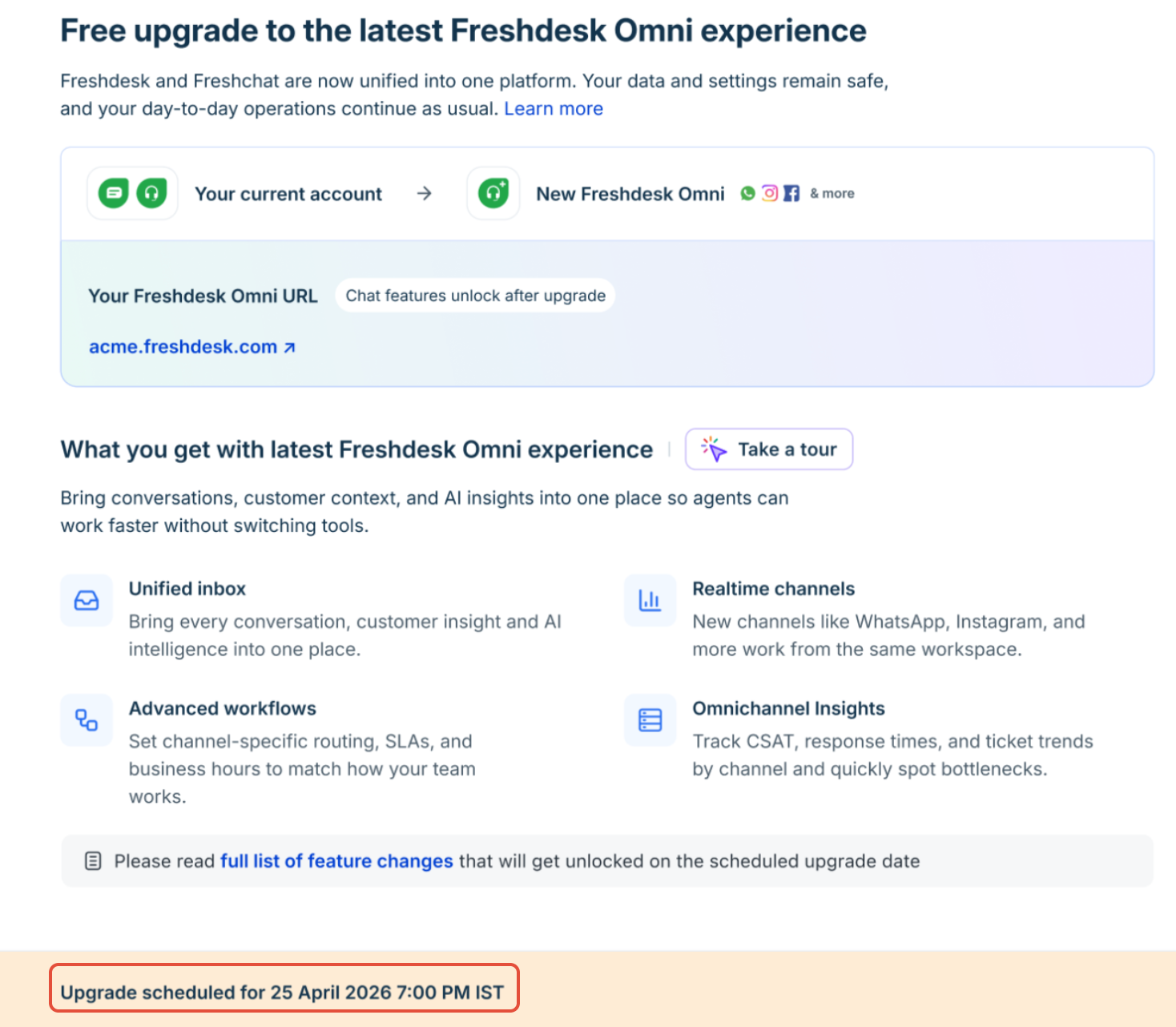
Accounts that require additional steps before the upgrade
If your account requires additional setup before the upgrade, you will see a guided screen in the product to help you complete the required steps:
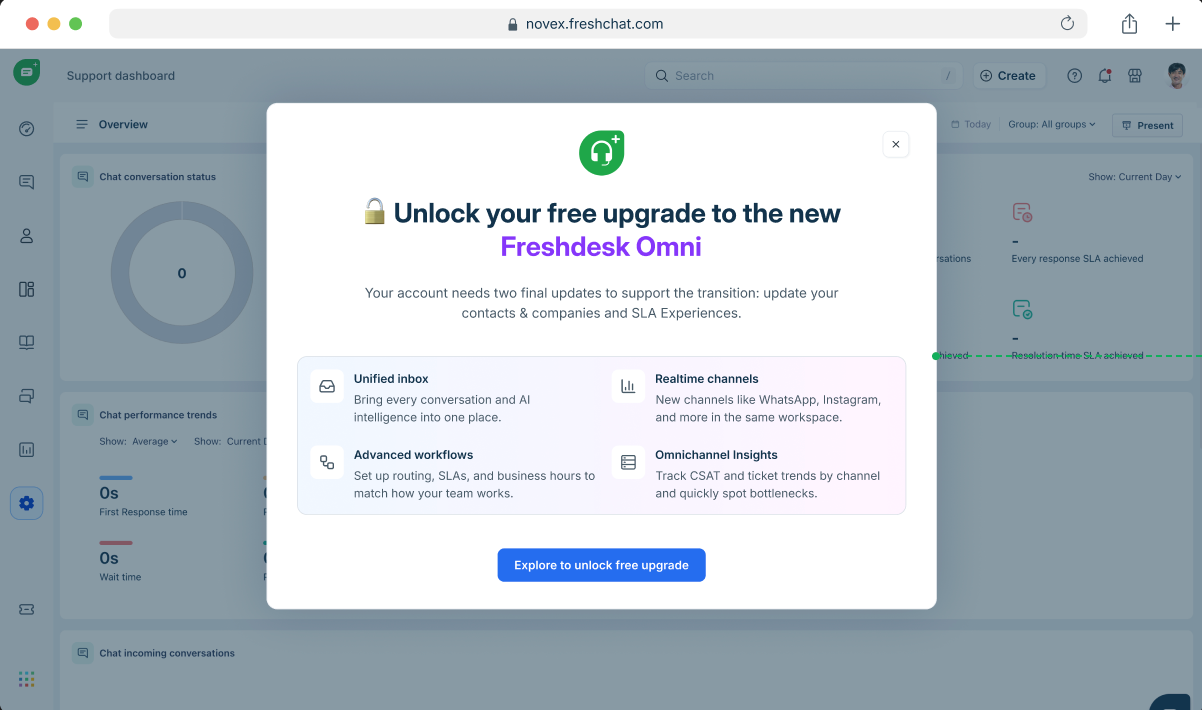

To proceed with the upgrade, complete the following pre-upgrade tasks:
Note: Depending on your account setup, one or both steps will be required.
Ensure response and resolution targets are calculated correctly under the updated model, where one day equals 24 hours. For more details, see Upcoming changes to SLAs.
Ensure customer records are structured correctly under the new data model, enabling consistent identification across channels. For more details, see Manage customer data.
Once completed, you can proceed with the upgrade immediately or schedule it for a later time.
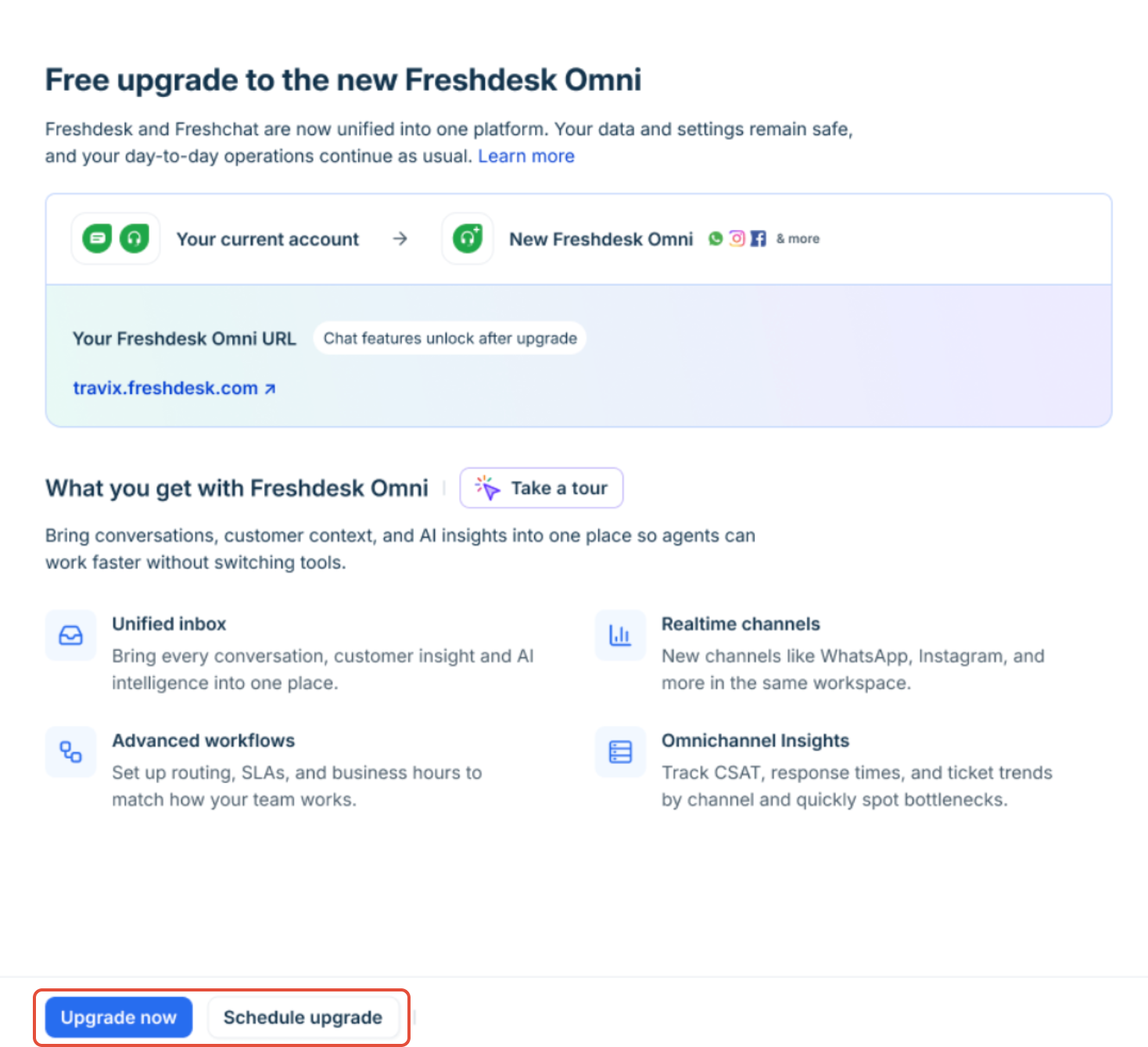
``` Note: The upgrade is designed to be seamless, with no impact on your existing data or ongoing operations. ```
New capabilities in Freshdesk Omni 2025
Manage all customer conversations, across email, chat, WhatsApp, Instagram, and more, from one central workspace. Every interaction is converted into a ticket, allowing agents to respond without switching between tabs.
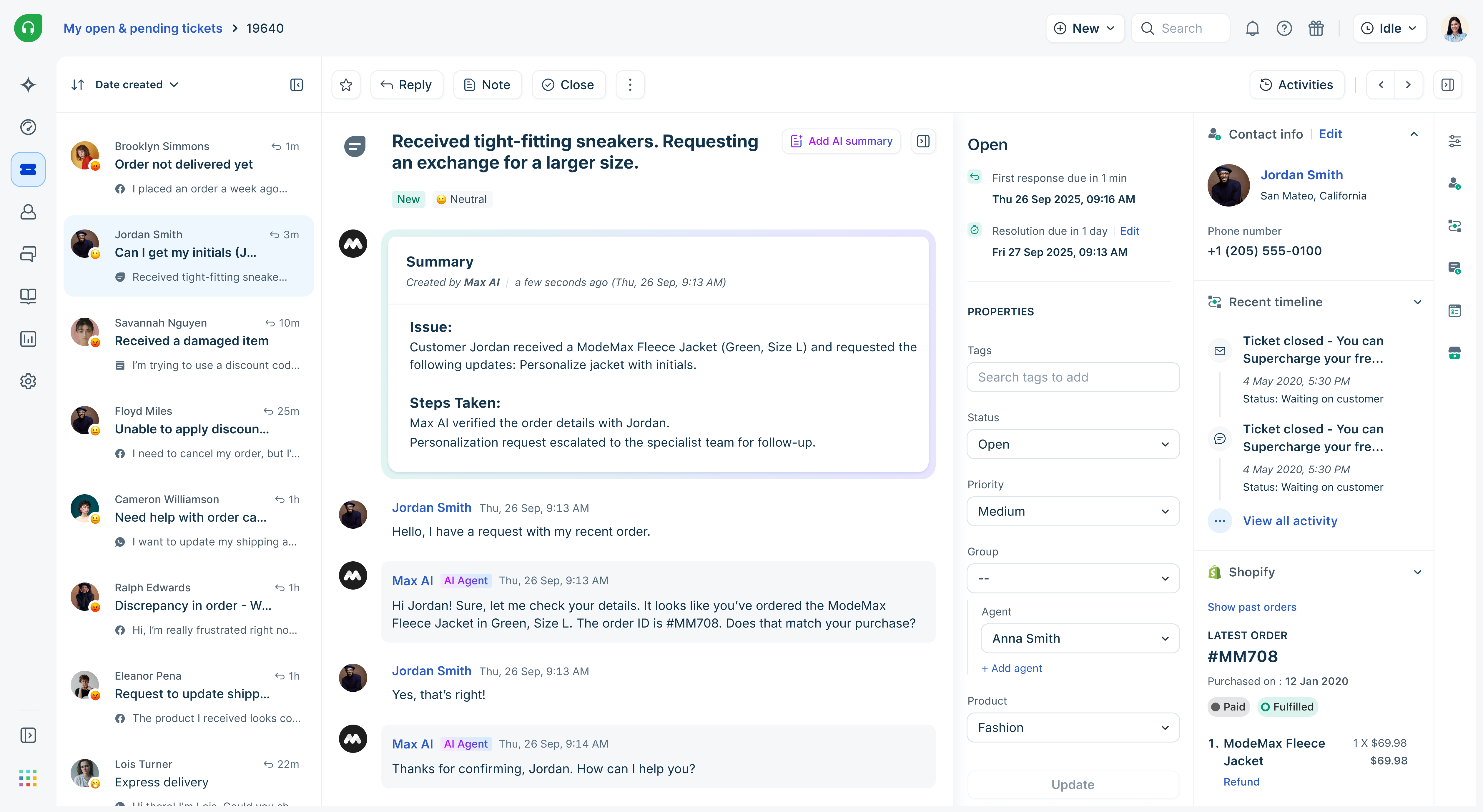
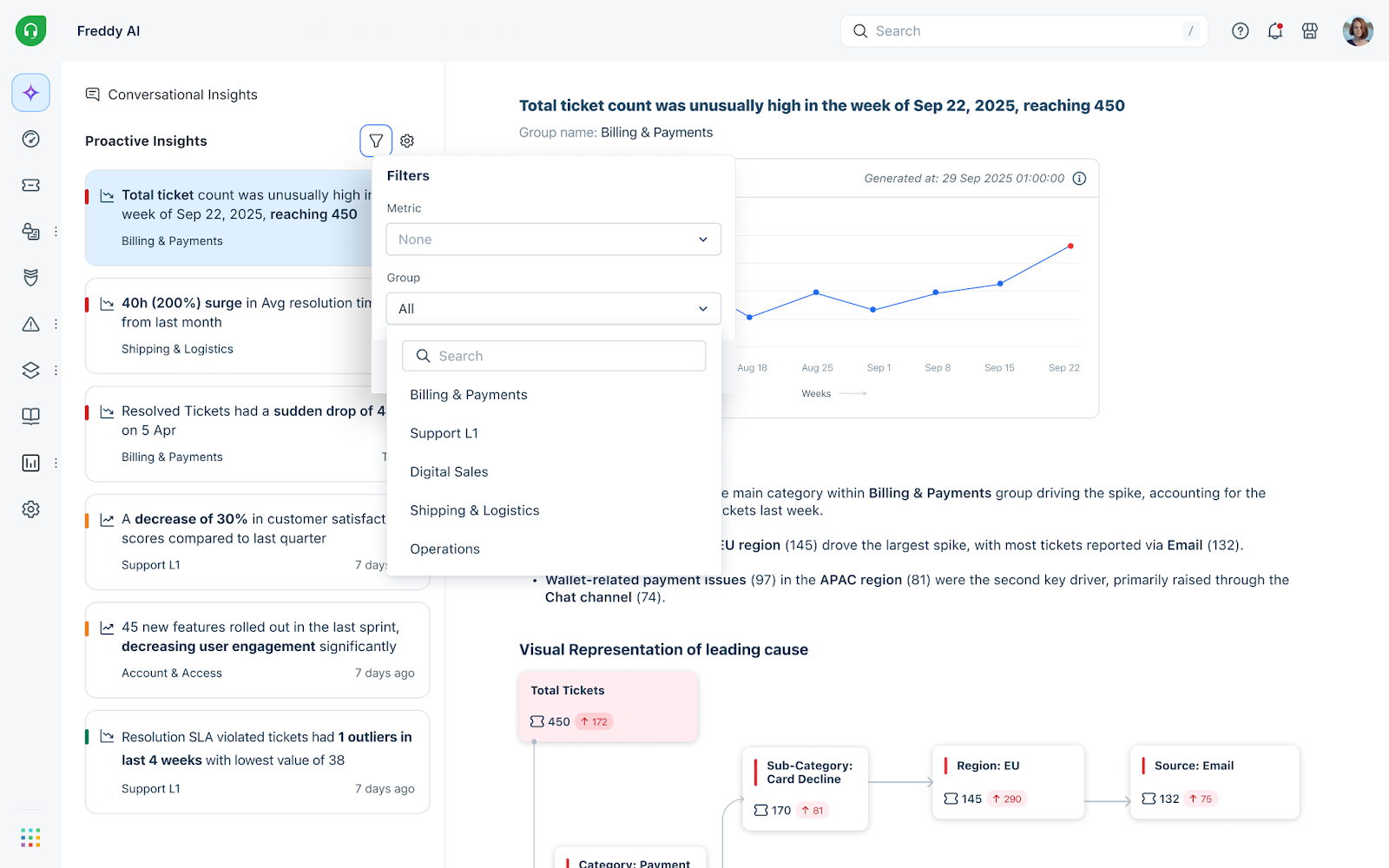
Built-in AI helps automate and assist support operations through: - AI agents that handle repetitive queries and provide 24/7 support - AI copilot features like reply suggestions, summaries, and real-time assistance - AI insights that highlight trends and help teams make informed decisions
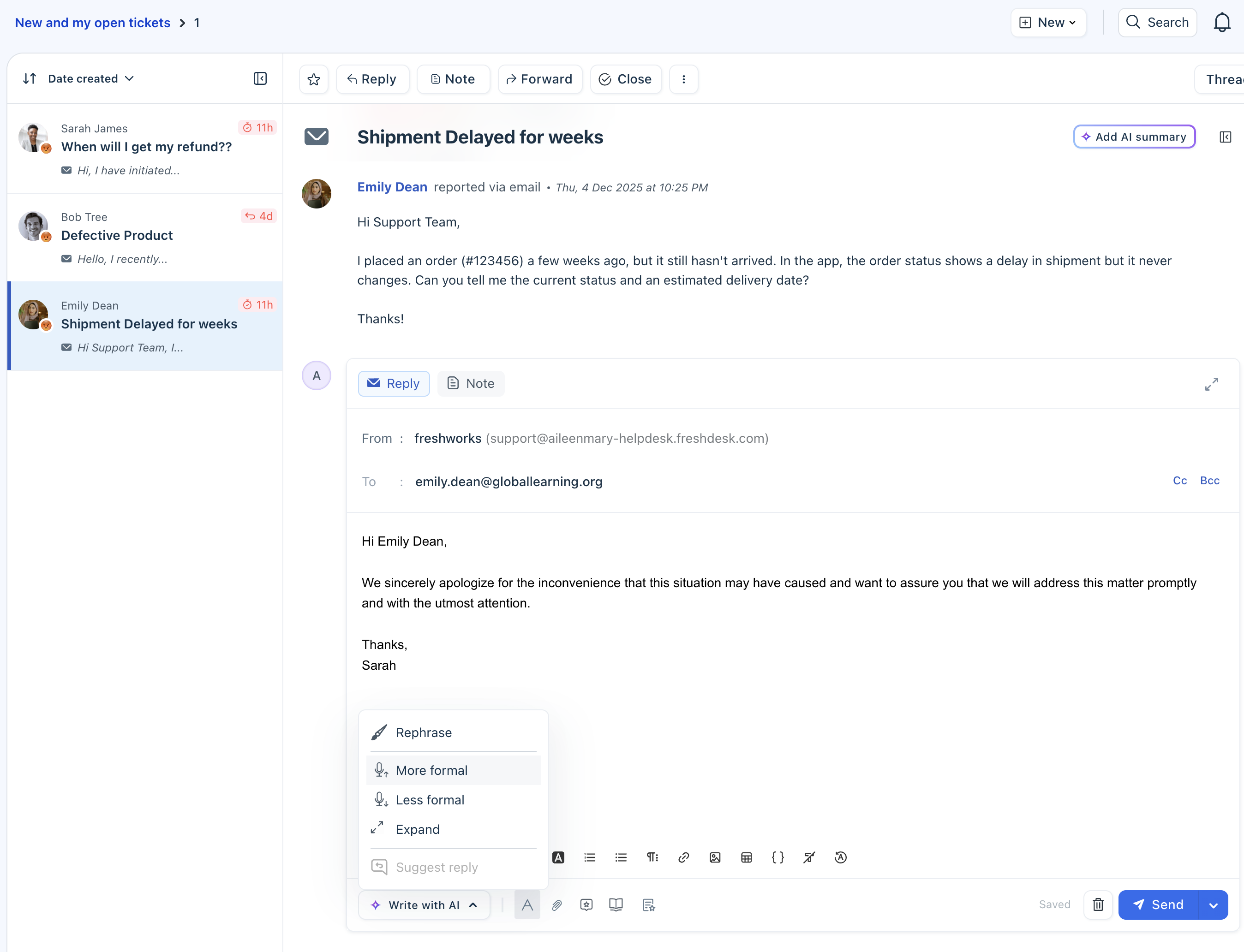
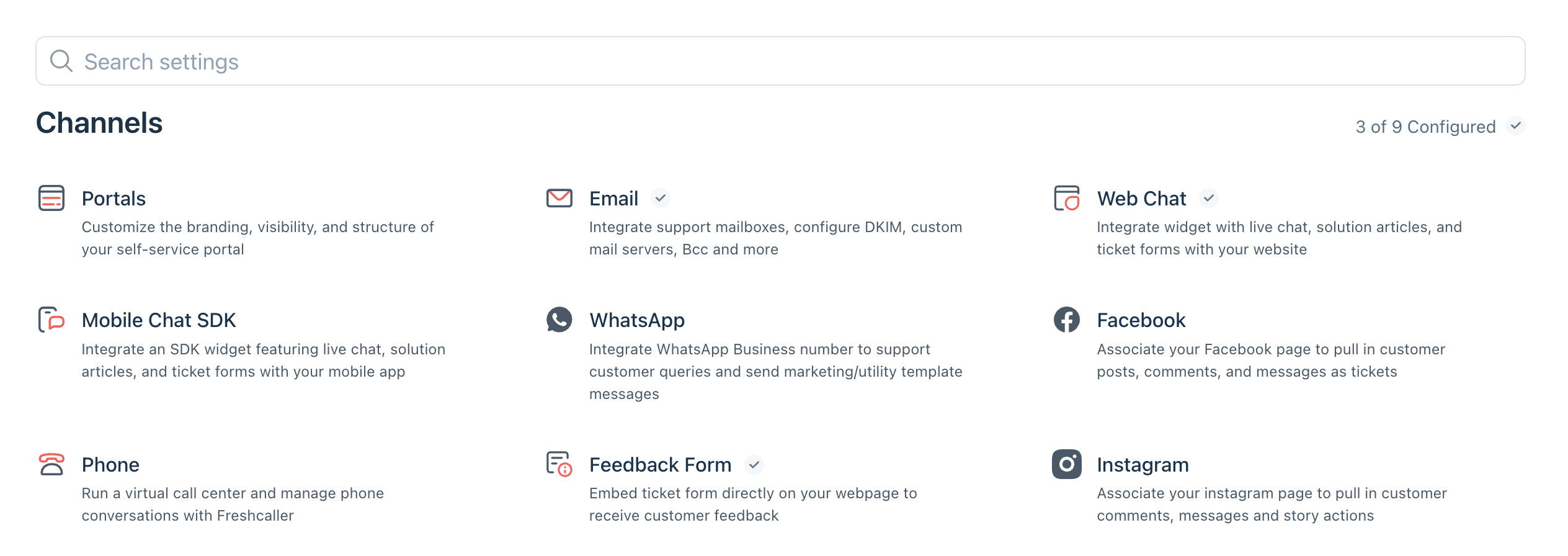
Every channel and its configuration can be managed from a single streamlined admin interface. Admins can set up automations, route and prioritize conversations, and consistently track SLAs across channels.
Access reporting and dashboards across all channels to monitor performance, track trends, and identify areas for improvement.
For more information on Freshdesk Omni 2025, see Get started with Freshdesk Omni.
Feature availability
While all features remain available after the upgrade, some have been updated as part of the unified experience. The following table provides a high-level view of feature availability.
``` Tip: Focus on newly introduced and upgraded features, such as the unified inbox, AI capabilities, and automation improvements, to get the most value from the upgrade. ```
| Feature | New/upgraded | What is available after the upgrade? |
| Inbox & Conversations | ||
| Unified inbox (Freshdesk Command Center) | Upgraded | All conversations across email, chat, and messaging channels will be managed in a single workspace, with each interaction converted into a ticket.<br>Learn more). |
| Response experience | Upgraded | A single reply editor will support all channels, allowing agents to respond without switching interfaces.<br>Learn more. |
| Quick list | New | A new quick list view helps agents filter, prioritize, and manage conversations efficiently.<br>Learn more. |
| Channels | ||
| Upgraded | Email conversations will be managed within the unified workspace along with other channels.<br>Learn more. | |
| Live chat | Upgraded | Chat is available as a new native channel in the unified workspace. Existing chat configurations will not be carried over and must be set up again in Freshdesk Omni 2025. <br>Learn more. |
| New | Instagram DMs and comments will be converted into tickets and can be handled within the unified Inbox.<br>Learn more. | |
| Upgraded | WhatsApp conversations will include improved messaging capabilities, such as structured templates and better customer interaction handling.<br> Learn more. | |
| Upgraded | Facebook posts, comments, and messages will be consolidated into one interface. This allows agents to manage public and private interactions in a single view.<br>Learn more. | |
| Automation & Workflows | ||
| Quick Automation | New | Quick automations will execute actions within 30 seconds on real-time conversations, ensuring faster responses and reducing inactive conversations.<br>Learn more. |
| Routing & assignment | Upgraded | Tickets will be assigned using an enhanced routing engine with dynamic round-robin logic based on agent workload and availability. You can also use a simplified admin interface to configure routing and agent availability.<br>Learn more. |
| SLA management | Upgraded | SLAs can be defined and tracked across channels from a single interface, making it easier to monitor response and resolution targets.<br>Learn more. |
| Business hours | Upgraded | Business hours can be configured based on the source or channel, allowing for more accurate response expectations for different channels.<br>Learn more. |
| CSAT | Upgraded | CSAT surveys can be configured across channels with flexible targeting, customizable question types, and controls for survey frequency and expiry, with responses available for analysis in reporting.<br>Learn more. |
| Contacts & Customer Data | ||
| Unified customer view | Upgraded | Customer contact details include a consolidated 360° view with conversation history across channels, along with channel-specific identifiers and support for unique values in custom fields.<br>Learn more. |
| Analytics & Reporting | ||
| Omnichannel reporting | Upgraded | Access reporting and dashboards across all channels to monitor performance, track trends, and identify areas for improvement.<br>Learn more. |
| Freddy AI | ||
| AI Agents | Upgraded | AI Agents automatically handle common customer queries within conversations across channels.<br>Learn more. |
| AI Copilot | Upgraded | Provides real-time suggestions, summaries, and assistance within conversations, helping agents respond faster and with better context.<br>Learn more. |
| Knowledge Base | ||
| Unified Knowledge base | Upgraded | Knowledge base content can be managed in a unified workspace, allowing agents to access and share articles across channels while responding to conversations.<br>Learn more. |
Next steps after the upgrade
FAQs
1. Will I lose access to my current workspace during migration?
No, you will not lose access. Your existing ticketing interface will be upgraded to the latest version without any disruption.
2. What happens to my integrations?
All existing integrations with Freshdesk will continue to function as expected. API endpoints remain unchanged.
3. What if I only use Freshdesk for email tickets?
Even if you use Freshdesk only for email, the upgrade provides access to enhanced capabilities for SLA management, routing, and automation.
4. Will my pricing change?
There will be no change to your current pricing for existing capabilities. Your per-agent license cost will remain the same. However, any new capabilities or non-recurring add-ons(such as day passes) will be priced according to the latest pricing.
5. What will happen to the existing Freshchat data & configurations? Your account has no new chat conversations in the last 90 days. Please note that previous chat data will be deleted from the current account. However, you will continue to have access to the chat data and configurations for 30 days in a separate Freshchat trial account. To start using these features again in the current account, define your channel and associated configurations.
6. Will my account URL change after the upgrade?
- If you are using Freshdesk Omnichannel Classic, your account URL will remain the same.
- If you are using Freshdesk Omni (2023), your account will be moved to a freshdesk.com domain. For example: <yourcompany.freshdesk.com>