Last updated: 2021-06-25
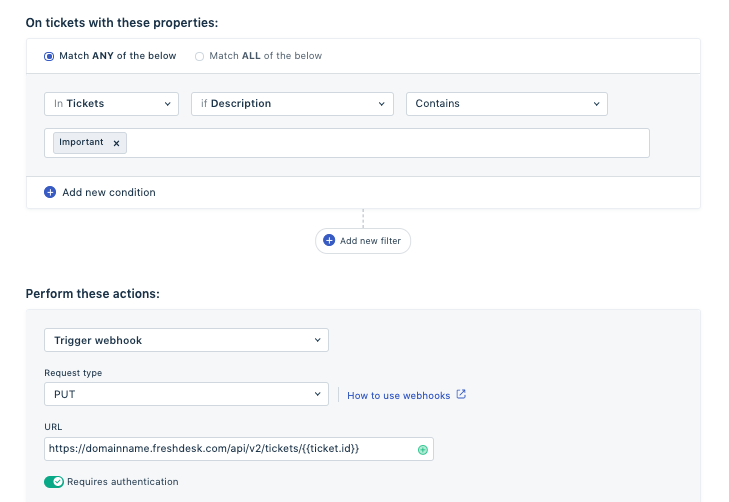
This can be done using the API. Navigate to Admin > Workflow > Automations > Ticket Creation > New Rule and set up an automation rule as follows:
Condition: Description contains "..........."
Action: Trigger a webhook
Kindly refer to this link for more information on updating ticket details via API. Copy the code accordingly for changing the subject.