Last updated: 2025-09-02
Source: https://support.freshdesk.com/support/solutions/articles/50000005573-restrict-file-extensions
Restrict file extensions
You can control agents and customers from sending and receiving specific file types while exchanging messages on tickets.
You can control which file types agents and customers are allowed to send or receive in ticket conversations. This helps you manage security risks (for example, blocking executable files like .exe or compressed files like .rar). Depending on your needs, you can also explicitly allow only a few file types while blocking everything else.
When setting up restrictions:
To allow or restrict file extensions:
1. Log in to your account as an Admin 2. Go to Admin > Security 3. Scroll down to Attachment Settings.
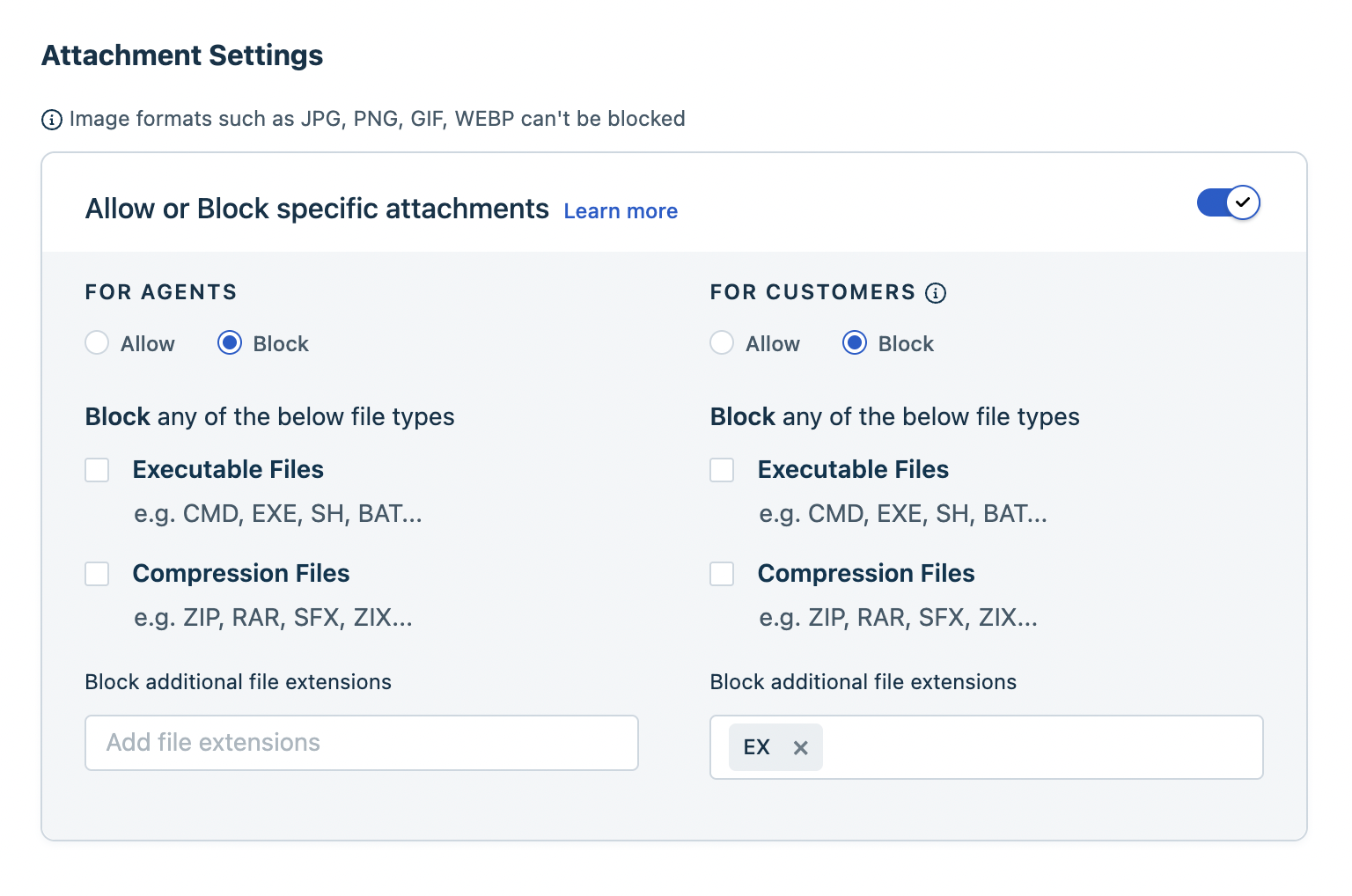 4. Select the file types you want to allow or block for agents and customers.
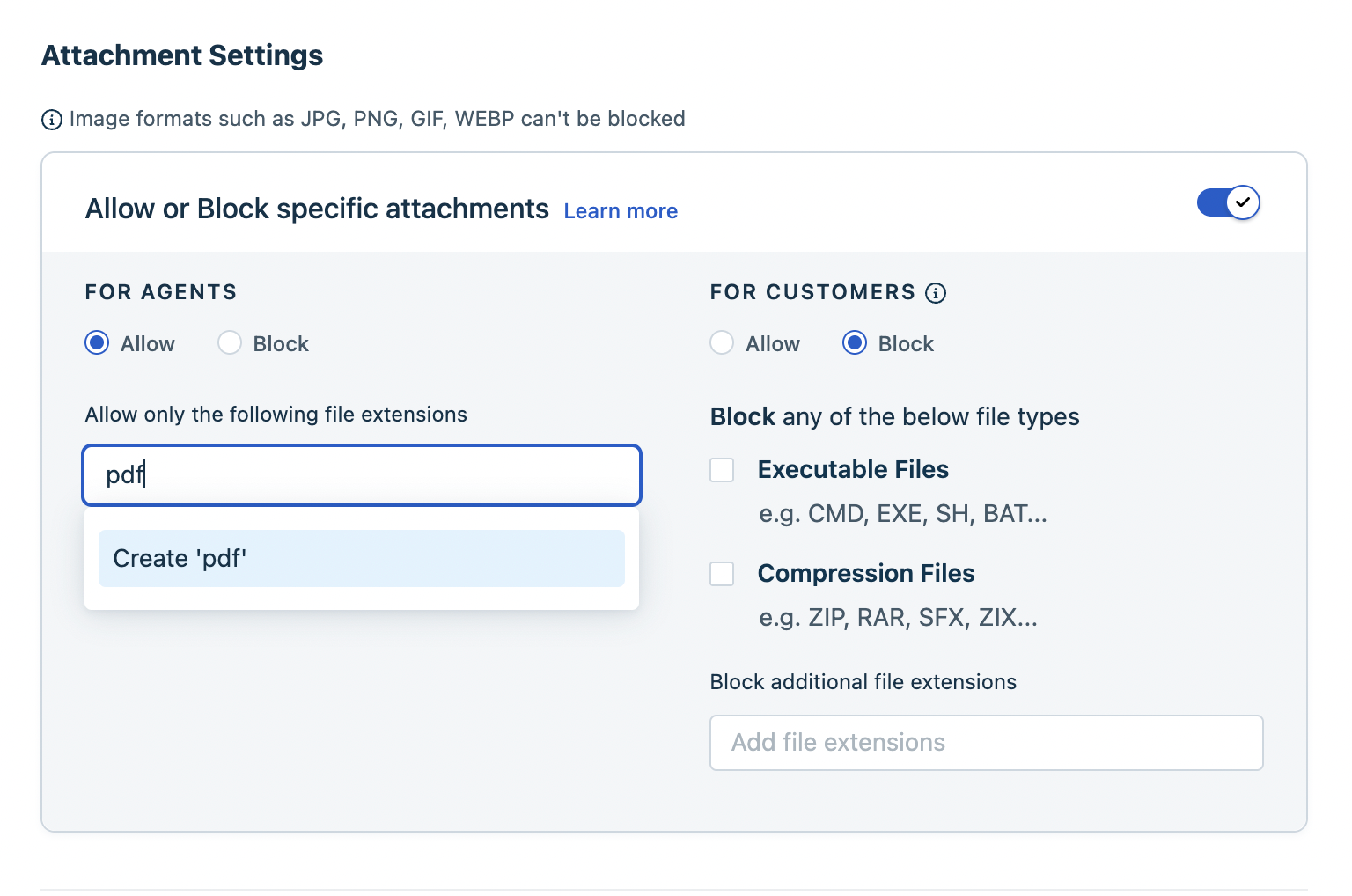
5. Click Save Changes.
``` Note: Only one option is available for file extensions: either allow or block them for customers or agents. You cannot select both. ```
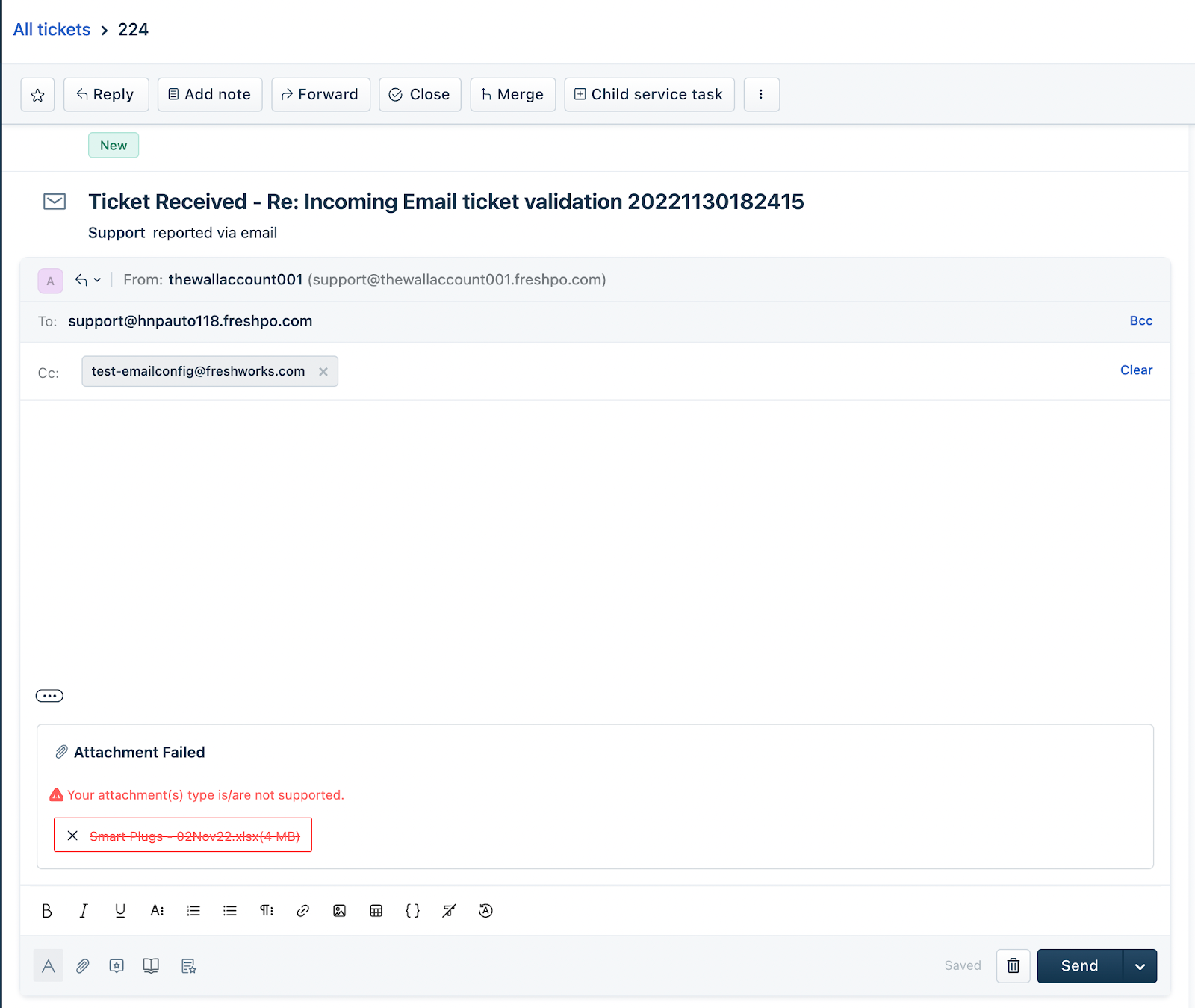
Once you have defined the file extensions to be allowed or blocked, the following error will be displayed whenever an agent or customer tries to attach a restricted file.