Last updated: 2023-04-20
Source: https://support.freshdesk.com/support/solutions/articles/226310-is-there-a-way-to-disable-the-link-to-a-tracker-option-for-specific-groups-agents-
You can create a custom role and manage the Ticket access for the agents assigned to the role under Permissions.
To disable the option for agents to link tickets,
Go to Admin > Teams > RolesCreate a New Role or click Edit next to an existing custom role.Scroll down to Permissions.Under the Tickets tab, uncheck the box next to Create a linked ticket.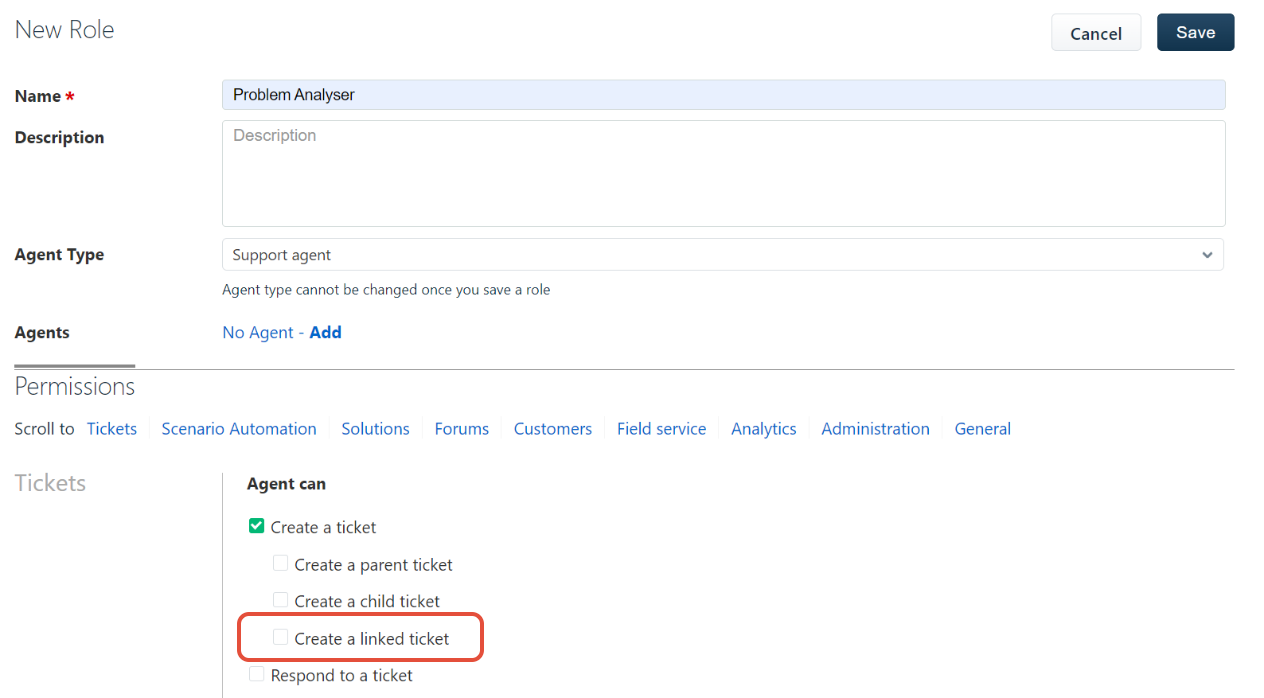
You can now, assign this role to all the agents who should not have access to create linked tickets.