Last updated: 2022-06-06
Source: https://support.freshdesk.com/support/solutions/articles/50000001683-assign-a-conversation-to-a-freshchat-agent-from-chatbot
Assign a conversation to a Freshchat Agent from chatbot
You can handover the conversation from the bot to an agent on Freshchat . You can either use the Freddy Self-service widget or the Freshchat widget.
If you are using the Freddy Self-service bot widget
If you are using the Freddy Self-service bot widget, you can handover the conversation to a Freshchat agent. Learn more here.Open the dialog where the handover should happen > Actions > Assign to an agent
If you are using the Freshchat widget
You can use the Freshchat widget to deploy your bots. Learn more here.Open the dialog where the handover should happen > Actions >Assign to agent> pick the Freshchat group to which the chat needs to be assigned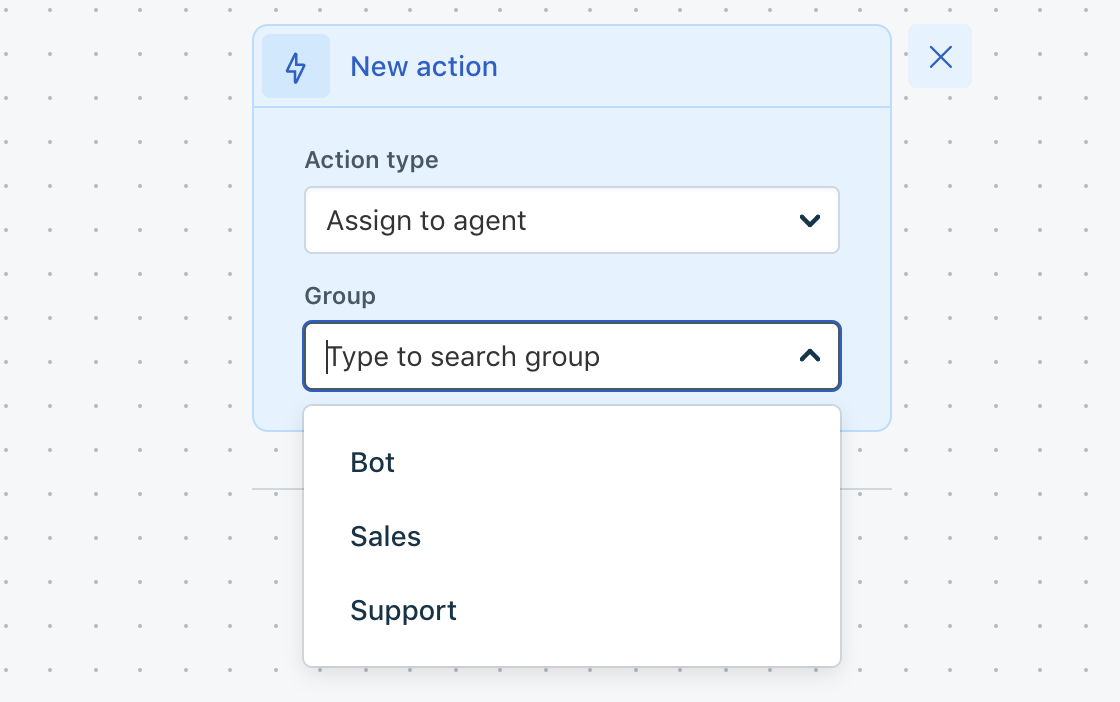
``` Note: Using the Freshchat widget to deploy the bot through the BYOB allows you to pick Agent groups ```
You can also choose to resolve the conversation by picking Actions > Resolve conversation, which will resolve the conversation
Please write to freshbots-support@freshworks.com if you have any more questions. We'll be happy to help you.