Last updated: 2025-08-20
With the Freshdesk Telephony Partner Extension with Amazon Connect, you can bring your Aircall account into Freshdesk to meet your customer support needs. With this capability, you can:
You can meet your customers where they are and avoid the hassle of having to switch your telephony provider.
Pre-requisites:
The following are the prerequisites for installing Amazon Connect CTI integration with Freshdesk:
1\. Admin-level access for the Freshdesk account
2\. Active Amazon Connect account license and login details
3\. To whitelist Freshdesk with Amazon Connect, add the following URLs to the Approved Origins list in your Amazon Connect instance:
Do you want me to make it even simpler, so it reads more like step-by-step instructions rather than an explanation?
Integrating Amazon Connect with Freshdesk:
- Create a custom ticket field within Freshdesk called ‘Call ID’
- The Call ID will be generated automatically for each call and updated in this field
Note: If you are using Freshcaller within your Freshdesk account, you can disable it for your agents by following the steps outlined here.
A quick guide to using the integration:
Here are the key agent functionalities of the call widget.
Start a new call
Agents can start a new call using the keypad or from the ‘Contacts’ tab by selecting a contact.

In-call actions
Agents can perform call actions from within the widget itself, like

Receive a call
When receiving a call, agents can view more contact details on Freshdesk by clicking on the contact name. Agents will receive a call only when their status is set to ‘Available.’

Click to Dial
If agents want to quickly dial a number from the Contacts page or any other page, they can click the ‘Call’ icon next to the number, and it will get auto-populated in the Amazon Connect dialer.

Change agent status Agents can change their availability status to ‘Available’ or ‘Offline.’ Agents can make/receive calls only if their status is set to ‘Available.'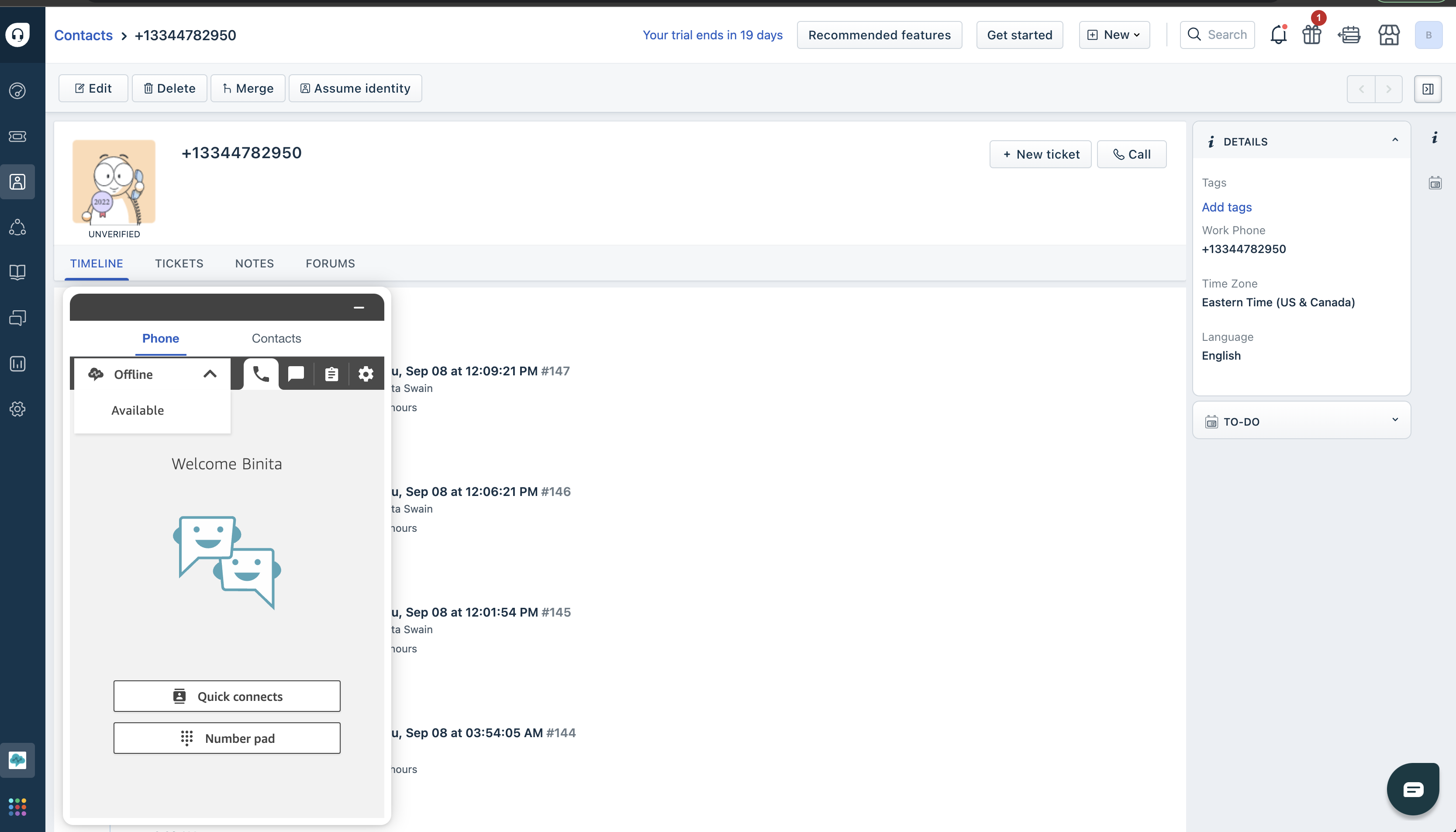
Voicemail
Refer to this document for voicemail setup.
Call conferencing
Agents can add other agents to an ongoing call or transfer a call to another agent.

Automatic ticket creation
Tickets will be automatically created in Freshdesk for attended calls and voicemails based on the setting chosen during installation. Agents can also create tickets manually if needed. All call-related details will be available on the ticket.

Add tasks
Agents can create and assign tasks to themselves or other agents in this setting.

Manage settings
Agents can manage general settings from the settings tab, like setting their phone type and language. They can also log out from their account.

Integration Limitations:
``` It takes up to 30 seconds for a ticket to get indexed in Freshdesk. ```
