Last updated: 2025-11-18
Understanding the three-level solutions hierarchy
``` Note: This feature works the same across all Freshservice products. Some screenshots or articles may reflect older designs, but the functionality remains unchanged. If certain options do not appear in your account, they may not be included in your current plan. ```
The Freshservice/FSBT knowledge base provides more flexibility and clarity by letting you categorize your knowledge base into a three-level hierarchy. These include top-level categories that hold a group of related content, folders under each category, and finally solution articles inside each folder. This structure is maintained across your knowledge base and can be seen from the Solutions tab.
Solution Articles or knowledge base posts promote self-help in your support portal. These should ideally cover all aspects of your company, product or service such as "how-to" instructions and FAQs. For example, in an IT service desk store, your knowledge base articles would probably include common answers to questions regarding connectivity issues, broken printers, and hardware or software related queries.
Quick guide for creating a solution article:

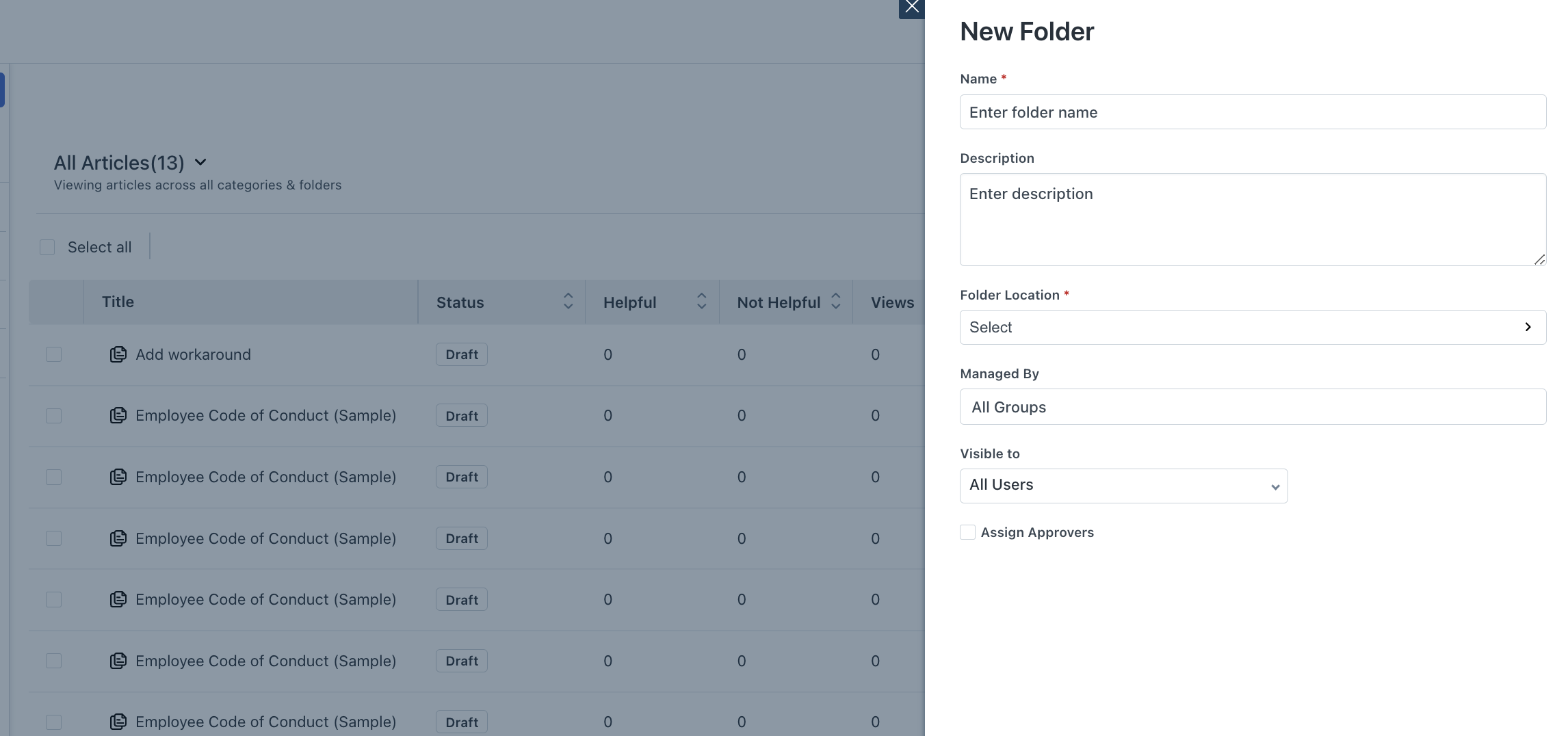
A collection of related solutions articles are organized together into Folders. Folders make it convenient for users to read similar articles and other relevant solutions to their problem. They can also provide a quick way to find out everything you can know about one particular section in your knowledge base. For example, you would club solutions related to login credentials and permission related articles under the "Privileges" folder.
Quick Guide for creating a new Folder under a category:
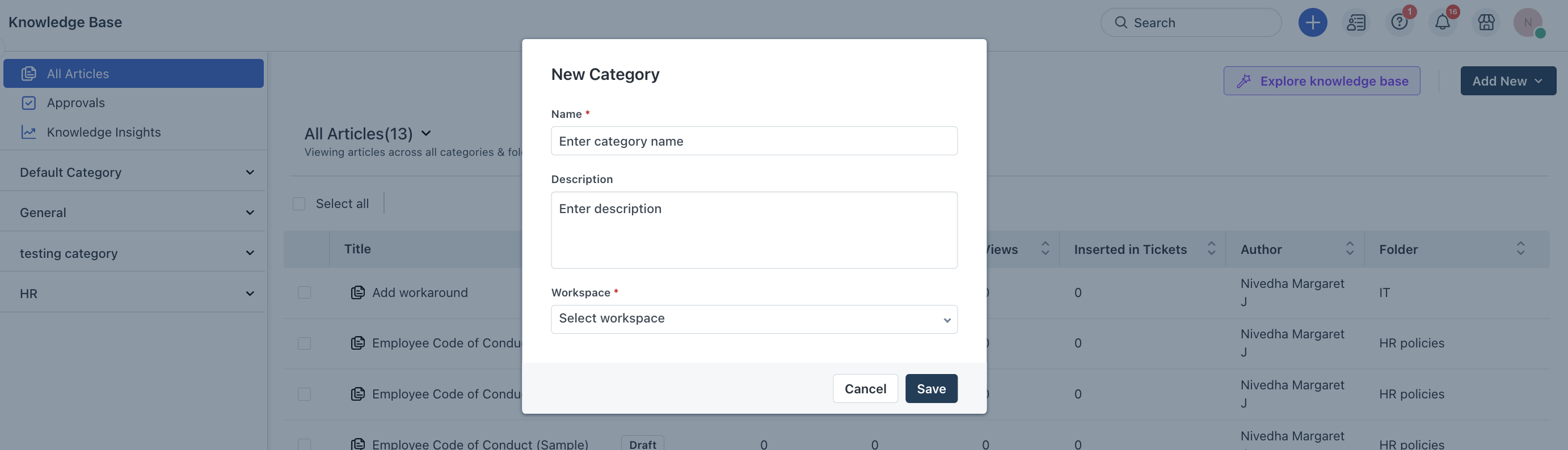
At the top level, Categories broadly classify your solutions page into several segments. For example, you could place Printers, Hard Drives and Drivers related information under the Hardware category. Another interesting application of the top level category is when you are providing support across multiple brands or products. You can learn more about multiple branded support portals here.
Quick guide for creating a new solution category:
Caution: Deleting a solution category deletes all articles and folders within it and this is irreversible.