Last updated: 2023-06-01
How to edit automatic email notifications?
Using Freshdesk’s automatic email notifications, you can prioritize your work and be aware of new tickets, customer responses, and much more from within your helpdesk.
Please follow the below steps to edit the email notifications to customize them per your business requirement.
1. Login to your Freshdesk account as an administrator.
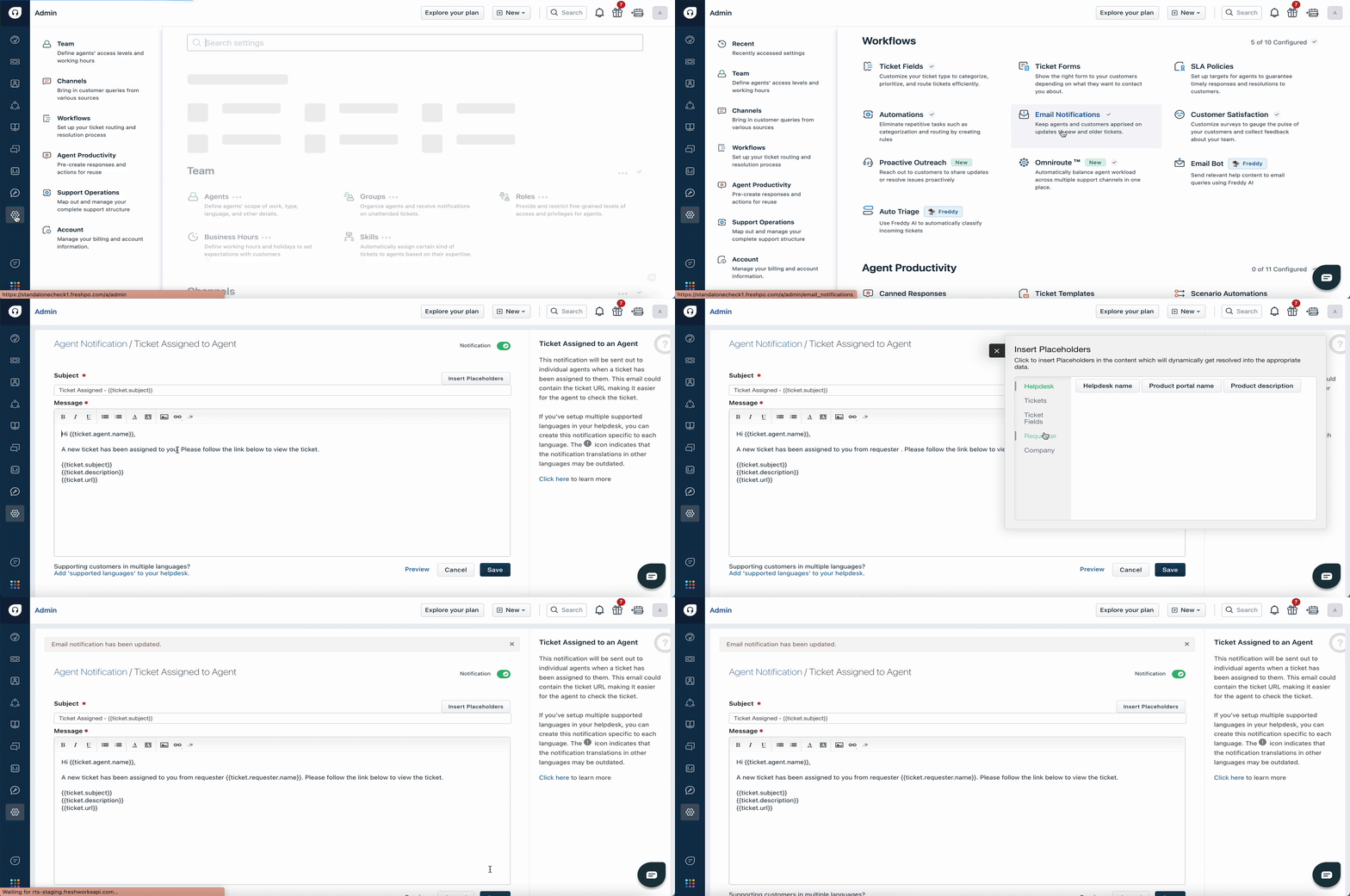
2. Navigate to Admin from the menu. Select Workflows and click on EmailNotifications.
3. Click on the Edit icon next to any email notification.
4. You can make use of the “Insert Placeholder” option to add dynamic content and personalize the email subject and its content.
5. Click Save.